ASUS · اللوحات الأم
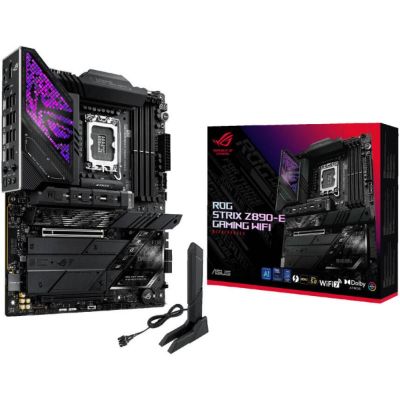
ASUS ROG Strix Z890-E Gaming WiFi ATX Motherboard – DDR5, PCIe 5.0ROG Strix Z890-E Gaming WiFi · ATX
من 449 د.أمتوفر
مقارنة عبر 8 متاجر

TRX40-E GAMING
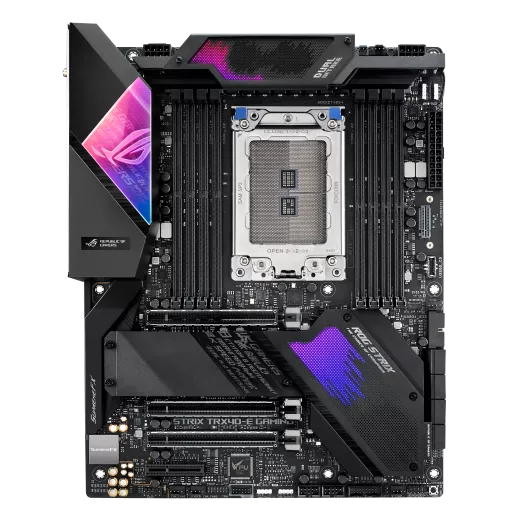
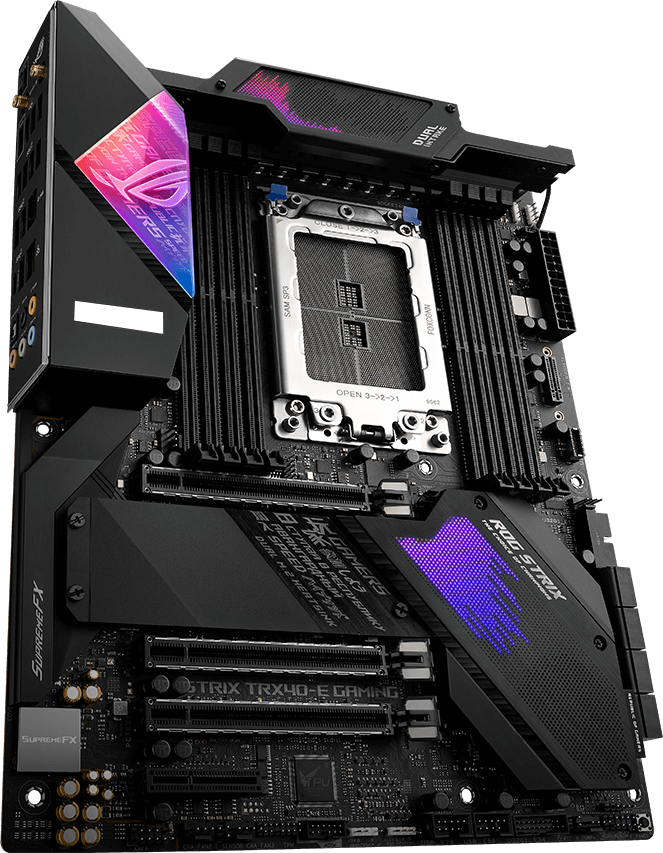
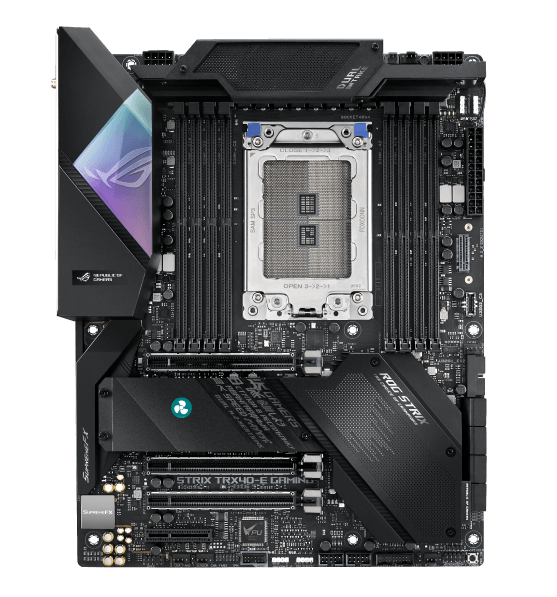
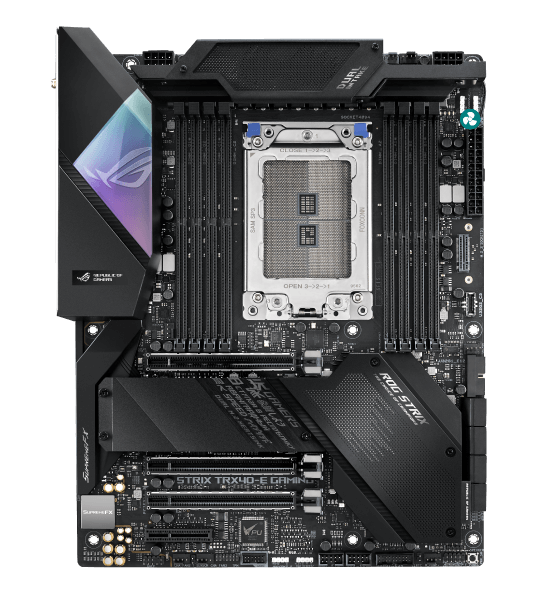
ASUS ROG STRIX TRX40-E GAMING, AMD TRX40, sTRX4, DDR4, PCIe 4.0, 3xM.2, SLI/CrossFire, 2.5GbE, ax WiFi, USB3.2 Gen2, ATX
| المتجر | السعر | التوفر | الإجراءات |
|---|---|---|---|
 Compu Jordan | 449 د.أ | غير متوفر | زيارة المتجر |
متجر واحد فقط في هذا الكتالوج يعرض هذا المنتج. تأكد من السعر النهائي لدى المتجر.
أضيف أقل عرض 2021-12-29 · حُدث 2026-11-25 · لم يُسجَّل أي تغيير للسعر
ابحث عن عروض المتاجر الأخرى| Motherboard Specifications | |
|---|---|
| CPU Support | AMD Threadripper II & III Gen |
| CPU Socket Type | sTRX4 |
| Chipset | AMD TRX40 |
| Form Factor | ATX |
| Memory Type | DDR4 |
| Memory Speed | 4666 MHz |
| Maximum Memory | 256 GB |
| Memory Slots | 8 Slots |
| AMD Cross Fire | Yes |
| M.2 Slots | Yes |
| NVIDIA SLI | Yes |
| Wireless LAN | Yes |
| Warranty | |
| Warranty | 1 years |
The lowest price from 30 days before the promotion:
The ASUS ROG Strix TRX40-E Gaming motherboard is a good looking and great designed motherboard for mainstream new 3rd Gen AMD Ryzen Threadripper series processors build with superb High performance VRM design we were easily able to overclock AMD Ryzen Threadripper 3970X 32-Core, 64-Thread CPU upto 4.4Ghz and 4.2GHz super stable .
PC "Ve bottle" is slightly 200 million | 3990x + RTX 3090 + Custom water dispersion | ROG STRIX TRX40-E GAMING
ASUS has a really solid, well thought-out, cool, and powerful board on their hands
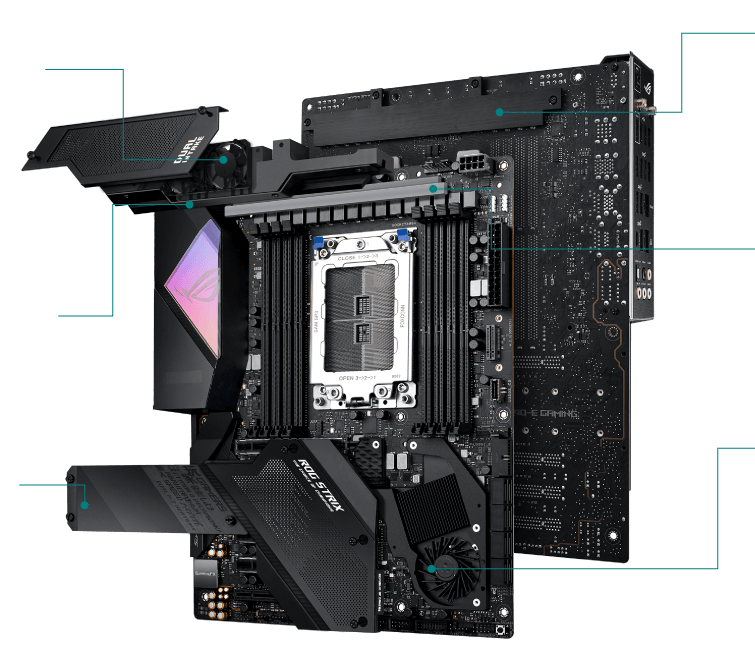
ROG Strix TRX40-E Gaming blends stunning gaming aesthetics with high-end desktop performance for do-it-all builds for users that like to work hard and play hard. A variety of design touches show off its cyberpunk origins, including a translucent I/O shroud glows under Aura lighting and a striking rainfall pattern on the VRM & chipset heatsinks. When it comes to performance, ROG Strix TRX40-E Gaming delivers with a wealth of ultrafast connectivity options, including three PCIe 4.0 M.2 slots, the latest 2.5G Ethernet and Wi-Fi 6 networking, and eight USB 3.2 Gen 2 ports.
‧ 3 x PCIe 4.0 x16 Safeslots (supports x16/x16/x16 mode) ‧ 1 x PCIe 4.0 x4 slot
‧ Dual OP Amps ‧ Impedance sense for front and rear ‧ 120dB SNR stereo playback output ‧ 108dB SNR recording input ‧ SupremeFX shielding
‧ 2 x Type 2242/2260/2280/22110, storage devices support (PCIE 3.0 x4 mode) from CPU ‧ 1 x Type 2242/2260/2280/22110 storage device supports (PCIE 3.0 x4 and SATA modes) from Chipset
With comprehensive cooling options and robust power delivery to fuel CPUs with more cores, plus faster storage and memory, ROG Strix TRX40-E Gaming provides all the essentials you need to harness the full potential of components in your build for top-tier gaming performance.
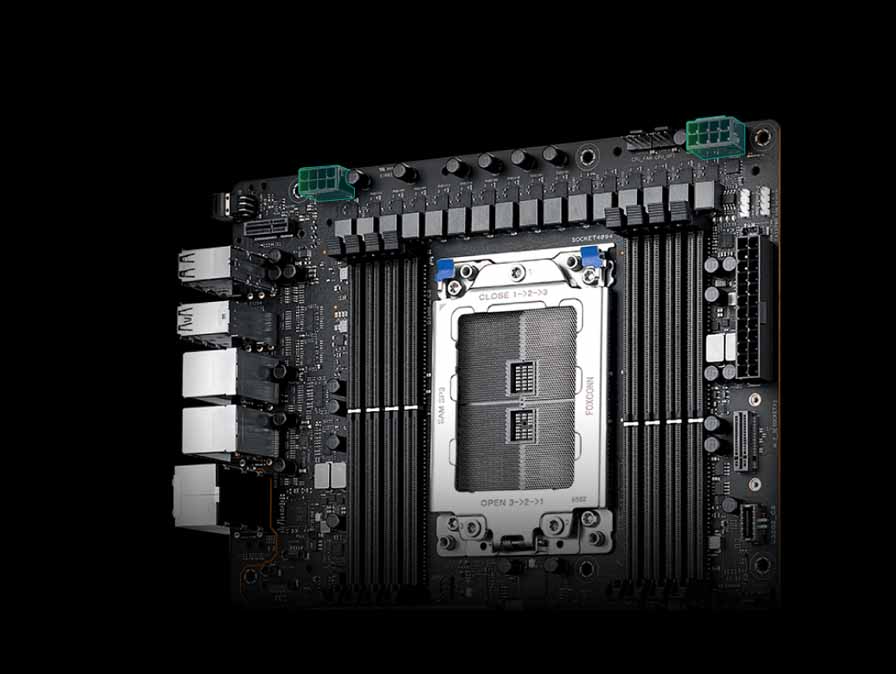
Digital power control and an array of power stages ensures ROG Strix TRX40-E Gaming has the muscle to control the latest Threadripper CPUs.
ProCool II sockets are built to tight specifications to ensure flush contact with the PSU power lines and have a metal armor for improved heat dissipation. The connector's lower impedance helps prevent hotspots and improves reliability.
The Digi+ voltage-regulator module (VRM) is one of the finest in the industry, ensuring ultra-smooth and clean power delivery to the CPU.
ROG Strix TRX40-E Gaming has a CPU VRM with 16 power stages, delivering the power and efficiency that the latest AMD processors demand.
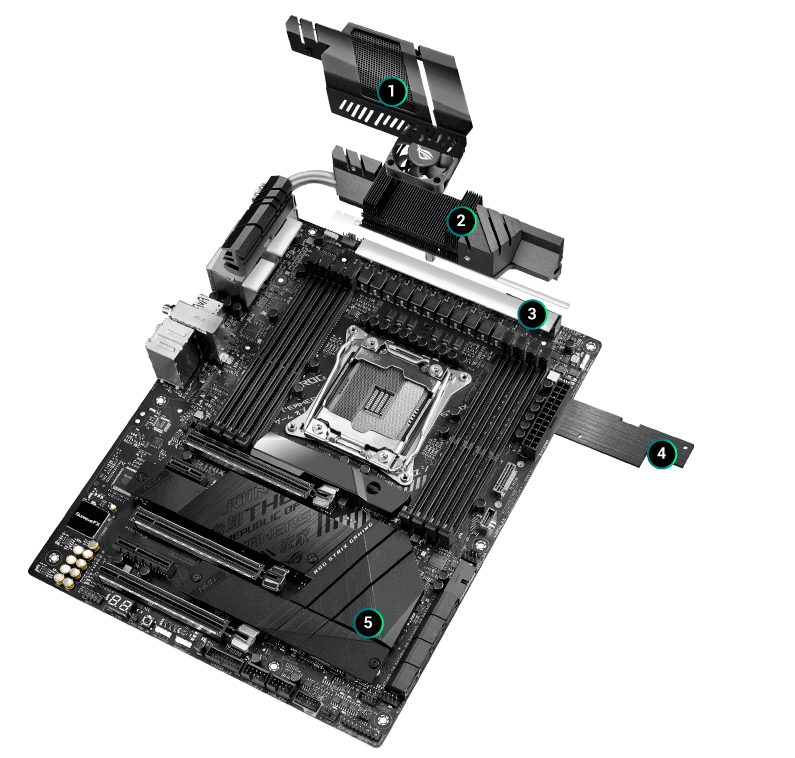
ROG Strix TRX40-E Gaming uses efficient alloy chokes and high-quality thermal pads to transfer heat from the inductor and phase array to a heatsink with ample surface area to cool the latest processors.
Superior chokes and durable capacitors are engineered to resist extreme temperatures and provide better performance than the industry standard.
An active VRM heatsink provides a large contact area for the MOSFETs and chokes, enabling more efficient cooling of the MOS heatsink for better performance and wattage resistance.
Closely-packed, multi-layered fins maximize the surface area to speed heat dissipation from the controller, improving cooling.
The M.2 heatsink keeps the Dual M.2 SSD at the optimum operating temperature for consistent performance and reliability.
A backplate on the rear of the board helps balance MOSFET temperatures while providing structural reinforcement.
A high-quality thermal pad helps transfer heat from the inductor and phase array to the heatsink.
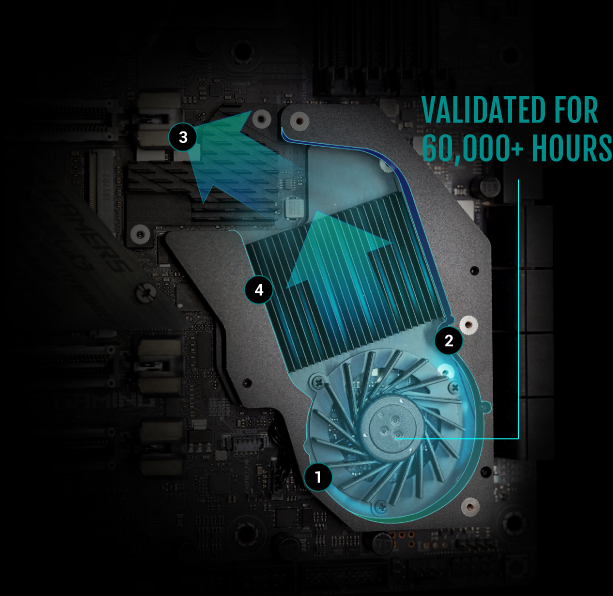
PCIe 4.0 provides twice the bandwidth for data flowing through the chipset, which creates more heat than the previous generation. ROG Strix TRX40-E Gaming features an actively cooled heatsink to prevent throttling during sustained transfers.
A VRM heatsink provides a large contact area for the MOSFETs and chokes, enabling more efficient cooling of the MOS heatsink for better performance and wattage resistance.
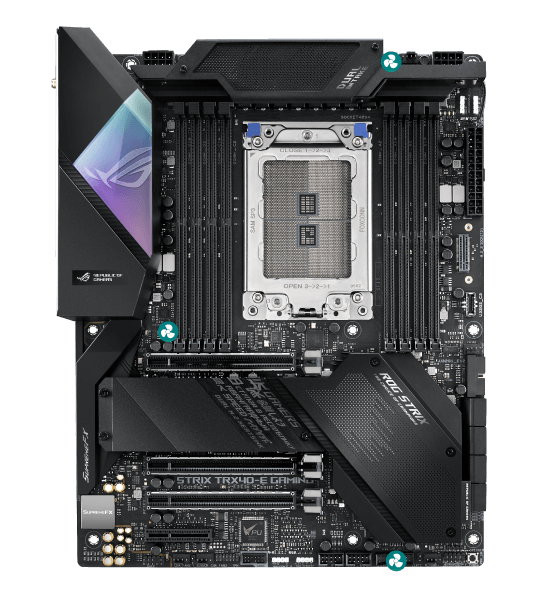
ROG Strix TRX40-E Gaming series features the most comprehensive cooling options ever, configurable via Fan Xpert 4 or the UEFI BIOS
The custom low-noise fan features a high-durability bearing with a 60,000-hour L10* lifespan. * L10 bearing life is a standard metric that specifies the number of hours that 90% of the bearing are expected to continue successfully operating, as a minimum.
A specially-designed air duct helps the fan generate static pressure and concentrates air flow over the fins.
ROG Strix TRX40-E gaming features an SoC VRM heatsink positioned in the pathway of the chipset fan’s airflow to enable the SoC VRM to stay cool during memory overclocking.
The heatsink fin density is optimized to maximize surface area while maintaining a low-resistance exhaust path.
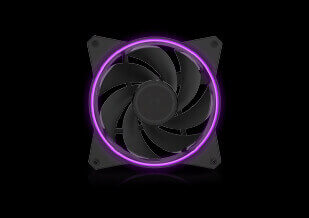
A dedicated PWM/DC fan header for CPU coolers.
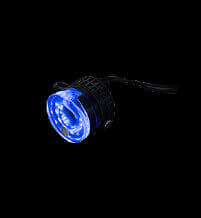
A dedicated PWM/DC header for self-contained water-cooling setups.
A dedicated header that can supply over 3A to high-performance PWM or DC water pumps.
The M.2 heatsink keeps the dual M.2 SSDs at the optimum operating temperature for consistent performance and reliability.
Every onboard header supports auto-detection of PWM or DC fans.
Dedicated header for onboard heatsink fans. *This fan is also PWM/DC controllable.
ROG Strix TRX40-E Gaming is engineered with the latest connectivity for the best gaming experiences. Transfer files faster and banish lag as you secure more victories.
The TRX40 platform delivers ample bandwidth on multiple fronts. Its quad-channel memory controller supports up to 256 GB of DDR4 memory across eight slots and an optimized trace layout enables DDR4 memory overclocking with maxed-out speeds for your build.
CPU: AMD 3rd Gen Ryzen | Threadripper 3960X | DRAM: Crucial BLE8G4D40BEEAK.M8FE1 | Motherboard: ROG STRIX TRX40-E GAMING | Water-cooling: Corsair H115i
ROG Strix TRX40-E Gaming features triple M.2 slots. The M.2_3 slot supports both SATA and PCIe 4.0 x4 modes, and the other slots support PCIe 4.0 x4 for NVMe. Together, they give you the fastest and most-flexible M.2 interface available.
ROG Strix TRX40-E Gaming amps up networking with 2.5G Ethernet and next-gen Intel® Wi-Fi 6 (802.11ax) that surpasses gigabit speeds to take your LAN to the next level. With ROG GameFirst software that offers multi-gate teaming, you'll enjoy the very best online gaming experience.
The latest 802.11ax standard delivers high efficiency wireless connectivity for better gaming enjoyment. As well as providing better network pings in multi-user environments, 802.11ax also greatly improves throughput and coverage over earlier standards.
2.5G on-board Ethernet kicks your Ethernet connection up a notch with an up to 2.5X bandwidth improvement. Using your existing Ethernet cable, you can take advantage this networking upgrade to experience smoother, lag-free gaming, immediately stream high-resolution videos and enjoy faster file transfers.
ROG Strix TRX40-E Gaming features Intel Ethernet (I211-AT), ensuring data exchanges with your network and the outside world are fast and smooth. Intel LAN reduces CPU overhead and increases TCP and UDP throughput, keeping more processing power.
Immerse yourself in sound with SupremeFX audio technology. Utilizing the S1220A codec, SupremeFX is the integrated-audio solution that's engineered to provide a flat frequency response for a neutral, detailed sound signature. And to ensure that pristine signature is perfectly preserved, the front-panel output is driven with dual op amps, delivering sonics with the scale and authority to create virtual worlds via your gaming headset. >Learn more about ROG audio technology
A host of design touches, including a unique cyber-text pattern, plus customization options, comprehensive validation lists, and the most diverse ecosystem of components in the industry make building and personalizing a gaming rig with ROG Strix TRX40-E Gaming wonderfully easy.
ROG Strix TRX40-E Gaming strikes an arresting pose, with or without RGB. A unique RGB rainfall pattern on the VRM heatsink provides a colorful accent to this critical component. The I/O shroud sports a laser-engraved ROG logo topped with an acrylic plate imprinted with ROG's signature cybertext patterns, so switching on the lights illuminates a whole new aesthetic dimension — unique style with a cyberpunk edge.
ROG Strix motherboards deliver sterling performance, accented by aesthetics to Outshine the Competition. ASUS Aura offers full RGB lighting control with a variety of functional presets for the built-in RGB LEDs as well as strips connected to the onboard RGB header — and it can all be synced with an ever-growing portfolio of Aura-capable ASUS hardware.
ROG Strix TRX40-E Gaming's Addressable Gen 2 RGB headers are now capable of detecting the number of LEDs on second-gen addressable RGB devices, allowing the software to automatically tailor lighting effects to specific devices. The new headers also offer backward-compatibility with existing Aura RGB gear.
ROG Strix TRX40-E Gaming is equipped with LiveDash, a built-in 1.3“ OLED panel that displays useful information and customizable graphics. During the power-on, self-test (POST) phase, LiveDash shows key progress stats in simple language and via traditional POST codes. Then, during normal operation, the panel shows a choice of CPU frequency, device temperatures, fan speeds or information from the Water Cooling Zone. You're even able to customize the default LiveDash GIF, so that it'll display your own image or animation.
ROG’s patented I/O shield is finished in sleek matte black and comes pre-mounted to make it easy to install the motherboard
3X slot Provides stronger PCIe device retention and greater shearing resistance
2X greater Electrostatic protection than the industry standard. ESD Guards cover the USB, audio and LAN ports
BIOS Flashback™ is the simplest and safest (UEFI) BIOS update method. Simply drop the (UEFI) BIOS file onto a FAT32 formatted USB stick, plug it into the USB BIOS Flashback port and press the button. Updates can even be performed without having memory or a CPU installed.
3 clip To Swap or secure your graphic cards
1 sided Clips for super-simple, super-secure handling of memory modules
Onboard LEDs to indicate the power status, and problems with the CPU, memory, graphics card or boot device for quick diagnosis
Easily removable mesh covers provide access to fans and airflow channels where dust can build up over time, making cleaning these areas quick and simple.
The front-panel header lets you customize the reset button on the front-panel of your chassis to provide quick access to your choice of Aura lighting controls, DirectKey or system reset.
Having the freedom to pick and choose the parts that go into your machine is at the heart of PC DIY. That's why ROG Strix undergoes an extensive certification program focused on providing the very best compatibility with the widest range of components and devices. Our extensive list of guaranteed-compatible components is an invaluable aid to building a ROG Strix gaming rig. It specifies thousands of compatible parts, and it includes a dedicated Qualified Vendor List (QVL) for memory — so you can build fuss-free. Explore compatible components>
Gear up with ROG Strix components, from graphics and sound cards, to mice and keyboards, and up your game with complementary aesthetics, control and compatibility — and enjoy more choice than any competing brand.
The ROG Strix TRX40-E Gaming motherboard features firmware controls and software utilities designed for all skill levels, making setup, tuning and system maintenance simple. With options from overclocking and cooling to managing network performance and audio characteristics, you can configure your ROG Strix gaming build to perform the way you want.
Take care of complex tuning with just one click. ASUS 5-Way Optimization makes your PC smart by dynamically optimizing essential aspects of your system, providing overclocking and cooling profiles that are tailored for your rig.
The TurboV Processing Unit (TPU) is an intelligent onboard micro-controller that provides an array of system-tuning features, including the ability to fine-tune voltages, monitor system stats and adjust overclocking parameters.
With the Energy Processing Unit (EPU) you'll enjoy system-wide power savings. The EPU automatically optimizes power consumption and maximizes savings with Away mode — a smart setting that creates an extreme energy-saving scenario by shutting down unused I/O controllers.
Enjoy comprehensive control over fans, water pumps and all-in-one (AIO) coolers, via either Fan Expert 4 or our award-winning UEFI. Whether you're cooling with air or water, Auto-Tuning mode intelligently configures all parameters with a single click. There's also an Extreme Quiet mode, which reduces all fan speeds to below the default minimum — keeping your system whisper-quiet when performing light tasks.
The Digi+ voltage-regulator module (VRM) delivers real-time control over voltage droop, switching frequency and power-efficiency settings, allowing you to fine-tune CPU voltage regulation for ultimate stability and performance.
AMD's processors feature per-core tuning, and the ASUS Turbo app makes use of this feature by letting you assign applications to specific processor cores, prioritizing computing power where it's needed most.
The renowned ROG UEFI (BIOS) provides everything you need to configure, tweak, and tune your rig. It offers intelligently simplified options for newcomers to PC DIY, as well as comprehensive features for seasoned veterans.
Designed to simplify setup, EZ mode presents all the vital settings and stats on a single page. With guided wizards, drag-and-drop functionality, and one-click application of important settings, your rig will be up and running in no time.
Fine-tune individual fans simply by dragging a curve with the mouse.
View port details for easy device recognition.
Use the mouse to quickly change time and date settings.
Easily enable or disable Aura RGB lighting or every onboard LED, for a more subdued aesthetic.
When you're ready for a deeper dive, delve into the UEFI's Advanced mode and take complete control. Advanced mode enables full control over every aspect of the motherboard, and a built-in search function.
Quickly find tuning options and add preferred tools to the list.
Flash the latest BIOS from within the BIOS.
Check your storage device Self-Monitoring, Analysis, and Reporting Technology logs to gauge reliability and identify potential failures.
Restore your SSDs and NVMe storage to factory settings.
Track the last change and save preferred profiles to a USB drive.
Rename SATA ports for easy identification.
Port configuration settings between different BIOS versions or share them with friends.
Configure the fan's operating speed manually or use pre-configured fan profiles to quickly select Standard, Silent, Turbo or Full Speed modes. By default, system fans will automatically switch to full speed if the temperature reaches 75°C.
GameFirst V is an ROG-exclusive tool that lets you build an ROG networking ecosystem with an ROG router. Select the best Wi-Fi channel for maximum stability and minimum interference, optimize network traffic and your connection for lag-free online gaming, team your gateways and keep tabs on bandwidth-hogging apps — all from an intuitive interface that enables easy, on-the-fly adjustments.
Channel Switch is a brand-new GameFirst feature that scans the Wi-Fi network and helps you select a clear channel on your router that gives the best connection with minimal interference and maximum stability. The result is an ultrafast online gaming and networking experience.
Extreme Mode prioritizes network packets for the application of your choice above traffic bound for other applications, ensuring faster, lag-free performance for online gaming, file transfers and more.
Automatically optimize network settings for games and game-related apps with intelligent tools powered by AI and machine-learning, or manually control the prioritization of each type application based on your preference.
View or adjust network settings during your game, without interrupting play.
Sonic Studio supports HRTF-based (head-related transfer function*) virtual surround for VR headsets, casting an immersive aural landscape that draws you deeper into the action. The intuitive Sonic Studio interface also offers a range of EQ options and one-click presets, allowing you to tailor acoustics to suit personal preferences or the characteristics of your headset.
Easily apply Sonic Studio effects on all playback devices. Simply press the Sonic Studio Link button to enjoy the effect on any playback device.
Apply customized audio settings to different applications, so everything you do is perfectly tuned to the way you want to listen.
Combine audio output from selected apps with audio from the microphone input and stream the compiled mix.
ROG Strix X299E Gaming II includes a pre-loaded DTS Sound Unbound app that envelops you in audio as never before, conjuring whole new levels of immersion for extraordinary gaming and entertainment experiences. By exploiting Windows Sonic spatial technology, DTS Sound Unbound delivers audio in a virtual 3D space — putting you right in the middle of the soundscape, where you can sense the location and direction of every gunshot, footstep or other sound in your virtual environment.
The classic headphones or two-speaker setup, delivering discrete left and right audio channels.
Audio that’s split into and served over multiple speaker channels – such as 5.1 or 7.1 – creating an enveloping experience, but on a single logical plane.
An all-new experience that creates a virtual audio ‘sphere’, with you at the center, so sounds seem to travel in all directions – creating astonishing 360° immersion.
Armoury Crate is a software utility that provides centralized control of supported ROG gaming products. From a single intuitive interface, Armoury Crate puts command of all your Aura gear at your fingertips, with the new Aura Creator ready. The software also provides control of settings for a select and growing number of ROG products, making it easier to tune the look and feel of your system. Armoury Crate even features dedicated product registration and ROG news feeds areas to help you stay in touch with the ROG gaming community.
RAMCache turns milliseconds into microseconds to boost game-load times. Fully compatible with the latest NVM Express storage options, its uniquely intelligent technology effectively caches an entire storage device so that favorite games and apps launch at breakneck speeds.
Smart mode: Automatically caches all your storage devices to maximize your system’s resources.
The intuitive interface displays real-time drive information, such as current read/write speeds.
And allows you to quickly check the health status of assigned memory.
The AMD TRX40 chipset delivers outstanding overclocking capabilities for the latest AMD Socket sTRX4 3rd Gen Ryzen™ Threadripper™ series processors. It provides PCIe 4.0 support, 10 Gbps USB 3.2 Gen 2 ports, and eight SATA 6 Gbps ports for faster data retrieval.



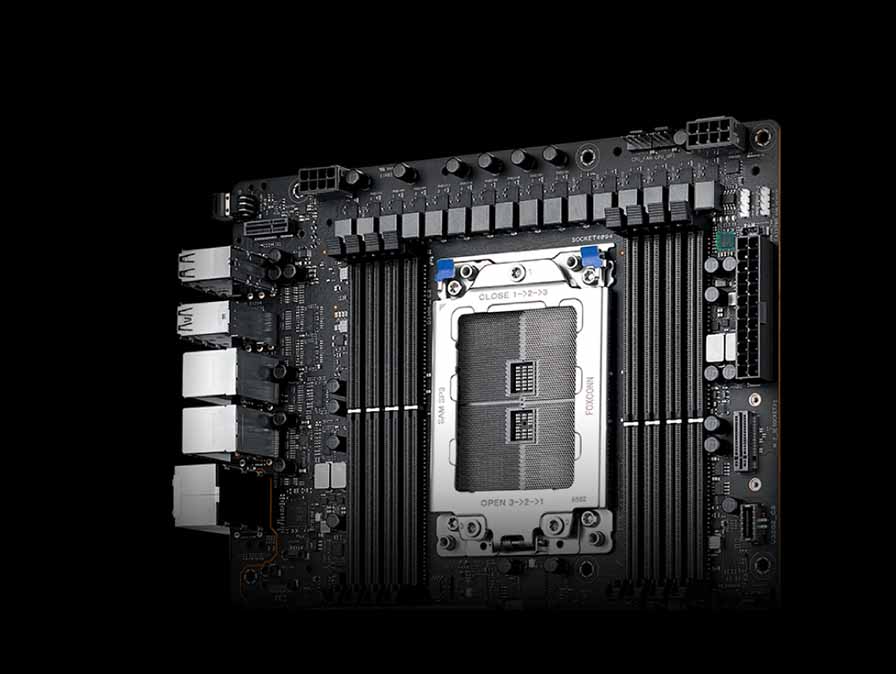
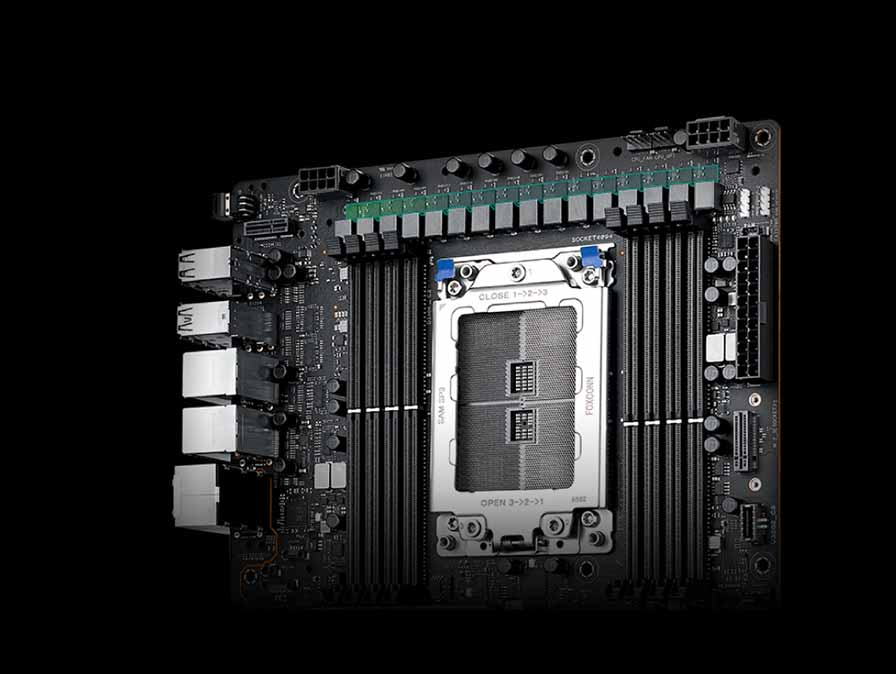
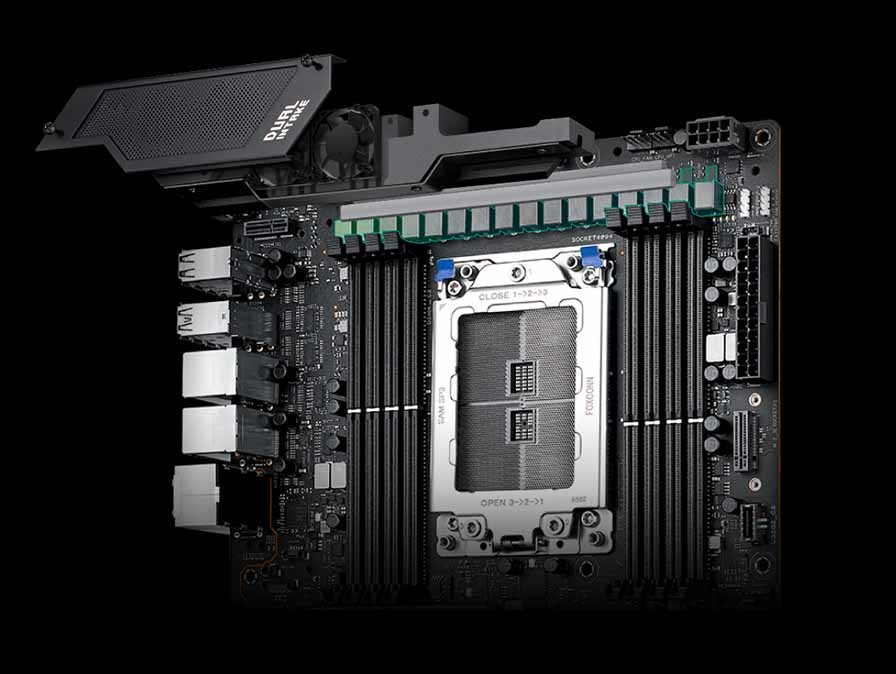
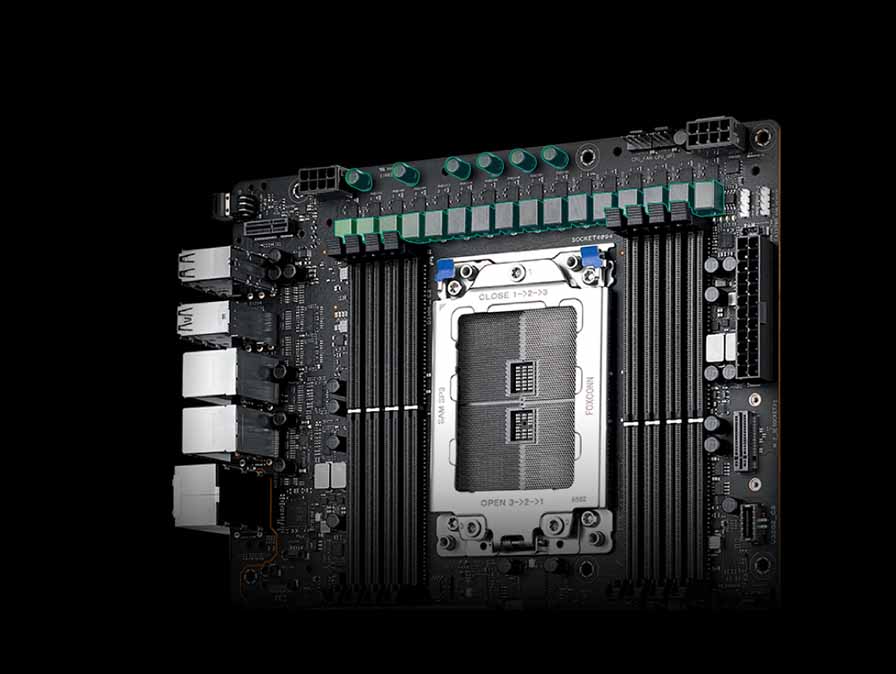






-
استناداً إلى سجلات الأسعار المتاحة، وليس ضماناً لأعلى أو أدنى سعر على الإطلاق.
لم يتغيّر سعر هذا المتجر منذ تسجيله أول مرة في 2026-09-13، وهو حالياً 449 د.أ.
| التاريخ | السعر | التغيير |
|---|---|---|
| 2026-09-13 | 449 د.أ | أول تسجيل |
ROG Strix Z890-E Gaming WiFi · ATX
مقارنة عبر 8 متاجر
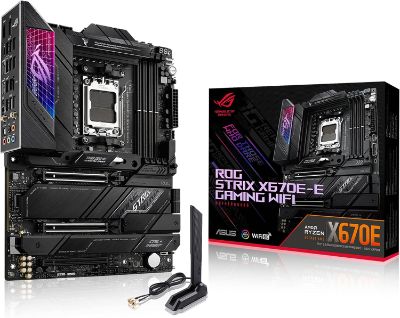
X670E-E Gaming WiFi
مقارنة عبر متجرين
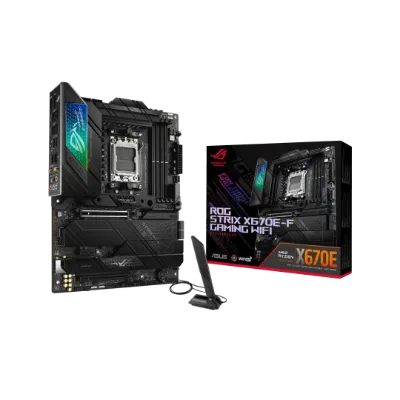
ROG Strix X670E-F Gaming WiFi · ATX
مقارنة عبر 3 متاجر
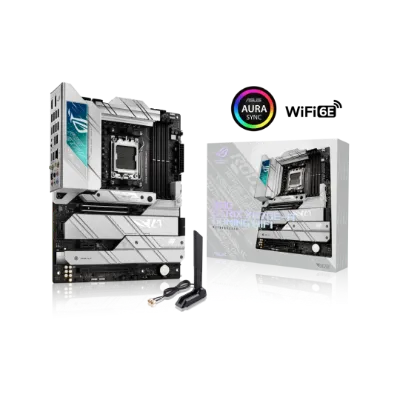
ROG Strix X670E-A Gaming WiFi
فقط في Ayyad PC