5% خصم
ASUS · اللوحات الأم
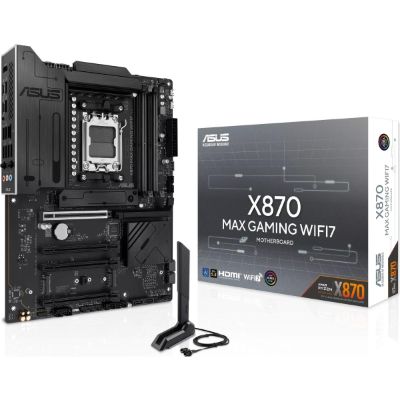
ASUS X870 MAX Gaming WiFi 7 ATX Motherboard – AMD X870, Socket AM5X870 MAX Gaming WiFi 7
من 285 د.أمتوفر
مقارنة عبر 7 متاجر
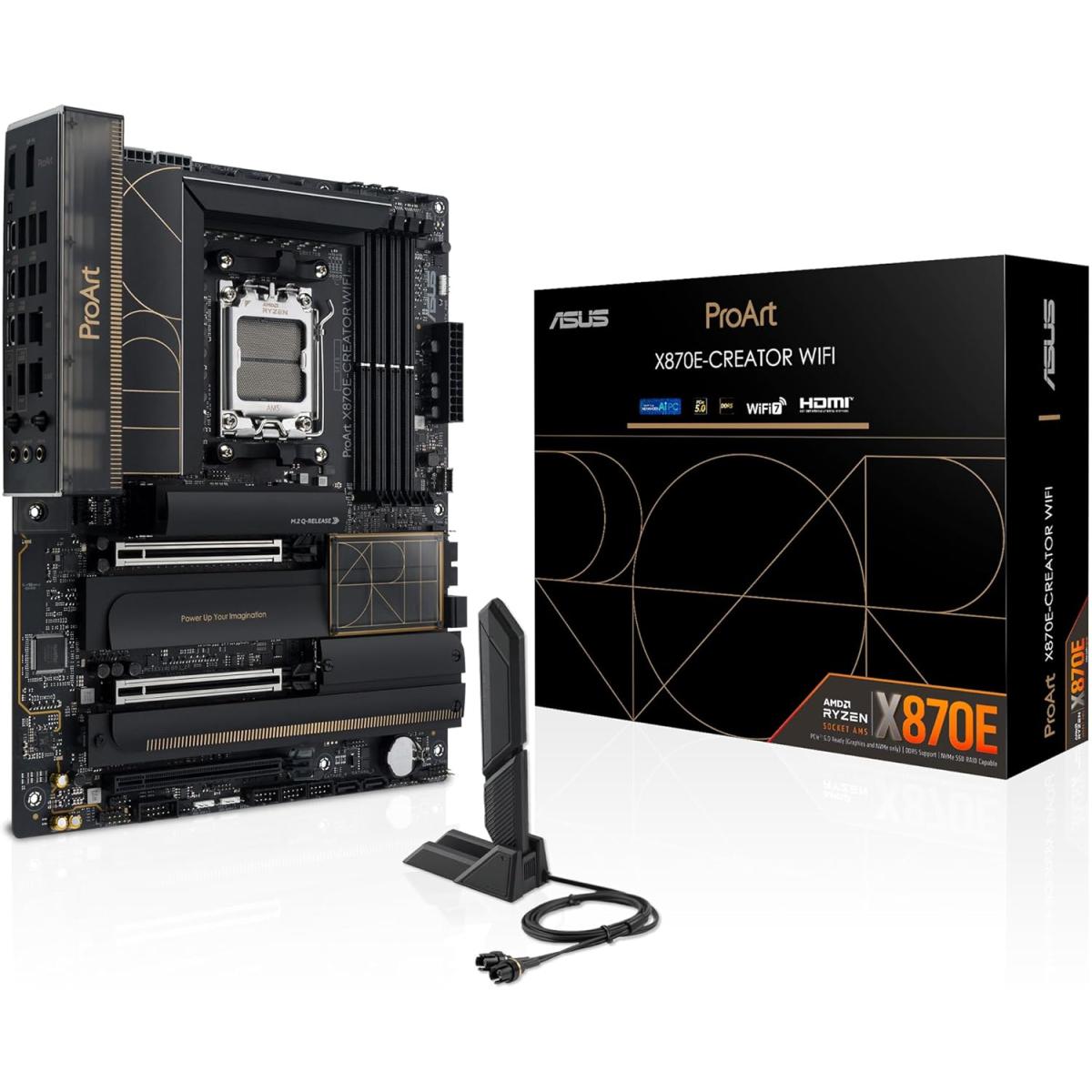
X870E-Creator WiFi
Dual USB4® Up to 40Gbps transfer speed · Dual Ethernet & WiFi 7 · ProArt Creator Hub Features Pantone's color management utilities · Exclusive AI Technologies AI Overclocking, AI Cooling II, AI Networking II · PCIe® 5.0 For graphics cards and storage · 16+2+2 (80A) Power Stages · Easy PC DIY to Make Your Life Easier…
غالباً المنتج نفسه — مطابقة بالعلامة والطراز، لا برقم قطعة من المُصنّع.
| المتجر | السعر | التوفر | الإجراءات |
|---|---|---|---|
 City Centerالأقل | 449 د.أ | متوفر | زيارة المتجر |
 CompuMe | 493.9 د.أ | متوفر | زيارة المتجر |
تتطابق هذه العروض في العلامة والطراز دون رقم قطعة من المُصنّع، لذلك التطابق مرجّح وغير مؤكد. راجع المواصفات قبل الشراء بناءً على السعر وحده.
أضيف أقل عرض 2026-10-24 · حُدث 2026-11-25 · لم يُسجَّل أي تغيير للسعر
| Product Specifications | |
|---|---|
| Manufacturers Link | https://www.asus.com/motherboards-components/motherboards/proart/proart-x870e-creator-wifi/techspec/ |
| Motherboard Specifications | |
| CPU Support | AMD Ryzen IX Generation |
| CPU Socket Type | AM5 |
| Chipset | AMD X870 |
| Form Factor | ATX |
| Memory Type | DDR5 |
| Memory Speed | 8000 Mhz |
| Maximum Memory | 256 GB |
| Memory Slots | 4 Slots |
| M.2 Slots | Yes |
| Wireless LAN | Yes |
| Warranty | |
| Warranty | 1 Year |
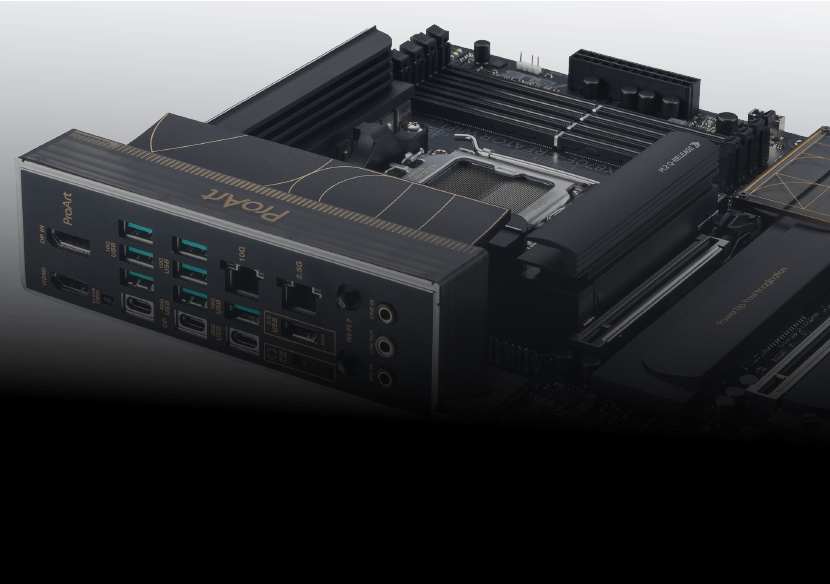
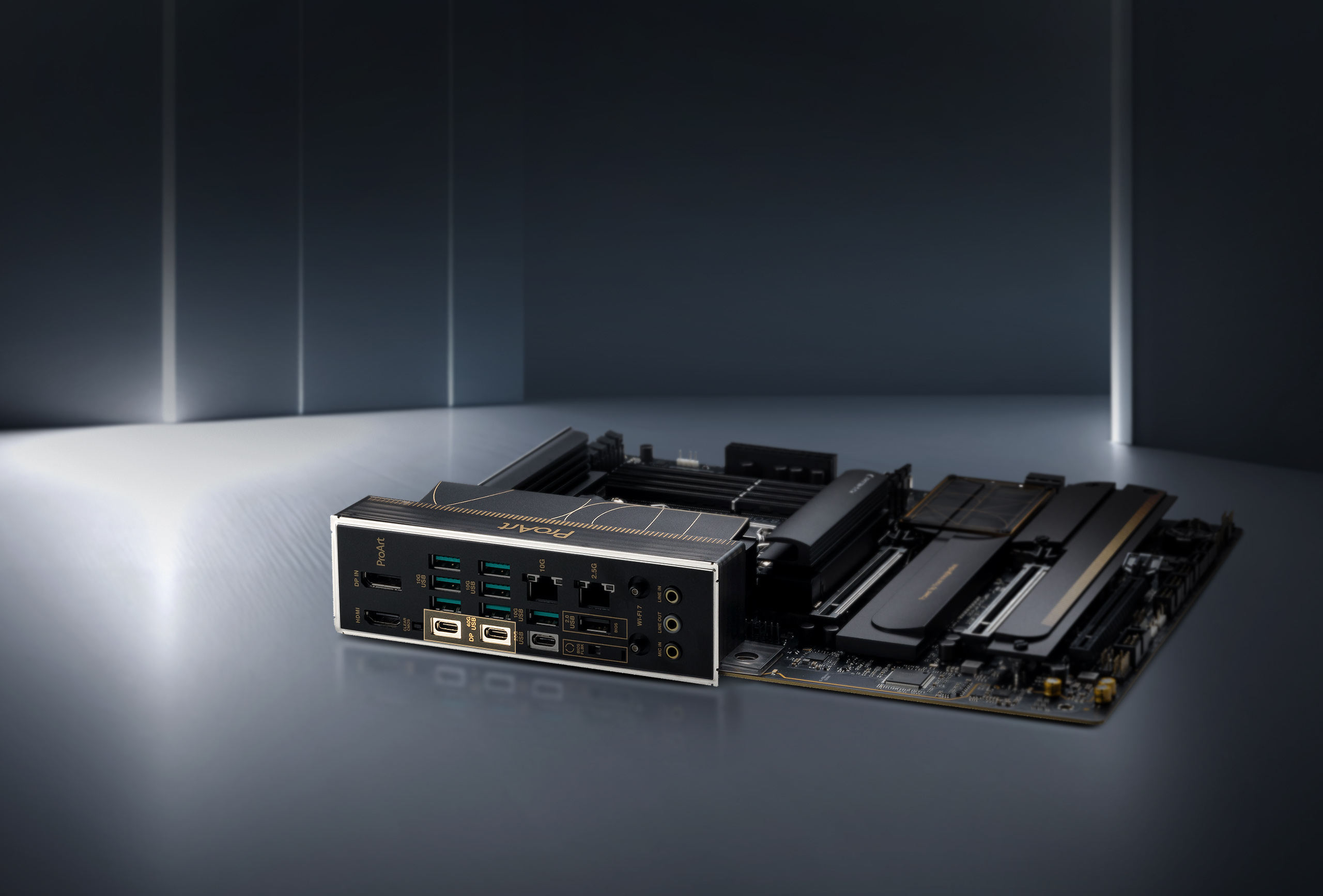
The ProArt X870E-Creator WiFi empowers creators of all levels by maximizing the performance of the latest AMD Ryzen™ 9000, 8000 and 7000 Series processors with 16+2+2 team power stages, DDR5 slots, PCIe® 5.0 and lightning-fast connectivity including dual USB4®, 10G and 2.5G Ethernet, and WiFi 7. This motherboard manifests a professional, elegant and precise vision for content creators of all kinds, with a style elevated by tone-on-tone layers of black infused with metallic gold touches. A translucent I/O cover also gives users a stylish peek at the premium connectors within.
Features Pantone's color management utilities
AI Cache Boost, ASUS AI Advisor, AI Overclocking, AI Cooling II, and AI Networking II
PCIe Slot Q-Release Slim & M.2 Q-Release, Q-Slide and Q-Latch
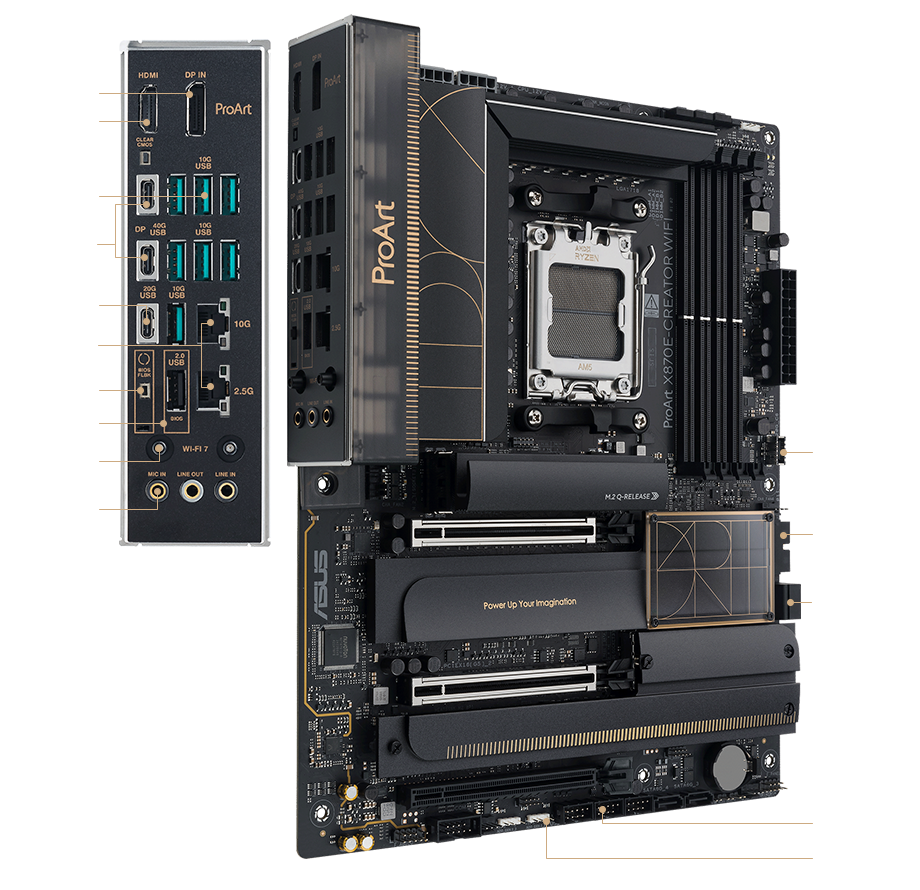
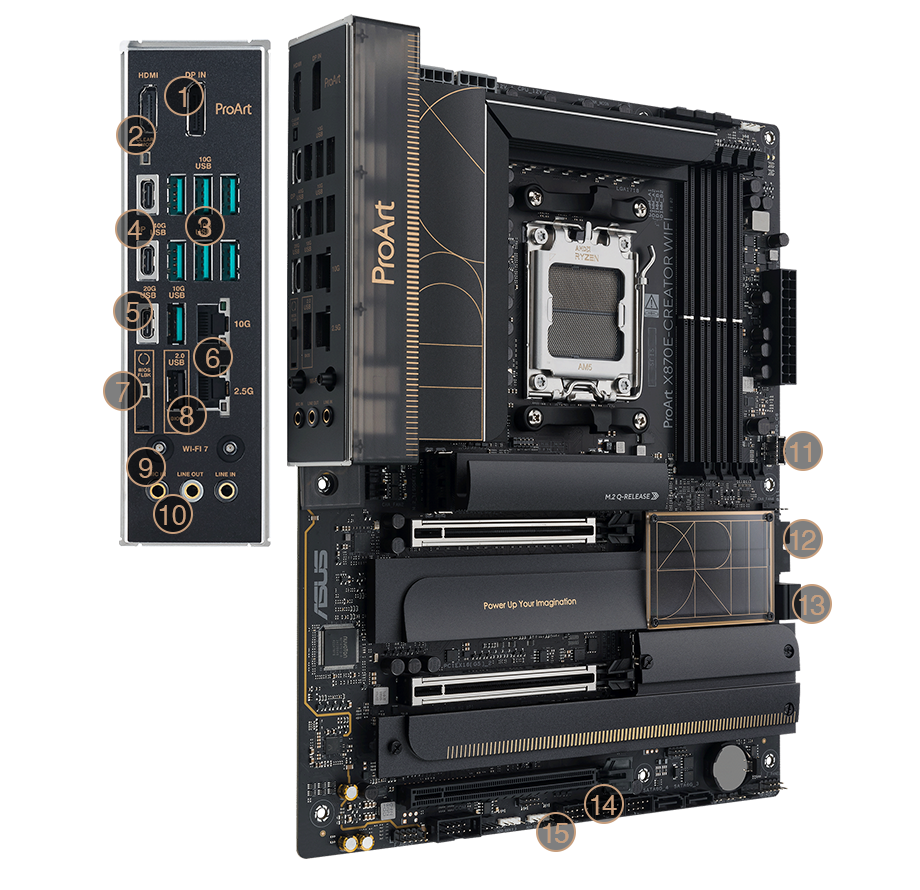
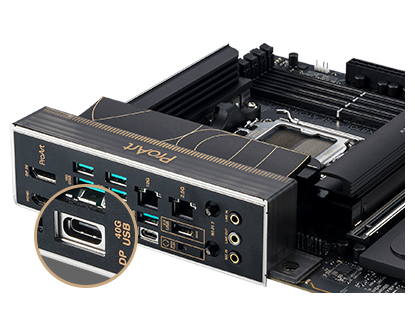
2 x USB4® ports with DisplayPort™ 1.4 (8K @ 60 Hz)
1 x USB 20Gbps Type-C® front-panel connector with 30-watt PD, QC 4+
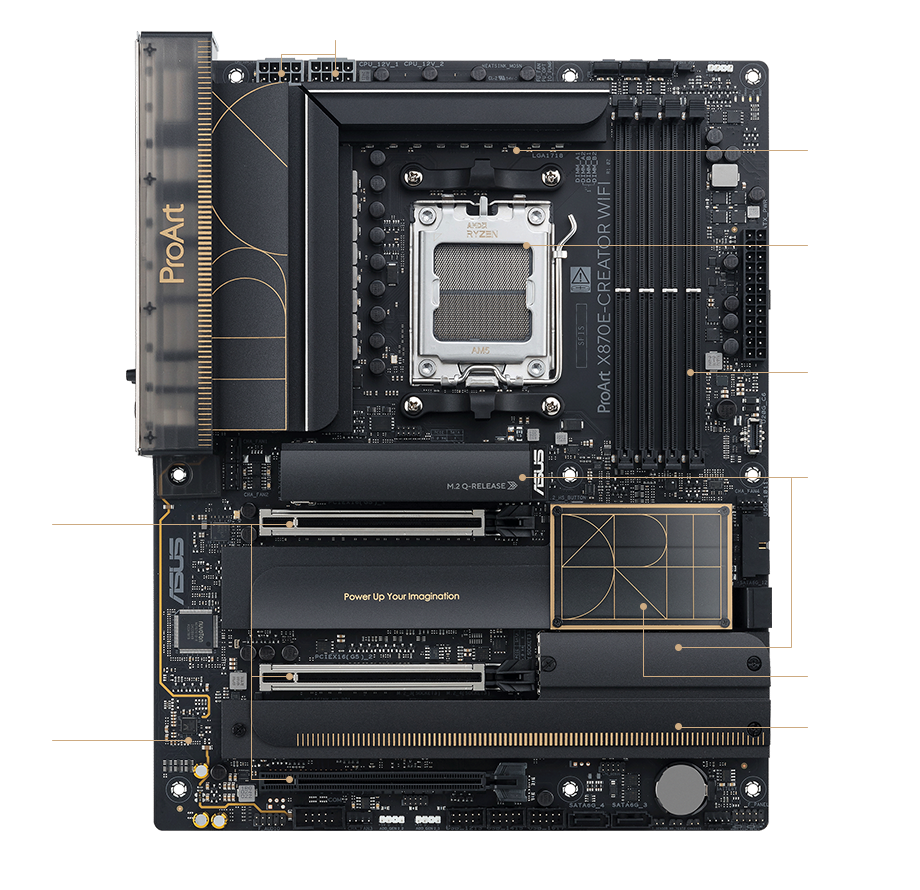
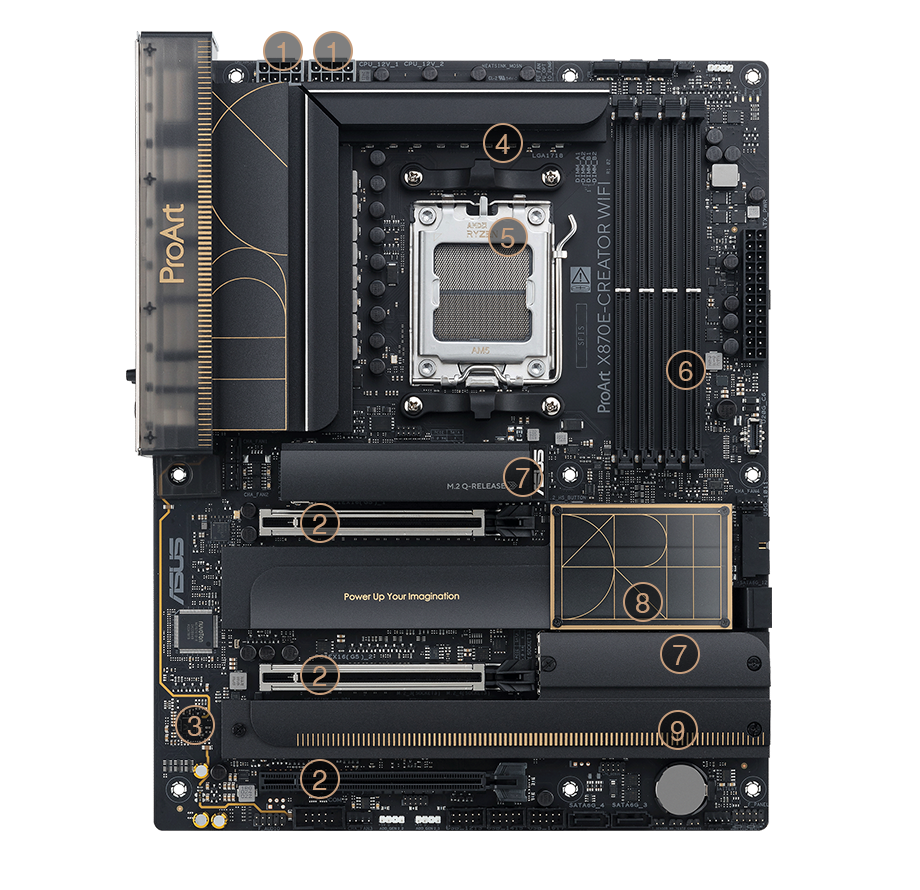
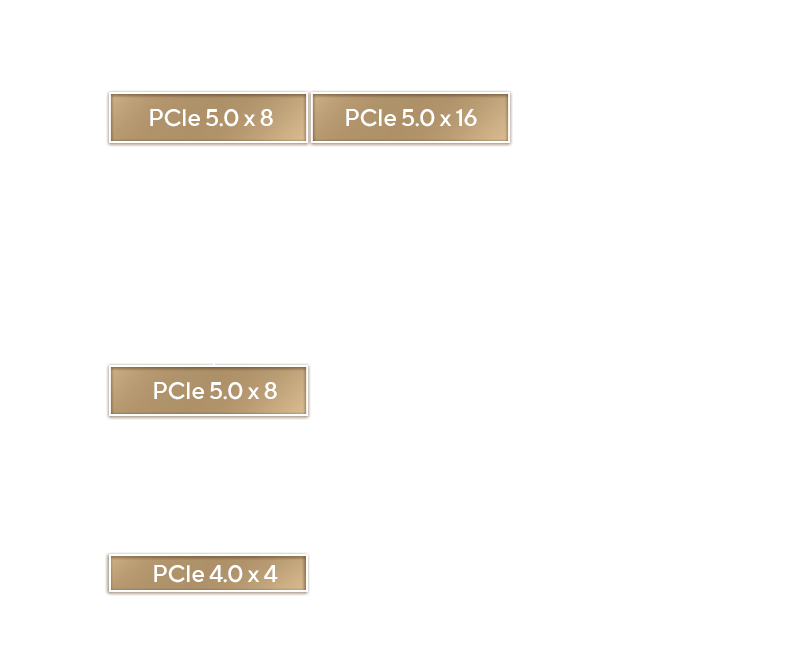
∙ 2x PCIe® 5.0 x16 SafeSlots (x16 single or x8/x8 dual)
AMD Socket AM5 for AMD Ryzen™ 9000, 8000 and 7000 Series desktop processors
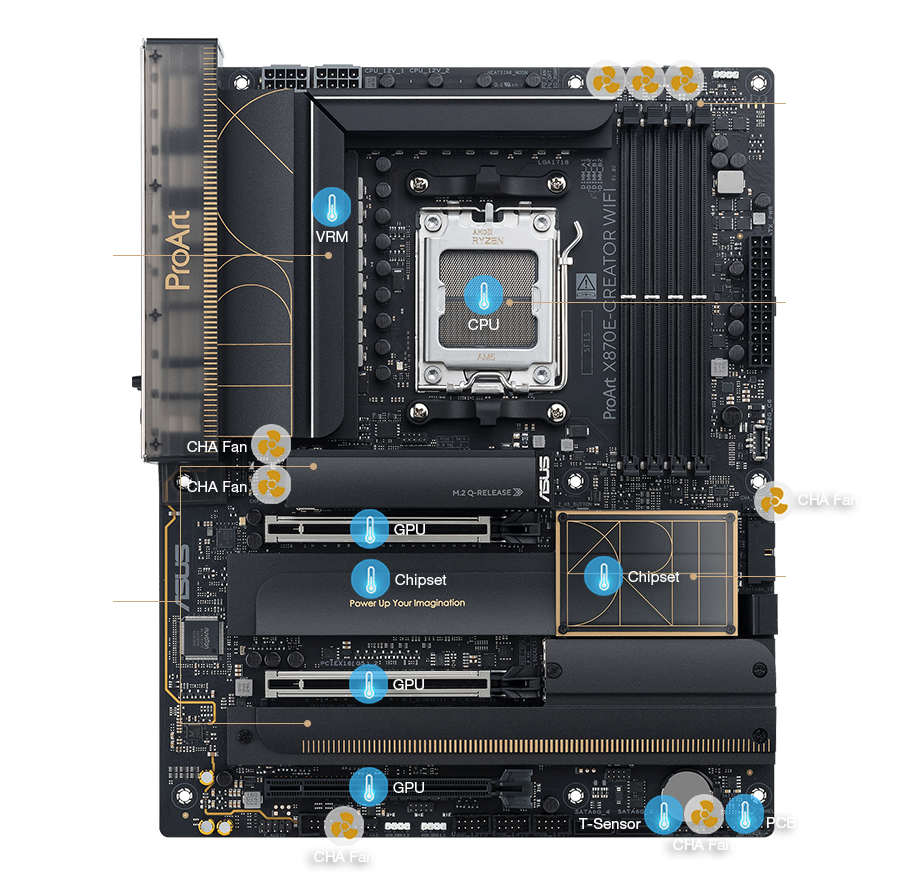
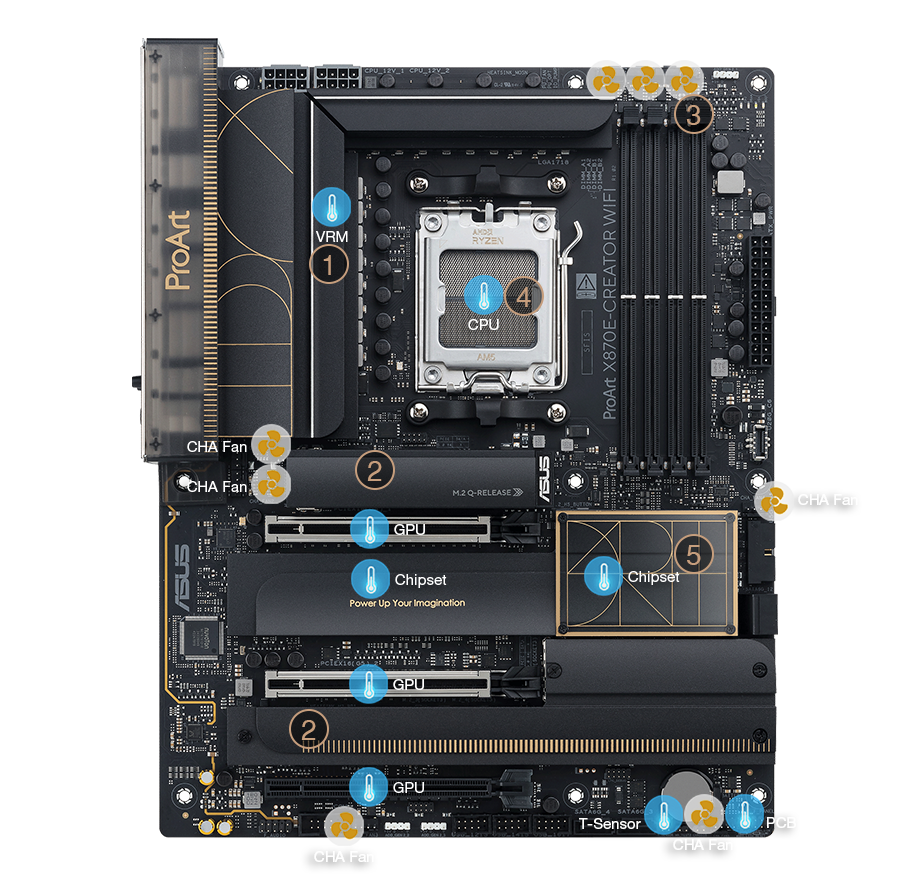
Every onboard header supports auto-detection of PWM or DC fans.
Each header can be set to monitor and react to multiple user-configurable thermal sensors for workload-based cooling. All settings can be easily managed by Fan Xpert 4 or UEFI.
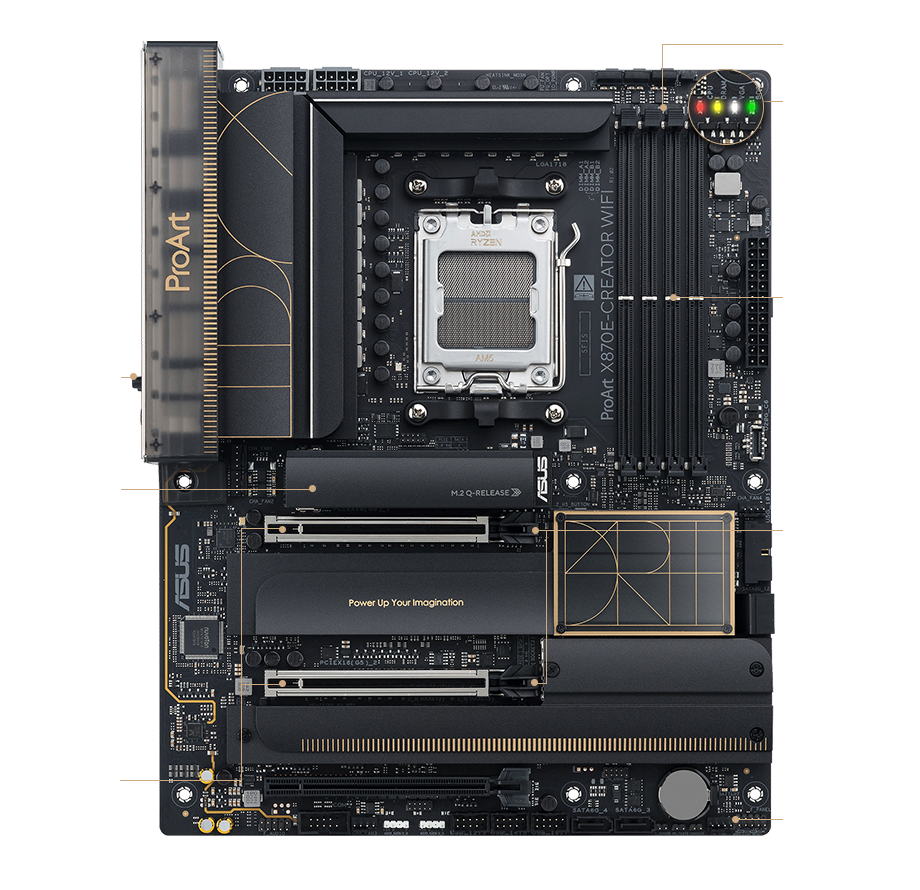
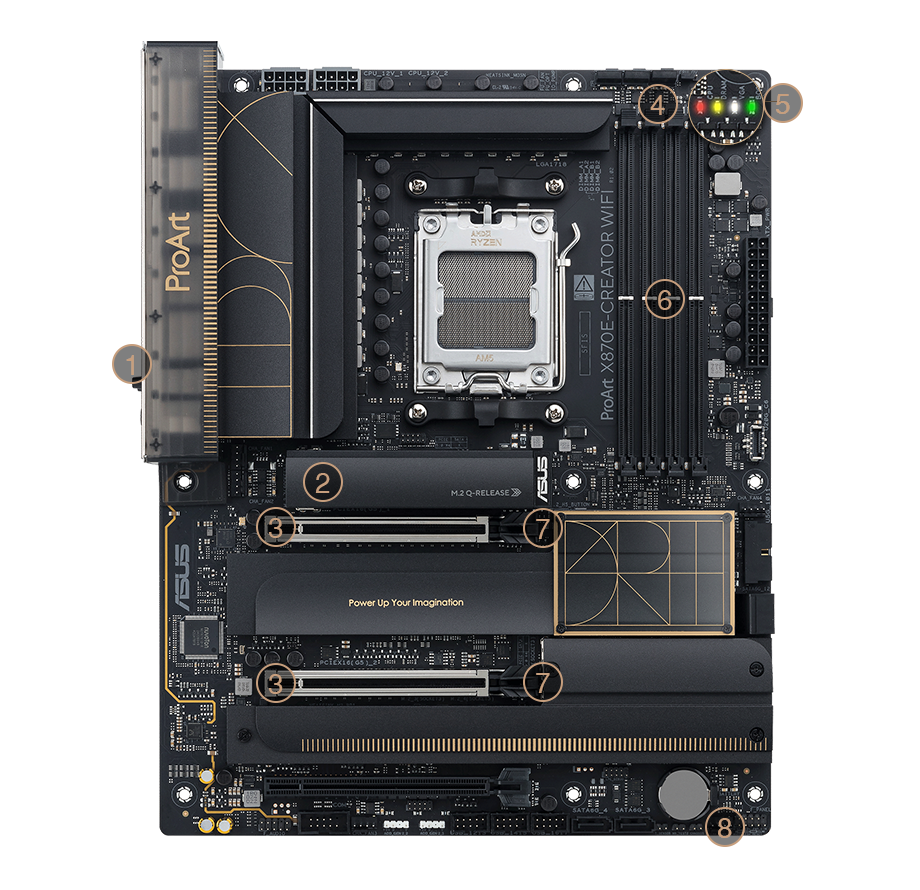
A convenient switch helps to quickly remove the heatsink.
A simple locking mechanism secures an M.2 SSD without the need for specific tools.
The sliding M.2 latch design supports sizes 2242, 2260 and 2280 for easy device installation.
This slot provides stronger PCIe device retention and greater shearing resistance.
One-sided clips deliver simple and secure handling of memory modules.
This diagnostic display indicates CPU, memory, graphics card or boot device issues for quick diagnosis.
A fortified metal divider adds support and damage prevention.
Simply tilt the card toward the latching mechanism to automatically unlock it from the PCIe slot.
This helps organize all front-panel cables for a neater setup.
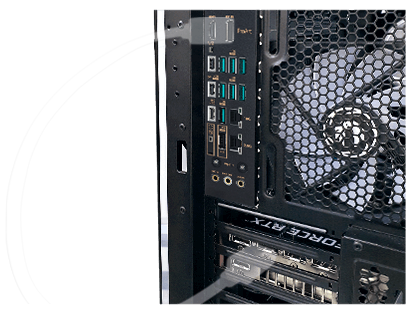
Get immersed in your creations with two USB4 ports for connecting to all your content-creation gadgets, enjoying up to 40 Gbps bi-directional data transfers. To further push your creative work with one 8K or two 4K color-accurate monitors, you can connect your discrete graphics card to the onboard DisplayPort™ In port on the rear I/O panel and direct the video output via the USB4 port.
Use the bundled DisplayPort cable to connect the DisplayPort output on a discrete graphics card to the DisplayPort In port on the motherboard.
Use a video-capable USB Type-C® cable to connect a monitor with a USB Type-C port to the left-hand USB port on the rear of the motherboard.
Dual Ethernet ports provide fast data transfers simultaneously for 2.5 Gb internet streaming or uploading and 10 Gb for local network-attached storage (NAS), allowing for improved data organization and security.
The revolutionary WiFi 7 is up to 4.8X faster than standard WiFi 6, thanks to technology like 320 MHz channels* on the 6GHz band and 4K QAM**. Multi-Link Operation (MLO) provides a more stable WiFi connection and lower latency, unlocking the realms of the unknown in gaming, streaming and industrial IoT.
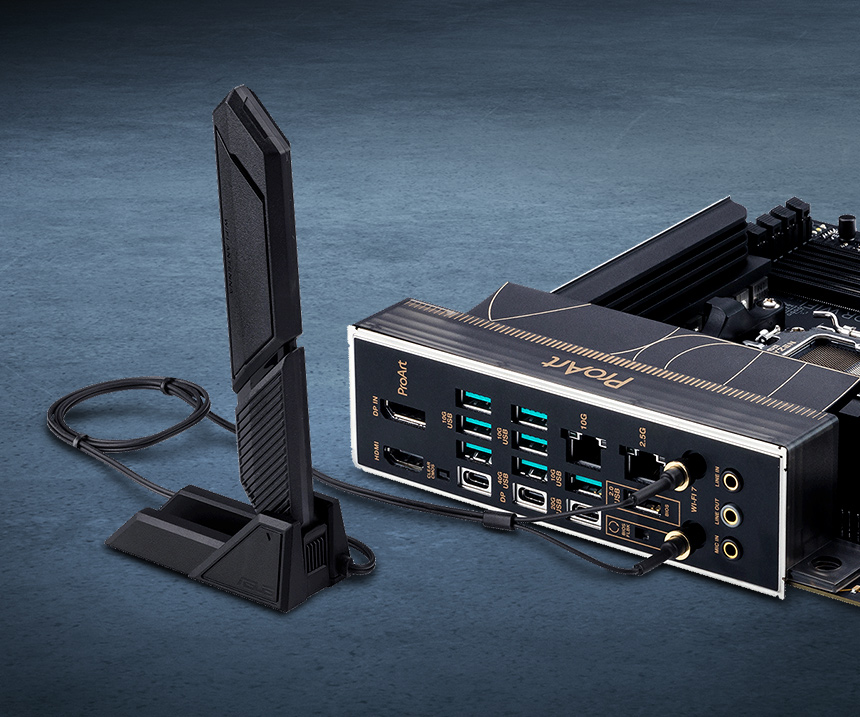
Dual transceivers support the 2.4, 5 and 6 GHz bands to enable faster throughput, with directional sensitivity to improve signal quality and cover greater distances.
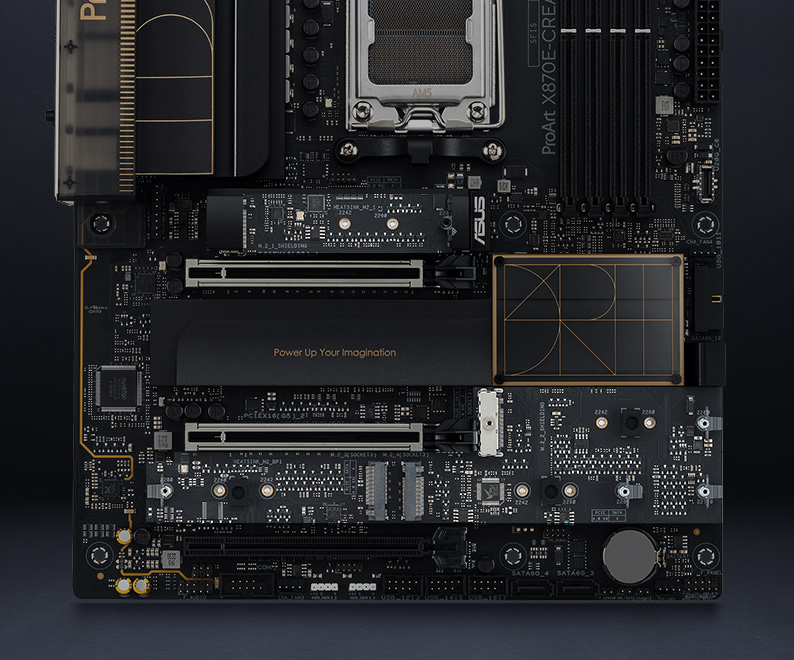
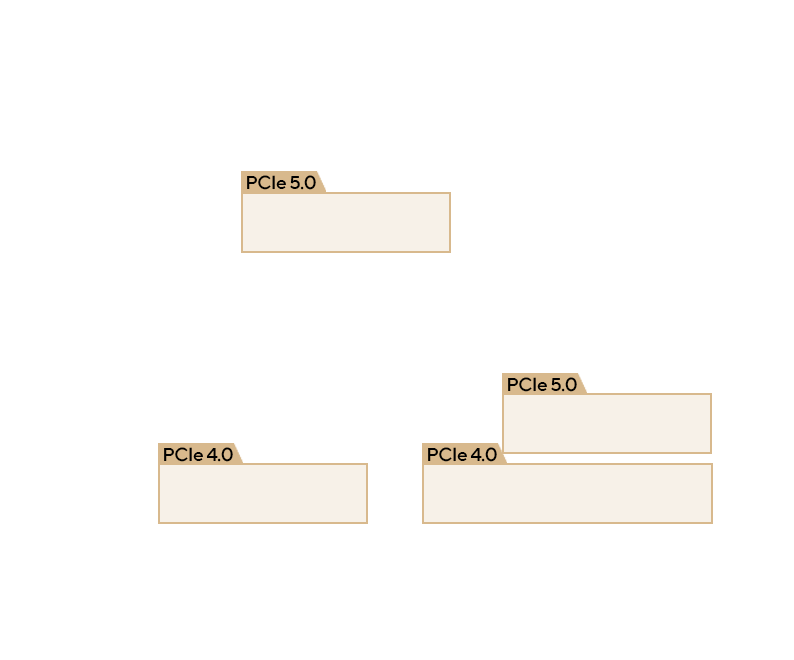
Fully embracing the latest standard, the ProArt X870E-Creator WiFi offers PCIe 5.0 support to give unfettered bandwidth to the fastest SSDs and graphics cards available.
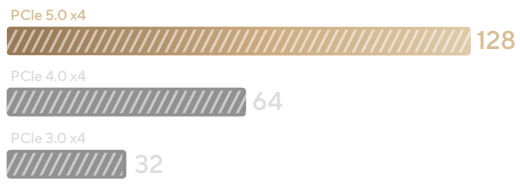
ProArt X870E-Creator WiFi features two PCIe 5.0 M.2 slots to enjoy the fastest data transfers of up to 128 Gbps*, and all M.2 slots support NVMe RAID configurations to take advantage of the latest available speeds.
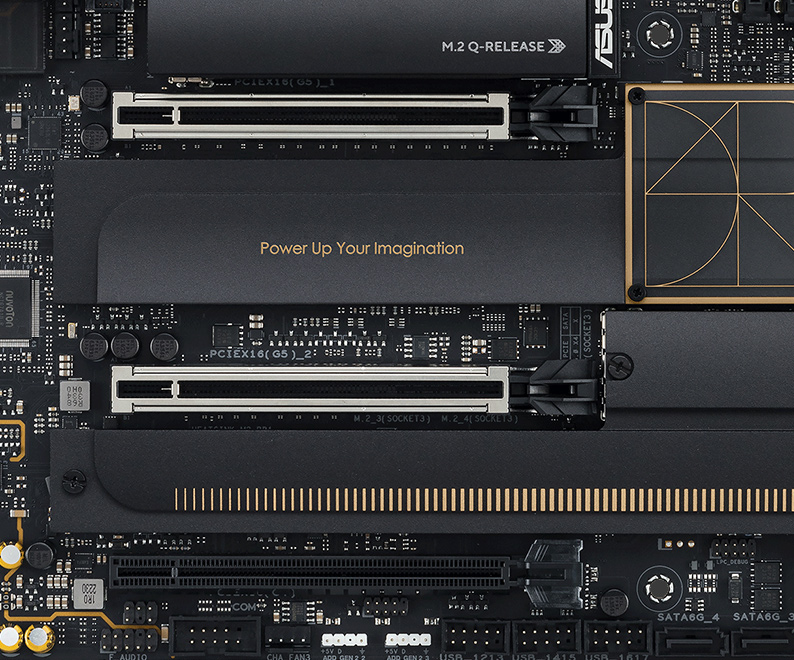
Both of the x16 expansion slots are PCIe 5.0, offering incredible speeds of up to 64 GB/s for compatible devices. To bear the brunt of massive graphics cards, they are also protected with SafeSlot retention brackets, and the top slot can be released easily via Q-Release Slim.
This header boosts data transfers with speeds of up to 20 Gbps. It also features Quick Charge 4+, which can quickly charge your pen display, tablet or mobile phone at up to 30 watts.
Designed to meet the needs of high-core-count CPUs, the ProArt X870E-Creator WiFi features 16(80A)+2(80A)+2 power stages that integrate high-side and low-side MOSFETs and drivers into packages rated for up to 80 amps each. This configuration ensures optimal power delivery, efficiency, stability and performance for both current and future AMD processors.
This enhances quick heat dissipation around the voltage regulators for enhanced stability and overclocking.
These are built to tight specifications to ensure flush contact with PSU power lines. The resulting lower impedance helps to prevent hotspots and connector failure.
These are engineered to resist extreme temperatures, providing a higher level of performance than the industry standard.
The ASUS Digi+ voltage-regulator module (VRM) is one of the finest in the industry and ensures ultra-smooth power delivery to the CPU.
Supercharge your large language model (LLM) workflows with AI Cache Boost. Exclusive to ASUS AMD 800 and 600 series motherboards that use Ryzen™ 9000 Series CPUs, this BIOS setting optimizes CPU cache and memory pathways to deliver up to 29% faster local LLM performance with high-speed memory tuning.
Maximized CPU performance, and predictions for ideal CPU and cooling settings, pushing your system to its limits.
Optimized thermals, and reduced noise via dynamic adjustment of fan speeds, based on CPU temperatures.
Optimized network performance, helping to ensure seamless connectivity and maximized WiFi 7 speeds.
Using AI technology to understand natural-language questions or scenario descriptions, ASUS AI Advisor allows users to explore the functionality and advanced features of ASUS motherboards in a simple and straightforward way.
With an ASUS AMD 600 or 800 series motherboard and a Ryzen™ 9000 series CPU, you can enable the AI Cache Boost setting in the BIOS. This feature applies comprehensive optimizations to CPU cache and memory pathways, greatly reducing the typical performance drop that can happen when VRAM is used up. Internal testing determined that enabling AI Cache Boost delivered up to a 15% performance uplift when running large language models that exceeded graphics card memory. With high-speed DDR5 memory and additional Infinity Fabric clock (FLCK) speed tuning, this performance uplift nearly doubled. For enthusiasts, creators or anyone who wants a powerful AI model capable of deep reasoning and natural conversation running on their own hardware, they can enjoy these uplifts today with AI Cache Boost.
AI Cache Boost: 8.2 (EXPO8000 + FCLK 2200MHz)
AI Cache Boost: 7.64 (EXPO8000 + FCLK 2200MHz)
AI Cache Boost & Turbo Game Mode: 145 sec
Tuning is now faster and smarter than ever before. ASUS AI Overclocking profiles the CPU and cooling to predict the optimal configuration and push the system to its limits. Predicted values can be engaged automatically or used as a launching ground for further experimentation.
AI Cooling II balances the thermals and acoustics of any build with a single click. A proprietary ASUS algorithm slashes unnecessary noise while running a quick stress test, and then it monitors CPU temperatures to dynamically adjust fans to optimal speeds.
Armoury Crate's Traffic Monitor tracks your current Wi-Fi channel usage. Move to a less congested channel by clicking the "Channel Switch" button*.
Armoury Crate's Fast Check empowers users to rapidly detect WiFi signal strength.
Armoury Crate's Direction Finder helps users detect the optimal antenna orientation for achieving the best WiFi signal strength.
CreationFirst is a network-optimization application, integrated into ProArt Creator Hub, offering five network modes to optimize bandwidth efficiency for different tasks.
ASUS AI Advisor is an ASUS technical expert that's always available to answer your questions. Owners of compatible ASUS motherboards can interact with this AI-powered technology using natural language to learn more about their hardware. For DIY beginners, it can provide easy-to-understand explanations of one-click optimization features like AI Overclocking and AI Cooling II, and for seasoned PC-building veterans, it can offer guidance and instructions on the latest features offered by ASUS.
Dynamic OC Switcher maximizes CPU performance by letting you set current and temperature thresholds to automatically switch between a manual overlock for heavy multithreaded workloads and Precision Boost Overdrive for single-threaded tasks. The new Overclocking Load Guard also has an enhanced instantaneous current protection mechanism to prevent users from experiencing system crashes during overclocking.
Core Flex empowers you to smash limits farther than ever before by letting you control power and thermals in creative new ways. In its simplest form, you can let your system run unrestricted during lighter loads and set breakpoints to gradually reduce power consumption as temperature increases. But the system is extremely adaptable, supporting multiple user-controlled functions that can manipulate parameters independently so that you can bend CPU performance to your will.
AMD Precision Boost Overdrive (PBO) pushes the CPU current and voltage budget to opportunistically increase performance. By aggressively tuning PBO parameters, this AMD algorithm can leverage the motherboard’s robust power solution to ramp up performance even higher.
As the first foray of AI Overclocking on an AMD architecture, the set of parameters has changed substantially, but voltage and clock speeds are still the primary targets for adjustment.
Predictive settings in the utility are designed to work in tandem with Precision Boost Overdrive (PBO), but they go one step further by enhancing the values for EDC, TDC, and PPT, as well as tuning the curve optimizer.
Finally, by enabling the Dynamic OC Switcher, AI Overclocking ensures that the CPU is using ideal settings whether in single- or multi-threaded workloads.
Example: If a user sets thresholds for current and temperature as shown, once CPU current exceeds 35A, the manual overclock engages until the temperature reaches 80°. At all other times, Precision Boost Overdrive will be used.
Flow chart depicting Dynamic OC Switcher system
By managing the Electrical Design Current (EDC) in tandem with the total current, this feature can provide extra performance for short, demanding bursts. During lightly-threaded workloads below 35 amps, the Level 1 EDC in this scenario could be set to a low value. In this case, 60 amps. As more cores are needed, the EDC is set to 120 MHz, which is found here to be the sweet spot for performance. Once this CPU passed 70 amps, it was in multi-threaded territory, where it was found that a high EDC of 250 MHz gave optimal performance.
In order to let the CPU cool off if its temperatures go too high, this user constrains the Package Power Target (PPT) when thermals increase. Specifically, the short-term value (“Fast”) is used. Until the CPU reaches 70° C , it can run at full performance, so 350 watts is set to give plenty of overhead. At that point, the power limit reduces to 220 watts, to let the CPU start reducing heat. If it is still under sustained load and keeps getting hotter, then a more stringent 165 watts PPT is set at 85° C.
The ProArt X870E-Creator WiFi enhances DDR5 performance by providing overclocking options that would otherwise be locked, whether you are dealing with high-speed or entry-level memory modules.
For those who want to fly past stock DDR5 speeds*, the ProArt X870E-Creator WiFi is ready for enthusiast-grade kits, courtesy of vast AMD EXtended Profiles for Overclocking (EXPO) support. Seasoned veterans can further tweak performance via an extensive array of settings in the UEFI.
loseup of ProArt X870E-Creator WiFi CPU socket area with text stating support for up to 192 GB of DDR5
This exclusive firmware feature for PMIC-restricted memory modules automatically detects the memory chips on your kit and then presents optimized frequency, timing and voltage profiles that you can effortlessly apply to unleash performance.
BIOS interface with AEMP function selected
DIMM Fit is an ASUS-exclusive BIOS feature that precisely analyzes individual memory modules to optimize performance and pinpoint potential issues; whereas DIMM Fit Pro is an advanced option that provides more extensive customizability for memory optimization.
With PCIe Slot Q-Release Slim, simply tilt the card toward the latching mechanism to automatically unlock it from the PCIe slot. This makes upgrades and maintenance easier than ever before. Users no longer need to fiddle with a tricky latch or even press a button to release their graphics card from the slot.
The M.2 heatsink features a convenient switch to quickly remove it, eliminating the need for tiny screws during SSD installation. Its strong locking mechanism also provides a snug contact surface, helping to ensure reliable heat dissipation for your SSD.
The innovative ASUS Q-Latch makes it easy to install or remove an M.2 SSD without the need for specific tools or screws. This design employs a simple locking mechanism to secure the drive and neatly detach it with one tap.
A new sliding M.2 latch design supports sizes 2242, 2260 and 2280 for easy device installation.
With Q-Antenna, attaching a WiFi antenna to your PC is now easy and fast. Instead of slowly rotating two fasteners until they finally lock in, they just snap into place. Less hassle, and more consistent performance.
A spark of inspiration can breathe life into a concept that leads to a masterpiece. ProArt is a comprehensive ecosystem providing professional creators with a stable foundation for your inspiration. These custom workstations feature award-winning ProArt motherboards, graphics cards, CPU coolers and chassis, pairing with ProArt displays to accelerate your creative workflow and bring the boldest visions and ideas to life.
ProArt Creator Hub is your personal portal to monitor your PC status, personalize settings or optimize your workflow. It features an intuitive overview dashboard, with quickly switchable fan profiles and performance modes.
One of the most important things for creators is color. The top right corner allows easy access to the Color Management feature. This includes the Screen Color Picker and Image Color Extractor that make it simple to get a detailed color analysis and color information, and you can use the Color Palette to build your personal color preferences. You will also find color trends and color palettes created by the professionals at the ASUS Design Center.
To streamline your workflow, you can select up to 8 apps to be launched at the same time with a single desktop shortcut.
Advanced security management functions from ASUS Control Center Express protect the PCs and confidential data in your creative studio.
Enable or disable the USB port, or set it to Read Only to prevent data leaks.
For added security, a software blacklist is available to help prevent the use of high-risk applications.
Remotely disable the Registry Editor on client devices to prevent unauthorized changes to system configurations.
Simplify your motherboard configuration with BIOS Q-Dashboard. Its intuitive visual representation of hardware connections and corresponding BIOS settings takes the complexity out of setting up your system. Upgrade now, and discover the power of BIOS Q-Dashboard to easily and efficiently enhance your computing setup.
User interface of ProArt X870E-Creator WiFi UEFI BIOS
ASUS DriverHub streamlines the installation and management of ASUS drivers and utilities to keep your hardware up-to-date and perform optimally. This standalone application automatically detects current driver versions and presents available updates in a list view. Users are invited to install ASUS DriverHub after OS installation.
A cross-device, cross-platform screen-sharing, screen-control and operation solution for enhanced productivity across PCs, tablets and smartphones via USB or WiFi. It is compatible with Windows, macOS, Android and iOS.
ProArt X870E-Creator WiFi is engineered and rigorously tested to offer superior quality, stability and compatibility to ensure that it empowers creativity for years to come.
Enjoy all things AI at Adobe. Get complimentary membership to Adobe Creative Cloud all Apps and Adobe Substance 3D with the purchase of selected ASUS products.
ASUS is on a mission to create a sustainable future where all can flourish on the planet we call home.
Every step counts, and as part of ASUS’s commitment to creating a more sustainable future, ASUS has begun to utilize post-consumer recycled (PCR) plastic and paper materials certified by the Forest Stewardship Council® (FSC®) in the packaging of motherboards.
Join us on our journey as we make the world a better place.
When only the fastest will do, an AMD X800-series motherboard delivers. With USB 4.0 onboard along with robust overclocking¹ capabilities, featuring faster dual-channel DDR5 memory support, AMD EXPO™ technology and PCIe® 5.0 support for both graphics and NVMe, you can play the most demanding games and deliver your biggest projects with the revolutionary performance of an AMD X800-series motherboard and AMD Ryzen™ 9000, 8000, and 7000 Series processors.
1. Overclocking and/or undervolting AMD processors and memory, including without limitation, altering clock frequencies / multipliers or memory timing / voltage, to operate outside of AMD's published specifications will void any applicable AMD product warranty, even when enabled via AMD hardware and/or software. This may also void warranties offered by the system manufacturer or retailer. Users assume all risks and liabilities that may arise out of overclocking and/or undervolting AMD processors, including, without limitation, failure of or damage to hardware, reduced system performance and/or data loss, corruption or vulnerability. GD-106.
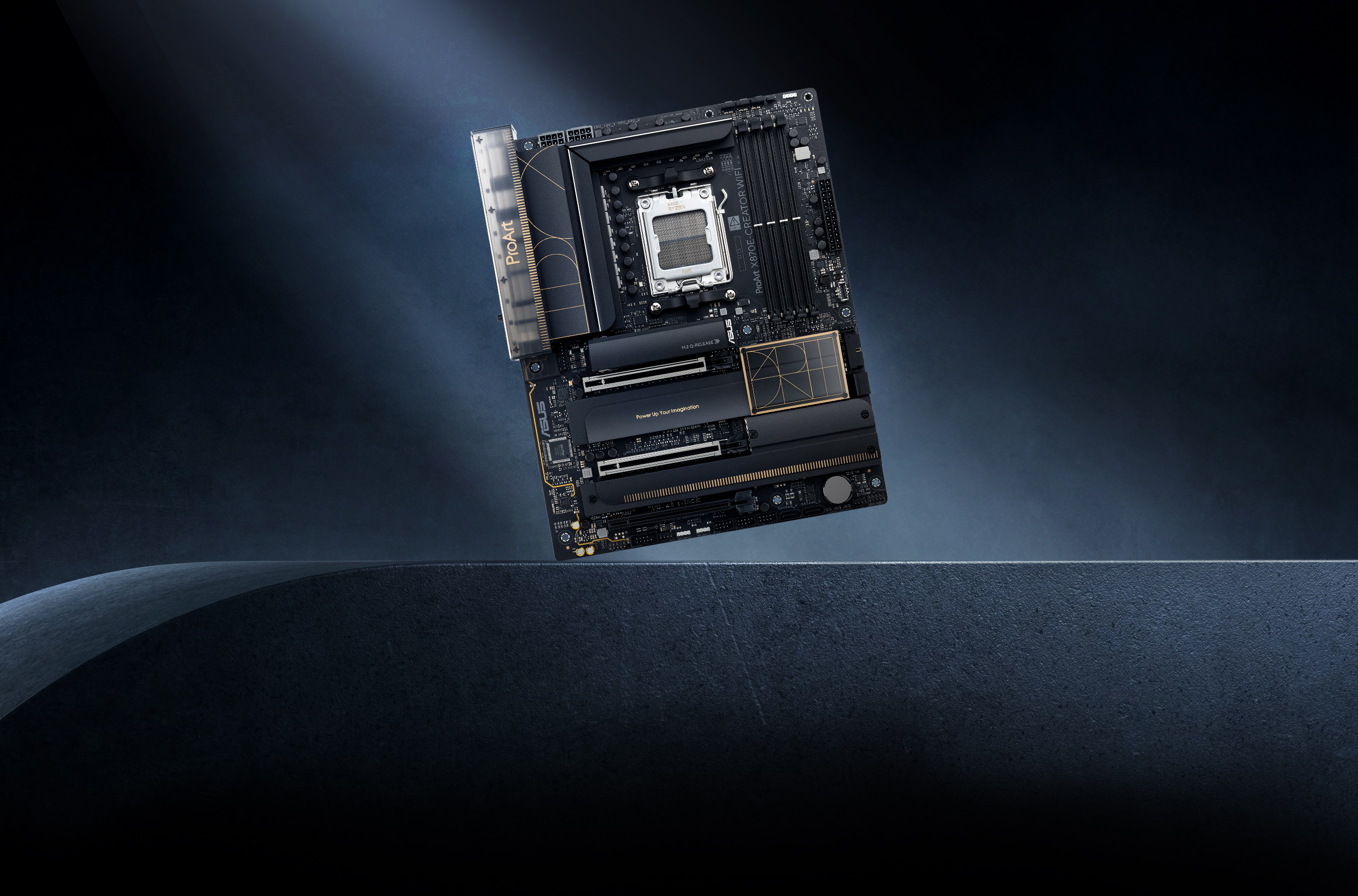





ProArt X870E-CREATOR WIFI
The ProArt X870E-Creator WiFi empowers creators of all levels by maximizing the performance of the latest AMD Ryzen™ 9000, 8000 and 7000 Series processors with 16+2+2 team power stages, DDR5 slots, PCIe® 5.0 and lightning-fast connectivity including dual USB4®, 10G and 2.5G Ethernet, and WiFi 7.
This motherboard manifests a professional, elegant and precise vision for content creators of all kinds, with a style elevated by tone-on-tone layers of black infused with metallic gold touches. A translucent I/O cover also gives users a stylish peek at the premium connectors within.
استناداً إلى سجلات الأسعار المتاحة، وليس ضماناً لأعلى أو أدنى سعر على الإطلاق.
أقل سعر لدى متجرين.
| التاريخ | السعر | التغيير | الأقل لدى |
|---|---|---|---|
| 2026-11-26 | 449 د.أ | 0 د.أ | City Center |
| 2026-10-24 | 449 د.أ | أول تسجيل | City Center |
X870 MAX Gaming WiFi 7
مقارنة عبر 7 متاجر
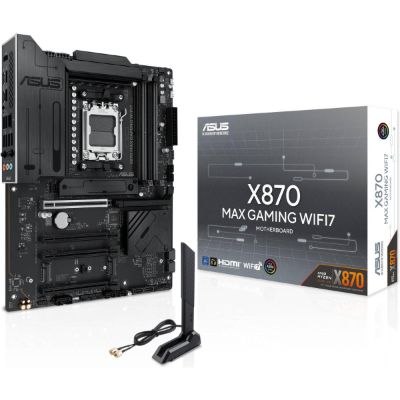
X870 MAX GAMING WIFI7 W
مقارنة عبر 3 متاجر
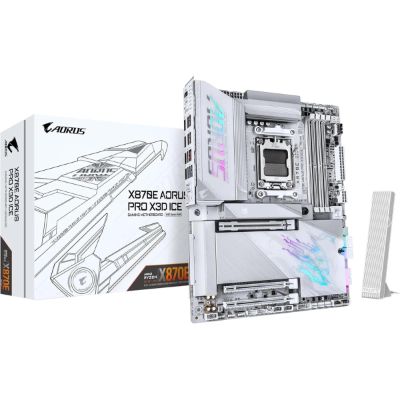
X870E AORUS PRO X3D ICE
مقارنة عبر 4 متاجر
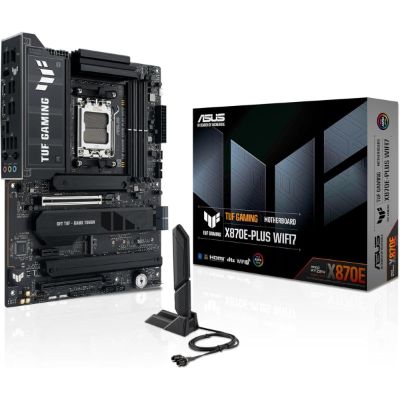
TUF Gaming X870E-PLUS WIFI 7
فقط في City Center