42% خصم
ASUS · اللوحات الأم
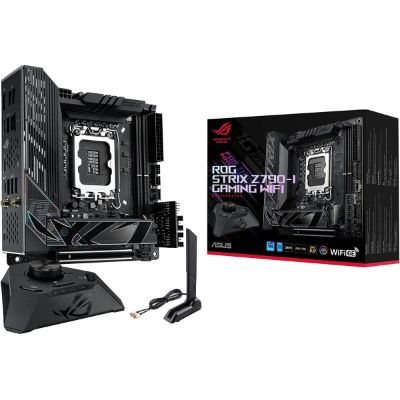
ASUS ROG Strix Z790-I WiFi 6E LGA 1700 Intel Z790 mini-ITX Gaming Motherboard Thunderbolt 4 USB Type-CROG Strix Z790-I WiFi
من 249 د.أمتوفر
مقارنة عبر متجرين

ROG Strix Z790-I Gaming WiFi · Mini-ITX، DDR5
Mini-ITX Intel Z790 motherboard built for compact high-performance builds. · Two Thunderbolt 4 ports plus USB 3.2 Gen 2×2 Type-C for fast device connectivity. · PCIe 5.0 x16 SafeSlot and stacked M.2 slots support modern storage and graphics. · AI Overclocking, AI Cooling II and AI Networking simplify setup and tuning.…
| المتجر | السعر | التوفر | الإجراءات |
|---|---|---|---|
 OfficeJo Computer And Printer Shop | 255 د.أ | متوفر | زيارة المتجر |
متجر واحد فقط في هذا الكتالوج يعرض هذا المنتج. تأكد من السعر النهائي لدى المتجر.
أضيف أقل عرض 2026-10-20 · حُدث 2026-11-26 · لم يُسجَّل أي تغيير للسعر
ابحث عن عروض المتاجر الأخرىThe lowest price from 30 days before the promotion:
Rules are made to be broken. Smashing the conventions of what a mini-ITX motherboard can do, the ROG Strix Z790-I’s power delivery rivals that of full-scale titans and its stacked thermal array is more than a match for multi-core behemoths. It also expands the boundaries of connectivity, with the innovative ROG Hive, a hybrid audio and USB hub with an added twist - an AI Overclocking button makes tuning so easy, it feels like cheating. This platform delivers the power and connectivity that advanced AI PC applications demand.
Click to check our Z790 Motherboard Guide
Throughout its compact frame, the Strix Z790-I teems with engineering tweaks that boost CPU and memory performance and lay a potent foundation for full-size SSDs and graphics cards.
Tuning is now faster and smarter than ever before. ASUS AI Overclocking profiles the CPU and cooling to predict the optimal configuration and push the system to its limits. Predicted values can be engaged automatically or used as a launching ground for further experimentation.
The ROG Strix Z790-I offers end-to-end PCIe 5.0 support with a unique twist. Both the x16 expansion slot and one of the onboard M.2 slots are Gen 5-ready, but that M.2 slot has additional PCIe 4.0 routing to the chipset. This allows the user to choose how to prioritize their throughput: if the M.2 slot is in Gen 5 mode, it can scale up to 16 GB/s read and write speeds. If the M.2 slot uses PCIe 4.0, all of the Gen 5 bandwidth is allocated to the expansion slot for unfettered graphics card performance.
10 + 1 + 1 power stages each rated to handle up to 105A deliver ample current to drive the most powerful Intel 14th Gen processors through any workload with ease.
Hi-end chokes and durable capacitors are engineered to resist extreme temperatures, enabling performance that exceeds industry standards.
A ProCool II connector is precision-built to ensure flush contact with PSU power lines. A metal sheath improves heat dissipation and lowers electrical impedance.
A multi-layered printed circuit board design quickly dissipates heat around the voltage regulators to improve overall system stability and provide the CPU with more overclocking headroom.
ROG has a long legacy of flexing the fastest memory performance, and DDR5 is no outlier. Thanks to improved signal routing, now enthusiast-grade kits have been driven far beyond the 7 GT/s mark on the Strix Z790-I, and who knows how far future DIMMs can go? Seasoned veterans can test their mettle by tinkering with the extensive array of tuning options in the UEFI.
ASUS Enhanced Memory Profile (AEMP) is an exclusive hardware and firmware solution to overclock generic memory modules. AEMP’s second version allows for automatic tuning of kits during system startup and leverages the PCB trace optimizations of the Strix Z790-I to push frequencies higher than ever before. AEMP II can even overclock mixed kits in a quad-DIMM arrangement, and the vast library of support now extends to nearly every DDR5 module that does not otherwise have XMP support.
AEMP II can reach up to 6800 MT/s for SK Hynix kits, 6000 MT/s for Samsung kits, and 5800 MT/s for Micron kits
Substantial heatsinks cover the power solution, bolstered by a quiet thermal system that intakes from the core and outputs heat upwards through a ventilated top, so the VRM stays cool even in air-restricted systems.
On-board M.2 slots are sandwiched between thick heatsinks over the chipset in a clever space-saving arrangement. Thermal efficiency is ensured by a miniature active cooling solution so high-performance drives maintain peak performance.
Positioned near the top of the motherboard, a PWM/DC fan header gives easy access for CPU coolers.
A dedicated PWM/DC header connects self-contained water-cooling setups.
The Strix Z790-I features a chassis fan header that auto-detects any PWM or DC fan connected to it.
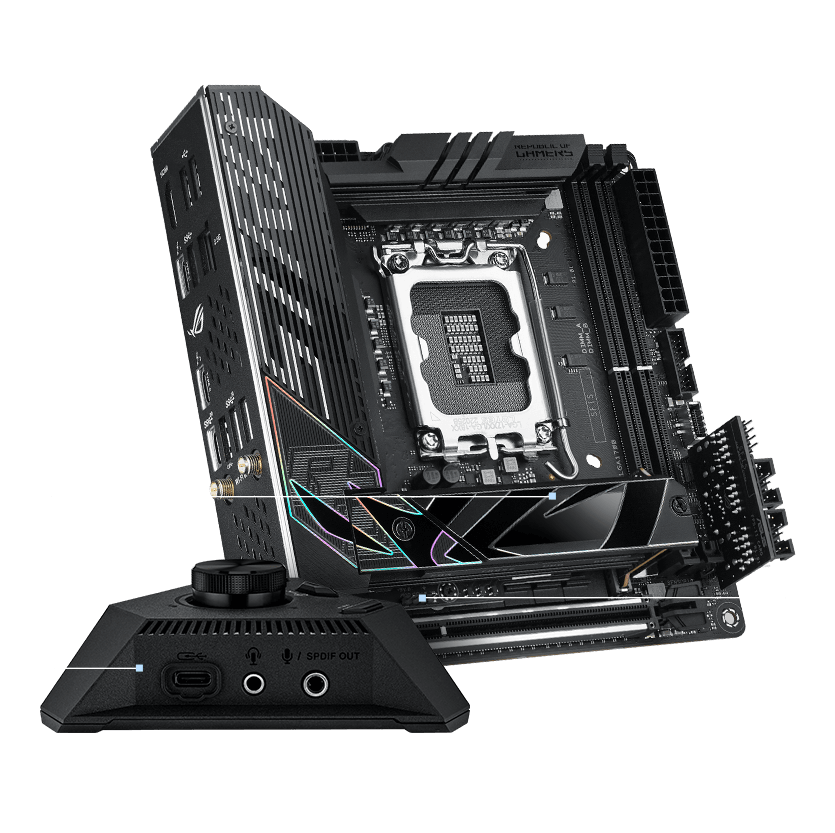
The ATX experience thoughtfully scaled into mini-ITX: grace your desktop with the ROG Strix Hive for superb audio and control, build easier with the ROG FPS-II card, and make faster connections with the latest Thunderbolt and WiFi support.
The all-new ROG Strix Hive brings critical controls and I/O within arm's reach, moving them from the cramped quarters of an SFF chassis to a compact peripheral that sits on the desktop. DIY-friendly buttons and diagnostic LEDs are brought front and center along with a large volume dial. On the sides, a varied group of I/O ports handle audio input and output and provide convenient connectivity for grab-and-go peripherals.
System volume can be adjusted with the control dial. Twist the dial to turn volume up or down, and press it in to mute.
The Flexkey button defaults to system reset, and can be changed to other quick access features like activating safe boot or turning Aura Sync on/off.
Enable AI Overclocking with a physical button on the ROG Strix Hive. Changes will be applied on your next system restart.
BIOS FlashBack™ is the simplest and safest way to update BIOS. Drop a (UEFI) BIOS file onto a FAT32-formatted USB stick, plug it into the USB BIOS FlashBack™ port and press the button. Updates can even be performed without having memory or a CPU installed.
Onboard LEDs indicate power status or issues with the CPU, memory, graphics card, or boot device.
The USB 2.0 Type-A port on the Hive allows for easy access to peripherals with shorter cables, and works with BIOS FlashBack™ to make UEFI firmware updates easy.
A high-speed USB Type-C® port provides additional connectivity for peripherals or storage. Having quick access on the desktop is perfect for grab-and-go devices.
The Hive's audio PCB features ROG Hyper-Grounding technology, which divides up analog and digital current return paths across separate layers to reduce noise, lower crosstalk, and deliver purer sound.
Typically, audio components are built into the motherboard's PCB. The ROG Strix Hive flips the script and offloads all of the audio processing to an external module. Inside, an ALC4050 codec is paired with an ESS® SABRE9260Q DAC, producing clean high-res audio with 118 dB SNR output and 94 dB SNR input and 32-bit / 384 kHz playback. I/O includes S/PDIF out that also supports 3.5mm mic input, and an additional 3.5mm combo jack that can host mics or headphones.
The ROG FPS-II card groups I/O onto a vertically-mounted card, saving valuable on-board space and tidying cable management. Connections can be made before the card is installed, greatly simplifying installation in cramped quarters. On board are two SATA ports, front panel headers, two USB 2.0 headers (allowing for up to three USB 2.0 connections), a CPU_OV jumper for extreme overclocking, and an Alteration mode switch.
Each port delivers up to 40 Gbps of bidirectional bandwidth for the latest super-speed devices and drives. Both ports can be employed for up to two external 4K displays, and PCIe bandwidth extends to up to 32 Gbps.
The antenna has two built-in transmitters and receivers to enable faster transmission speeds, and it supports the 2.4, 5 and 6 GHz bands.
Four-way positioning enables better signal reception.
A powerful magnetic base secures the antenna on the top or side of the PC case.
The black shrouds and gentle accents of the Strix Z790-I make it a solid foundation for nearly any rig, especially when coordinated with the vast range of offerings in the ROG ecosystem.
Linear vents and subtle grid-like textures give the Strix Z790-I a stealthy form that blends in the shadows of most SFF builds. But if a little lighting hits the side of its M.2 shroud, its true colors show in the form of a prismatic sheen glinting off of the highly-reflective aluminum that outlines the embossed ROG logo.
The ROG Strix Z790-I bears the same LGA 1700 socket as the Z690 models, so it is backward compatible with all coolers that supported the previous generation, including all AIO offerings from ASUS and ROG.
Level up your game with ROG Strix. Enjoy complementary aesthetics, control, and compatibility across AIO coolers, cases, peripherals, and much more. ROG offers more choices than any other brand.
ROG-exclusive software delivers intuitive audio tuning and gaming enhancements so you can configure your gaming build the way you want.
Balance the thermals and acoustics of any build with a single click. A proprietary ASUS algorithm slashes unnecessary noise while running a quick stress test, and then monitors CPU temperatures to dynamically adjust fans to optimal speeds.
This utility leverages a massive deep-learning database to reduce over 5 million types of background noise from incoming or outgoing audio, helping ensure crystal-clear communication in games or calls.
GameFirst VI optimizes networking performance by allocating bandwidth in real time based on application usage scenarios and corresponding learning algorithms. The latest update includes dedicated support for GeForce NOW to ensure the lowest latency possible during intense game streaming sessions.
The renowned ROG UEFI (BIOS) provides everything you need to configure, tweak, and tune your rig. It offers intelligently simplified options for newcomers to PC DIY, as well as more comprehensive features for seasoned veterans.
Quickly locate tuning options and add preferred tools to your favorites list.
Flash the latest BIOS via the internet from within the BIOS.
Check your storage device Self-Monitoring, Analysis, and Reporting Technology (S.M.A.R.T.) logs to gauge reliability or to identify potential failures.
Automatically detect selected ASUS graphics cards to view detailed information.
Restore your SSDs and NVMe storage to factory settings.
Track the last change and save preferred profiles to a USB drive.
Rename SATA ports for easy identification.
Port configuration settings between different BIOS versions or share them with friends.
Configure the fan's operating speed manually or use pre-configured Standard, Silent, Turbo, or Full Speed modes. By default, system fans will automatically switch to full speed if the temperature reaches 75° C.
Easily enable or disable Aura RGB lighting or every onboard LED, for a more subdued aesthetic.
Fine-tune individual fans simply by dragging a curve with the mouse.
View SATA port details for easy device recognition.
Click on the settings icon to quickly change time and date settings.
For diagnostic convenience, MemTest86 has been pre-installed into the ROG UEFI. Run the test to pinpoint memory issues without the need to start up the OS or attach a USB drive. Memory test results are stored in the BIOS archives for later reference.
The dashboard-style control panel of AI Suite 3 lets you fine-tune your system with ease. Get the best balance between performance, cooling, stability, and efficiency via simple and intuitive interfaces.
The TurboV Processing Unit (TPU) is an intelligent onboard micro-controller that provides an array of system-tuning features, including the ability to fine-tune voltages, monitor system stats and adjust overclocking parameters.
The Digi+ voltage-regulator module (VRM) delivers real-time control over voltage droop, switching frequency and power-efficiency settings, allowing you to fine-tune CPU voltage regulation for ultimate stability and performance.
Modern processors feature per-core tuning, and the ASUS Turbo app makes use of this feature by letting you assign applications to specific processor cores, prioritizing computing power where it's needed most.
Sonic Studio supports HRTF-based (head-related transfer function*) virtual surround for headsets, casting an immersive aural landscape that draws you deeper into the action. The intuitive Sonic Studio interface also offers a range of EQ options and one-click presets, allowing you to tailor acoustics to suit personal preferences or the characteristics of your headset.
Easily apply Sonic Studio effects on all playback devices. Simply press the Sonic Studio Link button to enjoy the effect on any playback device.
Combine audio output from selected apps with audio from the microphone input and stream the compiled mix.
Apply customized audio settings to different applications, so everything you do is perfectly tuned to the way you want to listen.
Through the pre-loaded DTS® Sound Unbound™ app, the ROG Strix Z790-I envelops you in rich audio, conjuring whole new levels of immersion for extraordinary gaming and entertainment experiences. By exploiting Microsoft spatial sound technology, DTS Sound Unbound creates an audial 3D space — putting you right in the middle of the soundscape, where you can sense the location and direction of every gunshot, footstep, or other sound in your virtual environment. * DTS Sound Unbound requires in-game support. Check with developers for supported titles.
Discrete left and right audio channels enable headphone or two-speaker setups.
Audio is split and served over multiple speaker channels – e.g., 5.1 or 7.1 – to create an enveloping experience on a single, logical plane.
A virtual 360-degree soundscape immerses you in a realistic sonic experience.
The ROG Strix Z790-I includes a sixty-day AIDA64 Extreme subscription, a tool that provides detailed information about hardware and software, as well as benchmarks to measure the performance of the entire system or individual components. AIDA64 Extreme includes a monitoring and diagnostics feature to detect and prevent hardware issues. All vital system sensors can be tracked in real time, allowing voltage readings, fan speeds, and temperature information to be displayed on the desktop or sent to dedicated displays or to the LCD panels of ROG AIO liquid coolers*.
Armoury Crate is a software utility designed to give you centralized control of supported gaming products, making it easy to tune the look and feel of your system. From a single intuitive interface, Armoury Crate helps you customize RGB lighting and effects for compatible devices and synchronize them with Aura Sync to create a unified lighting scheme across your system. In addition, Armoury Crate’s Fan Xpert4 tool provides comprehensive control over fans, water pumps, and all-in-one (AIO) coolers. You can use Armoury Crate to download drivers, tools, and user manuals, and to register products. It also taps into a special news feed that connects you to the global ASUS gaming community.
Among all the Z790 ITX motherboard, the VRM power supply of ROG STRIX Z790-I GAMING WIFI is outstanding.
If you're looking for an over-equipped Mini-ITX gaming motherboard, this ROG Strix Z790-I Gaming WIFI has what it takes. [...] In use, this ROG Strix Z790-I Gaming WIFI delivers high-end performance through a premium design. We liked its bundle and in particular its external module ROG Strix Hive putting many controls at hand and its clever connectivity.
...the standout remains the ASUS ROG Strix Z790-I Gaming WiFi, which with its high-rise construction is hardly inferior to larger boards in many areas, is technically well constructed, and also has the BIOS and software advantages of ASUS.
In addition, the VRM on this model is considerably more powerful, you have access to two USB4 ports and ASUS supplies an external sound card, which is also equipped with various useful buttons, including an adjustable FlexKey.
Finally, I also find the separate ROG Hive module, which includes the sound card and various useful buttons, a cleverly devised solution for the inherent lack of space of mini-ITX.
...for a chic, complete, high-end ITX board, this is the board: EC.
A positive outlier was the ASUS ROG Strix Z790-I Gaming WiFi, which with its high-rise construction is barely inferior to larger boards in many areas...
ASUS ROG STRIX Z790-I can handle anything you throw at it.
Asus Rog Strix Z790-i Gaming Wifi-Mini-ITX for Raptor Lake
If you're building a small, yet powerful computer, and can live with no more than two SATA or two M.2 ports, and no support for 7.1 speakers, the ROG Strix Z790-I Gaming WiFi board is for you.
Quality of construction and components, impressive construction in a small space, good VRM unit, solid performance, rich equipment and options (2x Thunderbolt 4 ports, WiFi 6E, 2.5 Gps LAN, etc.).
Breaking the conventions of what a mini-ITX motherboard can do, the ROG Strix Z790-I has the power to deliver power to rival that of the big titans, and its stacked thermal array is more than a match for the multi-core giants.
The fact that we gave as many as three awards for this model also speaks of how good the motherboard is.
BEST iTX motherboard for Intel's 12th and 13th GEN
LIVE: The ULTIMATE Gaming Sleeper PC Build
Buying Guide for Intel Motherboards // B760 Edition
Rakit Mini PC SERBA ASUS (i9-13900K, TUF RTX 4070Ti, Z790i) 🔥🔥🔥
On the hands of the beautiful PC Terra Drill of the Modder LhthoPhach
Test guest machine #2: Configuration "dinosaurs" in case "loli" ??? // Duy Viu
[PCBUILD] 4K - Terra Drill PC Computex 2023 - Part 1
Custom Itx Case/ Watercooling: Asus Rog Z790-I/ Intel Core i9 13900K/ ROG STIX RTX 4090
PC ITX + Custom water dispersion: "Beautiful weight" i9 13900KS + RTX 4090 // Duy Viu
DOTA 2 Dire Tormentor - Game's Boss Custom PC Build-4K
The ROG STRIX Z790-I GAMING WIFI is a very high-end mini ITX. Instead of the classic 4 slots, there are only two that support DDR5 ram in overclock. Another plus point is that it supports all the latest and penultimate generation CPUs. Even on the connectivity side, we are at the top. Finally, we were impressed by the ROG hive accessory that we can plug into the motherboard and which allows us to avoid putting our hands on the motherboard when updating the bios.
For this build, we chose the ROG STRIX Z790-I Gaming WiFi motherboard that the company sent us. It has a really rich set of ports with a nice external dongle that further expands the available ports.
Preview ROG Strix Z790-I Gaming Wifi Panel
The size is small and the effect is large 😉 The smallest strong BC group is the channel 🔥
Asus went a step further with the Z790-I Gaming WiFi board and offered the market the most powerful and well-equipped Mini ITX board for powerful HTPCs, as well as gaming machines.
[Computex 2023] Close -up of the two most combat PCs from Modding Cafe
"Going to the world's leading technology exhibition and encountered a terrible PC set of artisans ""amber spider"" #Nguyencongpc"
Computex 2023: On the hands of the beautiful PC Terra Drill of the modder nhthhophach
The ASUS ROG Strix Z790-I Gaming WiFi is a high-end motherboard that winks at a very specific niche, that of users. who want maximum performance and powerful hardware even in very compact systems. ASUS ROG has managed to compress a large number of functions and features into this mini ITX, making it capable of supporting any configuration.
Reign supreme with ROG and ROG Strix Z790 gaming motherboards


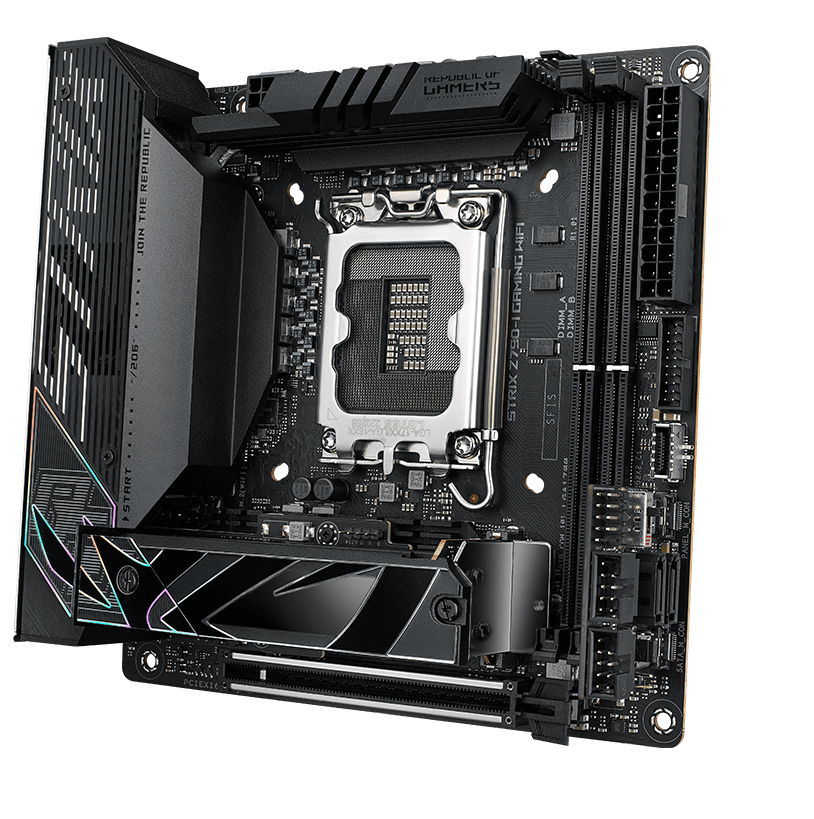








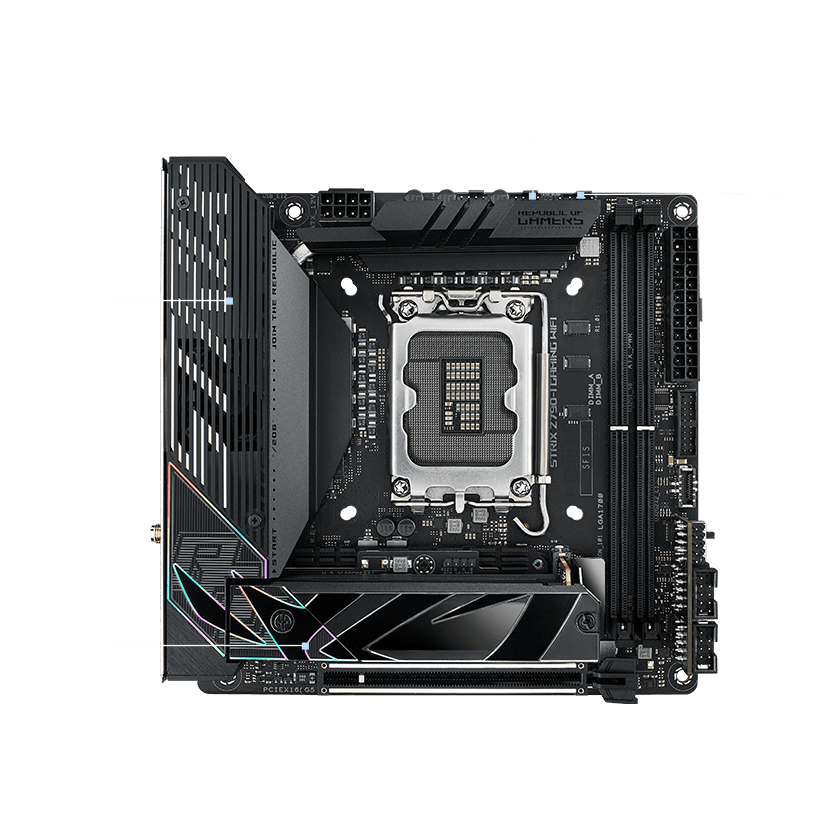





A compact Intel Z790 motherboard that brings premium connectivity and smart tuning to small-form-factor builds. With Thunderbolt 4, PCIe 5.0 and Wi-Fi 6E on board, it suits IT professionals and enthusiasts who need a capable mini-ITX platform for demanding workloads. A strong choice for offices and workstations across Jordan that prefer a space-saving system without sacrificing features.
Key Features
Full technical specifications are in the Specifications tab.
استناداً إلى سجلات الأسعار المتاحة، وليس ضماناً لأعلى أو أدنى سعر على الإطلاق.
لم يتغيّر سعر هذا المتجر منذ تسجيله أول مرة في 2026-10-20، وهو حالياً 255 د.أ.
| التاريخ | السعر | التغيير |
|---|---|---|
| 2026-10-20 | 255 د.أ | أول تسجيل |
ROG Strix Z790-I WiFi
مقارنة عبر متجرين
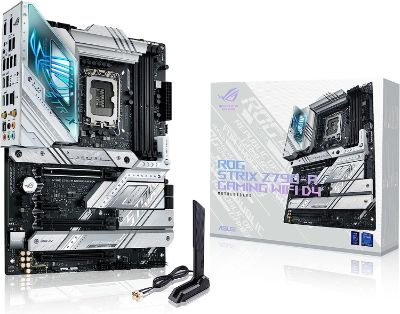
ROG Strix Z790-A Gaming WiFi D4 · DDR4
مقارنة عبر متجرين

Z790-AYW WiFi W II
مقارنة عبر متجرين
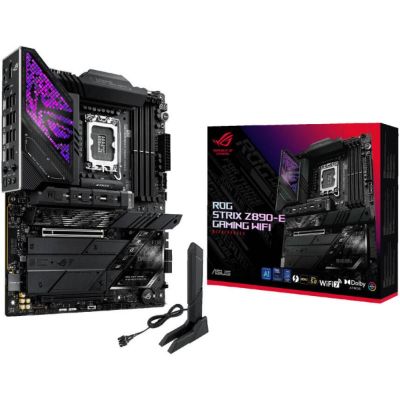
ROG Strix Z890-E Gaming WiFi · ATX
مقارنة عبر 8 متاجر