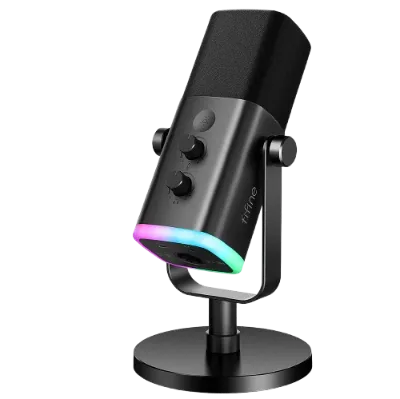
FIFINE · الميكروفونات وبطاقات الصوت
Fifine ampligame am8 usb/xlr dynamic microphone with rgbAM8
من 49 د.أمتوفر
مقارنة عبر 4 متاجر

AM310
AVerMedia AM310 is a plug and play USB microphone that lets you record high quality sound for podcasting, streaming, gaming, and more. Immerse your audience with clearer, richer, and warmer recorded sound.
| المتجر | السعر | التوفر | الإجراءات |
|---|---|---|---|
 City Center | 89 د.أ | غير متوفر | زيارة المتجر |
متجر واحد فقط في هذا الكتالوج يعرض هذا المنتج. تأكد من السعر النهائي لدى المتجر.
أضيف أقل عرض 2021-12-25 · حُدث 2026-11-22 · لم يُسجَّل أي تغيير للسعر
ابحث عن عروض المتاجر الأخرى| Product Specifications | |
|---|---|
| Manufacturers Link | https://www.avermedia.com/us/product-detail/AM310 |
AVerMedia AM310 is a plug and play USB microphone that lets you record high quality sound for podcasting, streaming, gaming, and more. Immerse your audience with clearer, richer, and warmer recorded sound.
AVerMedia AM310 is designed for music performers and live streamers who long for studio-quality sound. The built-in cardioid condenser records sound sources that are directly in front of the microphone, delivering detail, accurate, full-bodies sound.
With its driver-free and plug-and-play design, installing AVerMedia AM310 is a breeze. Simply plug it into a USB port on your PC or Mac, and you’re ready to record.
AVerMedia AM310 comes equipped with a 3.5 mm headphone jack that enables you to either listen to what you’re recording in real-time or what’s playing on your computer, all at the toggle of a switch. A headphone volume knob with mic mute function is also included for easy control.
For your live performance, AVerMedia AM310 lets you monitor your voice during streaming.
As you plug AVerMedia AM310 into your PC, it will be identified as your Playback/Output device. Just plug in your headphones at the back of AVerMedia AM310 and start your journey!
Want to change it back? No problem! Here’s how.
On a PC
Step 1: Go to Start Menu → Control Panel → Hardware and Sound → Sound → Manage Audio Devices
Step 2: Under “Playback”, right click to DISABLE the AVerMedia AM310, and ENABLE your desired Playback device
On a Mac
Step 1: Go to System Preferences → Sound → Output
Step 2: Select your desired output device from the list
Want to record a stunning demo? No problem. AVerMedia AM310 is best for recording single source facing the microphone. Whether your’re a vocalist and/or instrumentalist, every resounding note and subtle vibrato will be captured in great detail.
Are you looking to better your voice for streaming? Look no further. AVerMedia AM310 offers the best sound, build quality, and feature combination of its class. Add more glamour to your voice and take your channel to the next level.
Type: Uni-directional condenser microphone
Polar pattern: Cardioid
Sample rate: 48 kHz
Bit rate: 16-bit
Power required: USB (5V DC)
Sensitivity: -60 ± 5 dB (at 1 kHz, 0 dB = 1 V/u bar)
Frequency response: 20–20,000 Hz
Dimensions (mic) (W x D x H): 90 x 130 x 270 mm
Weight (mic): 468 g ± 5 g (1.03 lb ± 0.17 oz)
Windows® 10 / 8.1 / 7 or Mac OS 9 / X
USB 2.0 port or newer
USB Microphone AM310
Based and shaft
Mount
USB cable
Quick guide
استناداً إلى سجلات الأسعار المتاحة، وليس ضماناً لأعلى أو أدنى سعر على الإطلاق.
لم يتغيّر سعر هذا المتجر منذ تسجيله أول مرة في 2026-10-26، وهو حالياً 89 د.أ.
| التاريخ | السعر | التغيير |
|---|---|---|
| 2026-10-26 | 89 د.أ | أول تسجيل |
AM8
مقارنة عبر 4 متاجر
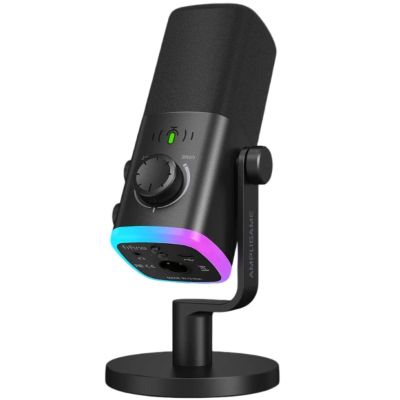
AmpliGame AM9
مقارنة عبر 5 متاجر
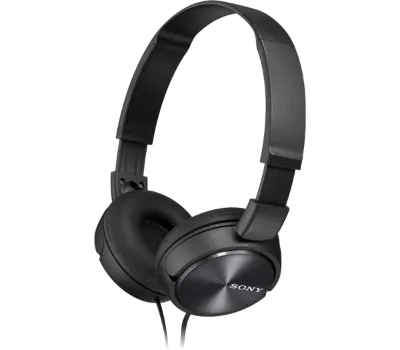
MDR-ZX310AP
مقارنة عبر 3 متاجر
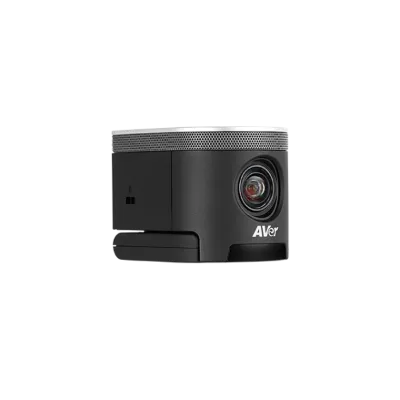
CAM340+ · 4K
فقط في Green Dara Stars