
11% خصم
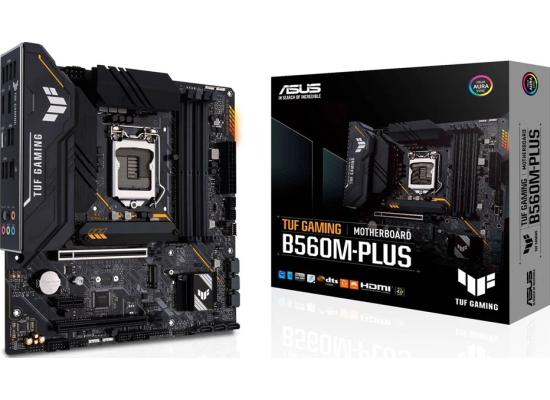
B560 mATX
| المتجر | السعر | التوفر | الإجراءات |
|---|---|---|---|
 MID Teks Inc | 104 د.أ | غير متوفر | زيارة المتجر |
متجر واحد فقط في هذا الكتالوج يعرض هذا المنتج. تأكد من السعر النهائي لدى المتجر.
أضيف أقل عرض 2021-12-25 · حُدث 2026-11-25 · لم يُسجَّل أي تغيير للسعر
ابحث عن عروض المتاجر الأخرى| Motherboards | |
|---|---|
| CPU | Intel® Socket LGA1200 for 11th Gen Intel® Core™ Processors & 10th Gen Intel® Core™
Pentium® Gold and Celeron® ProcessorsSupports Intel® 14 nm CPUSupports Intel® Turbo Boost Technology 2.0 and Intel® Turbo Boost Max Technology 3.0*** Refer to www.asus.com for CPU support list.** Intel® Turbo Boost Max Technology 3.0 support depends on the CPU types. |
| Chipset | B560 |
| Memory | DDR4 5000(OC)/4800(OC)/4600(OC)/4400(OC)/4266(OC)/4000(OC)/3733(OC)/3600(OC)/3466(OC)/3333(OC)/3200(OC)/2933/2800/2666/2400/2133 MHz Non-ECC
Un-buffered Memory*Dual Channel Memory ArchitectureSupports Intel® Extreme Memory Profile (XMP)* 10th Gen Intel® Core™ i7/i9 processors support 2933/2800/2666/2400/2133 natively others will run at the maximum transfer rate of DDR4 2666MHz.* 11th Gen Intel® processors support 2933/2800/2666/2400/2133 natively.* Refer to www.asus.com for the Memory QVL (Qualified Vendors Lists) and memory frequency support depends on the CPU types. |
| Graphic | 1 x D-Sub1 x HDMI™ 1.4 / 2.0*** Graphics specifications may vary between CPU types.** Only Intel® 11th Gen processors support HDMI™ 2.0 with max. resolution of 4K@60Hz
others will only support HDMI™ 1.4 with max. resolution of 4K@30Hz .Please refer to www.intel.com for any updates. |
| Expansion Slots | Intel® 11th &10th Gen Processors1 x PCIe 4.0/3.0 x16 slot- Intel®11th Gen processors support PCIe 4.0 x16 mode- Intel®10th Gen processors support PCIe 3.0 x16 modeIntel® B560 Chipset2 x PCIe 3.0 x1 slots |
| Storage | Supports 2 x M.2 slots and 6 x SATA 6Gb/s portsIntel®11th Gen ProcessorsM.2_1 slot (Key M)
type 2242/2260/2280- Only Intel® 11th Gen processors support PCIe 4.0 x4 mode this slot will be disabled for other CPUsIntel®B560 ChipsetM.2_2 slot (Key M) type 2242/2260/2280 (supports PCIe 3.0 x4 & SATA modes)*6 x SATA 6Gb/s ports* The M.2_2 shares bandwidth with SATA6G_2.When M.2_2 runs SATA mode SATA6G_2 will be disabled. |
| LAN | 1 x Intel® I219-V 1Gb EthernetASUS LANGuard |
| Audio | Realtek ALC897 7.1 Surround Sound High Definition Audio CODEC*- Supports: Jack-detection
Multi-streaming Front Panel Jack-retasking- Supports up to 24-Bit/192 kHz playbackAudio Features- Audio Shielding- Premium Japanese audio capacitors- Dedicated audio PCB layers* A chassis with an HD audio module in the front panel is required to support 7.1 Surround Sound audio output. |
| USB Ports | Rear USB:Total 6 ports4 x USB 3.2 Gen 1 ports (4 x Type-A)2 x USB 2.0 ports (2 x Type-A)Front USB:Total 6 ports1 x USB 3.2 Gen 1 header supports additional 2 USB 3.2 Gen 1 ports2 x USB 2.0 headers support additional 4 USB 2.0 ports |
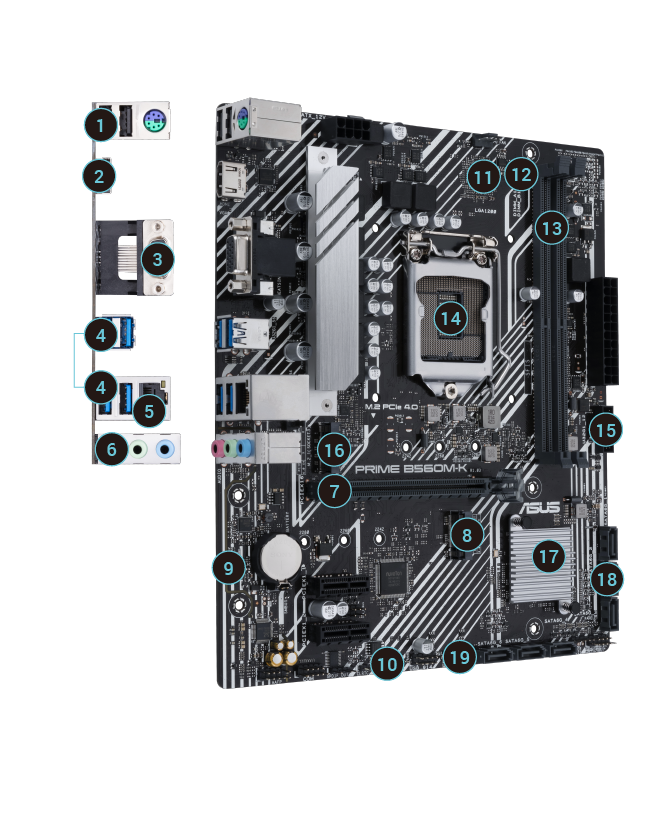
| Back I/O Ports | 4 x USB 3.2 Gen 1 ports (4 x Type-A)2 x USB 2.0 ports (2 x Type-A)1 x D-Sub port1 x HDMI™ port1 x Intel® I219-V 1Gb Ethernet3 x Audio jacks1 x PS/2 Keyboard/Mouse combo port |
| Internal I/O Ports | Fan and Cooling related1 x 4-pin CPU Fan header1 x 4-pin Chassis Fan headerPower related1 x 24-pin Main Power connector1 x 8-pin+12V Power connectorStorage related2 x M.2 slots (Key M)6 x SATA 6Gb/s portsUSB1 x USB 3.2 Gen 1 header supports additional 2 USB 3.2 Gen 1 ports2 x USB 2.0 headers support additional 4 USB 2.0 portsMiscellaneous1 x RGB header1 x Clear CMOS header1 x COM Port header1 x Front Panel Audio header (AAFP)1 x S/PDIF Out header1 x Speaker header1 x SPI TPM header (14-1pin)1 x 10⁻¹ pin System Panel header |
| BIOS | 128 Mb Flash ROM
UEFI AMI BIOS |
| Operating System | Windows® 10 64-bit |
| Form Factor | mATX Form Factor9.6 inch x 8.3 inch(24.4cm x 21.1cm) |
| Management Solution | WOL by PME
PXE |
| After Sales Support | |
| Warranty | 1 Year |
PCIe 4.0/3.0 x16 ● ASUS SafeSlot Core support
Audio Features ● Premium Japanese audio capacitors ● Audio Shielding ● Dedicated audio PCB layers
Intel® Socket LGA1200 for 11th Gen Intel® Core™ processors & 10th Gen Intel® Core™, Pentium® Gold and Celeron® Processors
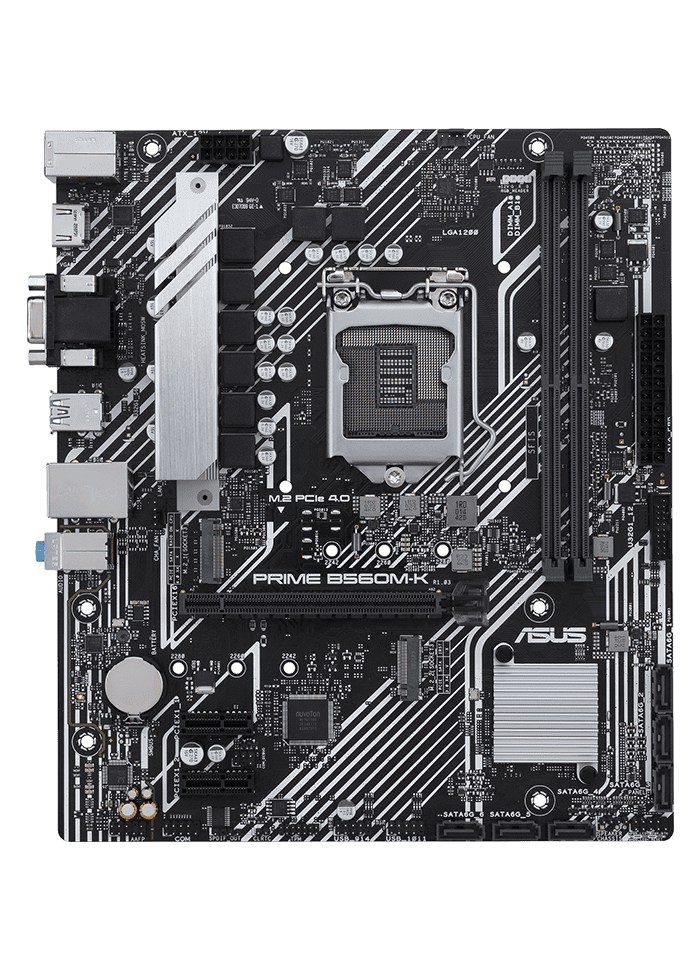
ASUS Prime series motherboards are expertly engineered to unleash the full potential of 10th and 11th Generation Intel® Core™ processors. Boasting a robust power design, comprehensive cooling solutions and intelligent tuning options, Prime B560M-K provides daily users and DIY PC builders a range of performance tuning options via intuitive software and firmware features.
Comprehensive controls form the foundation of the ASUS Prime series. The Prime B560 motherboard packs flexible tools to tune every aspect of your system, enabling performance tweaks to perfectly match the way you work, to maximize productivity.
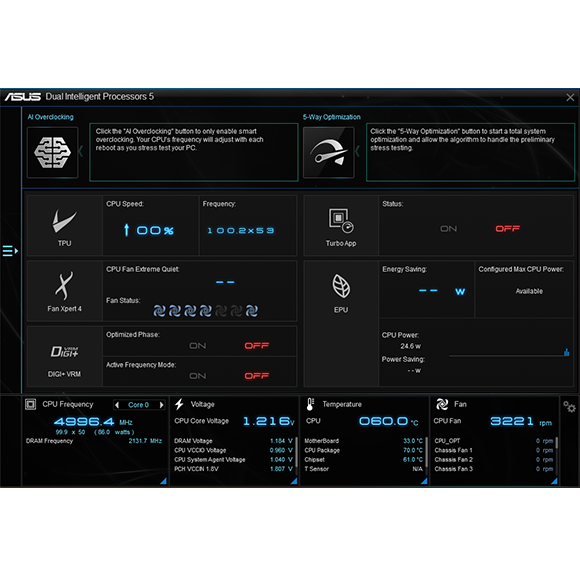
ASUS 5-Way Optimization makes your PC smart, taking care of complex tuning with just one click. It dynamically optimizes essential aspects of your system, providing overclocking and cooling profiles that are tailored for your rig.
With the Energy Processing Unit (EPU), you'll enjoy system-wide power savings. The EPU automatically optimizes power consumption and maximizes savings with Away mode.
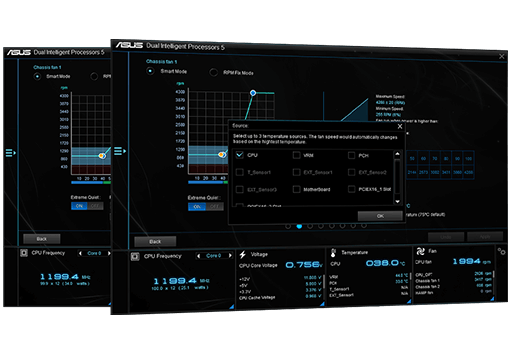
PRIME 500 Series motherboards offer comprehensive control over system fans,via the included FAN Expert software.Auto-Tuning mode intelligently configures all parameters with a single chick.
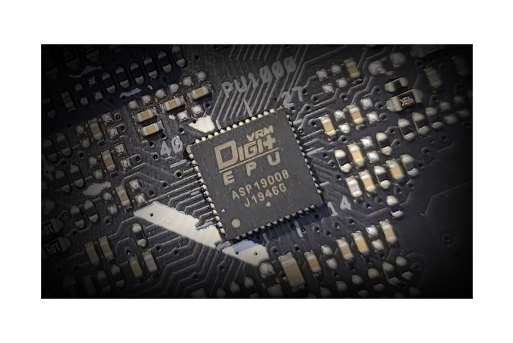
The Digi+ voltage-regulator module (VRM) delivers real-time control over voltage droop, automatically switching frequency and power-efficiency settings. It also allows you to fine-tune your CPU for ultimate stability and performance.
ASUS AI Overclocking is an intelligent utility that helps you get the most out of your build by automatically profiling your CPU and cooling system to predict optimal voltage and frequency settings. Accessible via the AI Suite software in Windows or directly through the UEFI, the intuitive AI Overclocking user interface enables users of all levels. A range of customizable settings are available for seasoned overclockers, and an auto-tuning option is available for beginners.
At the heart of AI Overclocking is a proprietary algorithm developed by ROG R&D engineers who worked with world-renowned overclockers to create a tool for users of all levels.
The algorithm analyzes your CPU and cooling system, and based on what it finds, predicts optimal settings. The software then uses these settings to automatically guide the clocking process, balancing frequency and voltage.
The software monitors workload, system temperature, fan speed and power draw every minute and it makes real-time adjustments to ensure ongoing optimal performance.
Go to BIOS by pressing the Delete key during system boot-up. Press F5 to load the UEFI defaults, then press F10 to save and reboot. Boot into operating system.
A stress test assesses system performance in order to estimate system potential as well as voltage needs for overclocking. To run a test, choose from any of these benchmarks Blender / Prime95 / Aida64/ ROG real Bench Alternatively, you can run the test by using Intel® Extreme Tuning Utility.
Return to BIOS. Navigate to the AI Tweaker section and set CPU Core Ratio to AI Optimized. Hit F10 to save and reboot.
Turn on your PC and put on a load on the processor to get a baseline reading of your CPU, cooling system capabilities.
The AI Overclocking Guide provides detailed information and instructions about how to tune your system manually. It can be accessed by hitting the F11 hotkey.
For high-core count processors like the Z590, AI Overclocking lists data according to core group. This gives you adaptive control based on the status of core groups (3 / 5 / 8 / all cores), and it provides target frequency and voltage estimations needed for manual tuning.
Onboard intelligence lets you automated overclocking with full, flexible control available via 5-Way Optimization within AI Suite (in Windows).
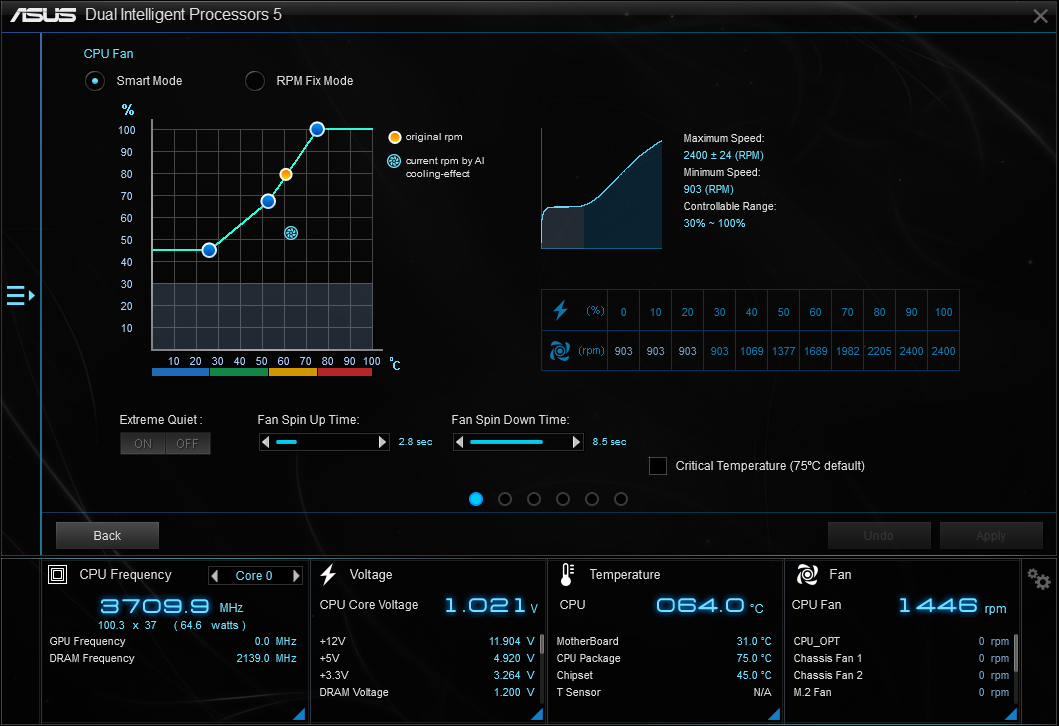
ASUS AI Cooling function will automatically manage and control motherboard-connected fans to ensure optimal settings based on current system load and temperature.
AI Cooling detects CPU temperatures and uses a proprietary algorithm to calculate the lowest fan speed required to effectively cool the system and keep fan noise down.
Under stable system loads, the software then automatically lowers fan* speed to the optimal setting, decreasing fan noise without compromising performance. *Fans need to be connected to the following headers for AI Cooling control: CPU_FAN / CPU_OPT / CHA_FAN / M.2_FAN / H_AMP / RAD_FAN
AI Cooling continues to monitor the system and adjust fan speed based on current load.
AI Cooling can easily be activated via the Fan Xpert 4 dashboard in ASUS AI Suite 3. Once activated, it will override all manual controls.
For those who prefer manual control, AI Cooling provides reference points on a graph that details fan speed in relation to temperature, providing a guide for fan settings.
The renowned ASUS UEFI BIOS provides everything you need to configure, tweak and tune your system. It offers intelligently simplified options for PC DIY beginners, as well as comprehensive features for seasoned veterans.
An intuitive Advanced mode offered via the UEFI lets you take complete control. A built-in search feature makes it easy to find options, and various advanced functions let you intelligently make nuanced adjustments so you can dial in performance just the way you want.
Search Function Quickly and easily find the option or setting you need.
ASUS User Profile Port configuration settings between different BIOS versions or share them with friends.
EZ mode displays vital settings and stats and also offers guided wizards, drag-and-drop functionality, and one-click application of important settings — all to help you get your rig up and running in no time.
Intuitive Graphical Fan Control Fine-tune individual fan settings simply by dragging a curve with the mouse.
EZ XMP Improve DRAM performance with one click.
Prime B560 series is engineered with multiple onboard heatsinks and an array of hybrid fan headers to ensure your rig stays cool and stable under intense workloads.
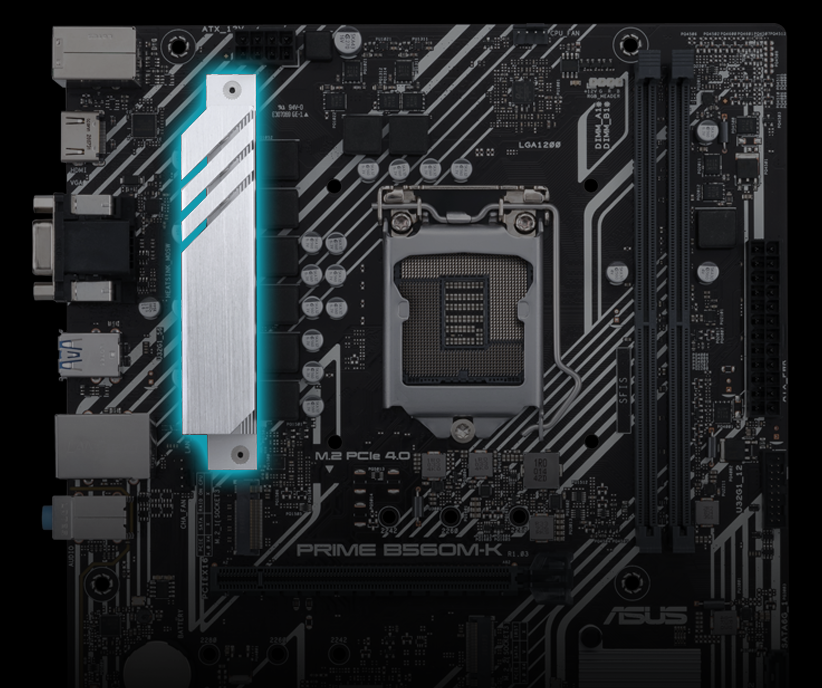
The VRM heatsink with underneath thermal pad improve heat transfer from the MOSFETs for better cooling performance.
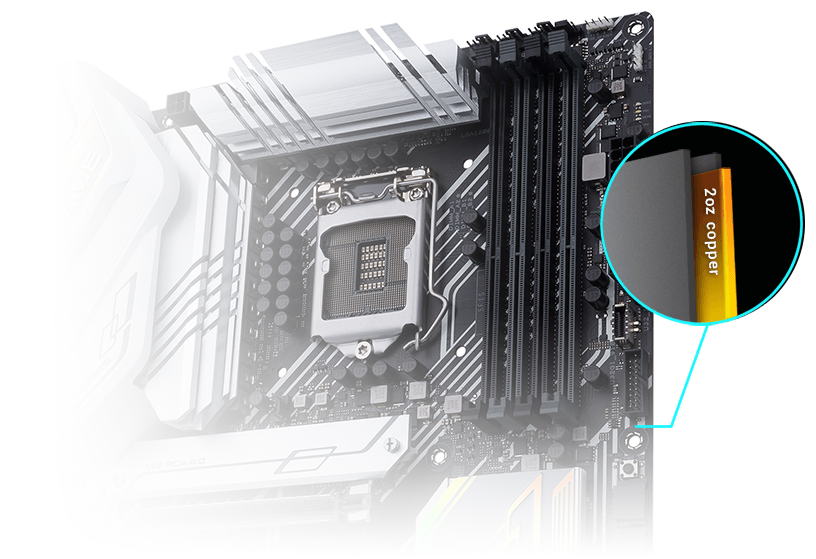
2-ounce copper layers draw heat away from critical components to keep them at their optimal operating temperatures.
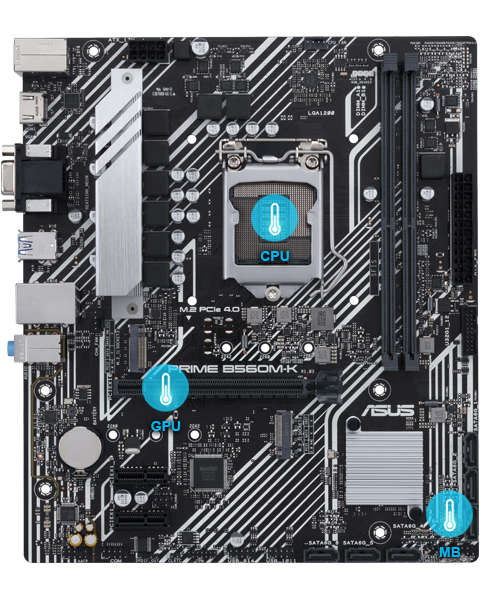
Prime B560 series features comprehensive cooling controls that are configurable via Fan Xpert software or via the UEFI BIOS.
Each header can monitor and react to dedicated thermal sensors.
Each onboard header supports auto-detection of PWM or DC fans.
Prime B560 series is built to handle the additional cores and increased bandwidth of 11th Generation Intel® Core™ processors. ASUS B560 motherboards provide all the fundamentals to boost daily productivity, so your system will be ready for action with stable power, intuitive cooling and flexible transfer options.
Stable power is essential to extract every last bit of performance out of 11th Generation Intel® Core™ processors. Prime B560M-K is geared to cater to the demands of these high-core count CPUs.
A VRM with 6+1+1 Power Stages delivers the power and efficiency that the latest Intel processors demand.
Revisions to the motherboard's trace routing provide the latest Intel processors with unrestricted access to memory bandwidth. Improved DDR4 Performance technology carefully maps memory signal pathways across different PCB layers to reduce vias and adds shielding zones that significantly reduce crosstalk.
Top layer – ground ring to prevent lateral interference
Prime B560M-K offers a total of two M.2 slots, with one slot supporting data-transfer speeds of up to 64 Gbps via PCI Express® 4.0, enabling quicker boot-up and app load times with OS or application drives.
ASUS B560 motherboards are designed specifically for 11th Generation Intel® Core™ CPUs and offer PCIe® 4.0 connectivity for the latest GPUs. The wide bandwidth and superfast transmission speeds allow you to create feature-rich builds that can handle high loads effortlessly.
Prime X299-A II has 5Gbps Ethernet onboard to deliver up to 5X the bandwidth of standard gigabit Ethernet. You'll enjoy streaming uncompressed 4K UHD videos without stutter, and backups and file transfers that are faster than ever before. There's also support for intermediate connections, so it's easy to choose your ideal bandwidth and benefit from ultra-low latency at any speed up to 5Gbps.
Intel Ethernet Connection I219-V reduces CPU overhead and offers exceptionally high TCP and UDP throughput for faster, smoother data transfer.
ASUS LANGuard is a hardware-level networking protection that employs signal-coupling technology and premium anti-EMI surface-mounted capacitors to ensure a more reliable connection and better throughput.
Prime B560 series adds the nuanced details that improve every experience, from exclusive codecs that provide pristine audio quality to intuitive RGB lighting controls that let you customize your system to create a uniquely personal look.
SafeSlot Core is the ASUS-exclusive PCIe® slot. Featuring a fortified design that's anchored to the motherboard by a special hook, Safeslot Core provides 1.6X-stronger retention and 1.3X-greater shearing resistance than standard expansion slots.
Strengthened solder points around the PCIe and DIMM pins.
An exclusive circuit design with built-in voltage regulators to protect your motherboard from damage caused by unexpected high-level voltages from unstable or inferior power supplies.
Onboard resettable fuses prevent overcurrent and short-circuit damage. This extends beyond I/O ports to DRAM to safeguard the lifespan of your system and connected devices.
Corrosion-resistant stainless-steel back I/O panels bonded with chromium oxide have a lifespan that's three times longer than ordinary panels.
ASUS LANGuard is a hardware-level network protection feature that integrates advanced signal-coupling technology and premium anti-EMI surface-mounted capacitors to improve throughput and ensure a more reliable connection.
The Prime Z590 series provides superior compatibility with thousands of components and our Qualified Vendor List (QVL) identifies memory compatibility, giving you more choices for worry-free PC-building experiences.
Every ASUS motherboard is subjected to more than 8,000 hours of stringent tests, including burn-in, environmental, compatibility, software and safety tests to confirm their durability. ASUS reliability surpasses industry standards, ensuring that every component is designed to function flawlessly in any environment.
Intelligent design and premium hardware create audio quality unlike anything you've ever experienced.
Separates analog/digital signal domains, significantly reducing multi-lateral interference.
Ensures minimal crosstalk between audio paths.
Premium parts provide an immersive sound signature, with exceptional fidelity.
Reduces power-input noise to ensure consistent performance.
Capable of driving high-impedance headphones, without rolling-off high or low frequencies.
Reduces start-up popping noise to all audio outputs.
With 5050 RGB strips connected to the RGB header, you can create your own stunning multicolor lighting displays with static, blinking, fading, and strobing effects.
Armoury Crate is a new software utility designed to give you centralized control of supported products. From a single intuitive interface, Armoury Crate allows you to easily customize RGB lighting and effects for every compatible device in your arsenal. The software also provides control of settings for an ever-growing number of ASUS products, including keyboard and mouse preferences. Armoury Crate even features dedicated product registration and news to help you stay in touch with the ASUS community.
Up to 5.3 GHz clock speed with Intel® Thermal Velocity Boost
Intel® Hyper-Threading Technology from the Intel® Core™ i9 to the Intel® Core™ i3 desktop processor









استناداً إلى سجلات الأسعار المتاحة، وليس ضماناً لأعلى أو أدنى سعر على الإطلاق.
لم يتغيّر سعر هذا المتجر منذ تسجيله أول مرة في 2026-11-22، وهو حالياً 104 د.أ.
| التاريخ | السعر | التغيير |
|---|---|---|
| 2026-11-22 | 104 د.أ | أول تسجيل |
H510
فقط في MID Teks Inc
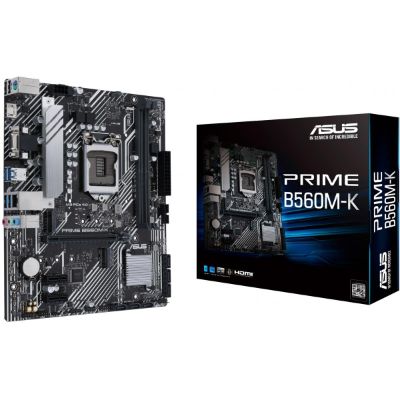
B560M-K
فقط في Oriental Store
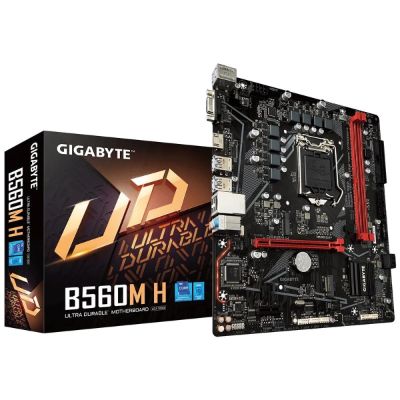
B560M-H
فقط في Oriental Store