PXN · الألعاب
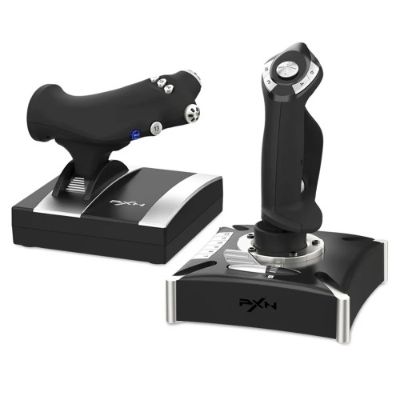
PXN 2119PRO THROTTLE SYSTEM FOR PC, PS4 & XBOX ONE / SERIES FLIGHT SIMULATION JOYSTICK2119PRO
55 د.أمتوفر
فقط في NumberOneStore

2119 Pro
PXN 2119 Pro Flight Simulator Stick PC Joystick Flight Stick Controller with Vibration Flight Simulator Stick for PS4/XBOX ONE Windows XP/VISTA/7/8/10(NOT Compatible with Mac Systems)
غالباً المنتج نفسه — مطابقة بالعلامة والطراز، لا برقم قطعة من المُصنّع.
| المتجر | السعر | التوفر | الإجراءات |
|---|---|---|---|
 Gamersالأقل | 50 د.أ | متوفر | زيارة المتجر |
 CompuMe | 55 د.أ | متوفر | زيارة المتجر |
تتطابق هذه العروض في العلامة والطراز دون رقم قطعة من المُصنّع، لذلك التطابق مرجّح وغير مؤكد. راجع المواصفات قبل الشراء بناءً على السعر وحده.
أضيف أقل عرض 2026-06-05 · حُدث 2026-11-25 · لم يُسجَّل أي تغيير للسعر
【Product features】 PXN-2119 Pro is composed of "rocker arm unit" and "throttle valve", with 7 axes, two 8-direction key hard caps and 16 independent motion control keys, which can be driven by 16 * 3 function keys The extension provides a real interactive experience, compatible with almost flying games: World of Tanks, Warm World, War Thunder, Assault Skyline, Microsoft Flight Simulator2020, X Plane 10, etc. (Note: Minecraft, Asphalt 8).
【Compatibility】PXN-2119 Pro cable game flight simulation joystick compatible PS4 / Xbox One Windows XP / Vista / 7/8 10, compatible market all flight simulation games, such as Microsoft Flight Simulator 2020, X Aircraft 11 / Fighter World / Royal Air Force, etc. Applicable to PC / Computer / Laptop, 【NOTE】 (DOES NOT Support Mac / Apple Computers / Apple Devices / PS3 / Nintendo Switch).
Connection Method】 Please open the computer first, then connect the PXN-2119 Pro joystick, plug and play, if the device does not work, please download PXN-2119 Pro driver from the official website - PXN, Home / Products / Arcade Stick / PXN-2119 Download, PS4 / Xbox One needs to be booted using the original handle. After the connection is successful, it enters the game setting mode, set it to the joystick mode, and set the button on the joystick to the function in the game.
【Precautions】 If the computer does not recognize PXN-2119 Pro, download the PXN-2119 Pro driver or check if the USB interface of the computer is corrupted. If the button does not work after the connection, enter the game, then select the joystick mode in the Set Interface, or download the PXN-2119 Pro driver, see the E-PXN Official Website / Service / Joystick Game button settings X-Plane 11 "" Microsoft Flight Simulator 2020 "PXN-2119 Pro Jipping Rod Setting Tutorial.
【Ergonomic design】 in line with ergonomic design, built-in motors, enable the game to realize the rocker, as well as motor switching; manipulate and chase the army aircraft, successfully block, aim, and pull the trigger. The lens is very simple. Controller software supports keyboards and mouse settings, dead zone adjustment, key mapping, axial maps, and other custom settings, create personalized customization according to game requirements,
استناداً إلى سجلات الأسعار المتاحة، وليس ضماناً لأعلى أو أدنى سعر على الإطلاق.
أقل سعر لدى متجرين.
لم يتغيّر أقل سعر منذ تسجيله أول مرة في 2026-06-05، وهو حالياً 50 د.أ.
| التاريخ | السعر | التغيير | الأقل لدى |
|---|---|---|---|
| 2026-06-05 | 50 د.أ | أول تسجيل | Gamers |
2119PRO
فقط في NumberOneStore
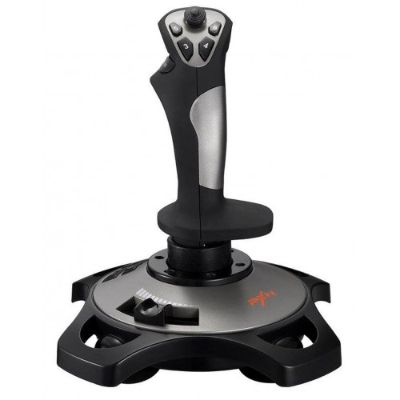
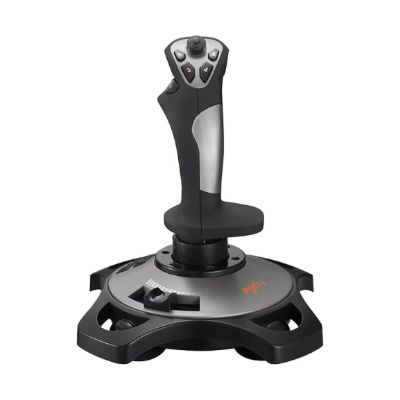
2113 Pro
فقط في DNA
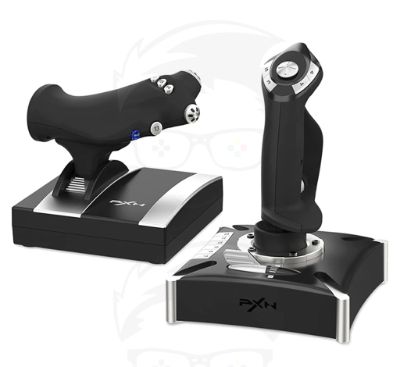
XN-2119 Pro
فقط في IGEEK Mega Stores