Redragon
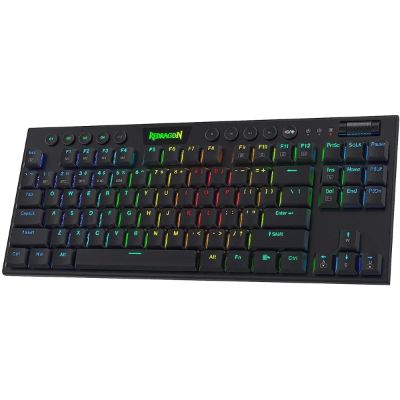
Redragon k621 horus tkl rgb mechanical wire & bluetooth & wireless red switchK621 Horus TKL · أحمر switches
49 د.أمتوفر
فقط في GameOnJO

K621
3-Mode Connection: Here comes Redragon innovative 1st-Gen 3-mode connection technology, USB-C wired, BT 3.0/5.0 & 2.4Ghz wireless modes which advanced your use experience to next level in all fields. · Worry-Free Wireless: Built-in upgraded 3.0/5.0 Bluetooth and 2.4Ghz wireless chips, K621 offers a real-wireless and…
| المتجر | السعر | التوفر | الإجراءات |
|---|---|---|---|
 City Center | 35 د.أ | غير متوفر | زيارة المتجر |
متجر واحد فقط في هذا الكتالوج يعرض هذا المنتج. تأكد من السعر النهائي لدى المتجر.
أضيف أقل عرض 2021-12-25 · حُدث 2026-11-21 · لم يُسجَّل أي تغيير للسعر
ابحث عن عروض المتاجر الأخرى|
|
|
|
|---|---|---|
5 Devices SwitchableWith 3 Bluetooth devices storable, a 2.4Ghz wireless mode, a wired mode, K618 can save and switch connections to five devices simultaneously. One keyboard is good enough for most of the devices in your home. |
Superb RGB For GamerUp to 20 preset vibrant backlight modes can be adjusted easily by FN + Ins, the brightness is also adjustable by scroll section. Redragon logo filled with same RGB colors offers extra actively buff for gamer. |
Solid Use DurabilityEquipped with an advanced 1900 mAh lithium battery, the keyboard provides a prolonged using time in wireless mode. Low battery indicator makes sure the keyboard will always online if you don't forget to recharge. |
Q1: How can I tell what mode the keyboard is in? How to switch modes?
In different modes, the M indicator will be displayed in different colors. Three modes BT1 (2, 3)/2.4G/USB will display Blue (Cyan, Purple)/Green/White in order.
With existing device connections, switching among by FN+1.2.3(BT)/4(2.4G), FN+5 (OFF).
Q2: When does the keyboard needs to be recharged and how do I know it is full?
When the M indicator light starts flashing in red, it is in low battery indication and you need to plug in the USB-C cable to charge in time.
During charging, M indicator will stay in solid red color (any mode) and restore to current connection mode color status when it’s fully charged.
Q3: Even in OFF mode, why does the keyboard still go into sleep mode?
This is because the keyboard is still in wireless mode (even in OFF mode), you need to press FN+5 to enter the wired USB mode again to make the keyboard backlight does not go out.
Q4: Why does the W/A/S/D keys become arrow keys? Why does the F1-F4 keys show different solid color?
Press FN + W to switch the WASD keys function to arrow keys, press them again to restore original. M1-M4 profile function will be activated when press FN + F1-F4 together, F1 will be lighted to white when profile M1 selected by pressing FN + F1 (FN + ESC to reset and exit profile mode).
| K621 Horus TKL | K622 Horus TKL Wired | K614 Anivia | K630 Dragonborn 60% | K530 Draconic 60% | K608 Valheim | |
|---|---|---|---|---|---|---|
| Dimension/size | 14.0*5.8 in | 14.0*5.8 in | 11.6*4.1 in | 11.5*3.9 in | 11.5*3.9 in | 17.1*4.9 in |
| Keyboard Weight | 0.60 kg | 0.58 kg | 0.42 kg | 0.54 kg | 0.61 kg | 0.72 kg |
| Switch Type | Red Switch (Low profile) | Red Switch (Low profile) | Red Switch (Low profile) | Red Switch | Brown Switch | Brown Switch |
| Keys | 87 | 87 | 61 | 61 | 61 | 104 |
| Connection | Wired/BT/2.4Ghz Wireless | Wired | Wired | Wired | Wired/BT Wireless | Wired |
| Extra G Keys | 4 | 4 | 0 | 0 | 0 | 0 |
| RGB Backlit | ✓ | ✓ | ✓ | ✓ | ✓ | Rainbow Backlit |
| Software | ✓ | ✓ | ✓ | ✓ | ✓ | / |
استناداً إلى سجلات الأسعار المتاحة، وليس ضماناً لأعلى أو أدنى سعر على الإطلاق.
لم يتغيّر سعر هذا المتجر منذ تسجيله أول مرة في 2026-10-25، وهو حالياً 35 د.أ.
| التاريخ | السعر | التغيير |
|---|---|---|
| 2026-10-25 | 35 د.أ | أول تسجيل |
K621 Horus TKL · أحمر switches
فقط في GameOnJO
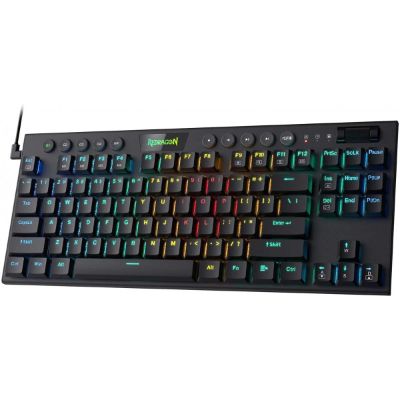
K622 Horus TKL · TKL
مقارنة عبر متجرين
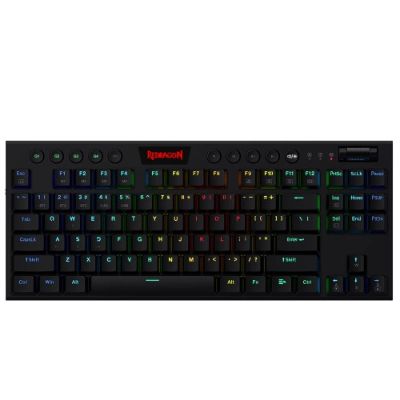
K621 Horus Pro TKL
فقط في NumberOneStore
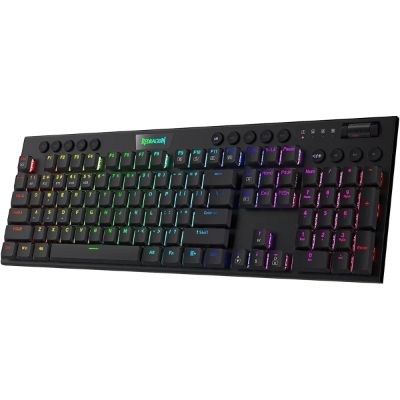
K618 Horus · أحمر Switch
فقط في GameOnJO