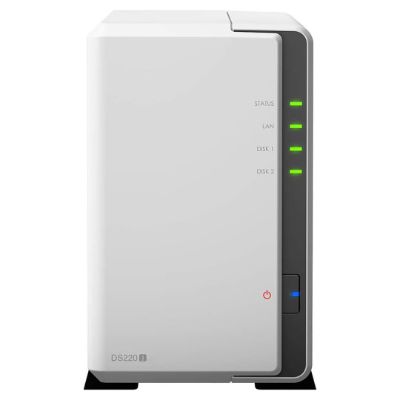
Synology · وحدات التخزين الشبكي
Synology DiskStation DS220J 2-Bay NAS EnclosureDS220j · 2-bay
199 د.أمتوفر
مقارنة عبر 3 متاجر

BeeStation · 8TB
Set up a private cloud in minutes and get right into data managing works · Bring your data from computers, tablets, phones, external drives, and cloud services to one place and access them anywhere, anytime · Share storage with family or team members, giving each person their own cloud space · Back up phone photos and…
غالباً المنتج نفسه — مطابقة بالعلامة والطراز، لا برقم قطعة من المُصنّع.
| المتجر | السعر | التوفر | الإجراءات |
|---|---|---|---|
 City Centerالأقل | 629 د.أ | متوفر | زيارة المتجر |
 OfficeJo Computer And Printer Shop | 635 د.أ | متوفر | زيارة المتجر |
 CompuMe | 660.45 د.أ | متوفر | زيارة المتجر |
تتطابق هذه العروض في العلامة والطراز دون رقم قطعة من المُصنّع، لذلك التطابق مرجّح وغير مؤكد. راجع المواصفات قبل الشراء بناءً على السعر وحده.
أضيف أقل عرض 2026-10-23 · حُدث 2026-11-25 · آخر تغيير للسعر 2026-10-23
| Product Specifications | |
|---|---|
| Manufacturers Link | https://www.synology.com/en-us/support/download/BST150-4T#system |
| Storage Specification | |
| Series | BeeStation |
| Capacity | 8 TB |
| Interface | Lan 1 GbE |
| Form Factor | 3.5" |
| Windows Support | Yes |
| MAC Support | Yes |
| Warranty | |
| Warranty | 1 Year |
BeeStation Plus is not just a more storage space when compared to the 4TB model—it is a faster, more capable device for advanced workflows such as media streaming, multitasking, and better support for families and teams, making it an ideal choice for users needing greater data protection, performance, and entertainment needs.
Sign in using your Google Account, Apple ID, or Synology Account to sign in, you won't have to remember any extra logins.
BeeStation can sync files from Google Drive, OneDrive, Dropbox, including their collaborative workspaces such as Google Shared Drive, Dropbox Team Space, and Microsoft OneDrive for Business.
That way, if you ever lose access to a cloud account or can't find a physical external drive, you can rest easy knowing you've always got a backup on BeeStation.
Plex is designed to be user-friendly, whether you're using its free streaming options or setting up a personal media server. BeeStation makes it even easier with a built-in integration that greatly simplifies the technical setup. (Music lovers, this is for you too.)
Note: Plex account is required. Most core features are free, with optional upgrades for advanced features.
3-2-1 backup rule states that you should always have 3 copies of your data, stored on 2 different mediums, with 1 copy off-site. Here's how BeeStation and BeeStation Plus deliver simple, set-it-and-forget-it data protection.
* Currently BeeStation can back up to most external hard drives, which includes ext3, ext4, FAT32, NTFS, Btrfs, exFAT, and HFS+ formats.
استناداً إلى سجلات الأسعار المتاحة، وليس ضماناً لأعلى أو أدنى سعر على الإطلاق.
أقل سعر لدى 3 متاجر.
| التاريخ | السعر | التغيير | الأقل لدى |
|---|---|---|---|
| 2026-10-23 | 629 د.أ | -6 د.أ | City Center |
| 2026-10-20 | 635 د.أ | أول تسجيل | OfficeJo Computer And Printer Shop |
DS220j · 2-bay
مقارنة عبر 3 متاجر
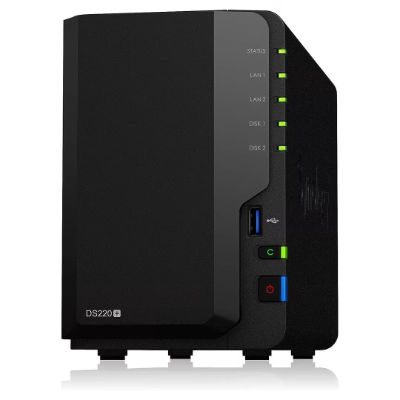
DS220+
مقارنة عبر متجرين
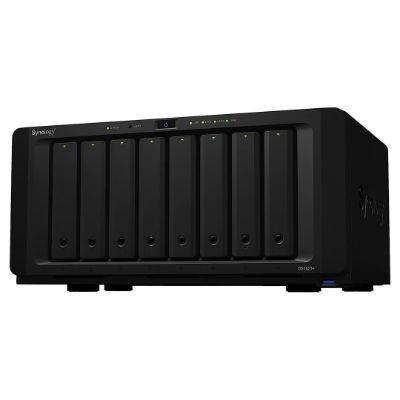
DS1821+ · 8-bay
فقط في Ammanzone
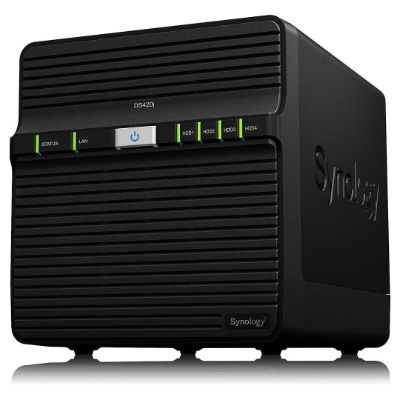
DS420j · 4-bay
مقارنة عبر 3 متاجر