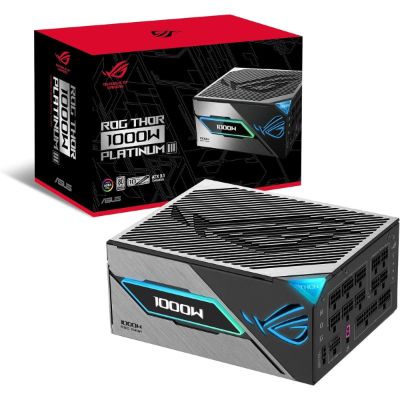
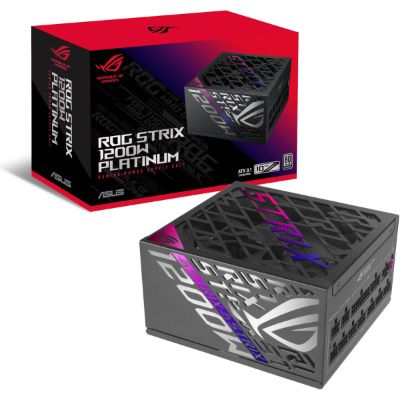
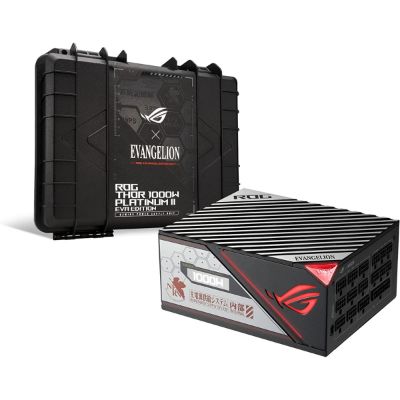
ROG Thor 1200W Platinum III (ROG Equalizer)
The lowest price from 30 days before the promotion:
Ultimate Power. Unmatched Stability
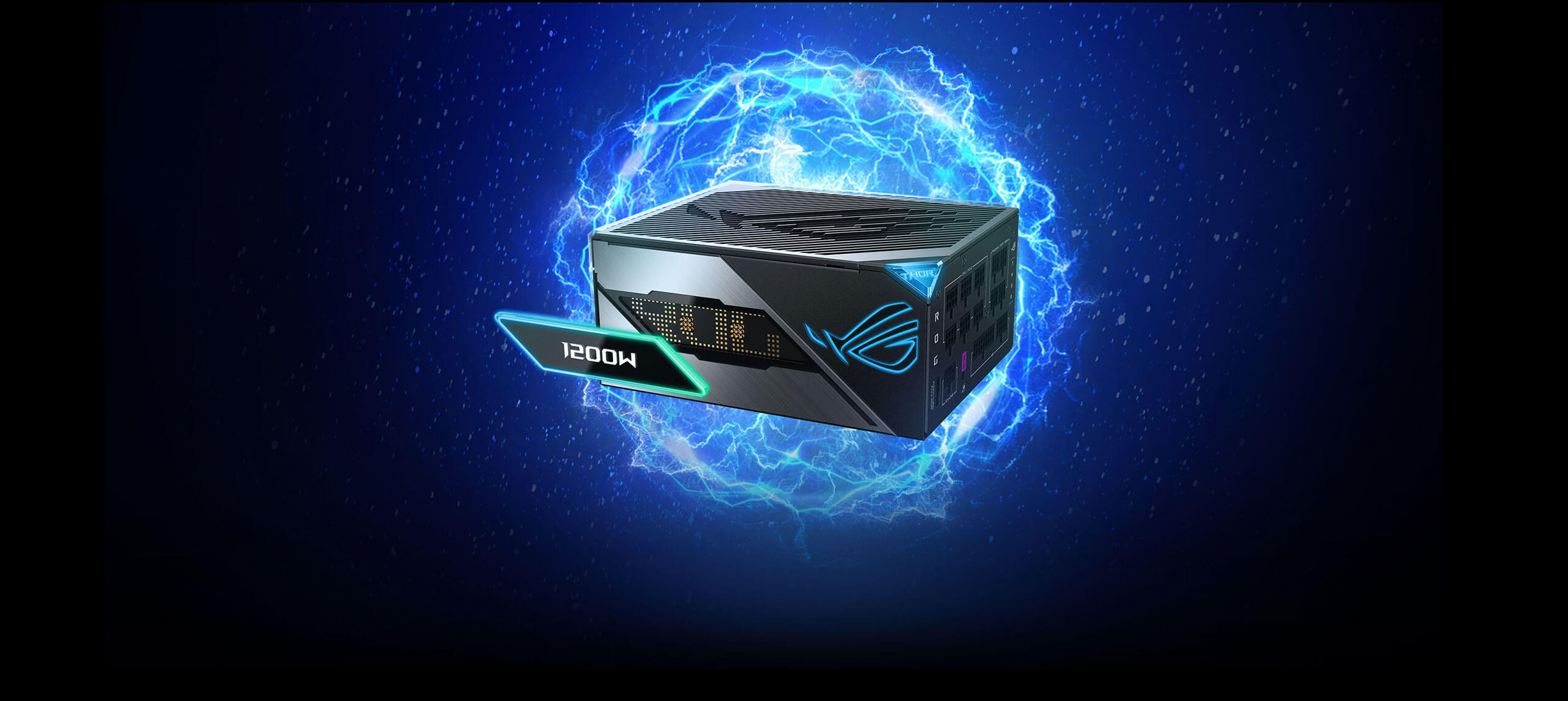
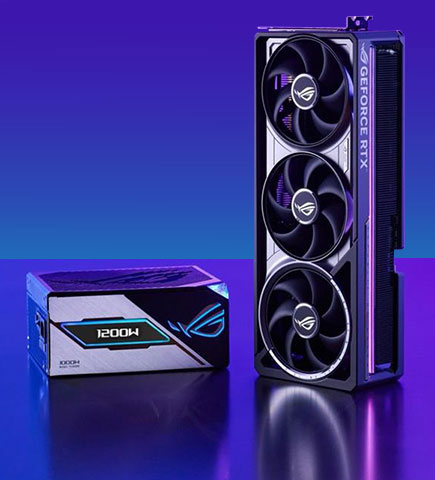
The ROG Thor 1200W Platinum III delivers the power and stability demanded by gamers. A next-gen GaN MOSFET boosts efficiency, while GPU-First voltage sensing with a patented intelligent stabilizer ensures stable, top-tier performance. Turbo Mode maximizes cooling for overclocking and demanding workloads. The ROG Thor 1200W Platinum III also includes the ROG Equalizer, a patented 12V-2x6 PCIe power cable engineered to reduce heat stress and keep cable and connector temperatures well to protect the graphics card. With full ATX 3.1 compliance and a native 12V-2x6 connector, the ROG Thor III Platinum Series ensures your high-end rig has the power to conquer any challenge. The ROG Thor 1200W Platinum III retains its signature OLED display, now with magnetic attachment for easy swapping to either side, supporting both fan-up and fan-down installations.
GaN MOSFET
Improved power efficiency, lower energy waste.
Patented GPU-First Intelligent Voltage Stabilizer
Enhanced voltage stability for unwavering performance.
Patented ROG Equalizer PCIe Cable
Engineered to reduce heat stress and keep cable and connector temperatures well to protect the graphics card.
EXCLUSIVE FEATURES
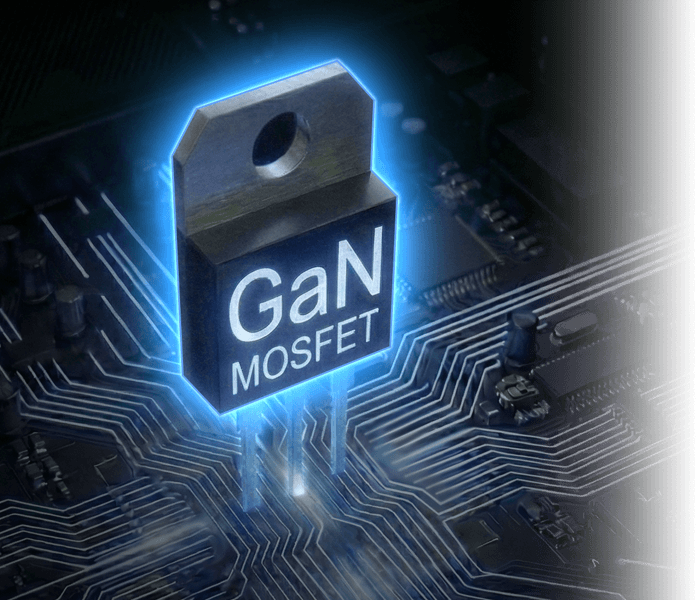
A GaN MOSFET component glowing with a blue outline on a circuit board, accompanied by an upward arrow graphic and the text ‘Up to 30% Power Efficiency,’ highlighting improved energy efficiency.
The ROG Thor 1200W Platinum III PSU boasts an innovative GaN MOSFET that increases power efficiency by up to 30%, resulting in lower energy waste. Plus, the smaller size of a GaN MOSFET allows for a more organized internal layout. This optimized design provides space for larger heatsinks and enhanced airflow, improving heat dissipation within the PSU.
Patented GPU-First Intelligent Voltage Stabilizer (IVS)
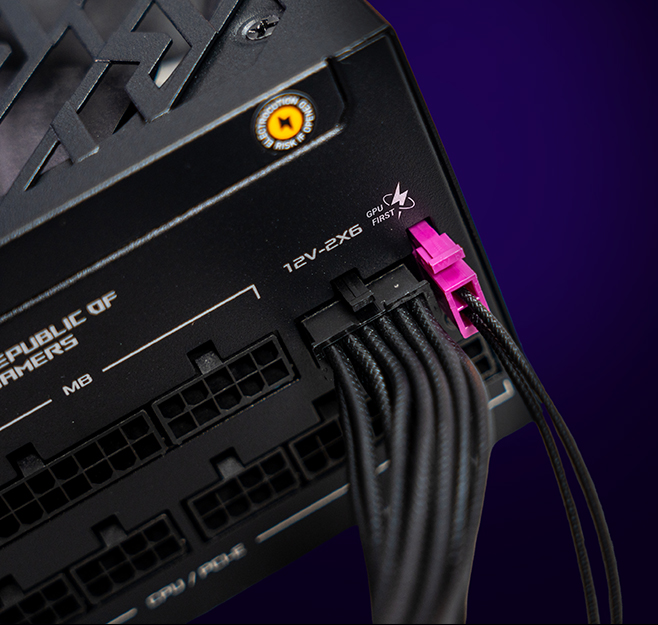
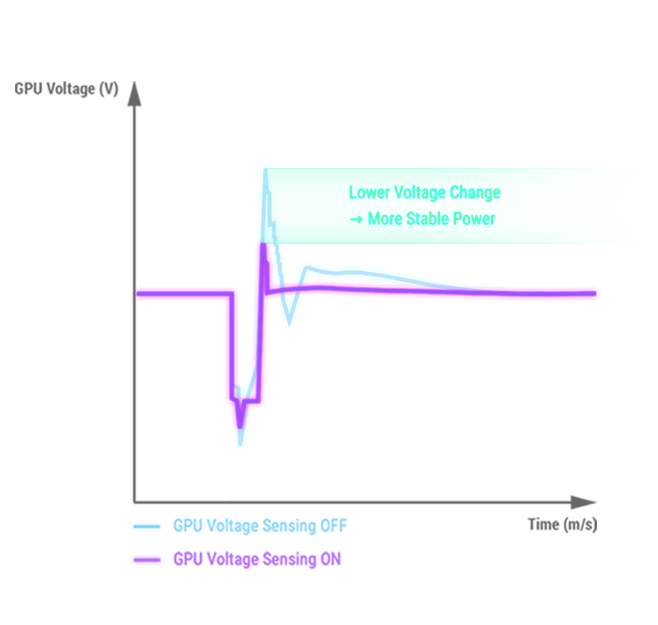
Activate the GPU-First voltage sensing by connecting the GPU-First IVS cable. This innovative feature enhances voltage stability by up to 45%, even during demanding gaming sessions and overclocking scenarios. With this advanced technology, you can experience smooth and consistent gameplay. If you prefer conventional CPU-focused voltage sensing, simply disconnect the purple cable.
Magnetic OLED Display
This detachable magnetic OLED display showcases real-time power draw, providing insights to your system's performance and efficiency. The magnetic attachment can be swapped to either side of the unit for fan-up or fan-down PSU installation, depending on the design of your case, so you can maintain optimal airflow without compromising monitoring.
Turbo Mode
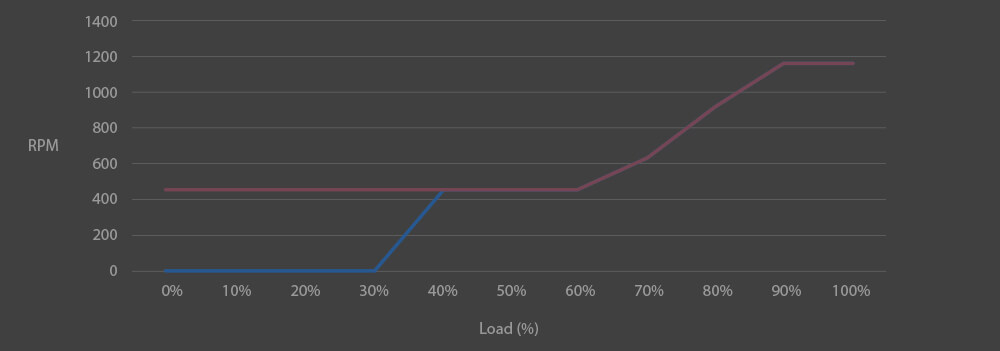
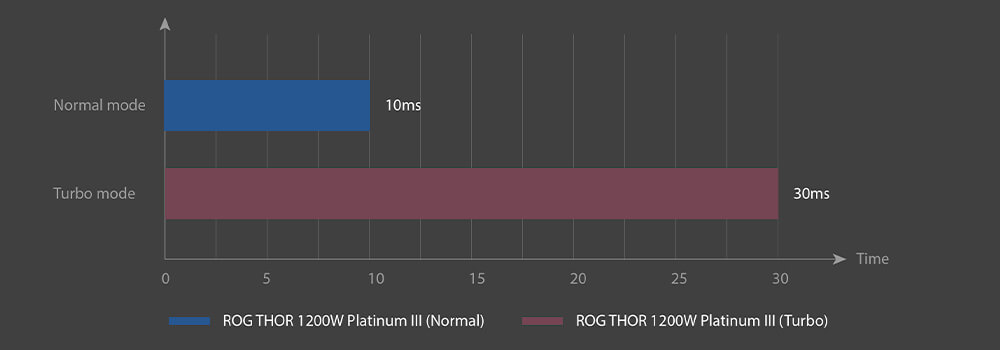
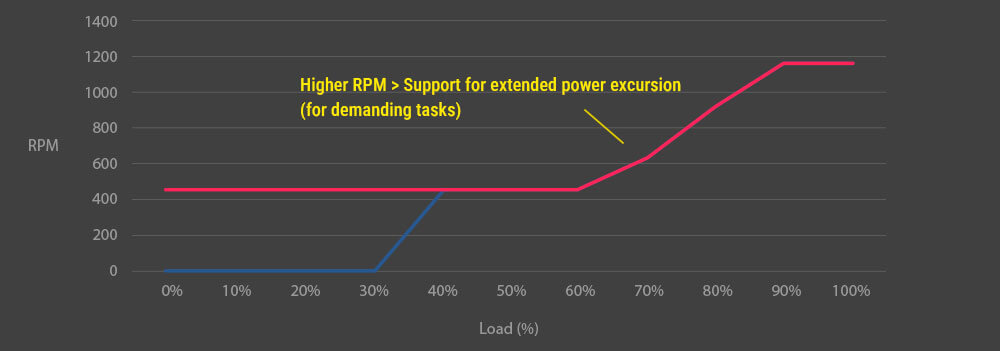
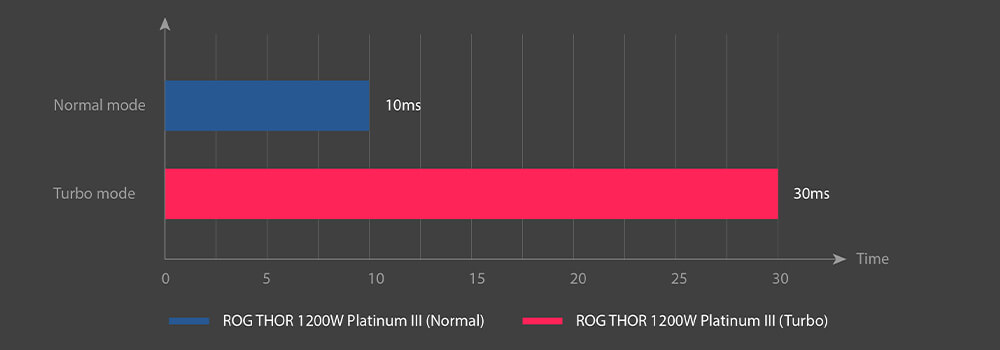
Turbo Mode unlocks support for extended power excursions, courtesy of a fine-tuned fan curve and premium components. Enjoy unwavering performance when you need it most, and switch between peak performance and ultimate silence with just a press of the Turbo Mode button on the rear of the PSU.
Condition: ROG THOR 1200W Platinum III, 160% power excursion
ROG EQUALIZER
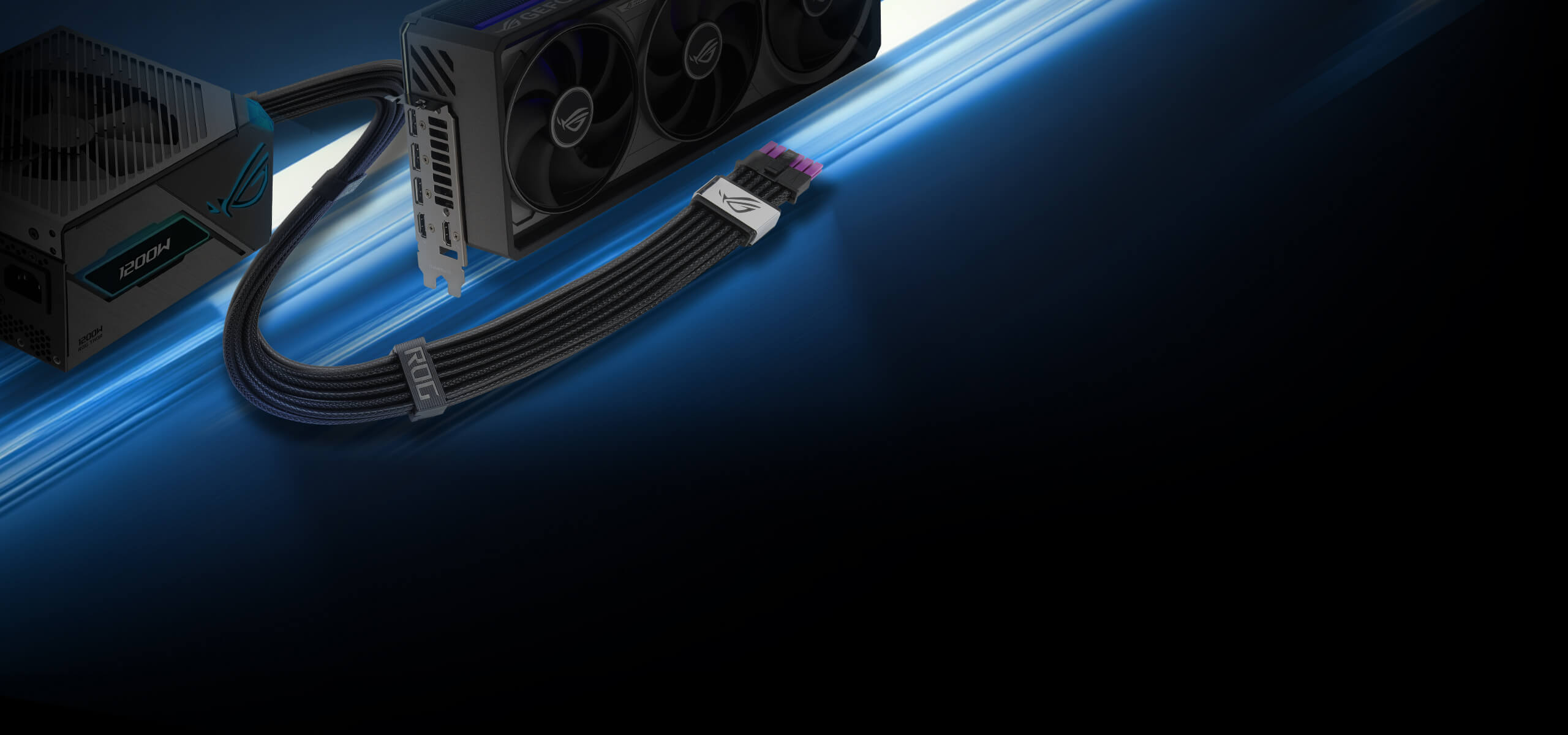
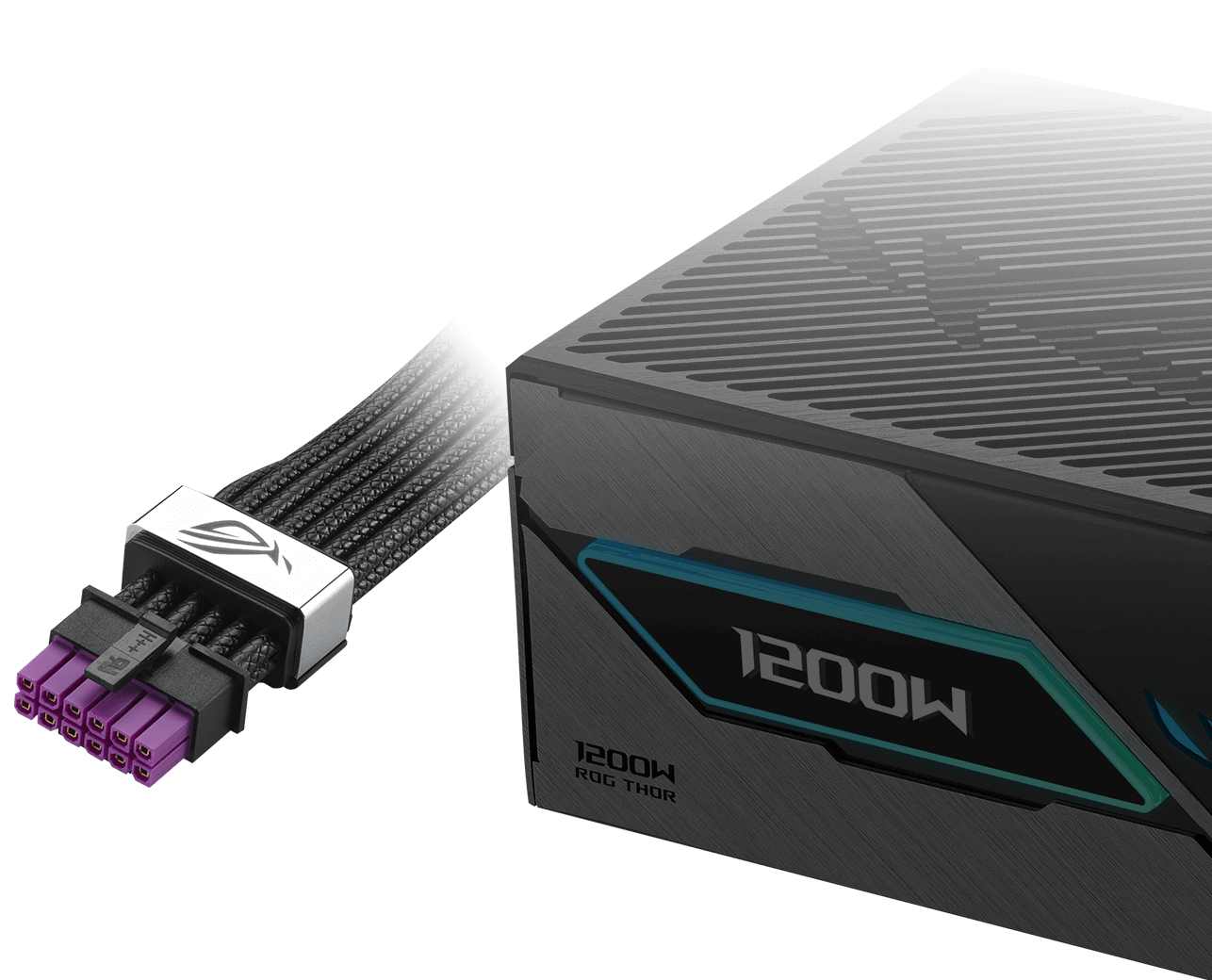
The ROG Equalizer is a soft embossed 12V-2x6 PCIe cable engineered to reduce heat stress and keep cable and connector temperatures well to protect the graphics card.
Reduced Cable Temperature
In demanding 600W scenarios, uneven current distribution can cause hot spots in conventional 12V-2x6 cables over long periods of use.
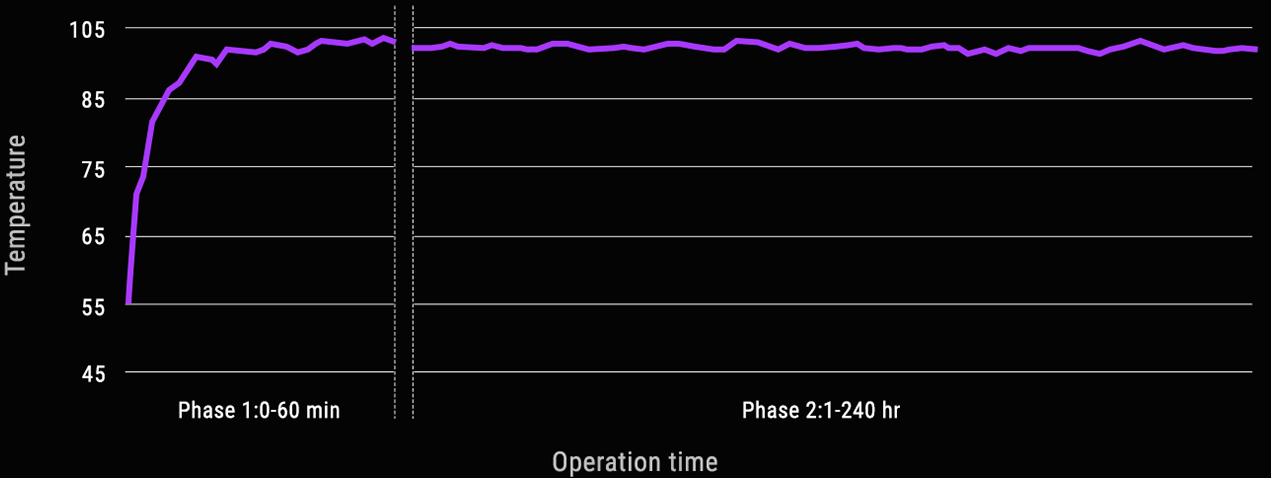
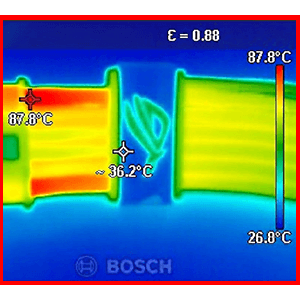
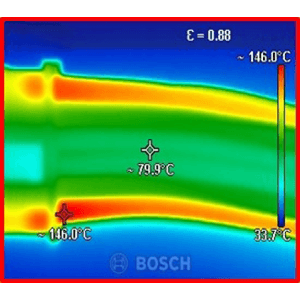
ROG Equalizer helps balance power delivery to reduce thermal stress and maintain stable temperatures. Even under extreme conditions, it keeps cable and connector temperatures within the 105°C material limit for safer, more reliable operation.
Test conditions : Ambient temperature: 55°C / Total Power: 600W The middle 4 wires of the +12V cable disconnected to the graphics card 16pin
Enlarge Wire Load Capacity
Standard 12V-2x6 cables are rated for 9.2A per wire, while ROG Equalizer cables boost current capacity to 17A per wire. This is designed to improve the handling of short-term current peaks that may be produced by high-end graphics cards during extreme overclocking or when otherwise drawing a high amount of wattage from the power supply.
This enhanced design improves durability under 600W continuous loads for a significantly longer lifespan than conventional cables, industry-leading reliability, and stable power delivery.
Balanced Power Delivery
ROG Equalizer ensures balanced current delivery from PSU to ROG Equalizer, lowering graphics card connector temperatures and maintaining stable thermal performance below the 105°C material limit.
Under an extreme test scenario, we removed the middle 4 wires from the +12V cable to simulate potential current imbalance conditions that may occur with a standard 12V-2x6 PCIe cable. Even under these conditions, the ROG Equalizer maintained a temperature of approximately 87.8°C. In contrast, a standard 12V-2x6 PCIe cable reached around 146°C—far exceeding safe operating limits.
Thermal images comparing ROG Equalizer and Normal 12V-2x6 configurations.
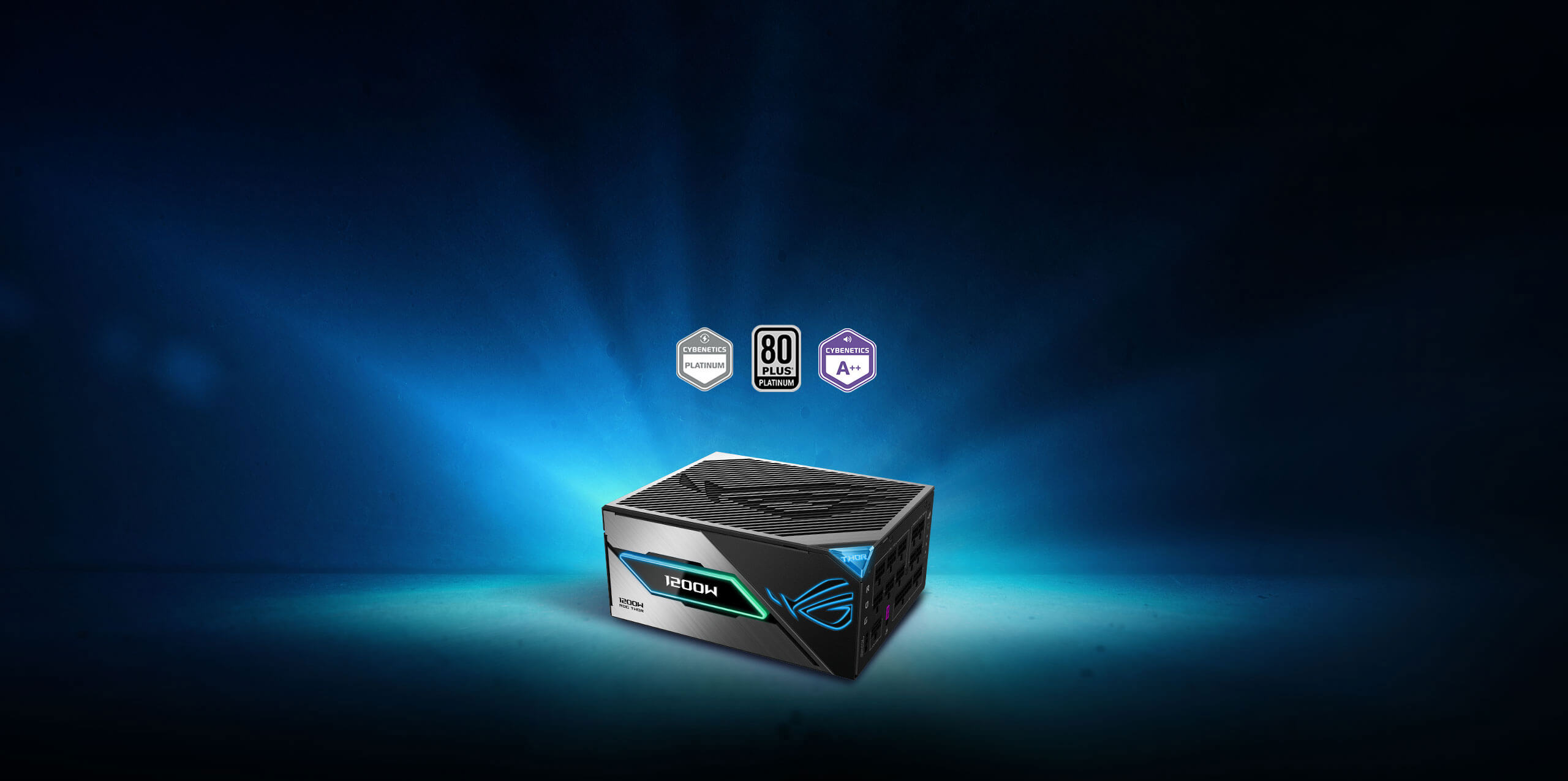
80 PLUS and Cybenetics Platinum Efficiency Lambda A++ Noise Certification
The ROG Thor 1200W Platinum III achieves 80 PLUS Platinum and Cybenetics Platinum certifications by leveraging low-ESR Japanese capacitors that deliver stability and efficiency, leading to improved power consumption, heat generation, acoustics and reliability. This model also earned a coveted Cybenetics Lambda A++ certification by emitting less than 15dB of noise on average.
Premium Copper Pins
Upgraded copper PCIe connectors feature advanced thermal conductivity to help ensure cool operation and efficient power delivery. This translates to a significant 29% reduction in connector temperatures (up to 12.28°C), promoting optimal performance and stability for even the most demanding graphics cards.
Dual-Ball Fan Bearings
Dual-ball bearings boast a remarkable lifespan of up to 80,000 hours, lasting up to twice as long as sleeve bearings and even exceeding fluid dynamic bearings. This helps ensure long-lasting, reliable cooling with minimal noise for the ROG Thor Platinum III series.
ROG Heatsinks
ROG heatsinks facilitate lower temperatures, longer component lifespan, and extended 0dB operation.
0dB Technology
To reduce noise output, the PWM-controlled fan shuts off entirely when the PSU load is 30% or below. *In 0dB mode (button pressed), the fan continues to spin when transitioning from high to low loads, ensuring safe temperatures are reached before stopping.
PREMIUM EMBOSSED CABLES
Made from a pliable premium material, these embossed cables are easily flexible during installation, and they operate at temperatures 50°C lower than the safety limit when routed for cable management.
Tin-Plated Oxygen-Free Copper Cable
These cables also meet the rigorous standards of the UL1581 flame test and UL758 certification, helping to ensure a smooth PC DIY experience and exceptional safety.
Aura Sync*
The ROG Thor 1200W Platinum III has addressable Aura RGB LEDs built in, ready to accent an Aura-compatible rig with an array of colors and lighting effects*. Users of Aura-sync compatible ASUS and ROG graphics cards can also enjoy Smart Mode, a lighting effect that changes color according to GPU temperature. *If the LED connector is not used, the default color effect is a rainbow cycle.
DIY-friendly CPU Power Connector
Engineered with a distinct clip between the 4+4 pin connectors and a unique color scheme, this CPU power cable simplifies identification during installation. The integrated clip helps to ensure a secure and effortless connection to the motherboard's CPU power connector, streamlining the build process and instilling confidence in your PC setup.
PROTECTION
To make sure the entire system can operate safely and stably at all times, this power supply comes with a number of protection mechanisms to give you the best peace of mind.
FAQ
The ROG Thor III combines GaN MOSFET efficiency, a patented GPU-First Intelligent Voltage Stabilizer, and real-time power monitoring to deliver stable, efficient power exactly where modern high-end GPUs need it. A magnetic OLED display shows live power draw and can be repositioned for fan-up or fan-down installation, while one-touch Turbo Mode enables extended power excursions for intensive gaming or overclocking—delivering peak performance when required and quiet operation during lighter loads. Finally, the ROG Equalizer 12V-2x6 PCIe power cable balances current across all wires to reduce variation and enhance graphics card protection, making ROG Thor III purpose-built for next-generation GPUs and long-term system reliability.
Yes. If you already own an ROG Thor Platinum III power supply, you can upgrade by registering your product to receive a unique discount code. This code will allow you to acquire the state-of-the-art ROG Equalizer12V-2x6 PCIe Power Cable at a special discounted price for a limited time. Please note that the program details will vary by country; visit the upgrade program landing page for more information. This cable helps stabilize power delivery to your graphics card and keeps the cable's temperatures under control. This upgrade is especially recommended for high-performance GPUs that draw significant power.
80 PLUS certifications indicate PSU efficiency levels:
For gaming PCs or workstations, ROG Thor Platinum III PSUs with 80 PLUS certifications offer excellent energy savings, compared to Gold or Bronze.
Both 80 PLUS and Cybenetics certifications provide valuable insights into PSU performance, but they focus on different aspects:
- 80 PLUS measures efficiency at specific load levels (20%, 50%, and 100%).
- Cybenetics offers a broader evaluation, including efficiency across multiple loads and noise levels (LAMBDA rating).
There is no “better” certification—each offers a different perspective on efficiency and noise levels. For users seeking a strong balance of efficiency and reliability, the ROG Thor Platinum III is an excellent choice, as it delivers high-tier efficiency ratings along with advanced engineering designed for modern high-performance systems.
The wattage you need depends mainly on the combined power draw of your CPU and graphics card, which are the most power-hungry components in a gaming PC. A good rule of thumb is to select a PSU that provides 20-30% more wattage than your estimated peak load to ensure stability and allow for future upgrades. To get a quick estimate, use the ASUS PSU Calculator: Simply select your CPU and graphics card from the drop-down menu to receive a recommended PSU wattage. For additional components like storage and cooling, consider adding extra headroom beyond the suggested value. For users looking for a reliable, high-efficiency option with plenty of upgrade headroom, the ROG Thor Platinum III Series is an excellent choice, offering stable power delivery for modern gaming systems.
To estimate the power requirements for your build, use the ASUS PSU Calculator tool. Enter your CPU and graphics card to get recommendations.
For the latest GeForce RTX 50 series GPUs:
- RTX 5090: Recommended PSU wattage is 1200W or higher, ideally with PCIe 5.1 and a 12V-2x6 port.
- RTX 5080: Recommended PSU wattage is 1000W or higher, ideally with PCIe 5.1 and a 12V-2x6 port.
- RTX 5070 / 5060 / 5050: Recommended PSU wattage is 750W-850W, depending on your system configuration.
Always check official NVIDIA guidelines and consider extra headroom for overclocking or future upgrades.
Yes, if you plan to use the NVIDIA RTX 50 series or other cards that require this cable type. PCIe 5.1 12V-2x6 cables provide higher power delivery than standard cables, plus better safety standards than 12VHPWR to keep cable temperatures under control. ASUS ROG Thor Platinum III PSUs with the new ROG Equalizer Cable are designed to meet these requirements.
The GPU-First IVS is a patented technology that enhances voltage stability at the graphics card power input by up to 45%—even during demanding gaming sessions and overclocking scenarios. It works by measuring GPU voltage instead of CPU voltage. This requires attaching the GPU-First IVS purple connector to the PSU, which also allows the unit to respond significantly faster to changes in GPU power draw. By detecting real-time voltage changes, drops, and spikes caused by the GPU's fluctuating power consumption, the PSU instantly adjusts its output to compensate. This active feedback loop helps ensure that the GPU receives a steady flow of power, minimizing the fluctuations inherent in a PSU and its cables.
No software setup is required. Simply connect the provided 16-pin PCIe® power cable between your graphics card and power supply, and insert the small purple 2-pin IVS connector into the corresponding IVS port on the power supply. Your PSU will automatically detect the connection and enable the feature.
GPU-First IVS is available for 16-pin 12VHPWR or 12V-2x6 interfaces, such as those used by high-end NVIDIA® GeForce RTX™ 40 and 50 series graphics cards and select AMD graphics cards. The GPU-First IVS is purpose-built to stabilize voltage under the high-current transients and heavy load conditions typical of these next-gen high-power graphics cards. The GPU-First IVS is not available for traditional 8-pin PCIe power cables.
In this scenario, the power supply will simply operate as a standard high-performance ATX 3.1 power supply. Rest assured, all built-in safety measures remain fully active, so your hardware stays protected whether the IVS connector is attached or not.
By maintaining a tighter voltage regulation window, GPU-First IVS prevents V-droop (voltage sags) that can cause system instability or black screens during high-load transients. Consistent voltage delivery also reduces electrical stress on a graphics card's voltage regulator modules, potentially extending the lifespan of your high-performance hardware.
GaN (Gallium Nitride) is a high-performance material for power delivery that replaces traditional silicon MOSFETs to improve conversion efficiency and minimize thermal loss. As silicon approaches its electrical performance limits, GaN's superior energy efficiency, faster switching speeds, lower heat generation, and higher voltage resistance position it as a server-grade material for demanding applications such as AI development, high-end gaming, and video editing. Furthermore, GaN MOSFET's compact size enables a more efficient internal layout, freeing up space for larger heatsinks and enhanced airflow to ensure maximum cooling and stability under heavy loads.
Thermal stability is the primary design goal of the ROG Equalizer cable. An innovative conductive bridging architecture enables it to efficiently dissipate heat and eliminate the risk of hotspots. This increased efficiency and thermal capacity is designed to deliver rock-solid stability and connection reliability—meeting the rigorous safety demands of high-powered, high-performance graphics cards.
Each pin is engineered to support a short-term current peak of up to 17A. A physical bridging design, optimized cable materials, and advanced thermal management significantly increase current tolerance per pin and enhance the overall thermal robustness of the connector. This high-spec configuration provides an ample power safety margin and longer service life, protecting system stability under extreme power conditions.
ROG employs a high-specification hard gold-plating process to ensure long-term stability and reliability based on the following considerations:
- Superior oxidation resistance: Gold possesses high chemical stability and does not easily form insulating oxide layers, so consistent electrical contact is maintained.
- Robust moisture protection: This reduces the risk of contact degradation that may occur in high-humidity environments.
- Stable contact performance: This ensures a secure and stable interface with tin-plated surfaces, reducing initial contact resistance and heat generation.
- Exceptional wear resistance: The hard gold-plating reduces abrasion from repeated plugging and unplugging, which helps maintain long-term reliability.
- Long-term stability design: By maintaining a stable, low-oxidation, and low-resistance contact state at the cable end, the overall system remains within a safe operating range, even as natural changes occur at the graphics card interface over time.
The ROG Equalizer features a reinforced bridging structure designed to deliver stable connectivity and safety while catering to practical installation needs:
1. Dual focus on stability and safety: The bridging architecture maintains connector stability within confined spaces, minimizing the risk of misalignment or poor contact caused by tension or bending. This helps ensure long-term operational reliability.
2. Installation recommendations: For the best experience, users should leave at least 4 centimeters of clearance between the chassis side panel and the power connector on their graphics card. This allows the cable to form a natural curve for optimal connection stability and system safety.
Awards
I won’t spend too much time describing the build quality, but simply put, this power supply is made from premium materials. The display doesn’t just elevate the look, it also provides genuinely useful information, your PC’s real-time power consumption.
Video Reviews
Voltage stability across all rails is clearly excellent, so a PSU this well-rounded truly earns an award worthy of its name: PLATINUM, more than deserved, congratulations!