9% off
ASUS · Motherboards
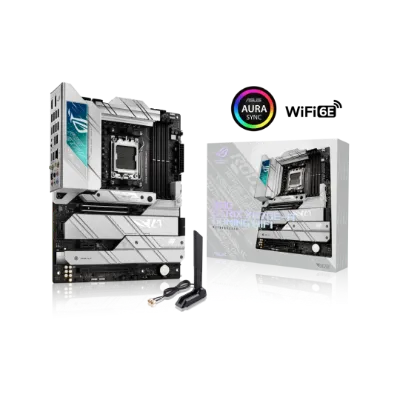
ASUS ROG Strix X670E-A Gaming WIFROG Strix X670E-A Gaming WiFi
289 JOD319In stock
Only at Ayyad PC
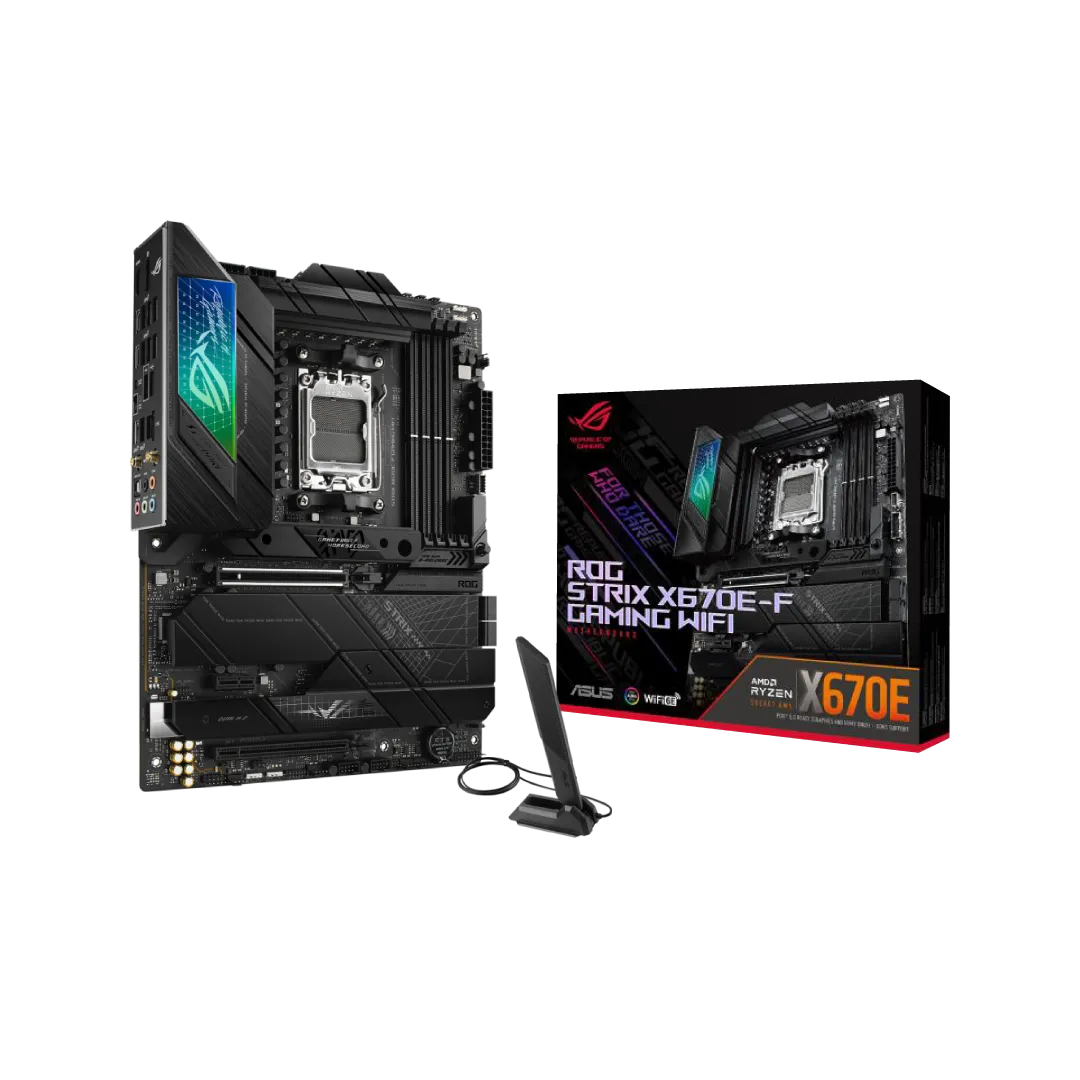
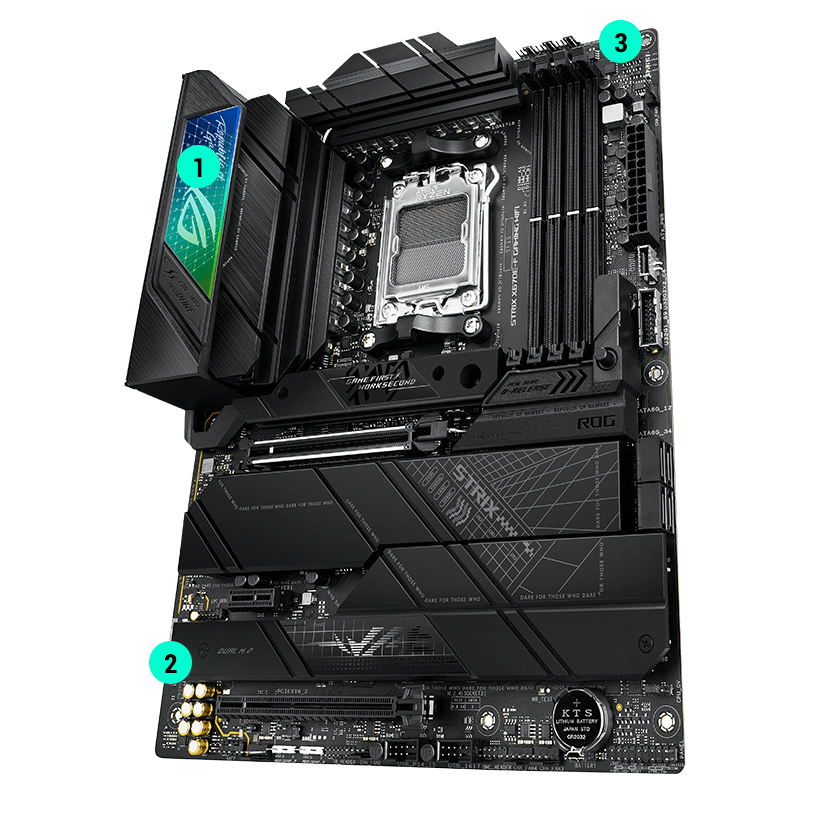
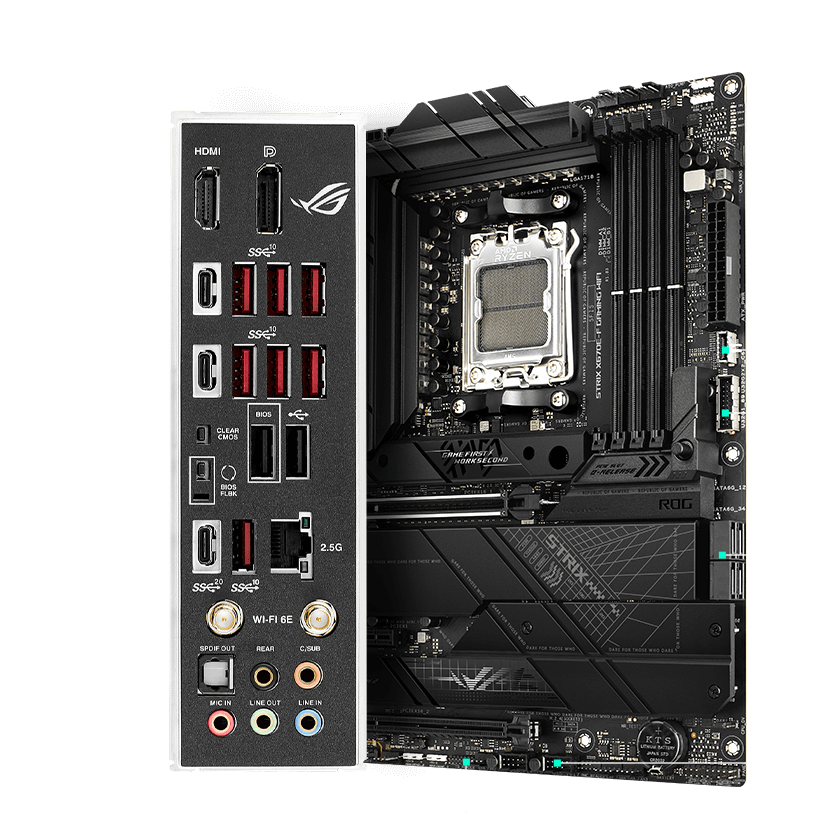
ROG Strix X670E-F Gaming WiFi · ATX
ASUS ROG Strix X670E‑F Gaming WIFI. Imported from Ayyad PC with a 1-year local warranty. | اللوحات الأم - متوفر في الأردن - السعر في الأردن
Likely the same product — matched on brand and model, not on a manufacturer part number.
| Retailer | Price | Availability | Actions |
|---|---|---|---|
 Ayyad PCLowest | 319 JOD | In stock | Visit retailer |
 White Angel Computer | 369 JOD | Out of stock | Visit retailer |
 City Center | 369 JOD | Out of stock | Visit retailer |
These listings match on brand and model rather than on a manufacturer part number, so the match is likely but not confirmed. Check the specifications before you buy on price alone.
Lowest offer added 2026-11-24 · Updated 2026-11-26 · Last price change 2026-11-24
The lowest price from 30 days before the promotion:
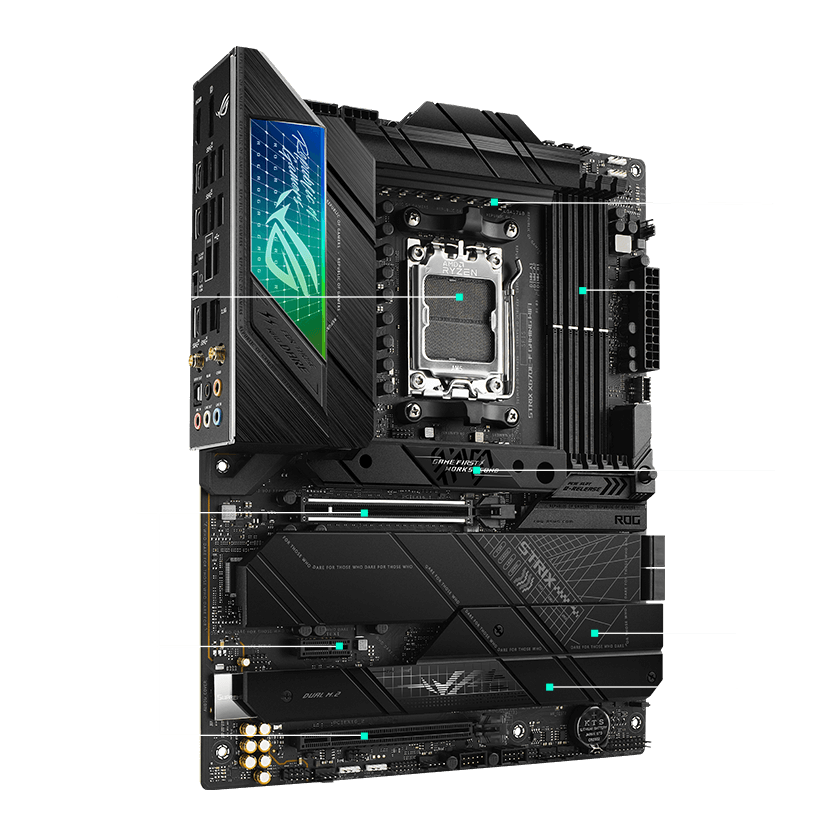
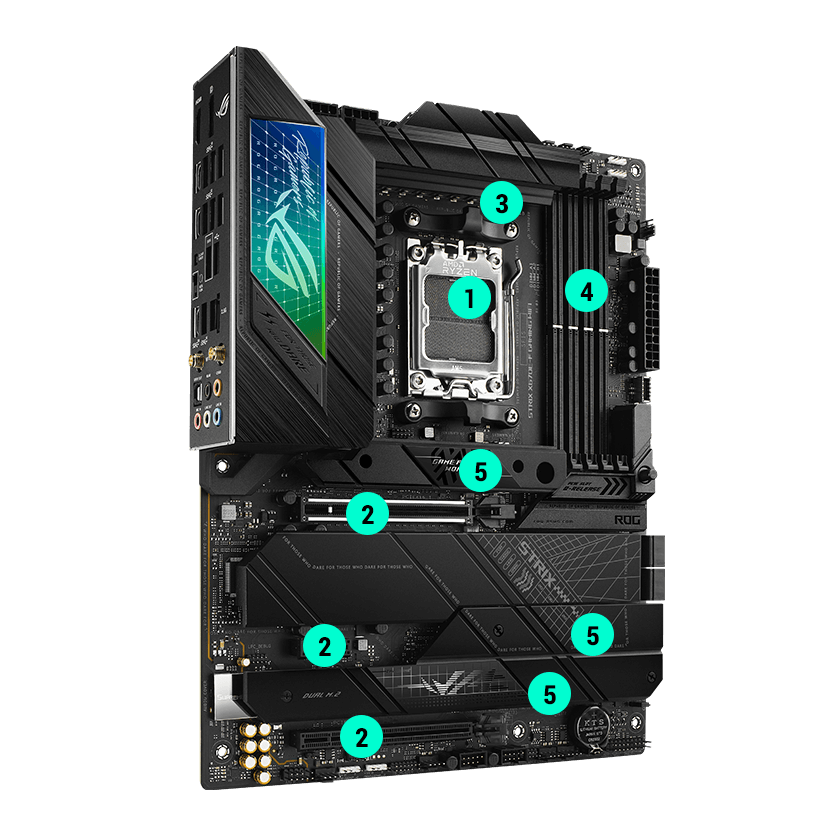
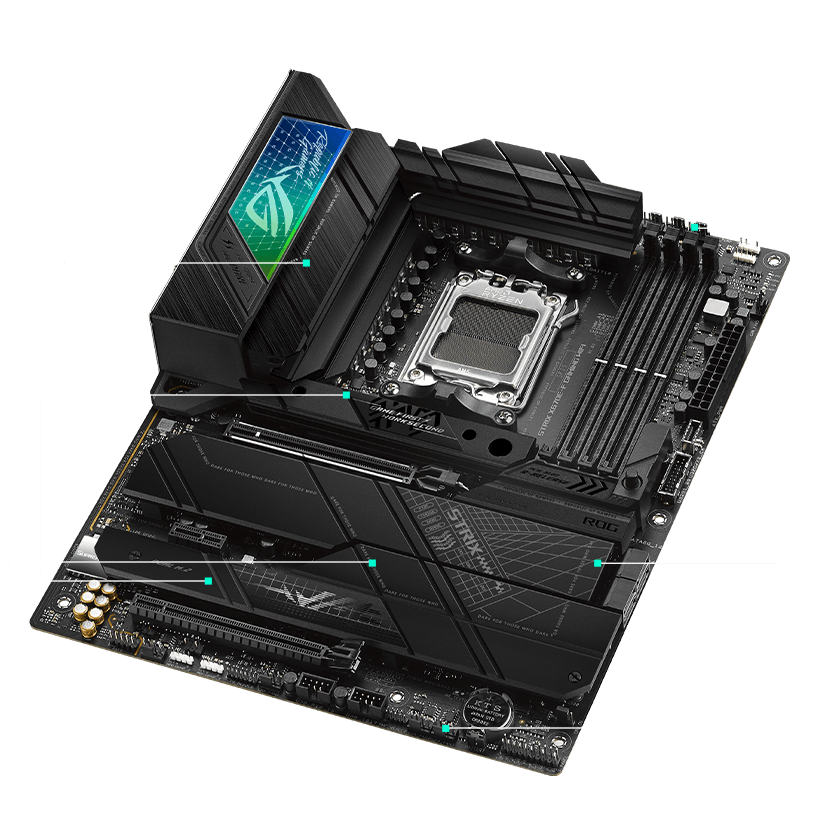
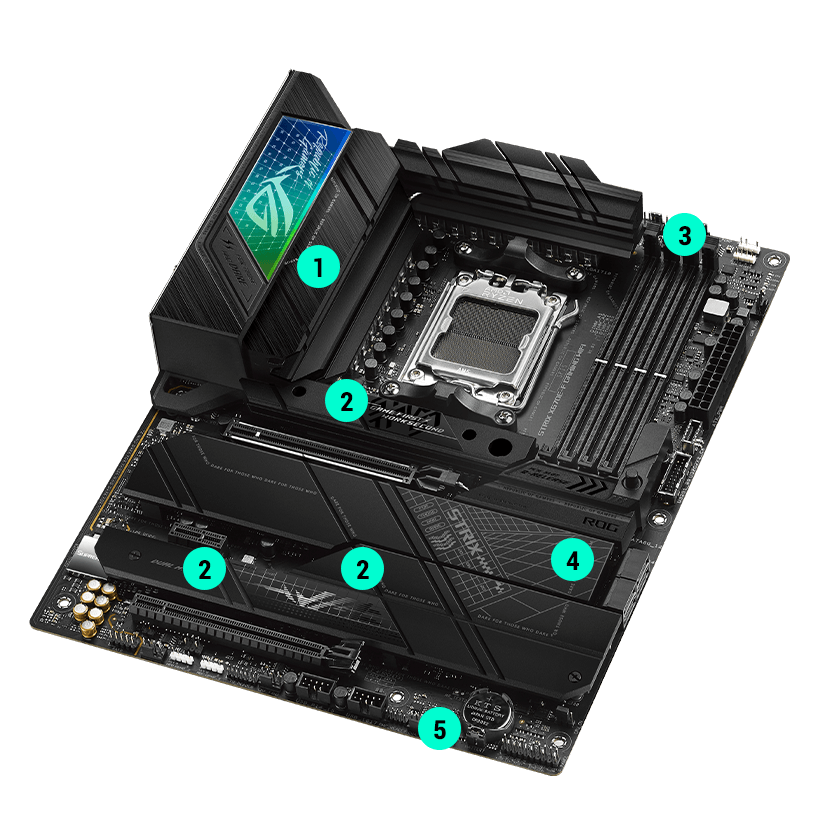
AMD X670 ATX motherboard with 16 + 2 power stages, DDR5 support, one PCIe 5.0® x16 slot with Q-Release, four M.2 slots with heatsinks, PCIe 5.0 NVMe® SSD support, M.2 backplate, USB 3.2 Gen 2x2, onboard WiFi 6E, Dynamic OC Switcher, Ryzen Core Flex, AI Cooling II, and Aura Sync RGB lighting
ASUS starts into the AM5 world with the usual well thought-out impression. [...] In return, there are many ports, solid-looking, well-made cooling elements and sensible comfort measures. Q-Release and Q-Latch have made it onto the board, making life noticeably easier for hobbyists. As expected from the X670E, the connectivity is lush. Many USB ports, M.2 slots and many fan connectors including thermal headers allow for more complex cooling configurations.
Ultimately, the ASUS ROG Strix X670E-F Gaming WiFi isn’t the most high-end AM5 board from ASUS as it doesn’t go all out when it comes to supporting the upcoming USB-4 spec and only two out of the four M2 slots are PCIe Gen5. That said it has all of the excellent build quality and software features we’ve come to expect from the ASUS ROG range, and if you’re in the market for building a new rig and eyeing something like the Ryzen 7900X this is certainly a board to consider.
High-end cooling system, super stable BIOS and great overclockability.
In the hands of the ASUS ROG Strix X670E-F Gaming Wifi: Socket AMD AM5 for Ryzen 7000 Series along with DDR5 and PCIE Gen 5
To summarize, the ROG Strix X670E-F compared to the X670E-E model has a slightly smaller cooler on the first M.2 slot, a slightly weaker (although still above average) power supply unit, and lacks some interesting details, such as the PCIe alternate mode switch and Start button. However, everything needed for fast and stable work is there.
Great looks, build and component quality, performance, OC potential, solid VRM unit, solid hardware, UEFI, software.
RX 7800 XT Gaming PC Build time! This Ryzen 7 7800X3D gaming pc uses the Asus TUF GT520 case, X670E Strix motherboard, and is built by PC Centric!
ROG Strix X670E-F Gaming WIFI and ROG Strix X670E-I Gaming WIFI Features Walk-through
7800X3D + 7900XTX the BIGGEST AMD Gaming PC
All boards in this lineup are also suitable for the most high-end CPUs.
Strix -F Gaming is one of the most popular and best-selling boards based on its functionality, performance and price.
The basis of the stand was a reliable and functional ROG STRIX X670E-F GAMING WIFI motherboard
The basis of the test stand was a reliable and functional ROG STRIX X670E-F GAMING WIFI motherboard
Both boards are absolutely fantastic, one is better and better equipped and more expensive.
You can easily get up to 8% power increase. For me, these Asus OC features are a great toy and whether it's worth it, you'll have to judge for yourself.
The build quality is excellent as are the components, performance, OC potential, excellent VRM unit, cooling, rich equipment, UEFI, software.
Video review from the channel StupidmadWorld
This motherboard features great value for money, offering the performance and features of the top-of-the-line X670E chipset.
The ASUS ROG Strix X670E-F Gaming WiFi motherboard is a complete motherboard, with an aggressive look in line with other ROG models. [...] With 16+2+2 VRMs at 90A, almost nothing will stand in its way, [...]. Another plus point is that the VRMs are properly cooled, which adds stability overall. Finally, for those who'd like to push their CPU but don't dare, the AI assistance is well designed and easy to use.
With five awards, four of which for ASUS, the X670 chipset seems like a home run for the said manufacturer.
Top 5 strong Mainboard Gaming Socket AM5 worth investing in 2023
ASUS introduces 5 new AMD X670 motherboard lines
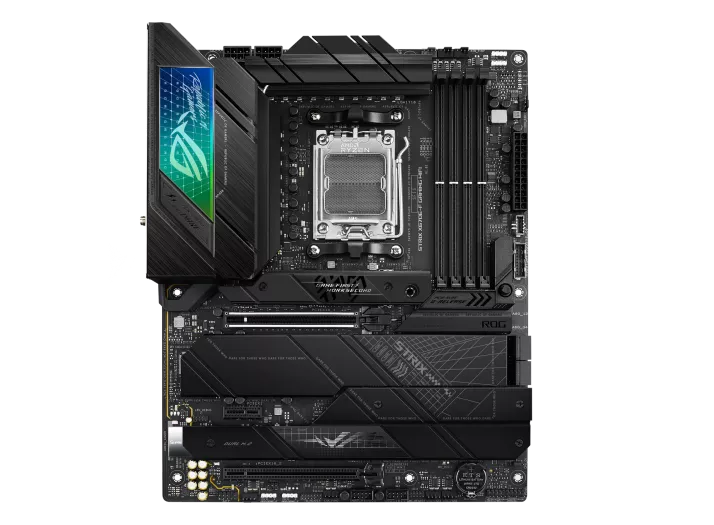
The ROG Strix X670E-F Gaming WiFi is the stealthy alter ego of the Strix X670E-A. A substantial power buff relays its inner demon, giving exclusive ROG overclocking utilities even more headroom to unleash the potential of AMD Ryzen™ 7000 Series processors. And its black PCB and dark metallic heatsinks aesthetically match a wider variety of system hardware and build themes, while a dash of customizable color on its shroud subtly announces an ROG presence in your AM5 build.
Click to check out our X670 Motherboard Guide
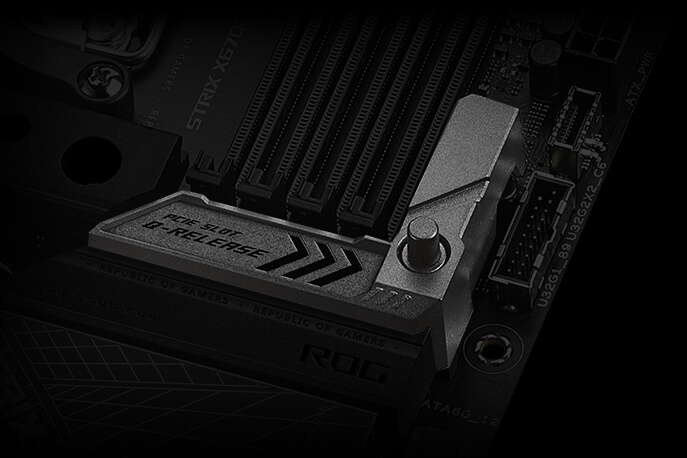
A physical button unlocks the first PCIe slot’s security latch with a simple press, greatly simplifying the process of removing a PCIe card from the motherboard when it’s time to upgrade to a new GPU or add-in card.
The innovative Q-Latch makes it easy to install or remove an SSD from an M.2 slot. The design employs a simple locking mechanism to secure the drive, eliminating the need for a traditional screw.
The Clr CMOS button quickly resets BIOS settings to factory default. It can also be used to reboot the PC if incorrect BIOS settings have been selected.
BIOS FlashBack™ is a safe and simple way to update BIOS. Just drop the (UEFI) BIOS file onto a FAT32-formatted USB stick, plug it into the USB BIOS FlashBack port, and press the button. Updates can even be performed without having memory or a CPU installed.
Four onboard LEDs indicate power status and identify problems with CPU, memory, graphics card, or boot device for quick diagnosis.
Robust power delivery, innovative overclocking tools, and comprehensive cooling controls are core fundamentals of the ROG Strix X670E-F, giving you everything necessary to cruise and flex with AMD Ryzen™ 7000 in your build.
Blazing fast storage is at your command with two PCIE 5.0 M.2 slots and two PCIE 4.0 M.2 slots. Push speeds even further, create a mirrored backup, or both; NVMe and SATA RAID configurations (0/1/10) are available through AMD RAID Xpert2. PCIe 5.0 support also extends to the top x16 extension slot, which includes SafeSlot to support heavy graphics cards and Q-release for easy upgrades.
Tuning is now faster and smarter than ever before. ASUS AI Overclocking profiles the CPU and cooling to predict the optimal configuration and push the system to its limits. Predicted values can be engaged automatically or used as a launching ground for further experimentation.
Lightly-threaded tasks get fantastic uplift using AMD Precision Boost Overdrive (PBO), but all-core frequencies can be pushed higher via traditional overclocking. The Dynamic OC Switcher dynamically engages PBO or your preferred settings based on the CPU current or temperature, giving you the best of both worlds. Core Flex and PBO Enhancement can also be deployed to work in tandem with the Dynamic OC Switcher and further bolster performance on both sides of the aisle.
The best way to overclock Ryzen 7000 with ROG's Dynamic OC Switcher.
EXAMPLE: If a user sets thresholds for current and temperature as shown, once CPU current exceeds 35A, the manual overclock engages until the temperature reaches 80°. At all other times, Precision Boost Overdrive will be used.
Core Flex empowers you to smash limits farther than ever before by letting you control clock, power, and thermals in creative new ways. In its simplest form, you can maximize base clock during lighter loads and set breakpoints to gradually reduce CPU core frequency as temperature or current increases. But the system is extremely adaptable, supporting multiple user-controlled functions that can manipulate power, current, and temperature limits independently so that you can bend CPU performance to your will.
For next-level frequency flexibility, the ROG Strix X670E-F features a built-in clock generator that isolates CPU base clock from memory, PCIe, and the Infinity Fabric speed. Drive CPU performance to its absolute brink while maintaining the stability of related clock domains.
Separate CPU BCLK from other domains for unfettered overclocking
AMD Precision Boost Overdrive (PBO) pushes the CPU current and voltage budget to opportunistically increase performance. By aggressively tuning the PBO parameters, AMD’s algorithm can leverage the motherboard’s robust power solution to ramp up performance even higher.
Click to learn more about PBO Enhancement
As the first foray of AI Overclocking on an AMD architecture, the set of parameters has changed substantially, but voltage and clock speeds are still the primary targets for adjustment. Every core has a recommended VID and frequency, with the latter based on a combination of ratio and Asynchronous BCLK tuning.
Predictive settings in the utility are designed to work in tandem with Precision Boost Overdrive (PBO), but they go one step further by enhancing the values for EDC, TDC, and PPT, as well as tuning the curve optimizer.
Finally, by enabling the Dynamic OC Switcher, AI Overclocking ensures that the CPU is using ideal settings whether in single- or multi-threaded workloads.
For this CPU, the base clock (BCLK) can be stably increased to give an extra boost during lightly threaded workloads. At Level 1, the BCLK is set to 104, and it remains at that frequency until the current reaches 35A. Then the BCLK drops down to 102, and stays in that Level 2 range up until 55A. From that point on, the CPU is using most or all of its threads, so the BCLK scales back to the default 100.
By managing the Electrical Design Current (EDC) in tandem with the total current, this CPU can gain extra performance for short, demanding bursts. During lightly threaded workloads, below 35A, the Level 1 EDC is set to a low value, in this case 60. As more cores are needed, the EDC is set to 120, which was found by this user to be a sweet spot for performance. Once the CPU passes 70A, it is in multi-threaded territory, where it was found that a high EDC of 250 gave optimal performance.
In order to let the CPU cool off if its temperatures go too high, this user constrains the Package Power Target (PPT) when thermals increase. Specifically the short-term value (“Fast”) is used. Until the CPU reaches 70°, it can run at full performance, so 350W is set to give plenty of overhead. At that point, the power limit reduces to 220W, to let the CPU start reducing heat. If it is still under sustained load and keeps getting hotter, then a more stringent 165W PPT is set at 85°.
16 + 2 power stages, strategically teamed to rapidly respond to load changes and drive Ryzen™ 7000 through any workload.
Hi-end chokes and durable capacitors are engineered to resist extreme temperatures, enabling performance that exceeds industry standards.
ProCool II connectors are precision-built to ensure flush contact with PSU power lines. A metal sheath improves heat dissipation and lowers electrical impedance.
The Digi+ voltage-regulator module (VRM) delivers real-time control over voltage droop, switching frequency, and power-efficiency settings, allowing you to fine-tune CPU voltage regulation for ultimate stability and performance.
A multi-layered printed circuit board design quickly dissipates heat around the voltage regulators to improve overall system stability and provide the CPU with more overclocking headroom.
For those who want to fly past stock DDR5 speeds, the Strix X670E-F is primed and ready for enthusiast-grade kits courtesy of vast AMD EXtended Profiles for Overclocking (EXPO) support. Seasoned veterans can further tweak performance via the extensive array of settings in the UEFI.
ASUS Enhanced Memory Profile (AEMP) is an exclusive firmware feature for PMIC-restricted memory modules. AEMP automatically detects the memory chips on your kit and then presents optimized frequency, timing and voltage profiles that you can effortlessly apply to unleash performance.
Two thick VRM heatsinks are connected by a heatpipe, sharing cooling capacity across VRMs and providing ample surface area and mass to handle the power needs of high-performance AMD Ryzen™ 7000 Series processors.
High-quality thermal pads are utilized between power stages and heatsinks, helping to improve heat transfer and reduce VRM operating temperatures.
Heatsinks cover every slot to help keep onboard NVME SSDs at optimal temperatures for consistent performance and reliability.
An integrated backplate on the M.2_1 slot helps ensure that high-performance PCIe 5.0 drives can deliver peak performance, even when airflow is restricted.
A dedicated pair of PWM/DC fan headers provides easy access to CPU coolers.
A dedicated PWM/DC header connects self-contained water-cooling setups.
Each header supports auto-detection of PWM or DC fans.
The ROG Strix X670E-F Gaming WiFi delivers a plethora of internal and external connectivity for low-latency networking and ultrafast data transfers. Those perks are joined by an advanced audio solution that allows you to pick out the smallest cues and home in on your opponents.
The antenna has two built-in transmitters and receivers to enable faster transmission speeds, and it supports the 2.4, 5, and 6 GHz bands.
Four-way positioning enables better signal reception.
A powerful magnetic base secures the antenna on the top or side of the PC case.
A metal cover protects against electromagnetic interference, preserving the integrity of audio signals to ensure the best sound quality.
A specially designed circuit separation reduces electromagnetic interference from the motherboard and attached devices for cleaner audio.
The integrated Savitech amplifier greatly improves THD+N performance from -89 to -96dB, cleaning up distortion and noise for a clean, pristine sound.
High-quality components produce a warmer, more natural sound with exceptional clarity and fidelity.
A black PCB and heatsinks match most hardware, and customizable RGB lighting furthers its flexibility. Pair the ROG Strix X670E-F with other products from the diverse ROG ecosystem to create a fully customized gaming setup that reflects your personal style.
The ROG Strix X670E-F is the stealthiest in the lineup, pairing perfectly with most system hardware. A jet black PCB and matching metallic heatsinks give it a brooding aesthetic overall, while a splash of RGB lighting on the I/O shroud gives you the choice to blend into the shadows or announce your presence.
ROG Strix motherboards feature ASUS Aura technology, enabling full lighting control and a variety of presets for both onboard RGB LEDs and third-party accessories. Effects can be easily synced across compatible ROG graphics cards, monitors, keyboards, and mice to give your setup a unified look.
The ROG Strix X670E-F features onboard Gen 2 RGB headers that automatically optimize lighting effects for the number of LEDs present in compatible ARGB gear. The headers are also fully backwards compatible with Gen 1 RGB devices, giving you flexibility to light up as you choose.
The ROG Strix X670E-F bears the same mounting hole alignment as AM4 platforms, so it is backward compatible with many existing coolers, including all AIO offerings from ASUS and ROG.
Level up your game with ROG Strix. Enjoy complementary aesthetics, control, and compatibility across AIO coolers, cases, peripherals, and much more. ROG offers more choices than any other brand.
ROG-exclusive software delivers intuitive audio tuning and gaming enhancements so you can configure your gaming build the way you want.
Balance the thermals and acoustics of any build with a single click. A proprietary ASUS algorithm slashes unnecessary noise while running a quick stress test, and then monitors CPU temperatures to dynamically adjust fans to optimal speeds.
This utility leverages a massive deep-learning database to reduce over 5 million types of background noise from incoming or outgoing audio, helping ensure crystal-clear communication in games or calls.
GameFirst VI optimizes networking performance by allocating bandwidth in real time based on application usage scenarios and corresponding learning algorithms.
The renowned ROG UEFI (BIOS) provides everything you need to configure, tweak, and tune your rig. It offers intelligently simplified options for newcomers to PC DIY, as well as more comprehensive features for seasoned veterans.
When you’re ready for a deeper dive, delve into the UEFI’s Advanced mode and take complete control. Advanced mode enables full control over every aspect of the motherboard, and a built-in search function helps you quickly find the setting you need.
Quickly locate tuning options and add preferred tools to your favorites list.
Flash the latest BIOS via the internet from within the BIOS.
Check your storage device Self-Monitoring, Analysis, and Reporting Technology (S.M.A.R.T.) logs to gauge reliability or to identify potential failures.
Automatically detect selected ASUS graphics cards to view detailed information.
Restore your SSDs and NVMe storage to factory settings.
Track the last change and save preferred profiles to a USB drive.
Rename SATA ports for easy identification.
Port configuration settings between different BIOS versions or share them with friends.
Configure the fan's operating speed manually or use pre-configured Standard, Silent, Turbo, or Full Speed modes. By default, system fans will automatically switch to full speed if the temperature reaches 75° C.
Easily enable or disable Aura RGB lighting or every onboard LED, for a more subdued aesthetic.
Designed to simplify setup, EZ mode presents vital settings and stats on a single page. With guided wizards, drag-and-drop functionality, and one-click application of important settings, your rig will be up and running in no time.
Fine-tune individual fans simply by dragging a curve with the mouse.
View SATA port details for easy device recognition.
Use the mouse to quickly change time and date settings.
The dashboard-style control panel of AI Suite 3 lets you fine-tune your system with ease. Get the best balance between performance, cooling, stability, and efficiency via simple and intuitive interfaces.
The TurboV Processing Unit (TPU) is an intelligent onboard micro-controller that provides an array of system-tuning features, including the ability to fine-tune voltages, monitor system stats and adjust overclocking parameters.
The Digi+ voltage-regulator module (VRM) delivers real-time control over voltage droop, switching frequency and power-efficiency settings, allowing you to fine-tune CPU voltage regulation for ultimate stability and performance.
Modern processors feature per-core tuning, and the ASUS Turbo app makes use of this feature by letting you assign applications to specific processor cores, prioritizing computing power where it's needed most.











Based on the price records this catalogue holds — not a guarantee of an all-time high or low.
Lowest price across 3 retailers.
| Recorded | Price | Change | Lowest at |
|---|---|---|---|
| 2026-11-24 | 319 JOD | -50 JOD | Ayyad PC |
| 2026-10-26 | 369 JOD | First recorded | City Center |
ROG Strix X670E-A Gaming WiFi
Only at Ayyad PC
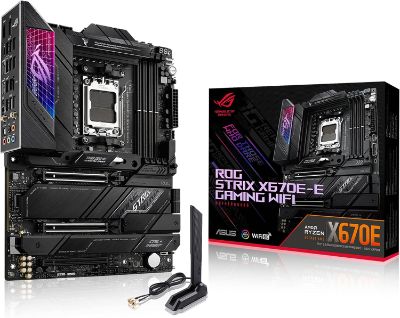
X670E-E Gaming WiFi
Compared across 2 retailers
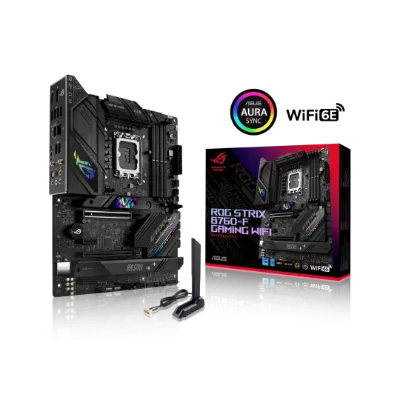
ROG Strix B760-F Gaming WiFi · DDR5, ATX
Only at Ayyad PC
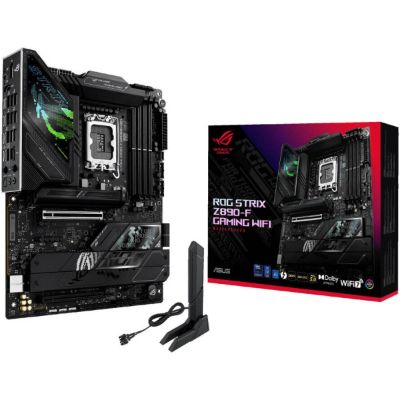
ROG Strix Z890-F Gaming WiFi · DDR5
Compared across 3 retailers