6% off
ASUS · Motherboards
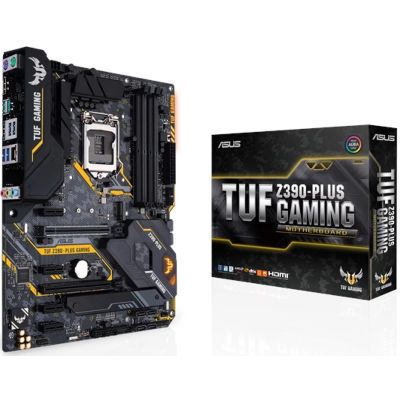
Asus TUF Z390-PLUS GAMING Intel Z390 MotherboardTUF Z390-PLUS GAMING
149 JODIn stock
Compared across 2 retailers
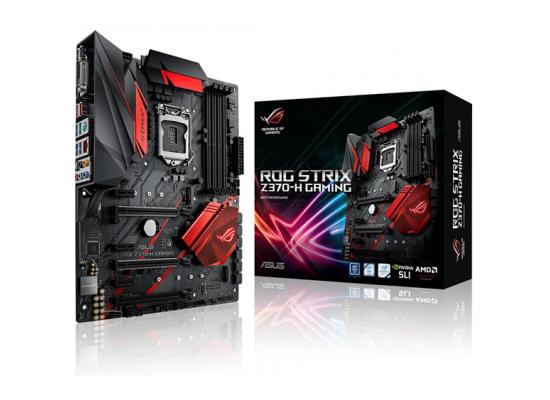
Z390-H
LGA1151 socket for 9th/ 8th Gen Intel® Core™ desktop processorsGaming connectivity: Dual M.2 and USB
| Retailer | Price | Availability | Actions |
|---|---|---|---|
 Compu Jordan | 175 JOD | Out of stock | Visit retailer |
Only one retailer in this catalogue is listing this product. Confirm the final price with the retailer.
Lowest offer added 2021-12-29 · Updated 2026-11-26 · No price change recorded
Search for other retailer offers| Motherboard Specifications | |
|---|---|
| CPU Socket Type | LGA 1151 |
| Chipset | INTEL Z390 |
The lowest price from 30 days before the promotion:
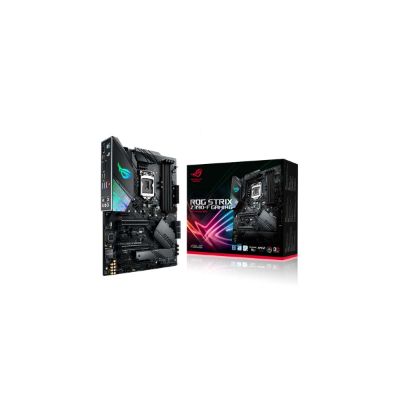
ASUS ROG STRIX Z390-H GAMING motherboard successfully combines the right price positioning, good modern equipment, and cute design.
ROG Strix Z390-H Gaming revitalizes the classic ROG red-and-black color scheme, adding a futuristic cyber-text pattern for a stunning modern style. It’s loaded with essentials, including the latest connectivity plus intuitive ROG software optimization. All this and more makes ROG Strix Z390-H Gaming the perfect choice for all types of gamer and any level of ambition.
‧ Impedance sense ‧ High quality output and input ‧ SupremeFX shielding ‧ Dual OP amplifiers
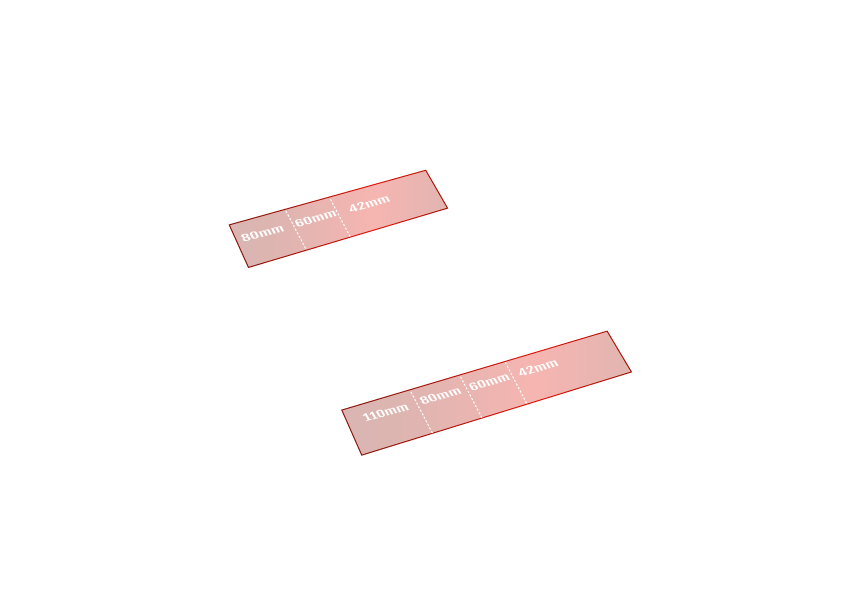
‧ 1 x Type 2242-2280, supports SATA & PCIe 3.0 x4 modes ‧ 1 x Type 2242-22110, supports PCIe 3.0 x4 mode
With comprehensive cooling options and upgraded power delivery to fuel CPUs with more cores, plus support for faster memory and storage, ROG Strix Z390-H Gaming provides all the essentials you need to harness the full potential of components in your build for top-tier gaming performance.
Digital power control together with an efficient thermal solution ensure ROG Strix Z390-H Gaming has the muscle to control Intel's latest CPUs.
Compared with traditional power inputs, ProCool sockets are built to tight specifications to ensure flush contact with the PSU power lines. The lower impedance helps to prevent hotspots and connector failure.
The Digi+ voltage-regulator module (VRM) is one of the finest in the industry, ensuring ultra-smooth and clean power delivery to the CPU.
The Strix Z390-H Gaming uses high-quality thermal pads to help transfer heat from the inductor and phase array to a heatsink that has ample surface area to deal with the power demands of all Coffee Lake processors.
Superior chokes and durable capacitors are engineered to resist extreme temperatures and provide up to 110% better performance than the industry standard.
ROG Strix Z390 Gaming series features the most comprehensive cooling options ever, configurable via Fan Xpert 4 or the UEFI BIOS
A dedicated pair of PWM/DC fan headers for CPU coolers.
A dedicated PWM/DC header for self-contained water-cooling setups.
Every onboard header supports auto-detection of PWM or DC fans.
A high-quality thermal pad helps transfer heat from the inductor and phase array to the heatsink, and the heatsink's large cooling surface then chills the power phase.
ROG Strix Z390-H Gaming features dual M.2 slots. One slot supports both SATA and PCIe 3.0 x4 modes, and the other slot supports PCIe 3.0 x4 for NVMe. Together, they give you the fastest and most-flexible M.2 interface available.
To provide Intel’s latest CPUs unfettered access to memory bandwidth, motherboard trace routing has been reimagined with the ROG Strix Z390-H Gaming. Integrated OptiMem II technology carefully maps memory signal pathways across PCB layers to reduce vias, and it also adds shielding zones that significantly reduce crosstalk. To further enhance overclocking headroom for fully stacked memory configurations, a highly customized T-Topology layout delivers time-aligned signaling.
ROG Strix Z390-H Gaming features Intel Ethernet (I219-V), ensuring data exchanges with your network and the outside world are fast and smooth. Intel LAN reduces CPU overhead and increases TCP and UDP throughput, keeping more processing power.
Featuring advanced signal-coupling technology and high-tolerance components, LANGuard provides consistent Ethernet performance and greater protection against static electricity and power surges.
Immerse yourself in sound with SupremeFX audio technology. Utilizing the S1220A codec, SupremeFX is the integrated-audio solution that’s engineered to provide a flat frequency response for a neutral, detailed sound signature. And to ensure that pristine signature is perfectly preserved, the front-panel output is driven with dual op amps, delivering sonics with the scale and authority to create virtual worlds via your gaming headset. >Learn more about ROG audio technology
A host of design touches, including a unique cyber-text pattern, plus customization options, comprehensive validation lists, and the most diverse ecosystem of components in the industry make building and personalizing a gaming rig with ROG Strix Z390-H Gaming wonderfully easy.
An illuminated ROG logo, in signature red, and onboard I/O shroud accented with a futuristic cyber-text pattern lend ROG Strix Z390-H Gaming a unique and arresting aesthetic that communicates its gaming identity. The modern outlook extends to the PCB and heatsink with subtle textures that contribute a premium look and feel.
The ASUS Aura ecosystem is in the ascendancy, with an extensive and growing list of ASUS products now offering Aura Sync compatibility — along with loads of compatible accessories and kits available through partners. Your ROG Strix motherboard’s built-in Aura RGB lighting easily syncs with PC cases, memory modules, coolers and RGB LED strips from a broad selection of well-known manufacturers. ASUS Aura software provides simple and intuitive lighting management.
ROG's patented I/O shield is finished in sleek matte black and comes pre-mounted to make it easy to install the motherboard.
2X slot Provides stronger PCIe device retention and greater shearing resistance
2X greater electrostatic protection than the industry standard. ESD Guards cover the USB, audio and LAN ports.
1 clip to swap or secure your graphics card.
1 sided clips for super-simple, super-secure handling of memory modules.
Onboard LEDs to Indicate the power status, and problems with the CPU, memory, graphics card or boot device for quick diagnosis.
MemOK II automatically fixes boot failures that arise due to memory overclocking and instability.
Having the freedom to pick and choose the parts that go into your machine is at the heart of PC DIY. That’s why ROG Strix undergoes an extensive certification program focused on providing the very best compatibility with the widest range of components and devices. Our extensive list of guaranteed-compatible components is an invaluable aid to building a ROG Strix gaming rig. It specifies thousands of compatible parts, and it includes a dedicated Qualified Vendor List (QVL) for memory — so you can build fuss-free. Explore compatible components>
Gear up with ROG Strix components, from graphics and sound cards, to mice and keyboards, and up your game with complementary aesthetics, control and compatibility — and enjoy more choice than any competing brand.
The ROG Strix Z390-H Gaming motherboard features firmware controls and software utilities designed for all skill levels, making setup, tuning and system maintenance simple. With options from overclocking and cooling to managing network performance and audio characteristics, you can configure your ROG Strix gaming build to perform the way you want.
The UEFI BIOS is an early waypoint on any PC-building journey, and ROG Strix Gaming series offers one of the best in the business.
Designed to simplify setup, EZ mode presents all the vital settings and stats on a single page. With guided wizards, drag-and-drop functionality, and one-click application of important settings, your rig will be up and running in no time.
Select your hardware and apply different scenarios to tune system performance, or streamline your RAID configuration for faster data retrieval and backups.
Fine-tune individual fans simply by dragging a curve with the mouse.
View SATA port details for easy device recognition.
Use mouse controls to change the time and date.
Easily enable or disable Aura RGB lighting or every onboard LED, for a more subdued aesthetic.
When you’re ready for a deeper dive, delve into the UEFI’s Advanced mode and take complete control. Advanced mode enables full control over every aspect of the motherboard, and a built-in search function helps you quickly find the setting you need.
Quickly find tuning options and add preferred tools to the list.
Update the BIOS via the internet, without leaving the BIOS interface.
Check your storage device Self-Monitoring, Analysis, and Reporting Technology logs to gauge reliability and identify potential failures.
View recommendations for multi-VGA configurations and detailed information for select ASUS graphics cards.
Restore your SSDs and NVMe storage to factory settings.
Track the last change and save preferred profiles to a USB drive.
Rename SATA ports for easy identification.
Save BIOS settings for migration to a new BIOS version or system.
Configure the fan's operating speed manually or use pre-configured fan profiles to quickly select Standard, Silent, Turbo or Full Speed modes. By default, system fans will automatically switch to full speed if the temperature reaches 75°C.
With the exclusive AI Suite 3, you can control your rig's performance directly from the operating system. Its dashboard-style control panel lets you fine-tune cooling, stability, and efficiency via one simple and intuitive interface.
ROG Strix motherboards provide comprehensive control over fans and all-in-one (AIO) coolers. Each header can be set to monitor and react to three user-configurable thermal sensors via Fan Xpert 4 or the media-acclaimed UEFI. Whether you're cooling with air or water, Auto-Tuning mode intelligently configures all parameters with a single click. There's also an Extreme Quiet mode which reduces all fan speeds to below the default minimum to keep your system whisper-quiet when performing light tasks.
The Energy Processing Unit leverages an onboard microcontroller (EPU) to provide system-wide power savings by automatically optimizing power consumption, and the Away mode smart setting saves energy by shutting down unused I/O controllers.
The Digi+ voltage regulator module (VRM) with onboard power circuitry delivers real-time control over voltage droop, switching frequency, and power-efficiency settings, allowing you to fine-tune CPU voltage regulation for ultimate stability and performance.
Sonic Studio supports HRTF-based (head-related transfer function*) virtual surround for VR headsets, casting an immersive aural landscape that draws you deeper into the action. The intuitive Sonic Studio interface also offers a range of EQ options and one-click presets, allowing you to tailor acoustics to suit personal preferences or the characteristics of your headset.
Apply customized audio settings to different applications, so everything you do is perfectly tuned to the way you want to listen.
Surround sound for a truly immersive audio experience
New Sonic Studio Link VR functionality extends its HRTF effects to headsets like the Oculus Rift and HTC Vive.
In-game sound effects and music are adjusted automatically to increase the feeling of immersion, so audio pulls you further into the game.
The Voice Clarity and Smart Volume sliders are set high to emphasize dialog, so you’ll hear the softest whispers and experience minimum distortion at maximum volume.
Voice Clarity, Bass Boost and Treble Boost are carefully balanced, so your music-listening experience feels like a live performance.
Soft sounds are accentuated by Smart Volume for enhanced listening, while Voice Clarity boosts speech for crystal-clear conversations.
Sonic Studio Link applies Sonic Studio III effects to your VR headset, boosting immersion in virtual worlds.
Easy-to-use routing assigns different audio streams to different outputs, such as browser effects to headphones and game audio to speakers.
The new Sonic Radar III has an evolved audio engine to process sounds more accurately than ever, ensuring you're always aware of what's going on around you. It now also includes an onscreen arrow to help you instantly pinpoint the enemy's position and the origin of key in-game sounds. Plus, the new Audio Boost feature provides filters that let you hear even the faintest sounds, so you can become the hunter, not the hunted! *Learn more about Sonic Radar III.
GameFirst V is the ROG-exclusive tool that optimizes network traffic for faster, lag-free online gaming. Team your gateways, keeps tabs on bandwidth-hogging apps and make adjustments on the fly.
Optimize network traffic for active apps, or allocate more bandwidth to games.
Speed network packets for specific applications, helping reduce latency. Extreme mode on: 371.7Mbps Extreme mode off: 16.03Mbps * Tested with 4GB file download while playing 4K online video.
Interface directly with a ROG router and automatically configure QoS to prioritize network bandwidth to games.
View real-time traffic by biggest hogs, app groups, and task types, or drill down for detailed connection information.
View or adjust network settings during your game, without interrupting play.
The brand-new Armoury Crate portal keeps you updated with the latest drivers and BIOS releases. Its easy-to-use UI can be configured to show a variety of information, including security updates, bug patches, the latest ROG news, gaming events and special offers.
RAMCache turns milliseconds into microseconds to boost game-load times. Fully compatible with the latest NVM Express storage options, its uniquely intelligent technology effectively caches an entire storage device so that favorite games and apps launch at breakneck speeds.
Smart mode: Automatically caches all your storage devices to maximize your system’s resources.
An intuitive interface displays real-time drive information, such as current read/write speeds.
And allows you to quickly check the health status of assigned memory.
Overwolf is a clever, unobtrusive overlay that lets you browse the internet, email, IM, and stream or record gameplay – all while you’re in the game. Color-matched ROG skins that display your status as a member of an elite pack are also available for download from the Overwolf App Store.
ROG Strix Gaming is VR Ready — and beyond! The ASUS Beyond VR Ready marque means that ROG Strix Gaming has been tested with loads of class-leading components to ensure that your productivity, gaming, and entertainment needs are tuned for maximum performance. ASUS Beyond VR Ready provides a new way to configure and build your dream system with total confidence. >Learn more about ASUS Beyond VR Ready
The Intel® Z390 is a single-chipset design that supports Socket 1151 for 9th Gen and 8th Gen Intel® Core™, Pentium® Gold and Celeron® processors. It provides improved performance by utilizing serial point-to-point links, allowing increased bandwidth and stability. Additionally, the chipset provides a maximum of six USB 3.1 Gen 2 ports, four USB 3.1 Gen 1 ports, and 32Gbps M.2 and PCIe 3.0 lane speed support, for faster data retrieval. Intel Z390 also supports integrated-graphics, so you'll enjoy the very latest in graphics performance.
Ready for Socket 1151 for 9th / 8th Gen Intel® Core™, Pentium® Gold and Celeron® processors
This motherboard supports Socket 1151 for 9th Gen and 8th Gen Intel® Core™, Pentium® Gold and Celeron® processors, with integrated graphics, memory and PCI Express controllers to support onboard graphics output with dedicated chipsets, dual-channel (4-DIMM) DDR4 memory and 16 PCI Express 3.0/2.0 lanes for great performance.



-
Based on the price records this catalogue holds — not a guarantee of an all-time high or low.
This retailer's price has not changed since it was first recorded on 2026-09-13, currently 175 JOD.
| Recorded | Price | Change |
|---|---|---|
| 2026-09-13 | 175 JOD | First recorded |
TUF Z390-PLUS GAMING
Compared across 2 retailers

Z390-E GAMING
Compared across 2 retailers
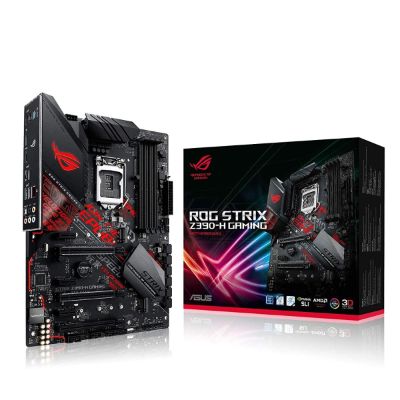
Z390-H GAMING
Only at Oriental Store
Z390-F GAMING
Compared across 2 retailers