42% off
ASUS · Motherboards
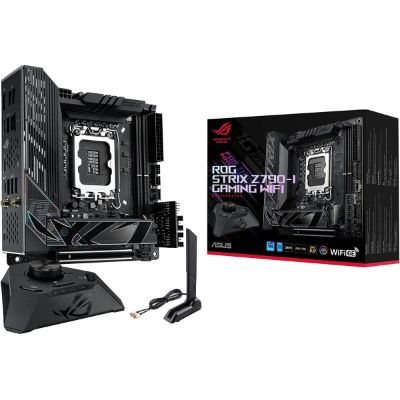
ASUS ROG Strix Z790-I WiFi 6E LGA 1700 Intel Z790 mini-ITX Gaming Motherboard Thunderbolt 4 USB Type-CROG Strix Z790-I WiFi
from 249 JODIn stock
Compared across 2 retailers
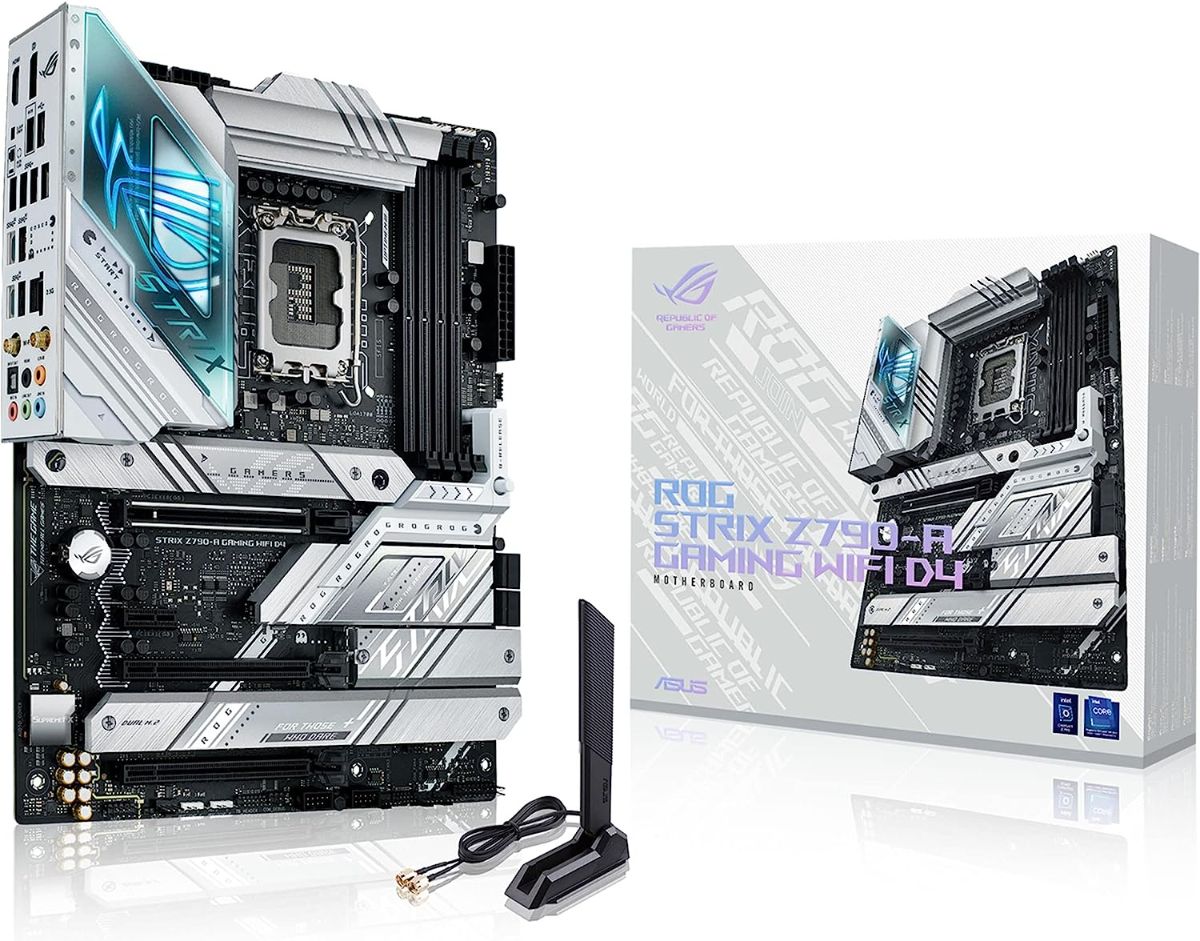
ROG Strix Z790-A Gaming WiFi D4 · DDR4
Chipset Intel Z790 · CPU Socket LGA 1700 · Memory Slots 4x 288-Pin · Memory Support DDR4 2133, 2400, 2666, 2800, 2933, 3000, 3200, 3333, 3400, 3466, 3600, 3733, 3866, 4000, 4133, 4266, 4400, 4500, 4600, 4700, 4800, 5000, 5066, 5133, 5333 MT/s · Storage Slots 2x 2242, 2260, 2280, 22110 (PCIe 4.0 x4) · 1x 2242, 2260,…
Likely the same product — matched on brand and model, not on a manufacturer part number.
| Retailer | Price | Availability | Actions |
|---|---|---|---|
 CompuMeLowest | 329 JOD | In stock | Visit retailer |
 IGEEK Mega Stores | 329 JOD | In stock | Visit retailer |
These listings match on brand and model rather than on a manufacturer part number, so the match is likely but not confirmed. Check the specifications before you buy on price alone.
Lowest offer added 2026-11-15 · Updated 2026-11-26 · No price change recorded
The lowest price from 30 days before the promotion:
Well-versed in style, performance, cooling, and connectivity, the ROG Strix Z790-A exudes well-rounded balance inside and out. A robust VRM topped with stout silver heatsinks comfortably articulates power for the latest Intel® 14th Gen Core processors. PCIe 5.0, WiFi 6E, and high-speed USB flesh out the board's fluency across a variety of disciplines. And a vast collection of tuning options and utilities derived from its ROG heritage are the icing on top. This platform delivers the power and connectivity that advanced AI PC applications demand.
Click to check our Z790 Motherboard Guide
x1 I/O port, and x1 connector for PD 3.0 at 30W
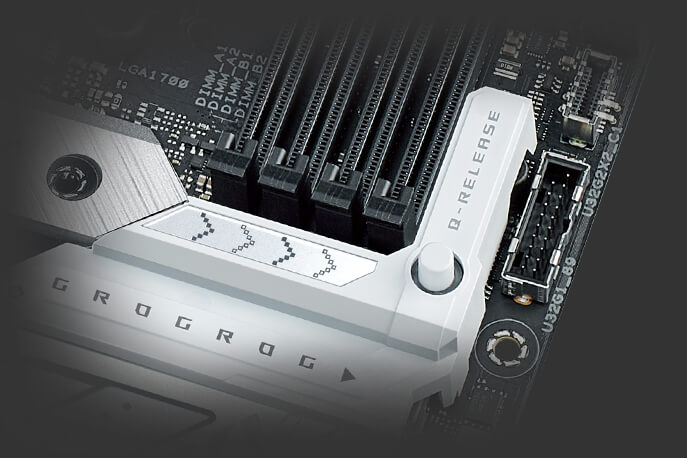
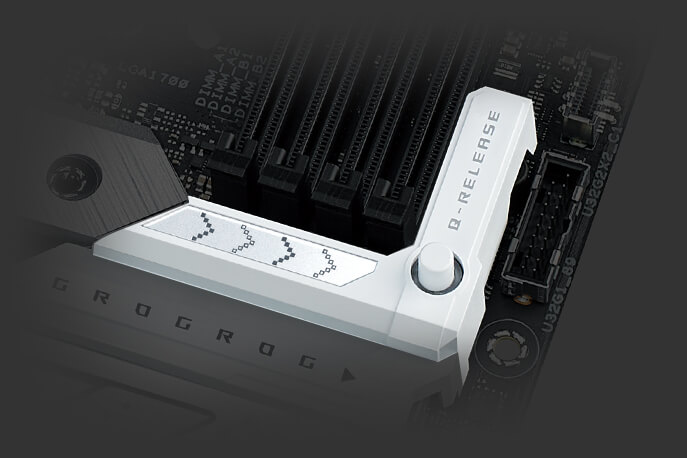
A physical button unlocks the first PCIe slot’s security latch with one press, greatly simplifying the process of detaching a PCIe card from the motherboard when it’s time to upgrade to a new GPU or other compatible device.
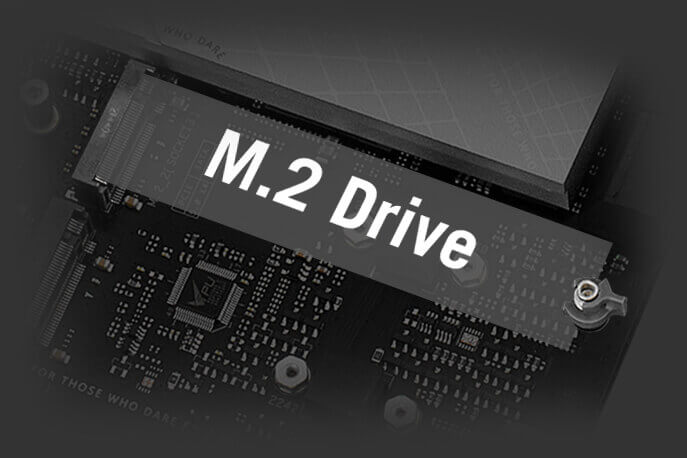
The innovative Q-Latch makes it easy to install or remove an SSD from an M.2 slot. The design employs a simple locking mechanism to secure the drive, eliminating the need for a traditional screw.
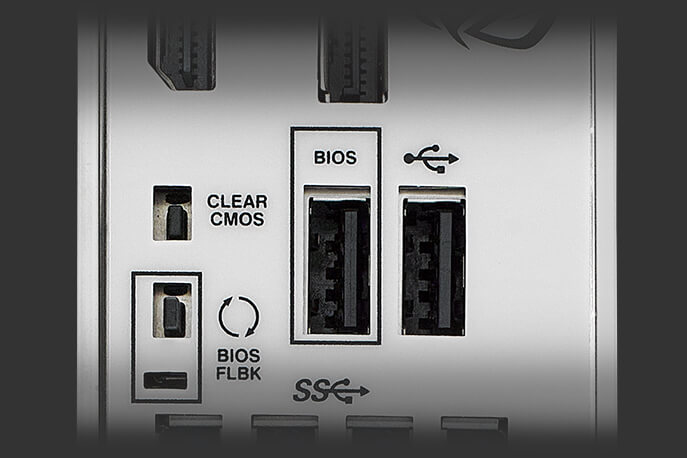
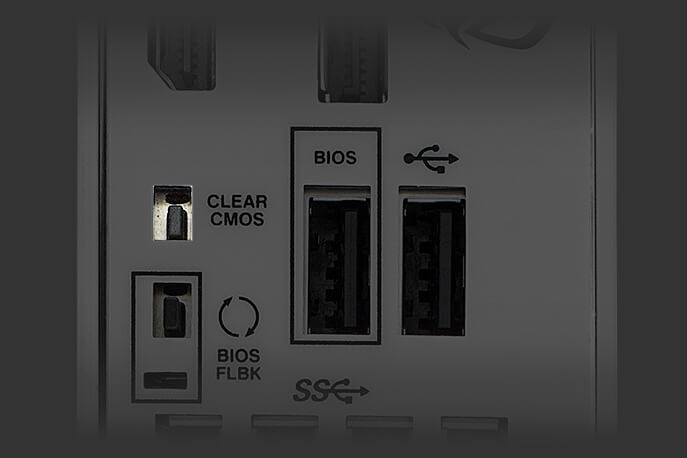
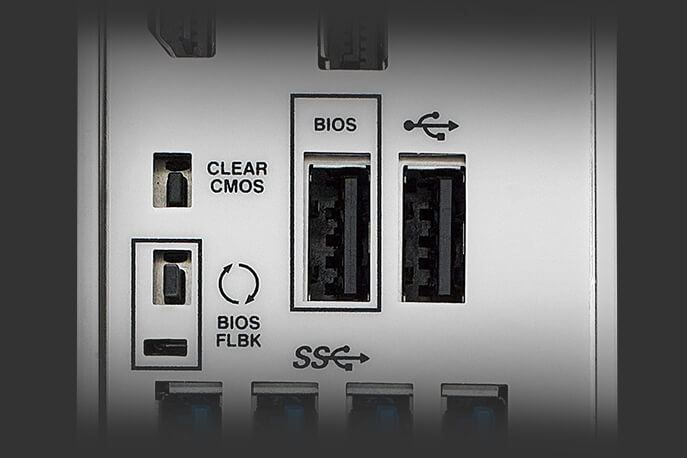
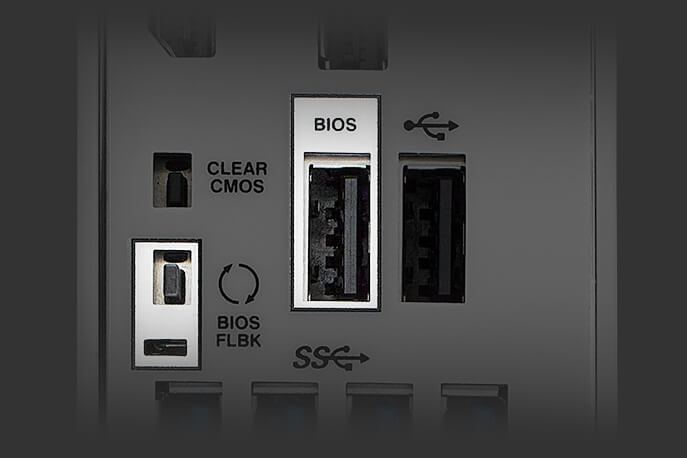
The Clear CMOS button quickly resets BIOS settings to factory default. It can also be used to reboot the PC if incorrect BIOS settings have been selected.
BIOS FlashBack™ is a safe and simple way to update BIOS. Just drop the (UEFI) BIOS file onto a FAT32-formatted USB stick, plug it into the USB BIOS FlashBack port, and press the button. Updates can even be performed without having memory or a CPU installed.
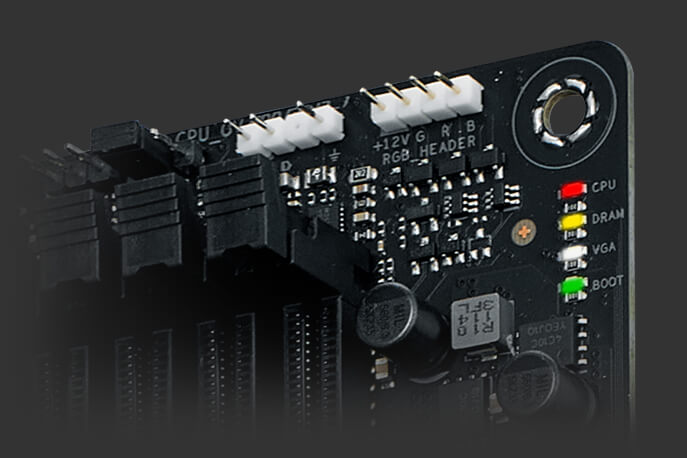
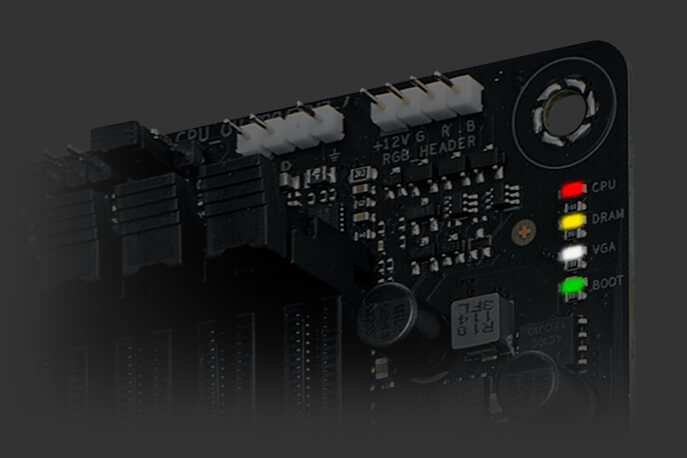
Four onboard LEDs indicate power status and identify problems with CPU, memory, graphics card, or boot device for quick diagnosis.
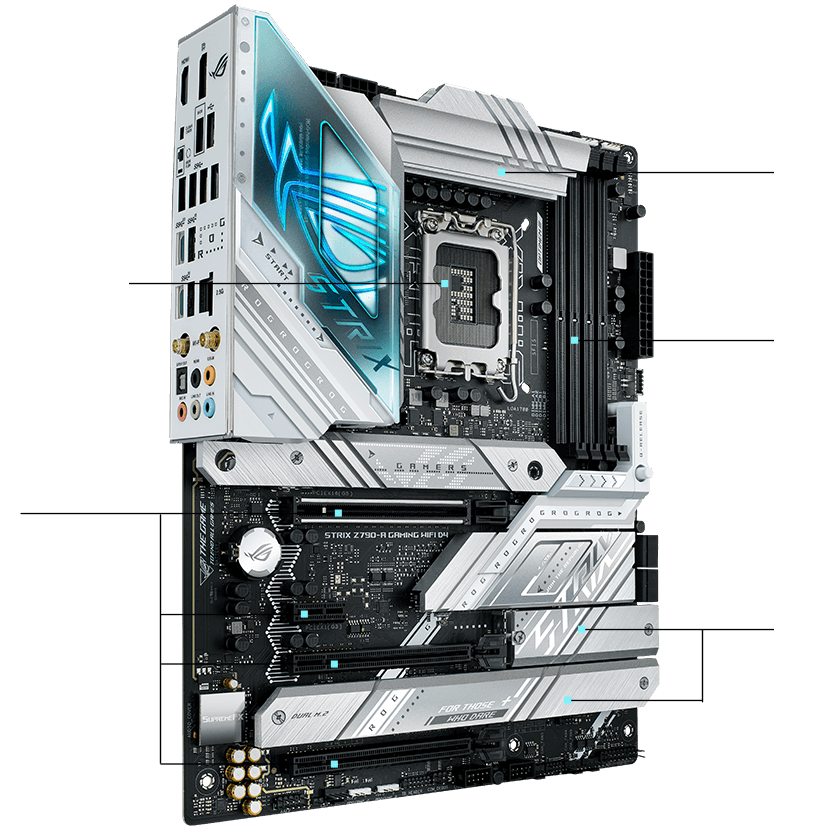
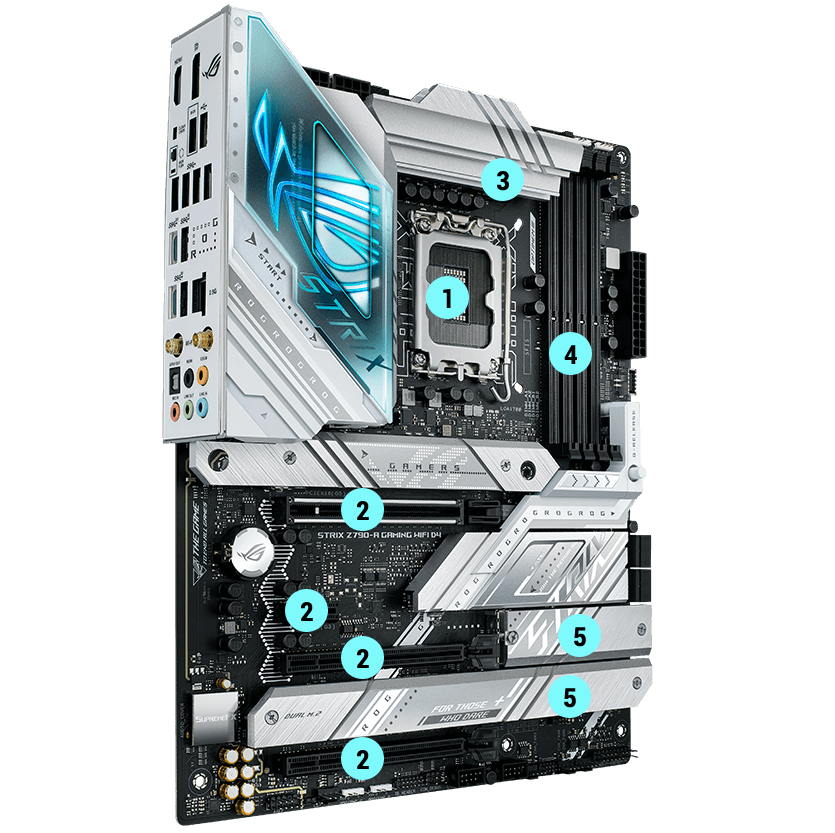
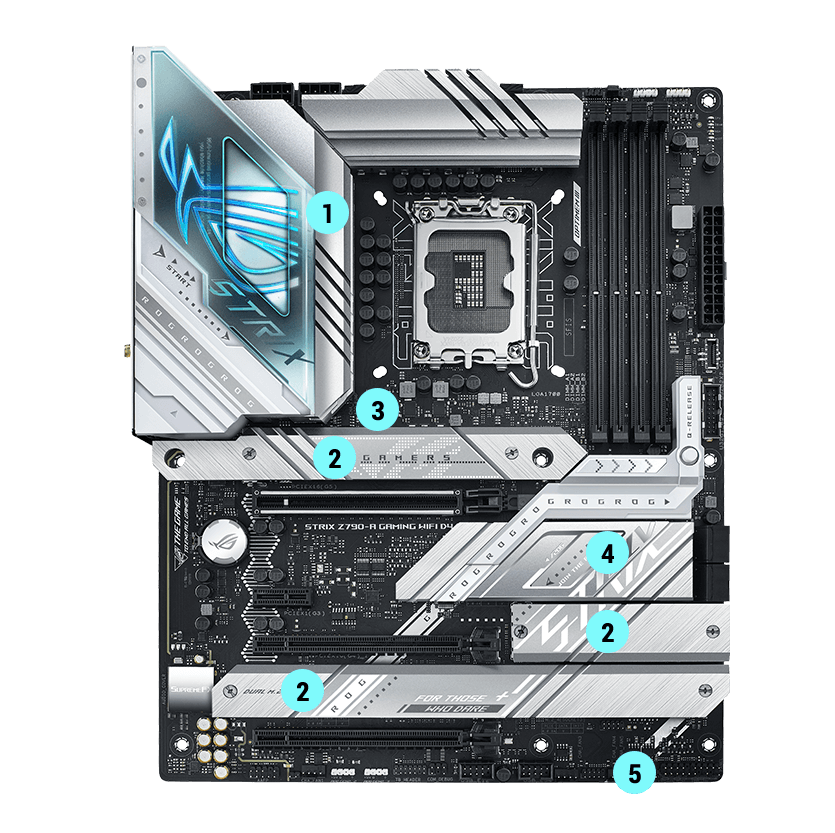
Robust power delivery, speedy storage and memory, and comprehensive cooling elevate any build with the ROG Strix Z790-A at its center.
Tuning is now faster and smarter than ever before. ASUS AI Overclocking profiles the CPU and cooling to predict the optimal configuration and push the system to its limits. Predicted values can be engaged automatically or used as a launching ground for further experimentation.
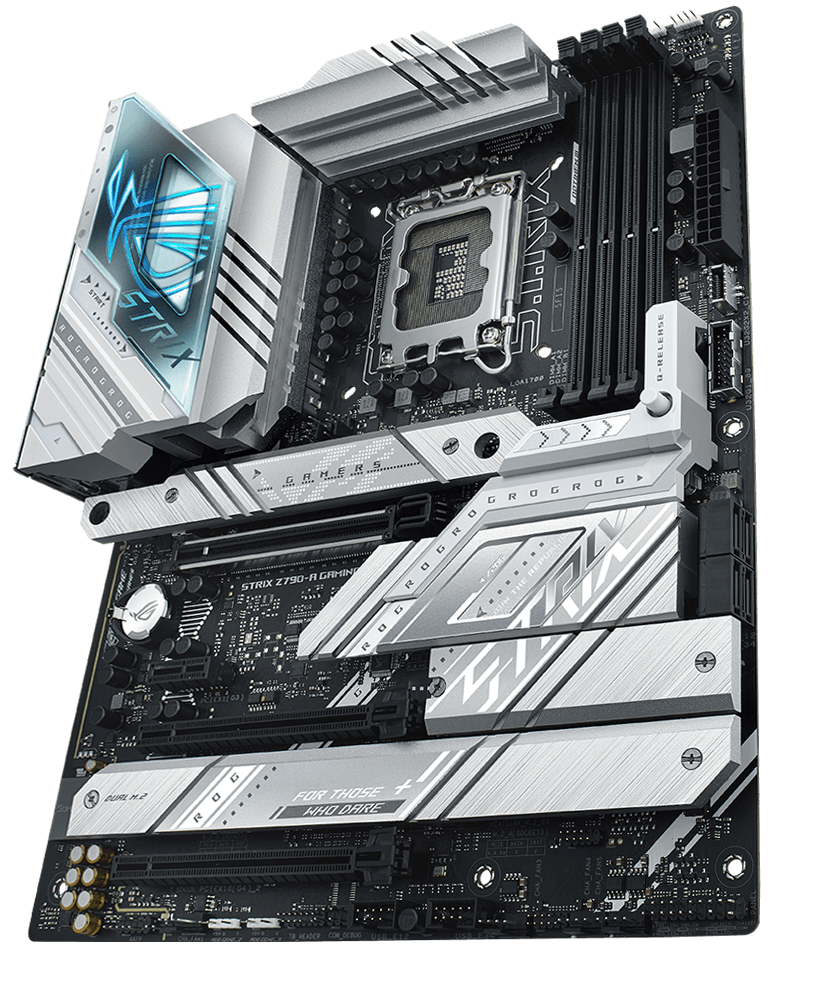
The top PCIe 5.0 x16 SafeSlot is well-equipped for the increased size and bandwidth of next-gen graphics cards. Zippy storage options abound with four PCIe 4.0 M.2 slots, all featuring robust heatsinks to maximize performance.
16 + 1 + 2 power stages rated to handle up to 70A each deliver ample current in order to drive 14th Gen Intel® Core™ Processors through any workload with ease.
Hi-end chokes and durable capacitors are engineered to resist extreme temperatures, enabling performance that exceeds industry standards.
ProCool II connectors are precision-built to ensure flush contact with PSU power lines. A metal sheath improves heat dissipation and lowers electrical impedance.
A multi-layered printed circuit board design quickly dissipates heat around the voltage regulators to improve overall system stability and provide the CPU with more overclocking headroom.
With proprietary memory trace layout tweaks that improve signal integrity and mitigate noise, OptiMem III allows memory kits to run at lower latencies, reduced voltages, and operate at higher frequencies.
Covering the power solution are two thick heatsinks with strategic airflow channels for increased heat dissipation while powering high-performance Intel 14th Gen processors.
An integrated backplate helps ensure that high-performance drives can deliver peak performance, even when airflow is restricted.
Heatsinks cover every slot to help keep onboard NVME SSDs at optimal temperatures for consistent performance and reliability.
A dedicated pair of PWM/DC fan headers provides easy access to CPU coolers.
A dedicated PWM/DC header connects self-contained water-cooling setups.
Each header supports auto-detection of PWM or DC fans.
The ROG Strix Z790-A delivers next-gen connectivity for ultrafast data transfers and low-latency networking. Those perks are joined by an advanced audio solution that allows you to pick out the smallest cues and home in on your opponents.
The antenna has two built-in transmitters and receivers to enable faster transmission speeds, and it supports the 2.4, 5, and 6 GHz bands.
Four-way positioning enables better signal reception.
A powerful magnetic base secures the antenna on the top or side of the PC case.
The Strix Z790-A comes loaded with two USB 3.2 Gen 2x2 Type-C® connectors for speedy data transfers up to 20 Gbps. One is a port on the rear I/O; the other can be attached to the chassis front panel and it also features Power Delivery (PD) 3.0 technology to quickly charge devices up to 30W.
A specially designed circuit separation reduces electromagnetic interference from the motherboard and attached devices for cleaner audio.
Instead of the conventional high definition audio (HDA) interface, the ALC4080 codec uses a USB interface to deliver studio-level sound reaching up to 32-bit 384 kHz audio resolution.
A metal cover protects against electromagnetic interference, preserving the integrity of audio signals to ensure the best sound quality.
The integrated Hi-Fi Savitech amplifier holds up its end of the signal path with -89dB THD+N and a signal-to-noise ratio of 114dB, bringing pristine audio to gaming headsets and premium cans.
High-quality components produce a warmer, more natural sound with exceptional clarity and fidelity.
Bold aesthetics and Aura Sync RGB controls let the ROG Strix Z790-A shine in every build.
The ROG Strix Z790-A boldly embraces the light, for an alternate take on build themes to its dark and brooding brother, the Strix Z790-F. Silver metallic heatsinks pop against a dark PCB backdrop and call attention to the board's high capacity for thermal management. A transparent layer on the I/O shield adds a unique touch and emphasizes the customizable RGB logo below. The whole design is tied together with ROG-centric detailing on the board, heatsinks, and I/O shield for a vibrant and futuristic outlook. Pair the Strix Z790-A with other products from the diverse ROG ecosystem to create a fully-customized gaming setup that reflects your personal style.
ROG Strix motherboards feature ASUS Aura technology, enabling full lighting control and a variety of presets for both onboard RGB LEDs and third-party accessories. Effects can be easily synced across compatible ROG graphics cards, monitors, keyboards, and mice to give your setup a unified look.
The ROG Strix Z790-A features onboard Gen 2 RGB headers that automatically optimize lighting effects for the number of LEDs present in compatible ARGB gear. The headers are also fully backwards compatible with Gen 1 RGB devices, giving you flexibility to light up as you choose.
The ROG Strix Z790-A bears the same LGA 1700 socket as the Z690 models, so it is backward compatible with all coolers that supported the previous generation, including all AIO offerings from ASUS and ROG.
Level up your game with ROG Strix. Enjoy complementary aesthetics, control, and compatibility across AIO coolers, cases, peripherals, and much more. ROG offers more choices than any other brand.
A myriad of ROG-exclusive tools put advanced system tuning and configuration at your fingertips.
Balance the thermals and acoustics of any build with a single click. A proprietary ASUS algorithm slashes unnecessary noise while running a quick stress test, and then monitors CPU temperatures to dynamically adjust fans to optimal speeds.
This utility leverages a massive deep-learning database to reduce over 5 million types of background noise from incoming or outgoing audio, helping ensure crystal-clear communication in games or calls.
GameFirst VI optimizes networking performance by allocating bandwidth in real time based on application usage scenarios and corresponding learning algorithms. The latest update includes dedicated support for GeForce NOW to ensure the lowest latency possible during intense game streaming sessions.
The renowned ROG UEFI (BIOS) provides everything you need to configure, tweak, and tune your rig. It offers intelligently simplified options for newcomers to PC DIY, as well as more comprehensive features for seasoned veterans.
Quickly locate tuning options and add preferred tools to your favorites list.
Flash the latest BIOS via the internet from within the BIOS.
Check your storage device Self-Monitoring, Analysis, and Reporting Technology (S.M.A.R.T.) logs to gauge reliability or to identify potential failures.
Automatically detect selected ASUS graphics cards to view detailed information.
Restore your SSDs and NVMe storage to factory settings.
Track the last change and save preferred profiles to a USB drive.
Rename SATA ports for easy identification.
Port configuration settings between different BIOS versions or share them with friends.
Configure the fan's operating speed manually or use pre-configured Standard, Silent, Turbo, or Full Speed modes. By default, system fans will automatically switch to full speed if the temperature reaches 75° C.
Easily enable or disable Aura RGB lighting or every onboard LED, for a more subdued aesthetic.
Fine-tune individual fans simply by dragging a curve with the mouse.
View SATA port details for easy device recognition.
Click on the settings icon to quickly change time and date settings.
For diagnostic convenience, MemTest86 has been pre-installed into the ROG UEFI. Run the test to pinpoint memory issues without the need to start up the OS or attach a USB drive. Memory test results are stored in the BIOS archives for later reference.
The AI Suite 3 dashboard contains a set of intuitive controls that boost CPU performance while maintaining system stability.
The TurboV Processing Unit (TPU) is an intelligent onboard micro-controller that provides an array of system-tuning features, including the ability to fine-tune voltages, monitor system stats and adjust overclocking parameters.
The Digi+ voltage-regulator module (VRM) delivers real-time control over voltage droop, switching frequency, and power-efficiency settings, allowing you to fine-tune CPU voltage regulation for ultimate stability and performance.
Modern processors feature per-core tuning, and the ASUS Turbo app makes use of this feature by letting you assign applications to specific processor cores, prioritizing computing power where it's needed most.
Sonic Studio supports HRTF-based (head-related transfer function*) virtual surround for headsets, casting an immersive aural landscape that draws you deeper into the action. The intuitive Sonic Studio interface also offers a range of EQ options and one-click presets, allowing you to tailor acoustics to suit personal preferences or the characteristics of your headset.
Easily apply Sonic Studio effects on all playback devices. Simply press the Sonic Studio Link button to enjoy the effect on any playback device.
Combine audio output from selected apps with audio from the microphone input and stream the compiled mix.
Apply customized audio settings to different applications, so everything you do is perfectly tuned to the way you want to listen.
ROG Strix Z790 motherboards are pre-loaded with the DTS® Sound Unbound™ app that envelops you in audio as never before, conjuring whole new levels of immersion for extraordinary gaming and entertainment experiences. By leveraging Windows Sonic spatial technology, DTS Sound Unbound delivers audio in a virtual 3D space — putting you right in the middle of the soundscape, where you can sense the location of every gunshot, footstep, and other sounds.* * DTS Sound Unbound requires in-game support. Check with game publishers for supported titles.
Discrete left and right audio channels enable headphone or two-speaker setups.
Audio is split and served over multiple speaker channels – e.g., 5.1 or 7.1 – to create an enveloping experience on a single, logical plane.
A virtual 360-degree soundscape immerses you in a realistic sonic experience.
The ROG Strix Z790-A includes a sixty-day AIDA64 Extreme subscription, a tool that provides detailed information about hardware and software, as well as benchmarks to measure the performance of the entire system or individual components. AIDA64 Extreme includes a monitoring and diagnostics feature to detect and prevent hardware issues. All vital system sensors can be tracked in real time, allowing voltage readings, fan speeds, and temperature information to be displayed on the desktop or sent to dedicated displays or to the LCD panels of ROG AIO liquid coolers*.
Armoury Crate is a software utility designed to give you centralized control of supported gaming products, making it easy to tune the look and feel of your system. From a single intuitive interface, Armoury Crate helps you customize RGB lighting and effects for compatible devices and synchronize them with Aura Sync to create a unified lighting scheme across your system. In addition, Armoury Crate’s Fan Xpert4 tool provides comprehensive control over fans, water pumps, and all-in-one (AIO) coolers. You can use Armoury Crate to download drivers, tools, and user manuals, and to register products. It also taps into a special news feed that connects you to the global ASUS gaming community.
The BIOS will allow you to take full advantage of the performance of your processor and of course to have access to overclocking of the latter. The memory is not to left aside too [...]. So it's almost a perfect score for this card...
Without a doubt, I can say that the ASUS ROG Strix Z790-A Gaming is a high-quality Z790 motherboard...
The ROG STRIX 790-A D4 represents the best cost-effective ROG motherboard that balances software features, DDR4 support, and PCIe 4.0 support that’s sure to leverage modern GPUs and SSDs alike.
Hands-On ASUS ROG Strix Z790-A Gaming WiFi D4 Motherboard
Hands on the ASUS ROG Strix Z790-A Gaming Wifi D4
ROG STRIX Z790-A GAMING WIFI D4 is a ROG STRIX series gaming motherboard that supports DDR4 memory that maintains a high standard of overclocking performance, although it is not comparable to the ROG MAXIMUS series.
Build quality, appearance, rich equipment (WiFi 6E, USB 3.2 Gen 2x2, 4x M.2, Type C 30 W), good power supply unit, good audio unit, rich software support, excellent UEFI interface.
We have secured a bunch of Z790 boards from ASUS to go over some things you should consider before buying, so you have all the features you need and leave the ones you don’t.
The new ASUS Z790 motherboards for Intel's Core i9-13900K CPU and more
Dominate WARZONE, THE Gaming PC Configuration to WIN. 🎁🎁🎁
What is the money for? Build PC Gaming 100 million style
Build pc style Gundam War - Gaming 4K does not have to think
Instructions for Build PC students make "cheap" graphics only 60 million | TNC PC Studio Senior 1i
128 million for the most "genuine" PC 2022 with ROG STRIX Z790-A GAMING WIFI D4
Is it possible that I chose the incorrect mainboard? B760 vs Z790
new computer set white Strong specs can play every game.
The ROG Strix Z790-A Gaming D4 motherboard is one of my favourite boards from an aesthetic point of view. I recommend it without any problems to everyone despite the price, which for some might be too high, compared to market trends I still think it is a very good price for such a high-performance board.
I am a fan of white set ups and this motherboard is part of the white line, perfect for a total white build. Aesthetically it's definitely one of my favorite Z790s, also from a connectivity and performance point of view it's a very solid and performant board.
A ASUS ROG Strix Z790 Gaming-A Wifi D4 !!
ASUS ROG STRIX Z790 D4 - A GAMING | LAST BOARD WITH DDR4! Is it worth it ?!
White panel with white ROG Strix Z790-A Gaming Wifi D4
Intel i7 13700K Value Value Verbation for Performance
ASUS ROG Strix Z790-A Gaming WiFi D4 is a slightly different member of the STRIX family, because it brings brighter colors to fit into the modern trends of building white computers. However, it is a true member of the STRIX family in terms of build quality, rich equipment and, finally, the price.
Unboxing ROG Strix Z790-A Gaming Wifi D4
ROG STRIX Z790-A GAMING WIFI D4 is a new Intel Z790-equipped gamers with cost-effective DDR4 memory, eliminating the need for DDR5.
The new Z790 platform, very similar to the Z690, but with some improvements concerning the chipset's PCI-E 4.0 line configuration (up from 12 to 20 Gen 4) and the resulting increase in M2 slots and SuperSpeed USB
If you are looking to assemble a new configuration with mid-to-high-end Intel Core Raptor Lake, want a feature-rich motherboard, and maybe even planning to build a predominantly white PC (because the eye also wants its share), the ASUS ROG Strix Z790-A Gaming WiFi D4 could be a good option.
The ROG Z790-A STRIX easily passed the clocking tests as well as tuning the operating memories and is a great choice for Intel 13th generation processors.
From all of the above, we conclude that the Asus ROG Strix Z790-A Gaming WiFi D4 is a slightly different member of the STRIX family, but according to the build quality, rich equipment and price, it is a full-blooded member of that family.
Reign supreme with ROG and ROG Strix Z790 gaming motherboards










Based on the price records this catalogue holds — not a guarantee of an all-time high or low.
Lowest price across 2 retailers.
The lowest price has not changed since it was first recorded on 2026-10-20, currently 329 JOD.
| Recorded | Price | Change | Lowest at |
|---|---|---|---|
| 2026-10-20 | 329 JOD | First recorded | IGEEK Mega Stores |
ROG Strix Z790-I WiFi
Compared across 2 retailers
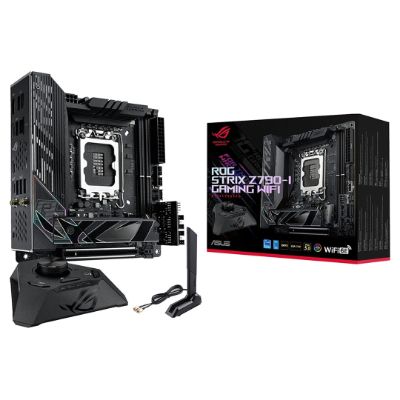
ROG Strix Z790-I Gaming WiFi · Mini-ITX, DDR5
Only at OfficeJo Computer And Printer Shop
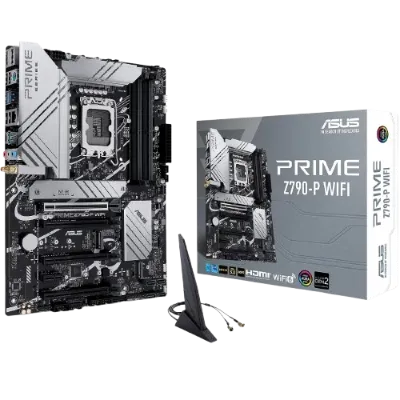
Z790-P · DDR5
Compared across 10 retailers
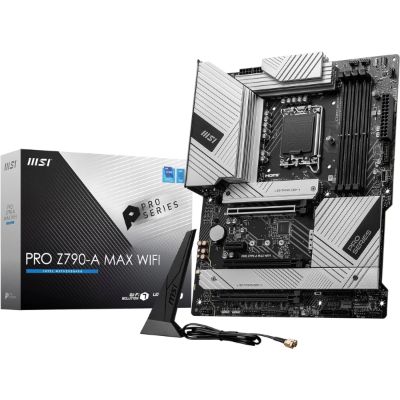
PRO Z790-A MAX WiFi · DDR5
Compared across 7 retailers