
14% off
ASUS · Graphics Cards
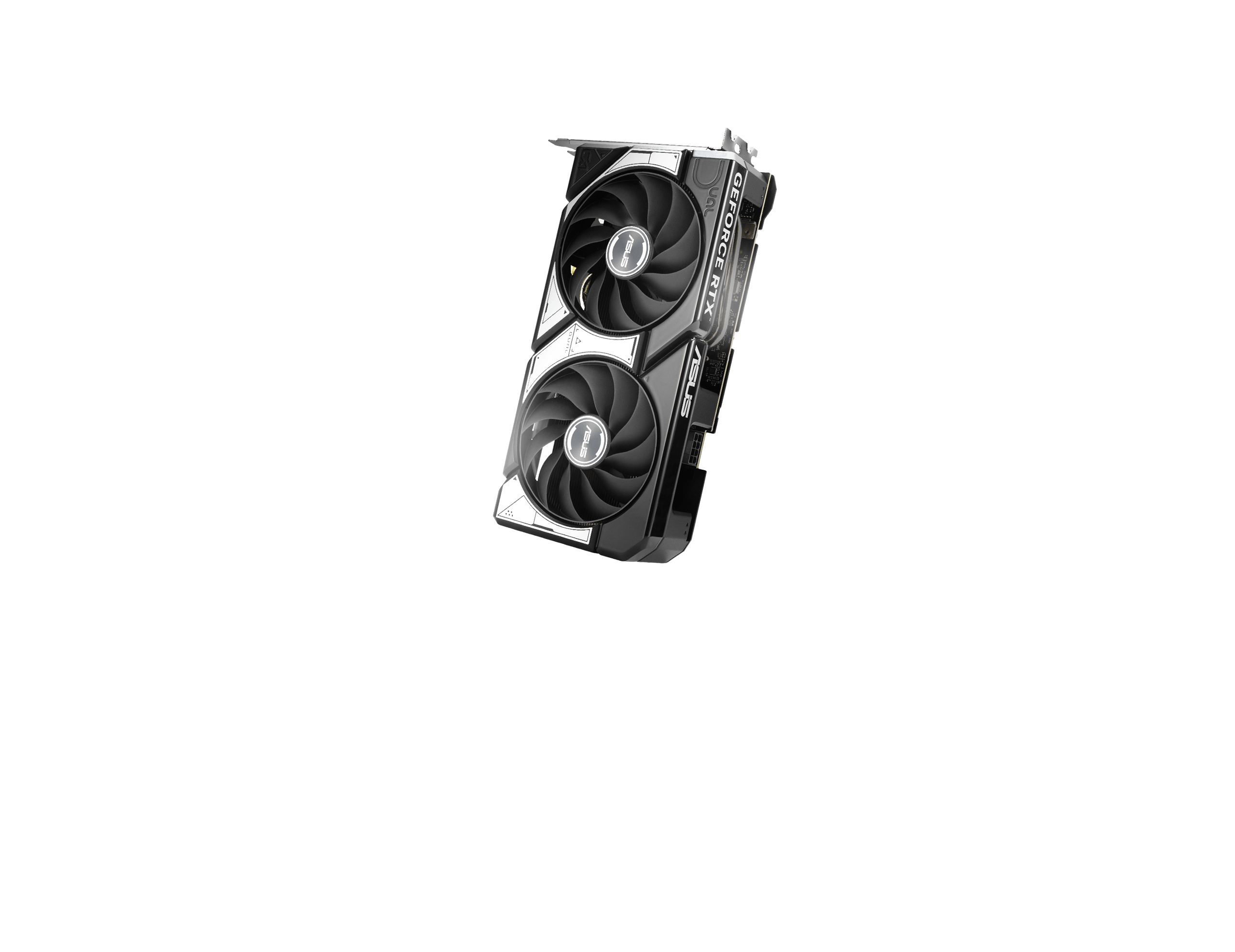
ASUS DUAL RTX 5060TI 16GB OCRTX 5060 Ti · 16GB
from 599 JODIn stock
Compared across 11 retailers

GeForce RTX 5060 Ti OC Edition · 8GB
AI Performance: 767 AI TOPS · OC mode: 2632 MHz (OC mode)/ 2602 MHz (Default mode) · Powered by the NVIDIA Blackwell architecture and DLSS 4 · SFF-Ready Enthusiast GeForce Card · Axial-tech fan design features a smaller fan hub that facilitates longer blades and a barrier ring that increases downward air pressure
Likely the same product — matched on brand and model, not on a manufacturer part number.
| Retailer | Price | Availability | Actions |
|---|---|---|---|
 GamersLowest | 419 JOD | In stock | Visit retailer |
 The Professional | 499 JOD | In stock | Visit retailer |
 Al-Samman for Computers | 528 JOD | In stock | Visit retailer |
 IGEEK Mega Stores | 529 JOD | In stock | Visit retailer |
 CompuMe | 529 JOD | In stock | Visit retailer |
 Oriental Store | 549 JOD | In stock | Visit retailer |
 White Angel Computer | 375 JOD | Out of stock | Visit retailer |
 Eagle Computer | 429 JOD | Out of stock | Visit retailer |
 City Center | 499 JOD | Out of stock | Visit retailer |
These listings match on brand and model rather than on a manufacturer part number, so the match is likely but not confirmed. Check the specifications before you buy on price alone.
Lowest offer added 2026-11-22 · Updated 2026-11-25 · Last price change 2026-11-22
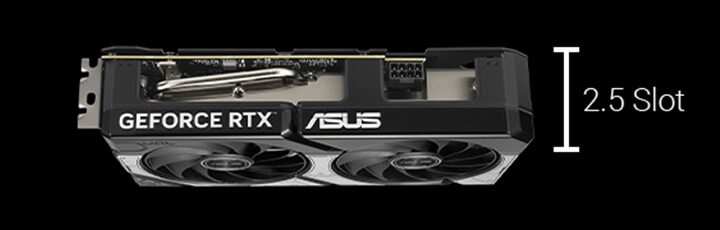
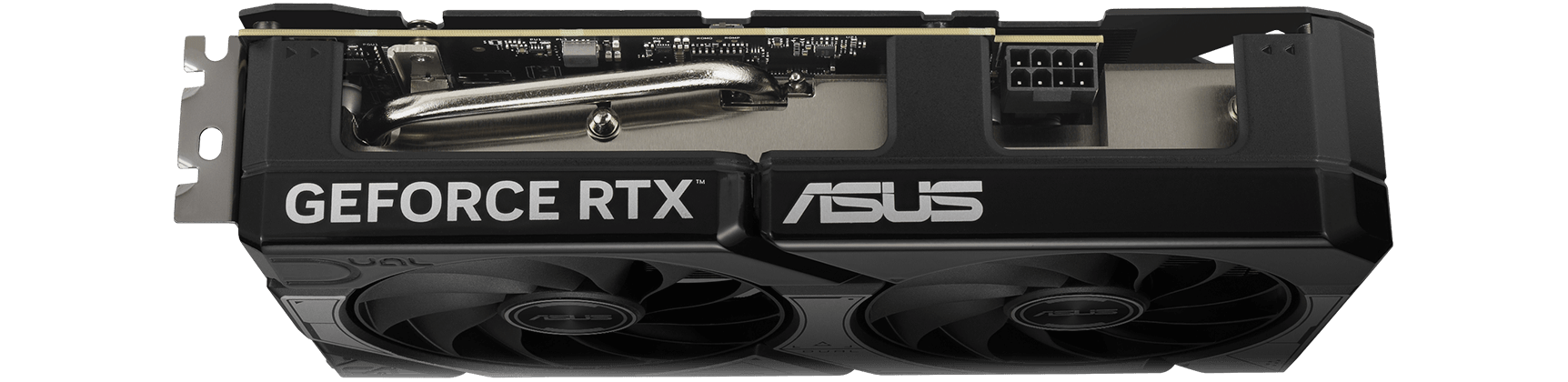
ASUS Dual GeForce RTX™ 5060 Ti combines powerful thermal performance with broad compatibility. Advanced cooling solutions from flagship graphics cards — including two Axial-tech fans for optimizing airflow to the heatsink. Designed in a compact 2.5-slot form factor, delivering more power in less space. These enhancements make ASUS Dual the perfect choice for gamers who want heavyweight graphics performance in a compact build.
Compatible with small-form-factor builds
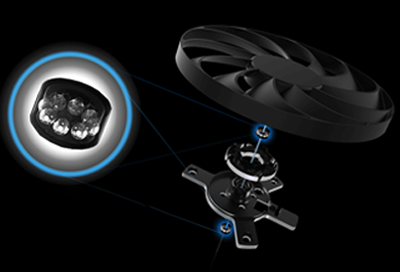
Longer blades improve airflow and dispersion
Enhanced cooling for optimal performance
Up to twice the lifespan of sleeve bearings
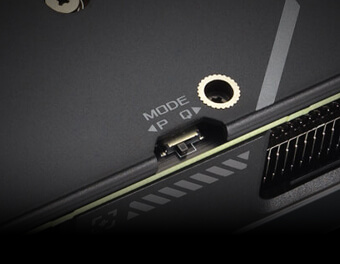
Toggle between Performance or Quiet modes
NVIDIA DLSS 4 with Multi Frame Generation
NVIDIA Studio creator tools and technology
NVIDIA Broadcast and ninth-gen NVIDIA Encoder
NVIDIA app with Game Ready and Studio Drivers
A carefully designed shroud, heatsink, and heatpipe layout enables the two Axial-tech fans to leverage chassis side-panel ventilation, delivering thermal performance that beyond the compact size.
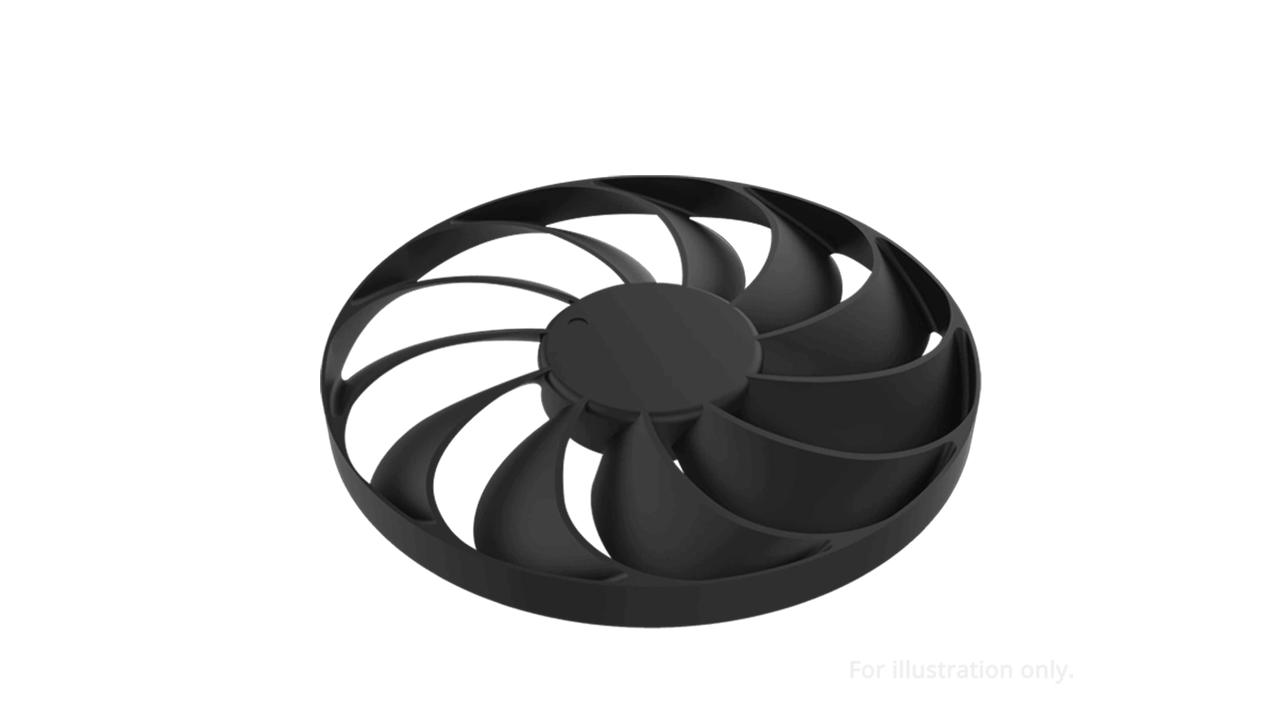
Two tried-and-true Axial-tech fans feature a smaller hub facilitates longer blades and a barrier ring to increase downward air pressure.
Airflow comparison between the Axial-tech fan design and a standard fan.
To eliminate unnecessary noise, the stop mode automatically halts all fans when the GPU temperature drops below 50 degrees and power consumption is low.
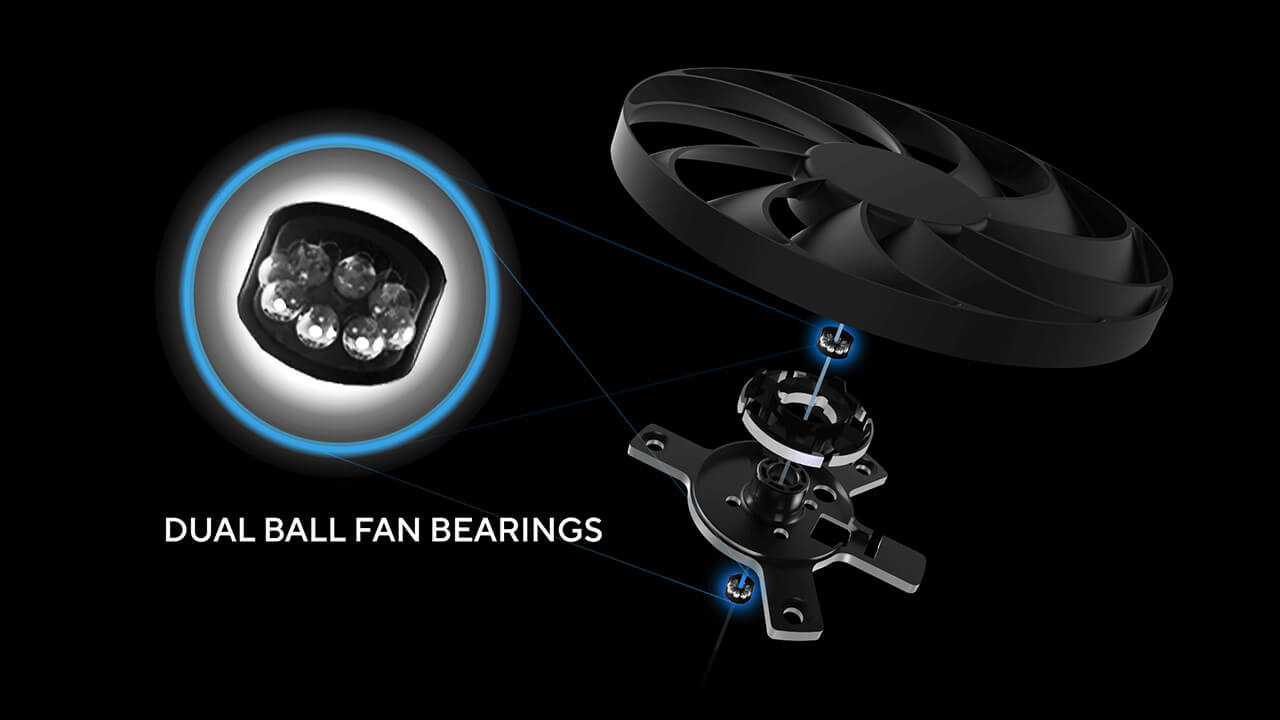
Fan bearings come in different types, each with its own advantages. Dual ball bearings provide superior durability and can last up to twice as long as sleeve-bearing designs.
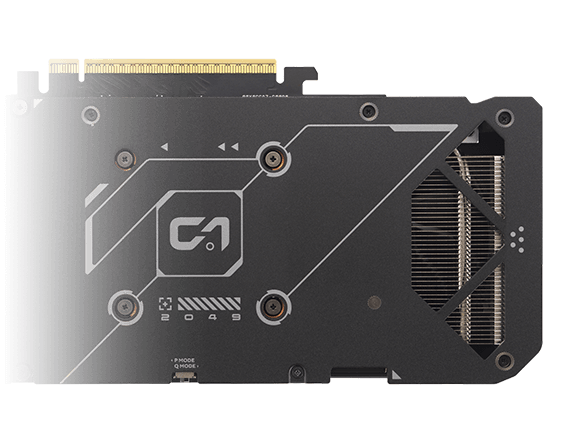
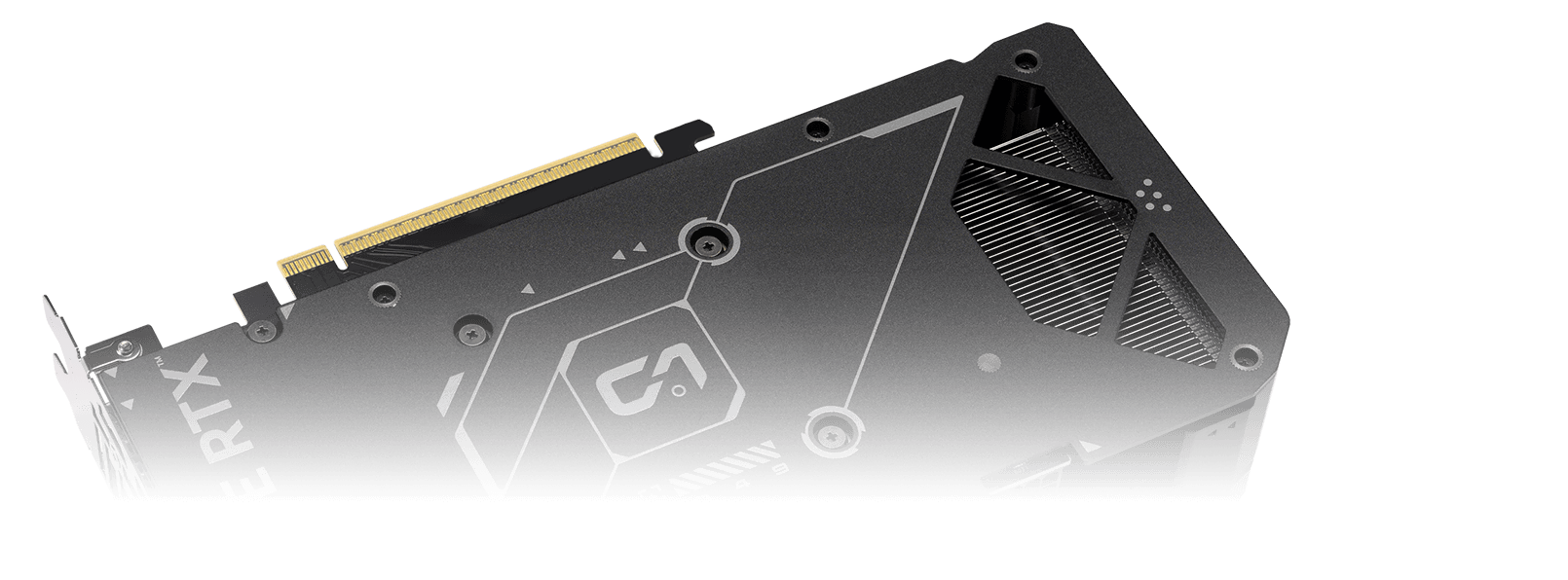
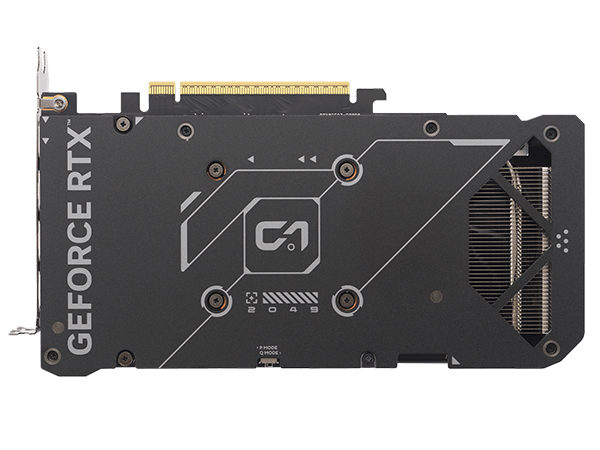
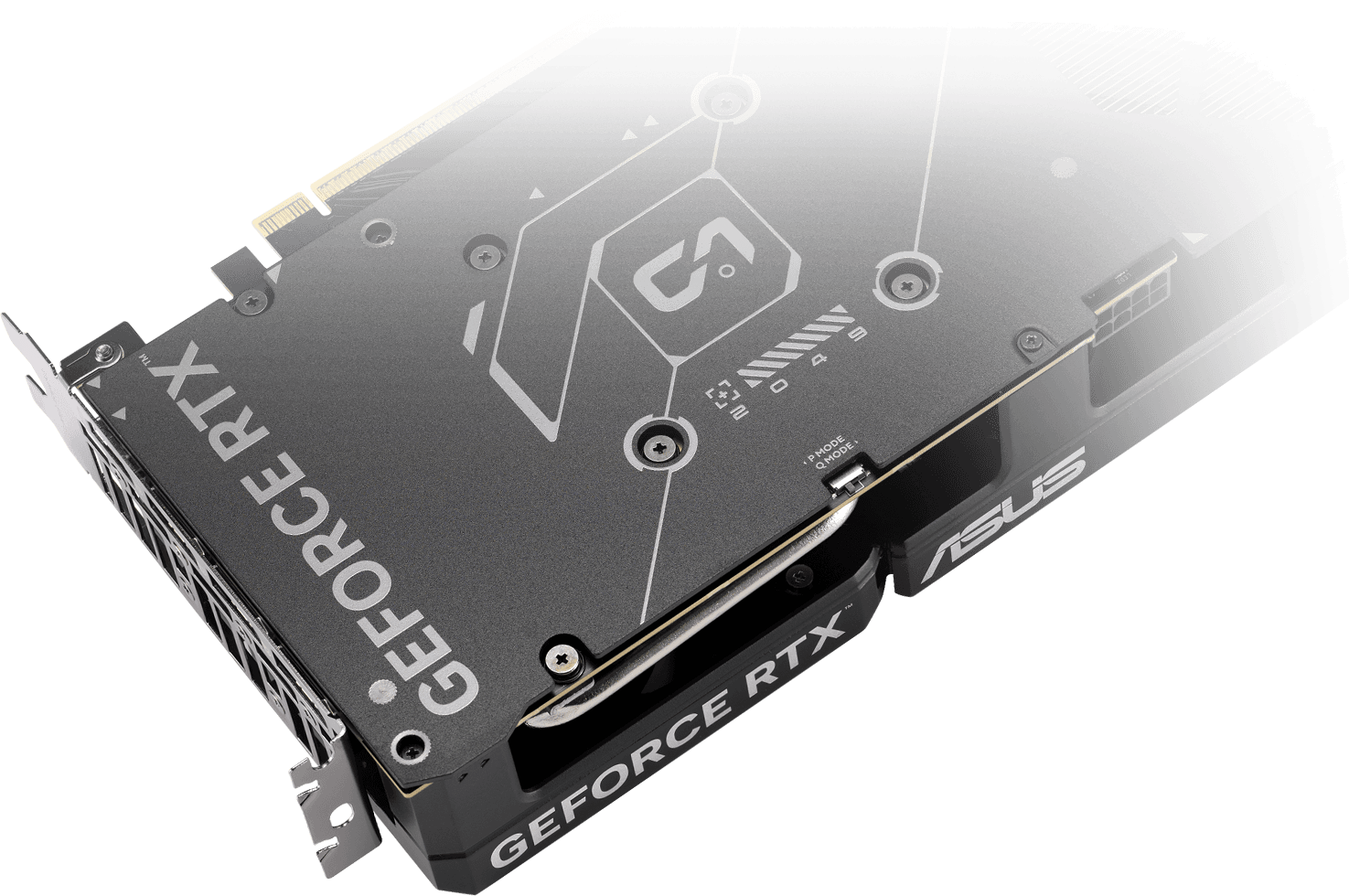
A vented backplate significantly enhance heat dissipation, helping to keep the GPU cooler during intense tasks. This additional airflow helps ensure optimal temperatures, boosting performance, longevity and stability by defending against overheating and thermal throttling.
Close-up view of GPU Guard and bracket, designed to secure all four corners and ensure uniform mounting pressur
ASUS GPU Guard applies adhesive to secure all four corners to reduce the risk of cracks.
The PCB is reinforced by a backplate that adds structural rigidity, helping to prevent flex and to protect components and trace pathways from damage.
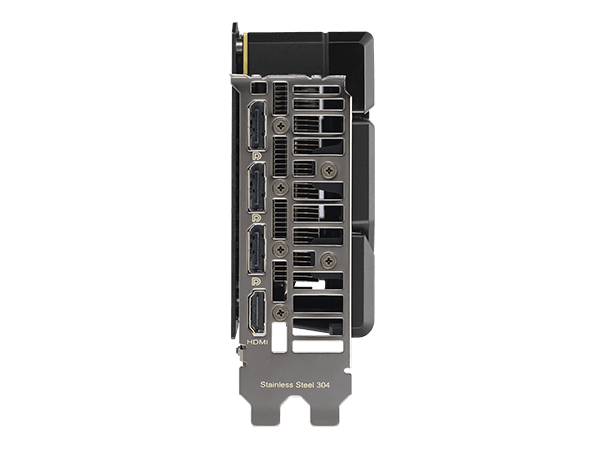
The mounting bracket of the Dual has been beefed up with 304 Stainless Steel that’s harder and more resistant to corrosion.
Do you prioritize lower core temperatures or quieter operation? Performance mode increases fan speed to keep the card running cool all the time. Quiet mode maintains the same power target and performance settings, but applies a less aggressive fan curve for quieter operation at medium temperatures. Want more control? Customize your experience with GPU Tweak III software for fine-tuned fan profiles and performance adjustments.
Video explaining ASUS Auto-Extreme technology.
Auto-Extreme Technology is an automated manufacturing process that sets new standards in the industry by allowing completing all soldering to be completed in a single pass. This reduces thermal strain on components and avoids the use of harsh cleaning chemicals, resulting and minimizes in less environmental impact. The result is lower power consumption during manufacturing and a more reliable, high-quality product.lower manufacturing power consumption, and a more reliable product overall.
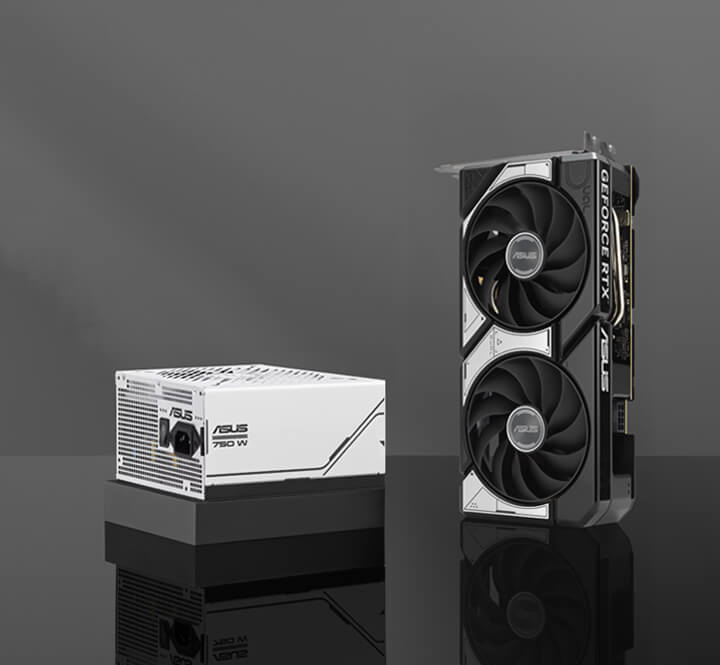
Use the wattage calculator to estimate how much power you’ll need to fuel your rig, and then pick a compatible ROG, TUF Gaming or Prime power supply for ultimate performance.
The ASUS GPU Tweak III utility takes graphics card tuning to the next level. It lets you tweak critical parameters including GPU core clocks, memory frequency and voltage settings, with the option to monitor everything in real-time through a customizable on-screen display. Advanced fan control is also included along with many more features to help you get the most out of your graphics card.
MuseTree is an AI-powered image-generation app designed to spark your creativity. Effortlessly create and manage images and visual ideas, unlocking endless new inspirations. With its intuitive visual interface, generating stunning images has never been easier!
Enjoy all things AI at Adobe. Get complimentary membership to Adobe Creative Cloud with the purchase of select ASUS products, granting you access to all Adobe apps and Substance 3D.
Use our wattage calculator to estimate how much power you’ll need to fuel your rig, and then pick a compatible ROG, TUF Gaming or Prime power supply for ultimate performance.
RTX is the most advanced platform for full ray tracing and neural rendering technologies that are revolutionizing the ways we play and create. Over 700 games and applications use RTX to deliver realistic graphics and incredibly fast performance with cutting-edge AI features like DLSS Multi Frame Generation.
DLSS is a revolutionary suite of neural rendering technologies that uses AI to boost FPS, reduce latency, and improve image quality. The latest breakthrough, DLSS 4, brings new Multi Frame Generation and enhanced Ray Reconstruction and Super Resolution, powered by GeForce RTX™ 50 Series GPUs and fifth-generation Tensor Cores. DLSS on GeForce RTX is the best way to play, backed by an NVIDIA AI supercomputer in the cloud constantly improving your PC’s gaming capabilities.
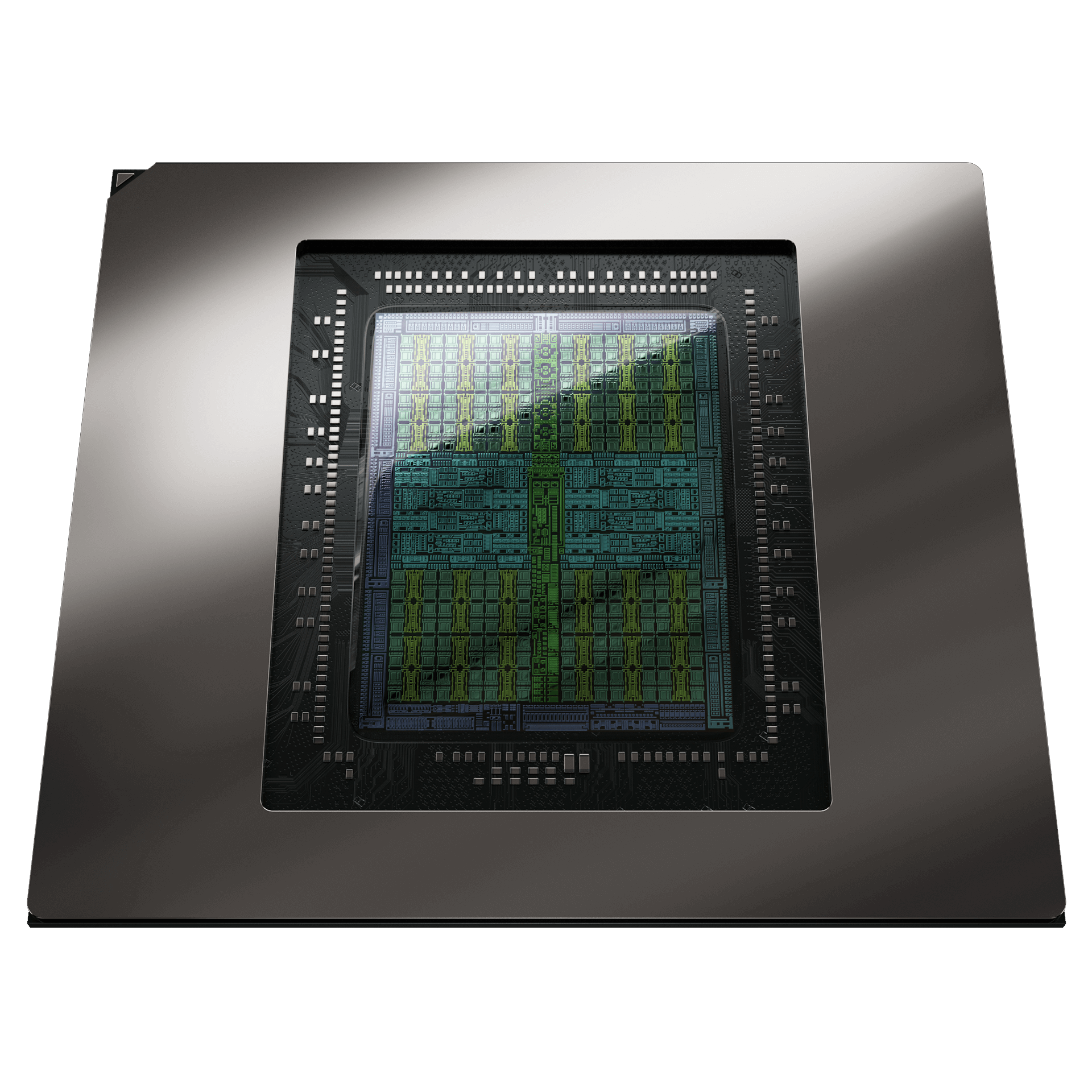
The NVIDIA Blackwell architecture unlocks the game-changing realism of full ray tracing. Experience cinematic quality visuals at unprecedented speed powered by GeForce RTX 50 Series with fourth-gen RT Cores and breakthrough neural rendering technologies accelerated with fifth-gen Tensor Cores.
Reflex technologies optimize the graphics pipeline for ultimate responsiveness, providing faster target acquisition, quicker reaction times, and improved aim precision in competitive games. Reflex 2 introduces Frame Warp, which further reduces latency based on the game’s latest mouse input.
Upgrade to advanced AI with NVIDIA GeForce RTX™ GPUs and accelerate your gaming, creating, productivity, and development. Thanks to built-in AI processors, you get world-leading AI technology powering your Windows PC.
NVIDIA Studio is your creative advantage. GeForce RTX 50 Series GPUs unlock transformative performance in video editing, 3D rendering, and graphic design. Experience RTX accelerations in top creative apps, world-class NVIDIA Studio drivers engineered and continually updated to provide maximum stability, and a suite of exclusive tools that harness the power of RTX for AI-assisted creative workflows.
Take your livestreams, voice chats, and video calls to the next level with AI-enhanced voice and video. Remove distracting background noise, customize your background, and more at the touch of a button.
RTX Video Super Resolution and HDR uses AI to transform your videos in Chrome, Edge, or Firefox—automatically sharpening details and wiping out compression artifacts. Enjoy stunning clarity in up to 4K.
RTX Remix allows modders to easily capture game assets, enhance materials with AI tools, and create stunning RTX remasters with ray tracing and DLSS.
Harness the power of the ninth-gen NVIDIA Encoder (NVENC) for blazing-fast video exports and AI-driven effects in DaVinci Resolve, Adobe Premiere Pro, and more.
GeForce Game Ready and Studio Drivers deliver the best experience for your favorite games. They’re finely tuned in collaboration with developers and extensively tested across thousands of hardware configurations for maximum performance and reliability.
The essential companion for PC gamers and creators. Keep your PC up to date with the latest NVIDIA drivers and technology. Optimize games and applications with a new unified GPU control center, and discover the latest NVIDIA apps.
NVIDIA G-SYNC® is a suite of the ultimate display technologies. They offer enhanced motion clarity, smooth tear-free immersion, ultra-high frame rates, and more.
The highest-performance graphics deliver the smoothest, most immersive VR experiences.









Model
DUAL-RTX5060TI-O8G
Graphic Engine
NVIDIA® GeForce RTX™ 5060 Ti
AI Performance
759 TOPs
Bus Standard
PCI Express 5.0
OpenGL
OpenGL®4.6
Video Memory
8GB GDDR7
Engine Clock
OC mode: 2632MHz
Default mode: 2602MHz (Boost Clock)
CUDA Core
4608
Memory Speed
28 Gbps
Memory Interface
128-bit
Resolution
Digital Max Resolution 7680 x 4320
Interface
Yes x 1 (Native HDMI 2.1b), Yes x 3 (Native DisplayPort 2.1b), HDCP Support Yes (2.3)
Maximum Display Support
4
NVlink/ Crossfire Support
No
Accessories
1 x Speedsetup Manual
1 x Thank You Card
Software
ASUS GPU Tweak III & MuseTree & GeForce Game Ready Driver & Studio Driver: please download all software from the support site.
Dimensions
229 x 120 x 50mm
Recommended PSU
550W
Power Connectors
1 x 8-pin
Slot
2.5 Slot
Based on the price records this catalogue holds — not a guarantee of an all-time high or low.
Lowest price across 9 retailers.
| Recorded | Price | Change | Lowest at |
|---|---|---|---|
| 2026-11-22 | 419 JOD | -80 JOD | Gamers |
| 2026-10-31 | 499 JOD | -20 JOD | The Professional |
| 2026-10-30 | 519 JOD | +20 JOD | Oriental Store |
| 2026-10-24 | 499 JOD | -30 JOD | City Center |
| 2026-10-20 | 529 JOD | First recorded | IGEEK Mega Stores |
RTX 5060 Ti · 16GB
Compared across 11 retailers

GeForce RTX 5060 OC Edition · 8GB
Compared across 14 retailers