A little research. A better upgrade.Independent price comparisonJordan · JOD
ProductDeepCool CG580 4F Panoramic ATX Mid-Tower Case 4x Pre Installed Fans Single Chamber, Support Back Connectors & Up to 2x 360mm Radiators, Front 2x USB3.0
Product gallery · DeepCool
DeepCool · Cases

DeepCool CG580 4F Panoramic ATX Mid-Tower Case 4x Pre Installed Fans Single Chamber, Support Back Connectors & Up to 2x 360mm Radiators, Front 2x USB3.0

CG580 4F

Product Dimensions: 437×235×501mm(L×W×H) · Motherboard Support: ITX/Micro-ATX/ATX ATX(Rear Connector)/Micro-ATX(Rear Connector) · Front I/O Ports : USB3.0×2、Gen2 Type-C×1、Audio&Mic×1 · Pre-Installed Fans: Side:3×120mm(PWM+ARGB Reverse Blade) · Rear: 1×120mm(PWM+ARGB) · CPU Cooler Height Limit: 176mm · GPU Length Limit…

Lowest of 5 offers · 4 retailers79 JOD
up to 86.9 JODIn stock

Likely the same product — matched on brand and model, not on a manufacturer part number.

Prices checked 2026-11-22

One part. Every option.

Prices in JOD

These listings match on brand and model rather than on a manufacturer part number, so the match is likely but not confirmed. Check the specifications before you buy on price alone.

Lowest offer added 2026-10-24 · Updated 2026-11-22 · Last price change 2026-10-24

The finer details

Model
CG580 4F
Max CPU Cooler Height
176 mmfrom the maker's site
Max GPU Length
410 mmfrom the maker's site
Motherboard Support
from the maker's site
PSU Form Factor
ATXfrom the maker's site
Form Factor
ATX
SCENIC VIEW
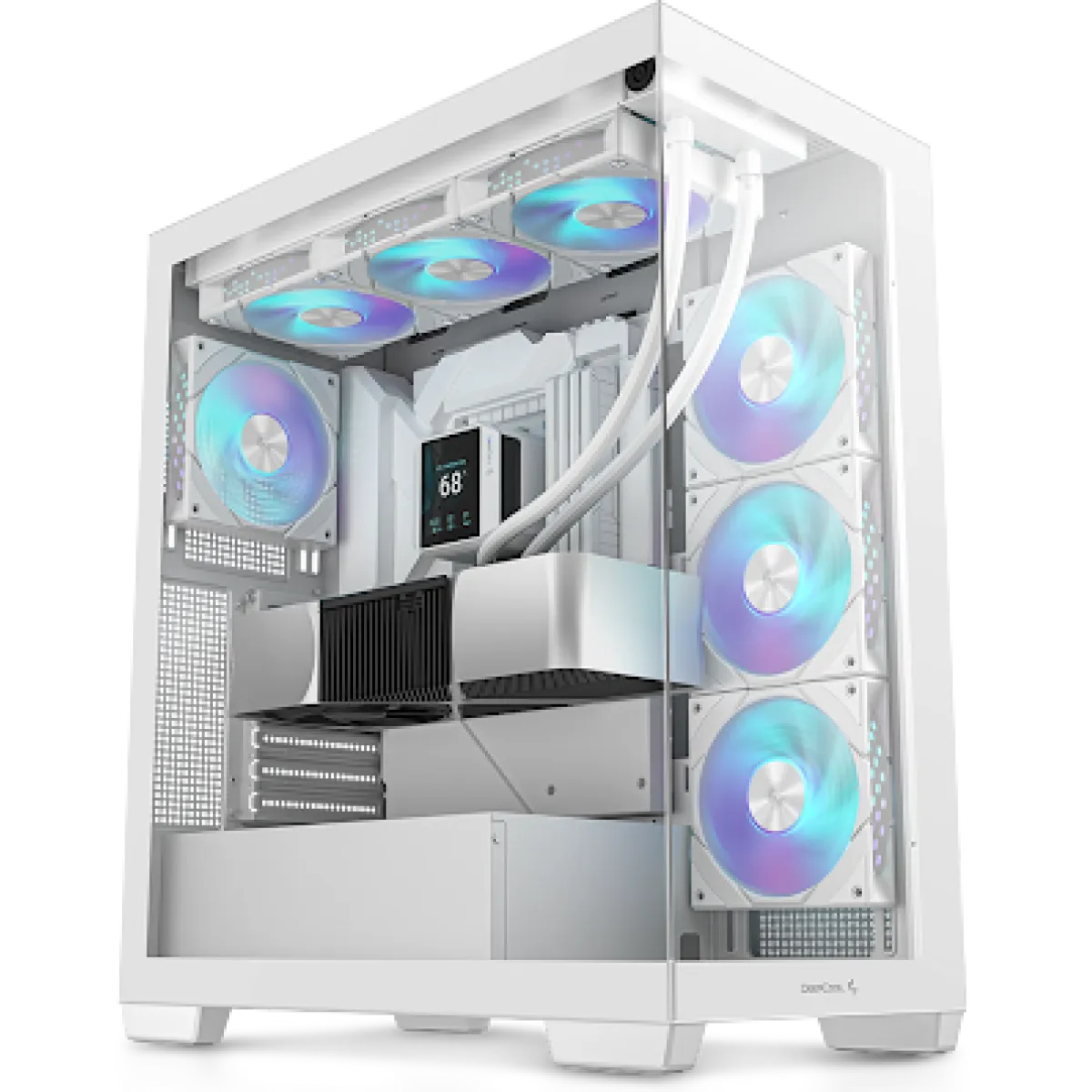
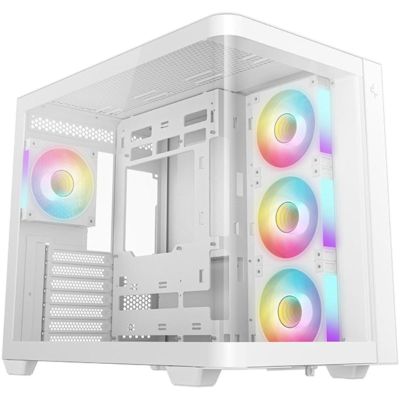
The lack of an A pillar between the front and side tempered glass panels removes the main obstruction to a clear and uninterrupted view of your incredible build. Your system will look more streamlined and cleaner thanks to the motherboard tray that can support mainstream motherboards models with back connectors from ASUS and MSI.
INNOVATIVE COOLING PLUS VISUAL EXPERIENCE
The CG580 4F WH is designed to stand out with its pre-installed cooling system, featuring three PWM ARGB reverse flow fans on the side and one PWM ARGB fan at the rear. This setup creates an efficient heat dissipation structure that enhances overall performance. The case also incorporates a dot matrix fan design with side frame lighting that supports motherboard synchronization, offering a unique technical atmosphere. By adjusting the fan settings, users can create captivating lighting modes such as a starry sky or meteor effect, transforming the interior of the case into a visual spectacle.
LED Button Operation Instructions
Switching Lighting Effect
Short press the LED button to cycle through 24 pre-set lighting effects, including "Celestial Sky", "Rainbow Meteor", and more.
When Connected to Motherboard Sync Cable:
Long press the LED button (about 2-3 seconds) until a red flash: Enter motherboard synchronization mode. The lighting effects will now be controlled by the motherboard.
Long press the LED button (about 5-6 seconds) until two green flashes: Enter power-off mode.
Long press the LED button (about 9-10 seconds) until three blue light flashes: Reset to the default lighting effect "Celestial Sky - White" mode.
Note: If the motherboard sync cable is not connected, long pressing the LED button will directly enter the power-off mode (two green flashes), and motherboard sync mode cannot be activated.
During Motherboard Sync Mode
Long press the LED button for 2 seconds: Exit the motherboard sync mode and return to lighting control by the case lighting control board.
Disconnect the motherboard sync cable: After about 1 second, motherboard sync mode will be automatically exited and original lighting settings will be restored

A little price perspective

2 records

Based on the price records this catalogue holds — not a guarantee of an all-time high or low.

Lowest price across 4 retailers.

Current lowest79 JOD
Recorded low79 JOD
Recorded high85 JOD
2026-10-202026-10-24
RecordedPriceChangeLowest at
2026-10-2479 JOD-6 JODCity Center
2026-10-2085 JODFirst recordedOfficeJo Computer And Printer Shop

Keep your options open.

Explore cases