A little research. A better upgrade.Independent price comparisonJordan · JOD
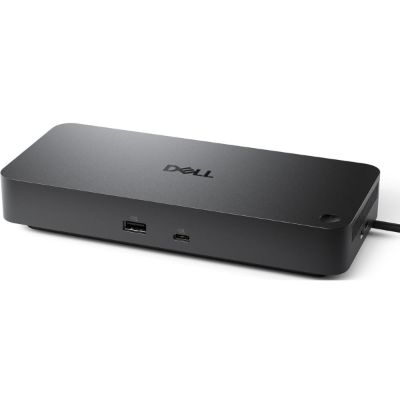
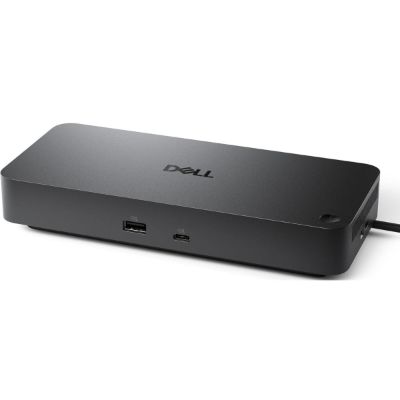
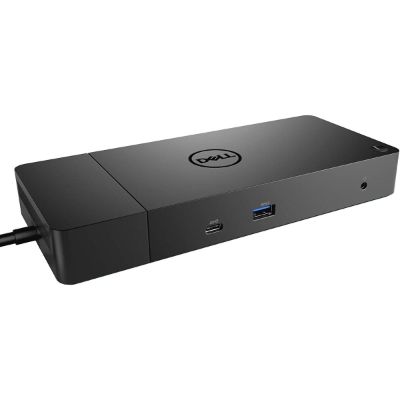
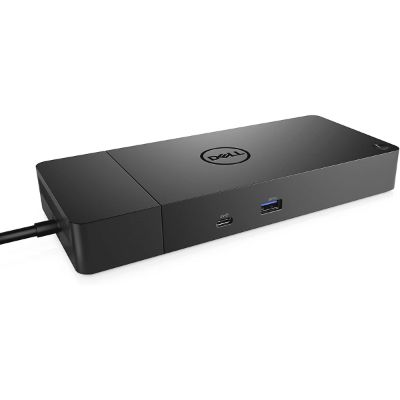
ProductDell WD19S 180W (90W NON Dell Laptops) USB-C, HDMI, Dual DisplayPort Docking Station
Product gallery · Dell
Dell · Docks

Dell WD19S 180W (90W NON Dell Laptops) USB-C, HDMI, Dual DisplayPort Docking Station

WD19S 180W · 180W

Built for the futureMix and match:Evolve as your needs change with our most versatile dock. The futu...

Lowest of 2 offers · 2 retailers199 JOD
Out of stock

Likely the same product — matched on brand and model, not on a manufacturer part number.

Prices checked 2026-11-25

One part. Every option.

Prices in JOD
RetailerPriceAvailabilityActions
GTSLowest199 JODOut of stockVisit retailer
City Center199 JODOut of stockVisit retailer

These listings match on brand and model rather than on a manufacturer part number, so the match is likely but not confirmed. Check the specifications before you buy on price alone.

Lowest offer added 2025-08-13 · Updated 2026-11-25 · No price change recorded

The finer details

Model
WD19S 180W
Brand
Dell
Category
Docks
Power Delivery
180W

Built for the future

Mix and match:Evolve as your needs change with our most versatile dock. The future-ready design lets you swap out modules with ease if you need to do field replacements or upgrade your systems.

Ultimate connectivity:USB-C connectivity makes it easier than ever to deliver power, data, audio and video in one convenient cable, no matter what system you use. Plus, with support for up to three QHD or dual 4K monitors, you can connect to everything you need.

Clean and clutter-free:Stay productive by mounting your dock behind your monitor or under your desk with the optional, secure VESA mount, that offers the complete flexibility with the built-in one-meter cable.

Information in a flash:With data transfer speeds of up to 10Gbps, you can stay productive when connected to all your devices.

Optimize your workspace

Smooth and seamless:Work without disruptions utilizing a single firmware on our most manageable docks ever. Plus, with Dell Client Command Suite and Microsoft System Center Configuration Manager, you can quickly and easily update your firmware without rebooting your dock.

Secure manageability:Keep your information safe with MAC Address pass-thru and remote port-disablement. Plus, with features like PXE Boot, Wake-on-LAN and more, it’s easier than ever to stay productive while managing your dock.

Connectivity Options

Ports & Slots:

1. USB-C 3.1 Gen 2
2. USB-A 3.1 Gen 1 with PowerShare
3. DisplayPort 1.4
4. HDMI 2.0b
5. USB-C Multifunction DisplayPort
6. Dual USB-A 3.1 Gen 1
7. Gigabit Ethernet RJ45
8. Power In

A steady price

1 record

Based on the price records this catalogue holds — not a guarantee of an all-time high or low.

Lowest price across 2 retailers.

The lowest price has not changed since it was first recorded on 2026-10-25, currently 199 JOD.

RecordedPriceChangeLowest at
2026-10-25199 JODFirst recordedCity Center

Keep your options open.

Explore docks