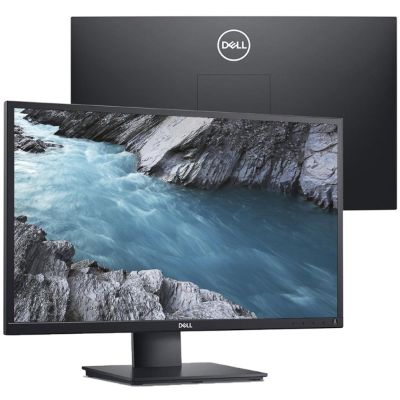
40% off
Dell · Monitors
Dell E2422H 24" FHD monitorE2422H · 24"
from 89 JODOut of stock
Compared across 4 retailers

E2422HN · 24 inch
23.80-inch FHD (1920 x 1080) · 60Hz refresh rate · 8ms Response Time · VGA/HDMI/Display Port 1.2 · Tilt Adjustment · VESA (100mm), 16.7 Million Colors
Likely the same product — matched on brand and model, not on a manufacturer part number.
| Retailer | Price | Availability | Actions |
|---|---|---|---|
 Compu JordanLowest | 119 JOD | Out of stock | Visit retailer |
 City Center | 149 JOD | Out of stock | Visit retailer |
These listings match on brand and model rather than on a manufacturer part number, so the match is likely but not confirmed. Check the specifications before you buy on price alone.
Lowest offer added 2022-11-14 · Updated 2026-11-25 · Last price change 2026-11-25
| Monitors Specifications | |
|---|---|
| Size | 23.8" |
| Panel Type | IPS |
| Aspect Ratio | 16:9 |
| Resolution | 1920 x 1080 |
| Contrast Ratio | 1000:1 |
| Viewing Angle | 178º(R/L)
178º(U/D) |
| Refresh Rate | 60 Hz |
| Input and Output | |
| D-Sub / VGA | Yes x 1 |
| HDMI | Yes x 1 |
| DisplayPort | No |
| Headphone Out | No |
Based on the price records this catalogue holds — not a guarantee of an all-time high or low.
Lowest price across 2 retailers.
| Recorded | Price | Change | Lowest at |
|---|---|---|---|
| 2026-11-25 | 119 JOD | -30 JOD | Compu Jordan |
| 2026-10-26 | 149 JOD | +30 JOD | City Center |
| 2026-09-25 | 119 JOD | First recorded | Compu Jordan |
E2422H · 24"
Compared across 4 retailers
SE2422H · 24 inch
Compared across 7 retailers
E2422HS · 24 inch
Compared across 2 retailers
E2223HN · 22 inch
Compared across 5 retailers