Epson · Scanners
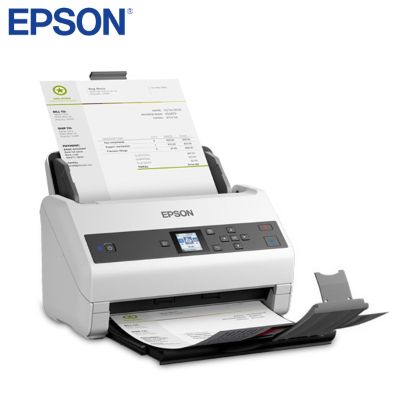
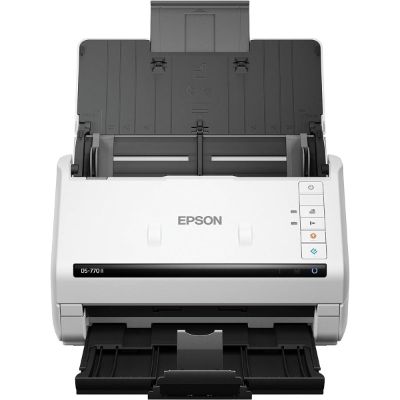
Epson WorkForce DS-770 II Color Duplex Document Scanner w/ ADF up to 45 ppmDS-770 II
from 262 JODIn stock
Compared across 2 retailers

DS-770
Likely the same product — matched on brand and model, not on a manufacturer part number.
| Retailer | Price | Availability | Actions |
|---|---|---|---|
 GTSLowest | 279.99 JOD | In stock | Visit retailer |
 CompuMe | 289 JOD | Out of stock | Visit retailer |
These listings match on brand and model rather than on a manufacturer part number, so the match is likely but not confirmed. Check the specifications before you buy on price alone.
Lowest offer added 2026-04-20 · Updated 2026-11-25 · Last price change 2026-11-17
Versatile, High-speed Scanning
Boasting a scan speed of up to 45ppm/90ipm, the DS-770 handles a wide variety of media between 27-413 gsm, so you can scan anything from paper documents to plastic cards such as ID, credit and business cards efficiently and seamlessly.
Optional Ethernet Connectivity
With the optional Network Interface Unit, the DS-770 can be shared amongst a work group via Ethernet connectivity.
Flatbed Option*
With the optional Flatbed Dock, the Epson Perfection™ V39 can be used together with the DS-770 to provide a flatbed option for users who need to scan thick objects such as books, or small and fragile documents that can be easily damaged such as receipts.
*Ethernet connectivity is not supported when flatbed option is used.
Scan Fragile and A3 Documents Easily
Scan small and fragile documents, as well as A3-sized documents, using a carrier sheet that can be automatically detected by the DS-770. Alternatively, you may scan fragile documents without using a carrier sheet by turning on the Slow Scan Mode.
User-friendly Features
Automatic Feeding Mode
The Automatic Feeding Mode enables large volumes of documents to be scanned continuously. In addition, this mode allows you to scan documents one at a time without needing to arrange them by size and they will be saved into a single PDF.
Double Feed Detection Skip Function
Activate the Double Feed Detection Skip function to scan documents with stickers and labels.
Epson Scan 2
Text Enhancement
Improves text recognition when scanning text documents, whether in colour, greyscale or black-and-white. Removes background for better clarity, which is especially useful for double-sided printed documents.
Document Skew Correction
Automatically adjusts and straightens scanned images.
Colour Enhancement & Colour Dropout
Remove or enhance the visibility of ink signatures such as “Confidential” and “Urgent” stamps. Users can pick one of the preset colours (red, green, blue, pink, purple, yellow, orange, or all colours except black), or use the customised settings to dropout or enhance up to 5 colours of your choice with a single scan. Up to 10 preset colours can be saved for reuse.
PDF Features for Added Convenience
The built-in OCR enables searchable PDF files. Secure your PDF files by setting a password to prevent unauthorised viewing, editing or printing.
Document Management
Document Capture Software*
Easily scan, view, edit, save and transfer scanned documents. The software optically recognises barcodes, characters and blank pages in scanned documents to separate them into different folders. It allows you to create up to 30 customised job settings, making multiple scan jobs a breeze.
*Limited functionality for Mac version of Document Capture software.
Document Capture Pro Server**
Document Capture Pro Server helps to centralise your scanning and manage your fleet of scanners without the need to install drivers on individual computers.
**Only for Windows Server OS.
Compatible with Epson Device Admin
With Epson Device Admin, you can now manage, monitor and configure your Epson device fleet easily. It is compatible with a large range of networked printers and scanners, and all information can be viewed via one smart, intuitive interface.
Epson Device Admin Functions:
For more information, please refer to http://www.epson.com.sg/epsondeviceadmin
Based on the price records this catalogue holds — not a guarantee of an all-time high or low.
Lowest price across 2 retailers.
| Recorded | Price | Change | Lowest at |
|---|---|---|---|
| 2026-11-17 | 279.99 JOD | -19.01 JOD | GTS |
| 2026-10-05 | 299 JOD | +10 JOD | GTS |
| 2026-09-22 | 289 JOD | First recorded | GTS |
DS-770 II
Compared across 2 retailers
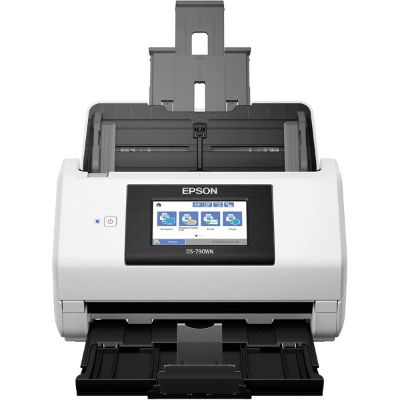
DS-790WN
Compared across 4 retailers
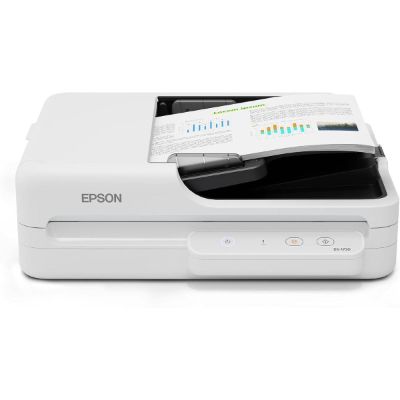
DS-1730 · A4
Compared across 4 retailers