A little research. A better upgrade.Independent price comparisonJordan · JOD
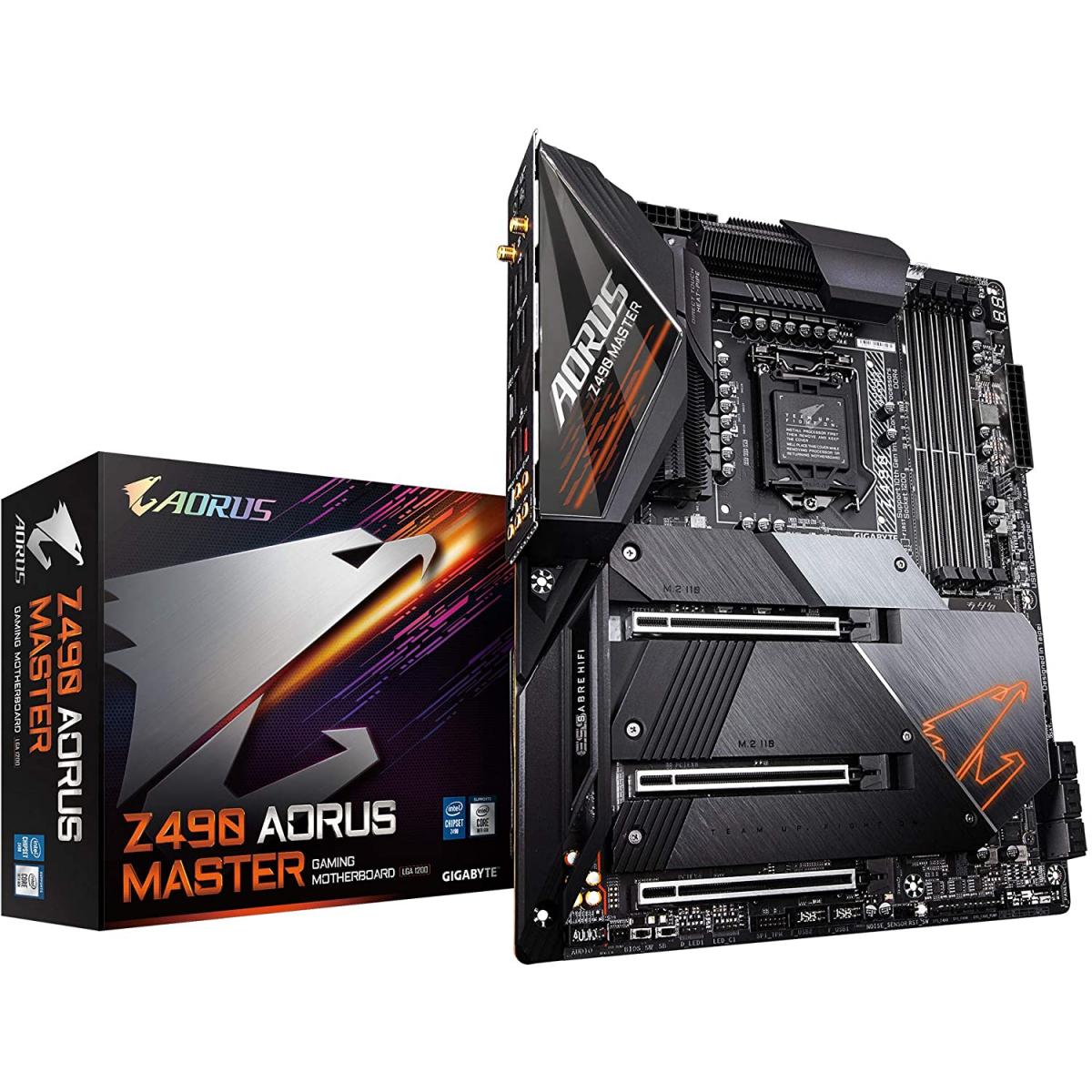
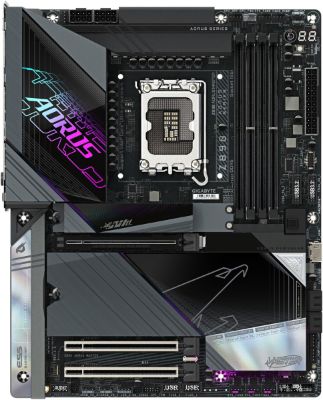
19% below normal priceGIGABYTE Z490 AORUS Master Intel Z490 3x M.2 Thermal Guard & Wi-Fi
Product gallery · GIGABYTE
GIGABYTE · Motherboards

GIGABYTE Z490 AORUS Master Intel Z490 3x M.2 Thermal Guard & Wi-Fi

Z490 AORUS Master

LGA 1200 · Z490 · ATX

Only at Oriental Store289 JOD
359 JODOut of stock
Prices checked 2026-11-25

One part. Every option.

Prices in JOD
RetailerPriceAvailabilityActions
Oriental Store289 JOD
359 · 19% off
Out of stockVisit retailer

Only one retailer in this catalogue is listing this product. Confirm the final price with the retailer.

Lowest offer added 2021-12-30 · Updated 2026-11-25 · No price change recorded

Search for other retailer offers

The finer details

Model
Z490 AORUS Master
Max Memory
128 GBfrom the maker's site
PCIe Generation
PCIe 3.0from the maker's site

Motherboard Specifications

Supported Processors
Support for 10th Generation Intel® Core™ i9 processors/Intel® Core™ i7 processors/Intel® Core™ i5 processors/Intel® Core™ i3 processors/Intel® Pentium® processors/Intel® Celeron® processors in the LGA1200 package
Chipset
Intel® Z490
Socket
LGA1200
Memory Type
DDR4
Memory Slots
4 x DDR4 DIMM sockets supporting up to 128GB (32GB single DIMM capacity) of system memory
Maximum Memory
128GB
Memory Bus Speed
Intel® Core™ i9/i7 processors:Support for DDR4 5000(O.C.)/4933(O.C.)/4800(O.C.)/ 4700(O.C.)/ 4600(O.C.)/ 4500(O.C.)/ 4400(O.C.)/ 4300(O.C.)/4266(O.C.) / 4133(O.C.) / 4000(O.C.) / 3866(O.C.) / 3800(O.C.) / 3733(O.C.) / 3666(O.C.) / 3600(O.C.) / 3466(O.C.) / 3400(O.C.) / 3333(O.C.) / 3300(O.C.) / 3200(O.C.) / 3000(O.C.) / 2933 / 2800 / 2666 / 2400 / 2133 MHz
Ports
2 x USB 3.2 Gen 2 Type-A ports (red) on the back panel1 x USB Type-C™ port with USB 3.2 Gen 1 support, available through the internal USB header6 x USB 3.2 Gen 1 ports (4 ports on the back panel, 2 ports available through the internal USB header)Chipset+2 USB 2.0 Hubs:8 x USB 2.0/1.1 ports (4\\orts on the back panel, 4 ports available through the internal USB headers)
Form Factor
ATX
M.2 Slots
1 x M.2 connector (Socket 3, M key, type 2242/2260/2280/22110 PCIe x4/x2 SSD support) (M2P_SB)1 x M.2 connector (Socket 3, M key, type 2242/2260/2280/22110 SATA and PCIe x4/x2 SSD support) (M2A_CPU)1 x M.2 connector (Socket 3, M key, type 2242/2260/2280/22110 SATA and PCIe x4/x2 SSD support) (M2M_SB)6 x SATA 6Gb/s connectors\
Expansion Slots
1 x PCI Express x16 slot, running at x16 (PCIEX16)* For optimum performance, if only one PCI Express graphics card is to be installed, be sure to install it in the PCIEX16 slot.1 x PCI Express x16 slot, running at x43 x PCI Express x1 slots

Intel I225 Firmware Update Tool * Intel I225 2.5GbE Firmware Version 1.45 for Link Stability Improvements * Please run NVMUPDATE with Administrator privilege (right-click)

SATA RAID/AHCI

Intel SATA Preinstall driver (For AHCI / RAID Mode) (Note) Windows setup to read from USB thumb drive.

Intel SATA Preinstall driver (For AHCI / RAID Mode) (Note) Win10 20H2 supported. (Note) Windows setup to read from USB thumb drive.

Intel SATA Preinstall driver (For AHCI / RAID Mode) (Note) Win10 ver.2004 supported. (Note) Windows setup to read from USB thumb drive.

Intel SATA Preinstall driver (For AHCI / RAID Mode) Note: Windows setup to read from USB thumb drive.

WLAN+BT

1. Due to different Linux support condition provided by chipset vendors, please download Linux driver from chipset vendors' website or 3rd party website. 2. Most hardware/software vendors may no longer offer drivers to support Win9X/ME/2000/XP SP1/SP2. If drivers are available from the vendors, we will update them on the GIGABYTE website.

BIOS

  • This BIOS update addresses critical security vulnerabilities (CVE-2025-7026, CVE-2025-7027, CVE-2025-7029) identified by BRLY.
  • GIGABYTE strongly recommends all users update their system BIOS immediately to protect against potential security risks.
  • Change default status of Intel® Platform Trust Technology (Intel® PTT) to Enabled for addressing basic Windows 11 requirements (https://support.microsoft.com/windows/1fd5a332-360d-4f46-a1e7-ae6b0c90645c)
  • Enable Resizable Base-Address Register (Resizable-BAR) option to enhance GPU performance.

Warning: Because BIOS flashing is potentially risky, if you do not encounter problems using the current version of BIOS, it is recommended that you not flash the BIOS. To flash the BIOS, do it with caution. Inadequate BIOS flashing may result in system malfunction.

Update CPU ID/Micro codes in new BIOS means? [1] To support new series of CPUs, or [2] To support the same CPU but with new stepping. CPU support of motherboard is consist of BIOS and hardware design, detail CPU support information please see CPU support list.

From the retailer

Support for 10th Generation Intel® Core™ i9 processors/Intel® Core™ i7 processors/Intel® Core™ i5 pr

A steady price

1 record

Based on the price records this catalogue holds — not a guarantee of an all-time high or low.

This retailer's price has not changed since it was first recorded on 2026-09-14, currently 289 JOD.

RecordedPriceChange
2026-09-14289 JODFirst recorded

Keep your options open.

Explore motherboards