GIGABYTE · Motherboards
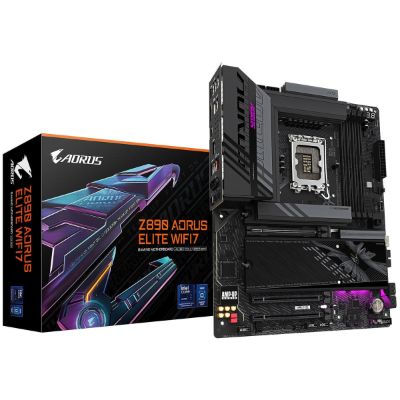
Gigabyte Z890 AORUS ELITE WIFI7 ATX DDR5 MotherboardZ890 AORUS ELITE WIFI7 · DDR5
from 269 JODIn stock
Compared across 6 retailers

Z890 AORUS Elite X ICE
| Retailer | Price | Availability | Actions |
|---|---|---|---|
 PC Circle | 319 JOD | Out of stock | Visit retailer |
Only one retailer in this catalogue is listing this product. Confirm the final price with the retailer.
Lowest offer added 2024-12-23 · Updated 2026-11-25 · No price change recorded
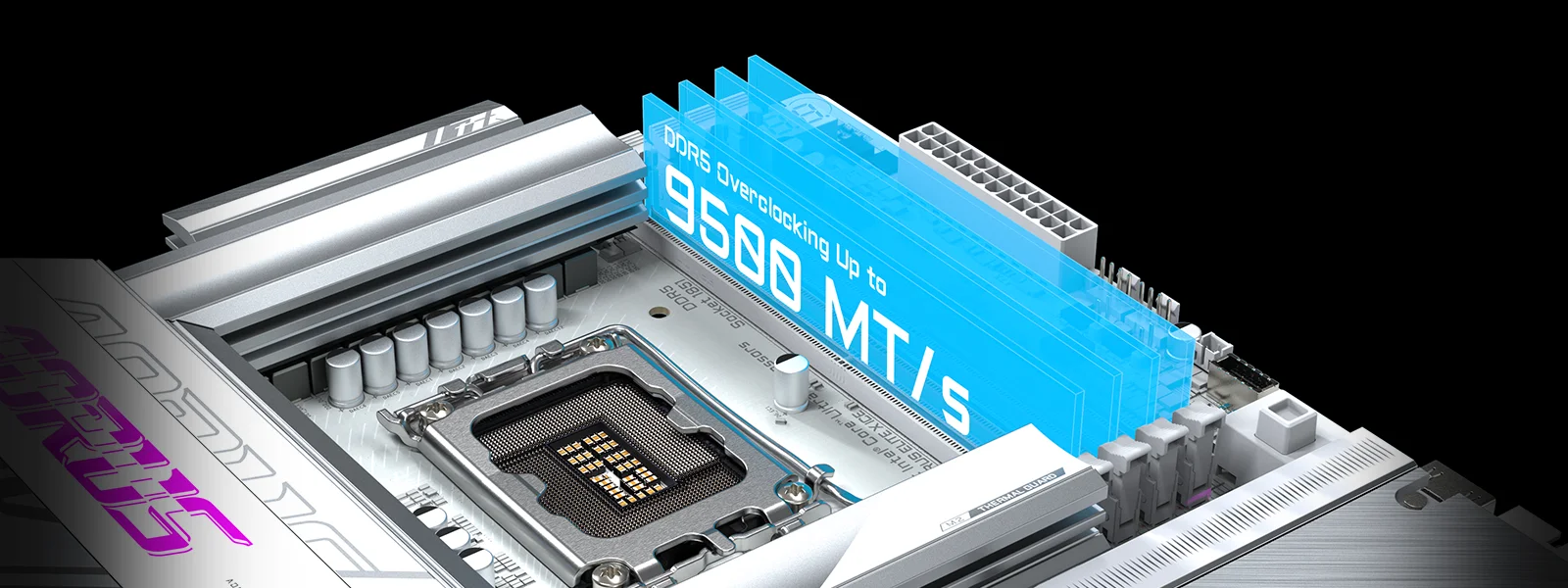
Search for other retailer offersAORUS gaming motherboards boost DDR5 memory performance and offer top-notch compatibility using various advanced methods.
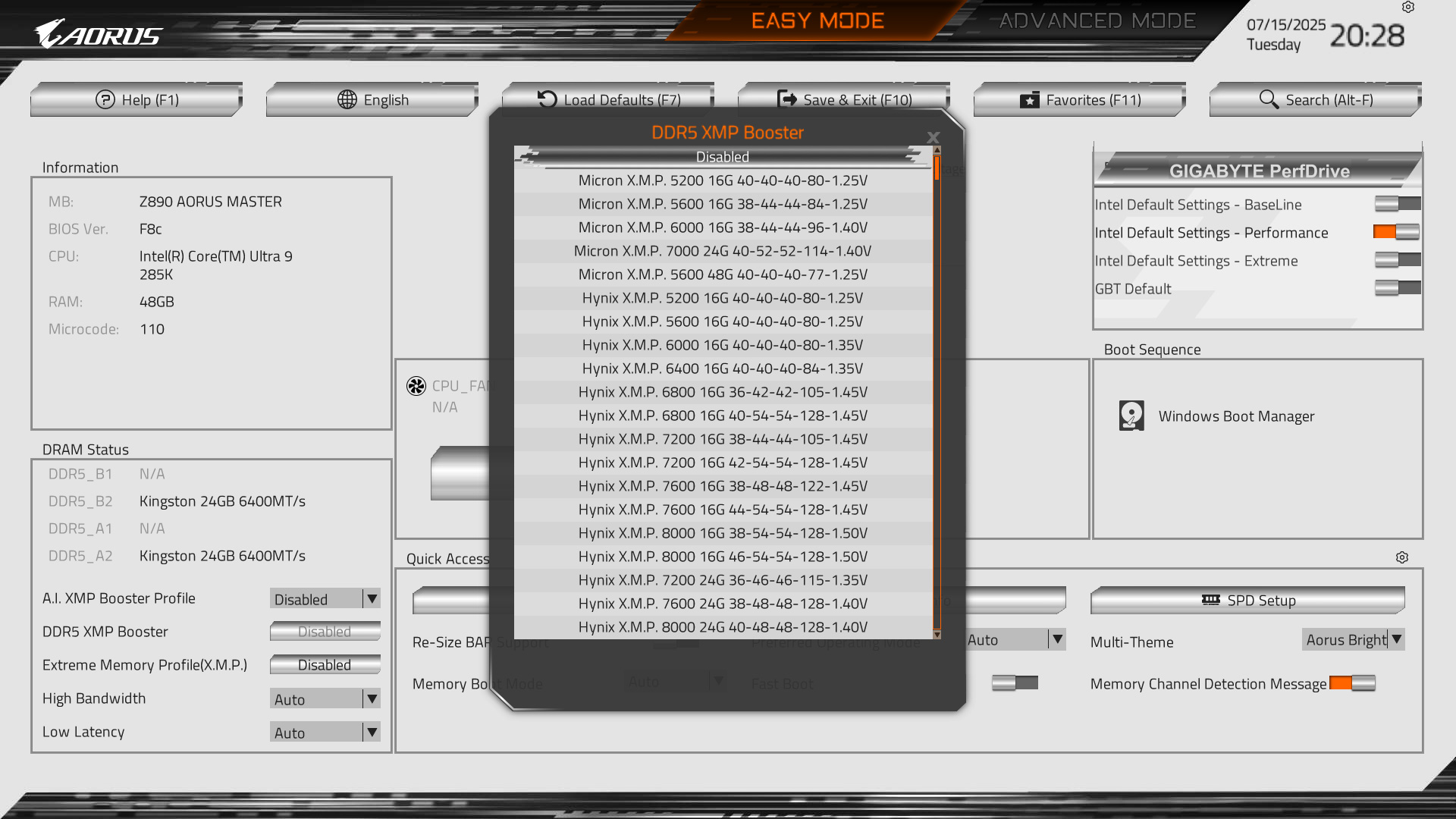
DDR5 XMP Booster feature offers ready-to-use settings derived from analysis of memory IC and PMIC vendor. This allows users to maximize DDR5 memory performance without the hassle of manual tweaking for overclocked DDR5 memory kits.
Eliminate manual entry of complex memory settings such as clock, voltage, and timings.
Seamlessly overclock for both standard and XMP 3.0 DDR5 memory frequencies.
Built-in library of pre-optimized configurations for diverse memory chip suppliers
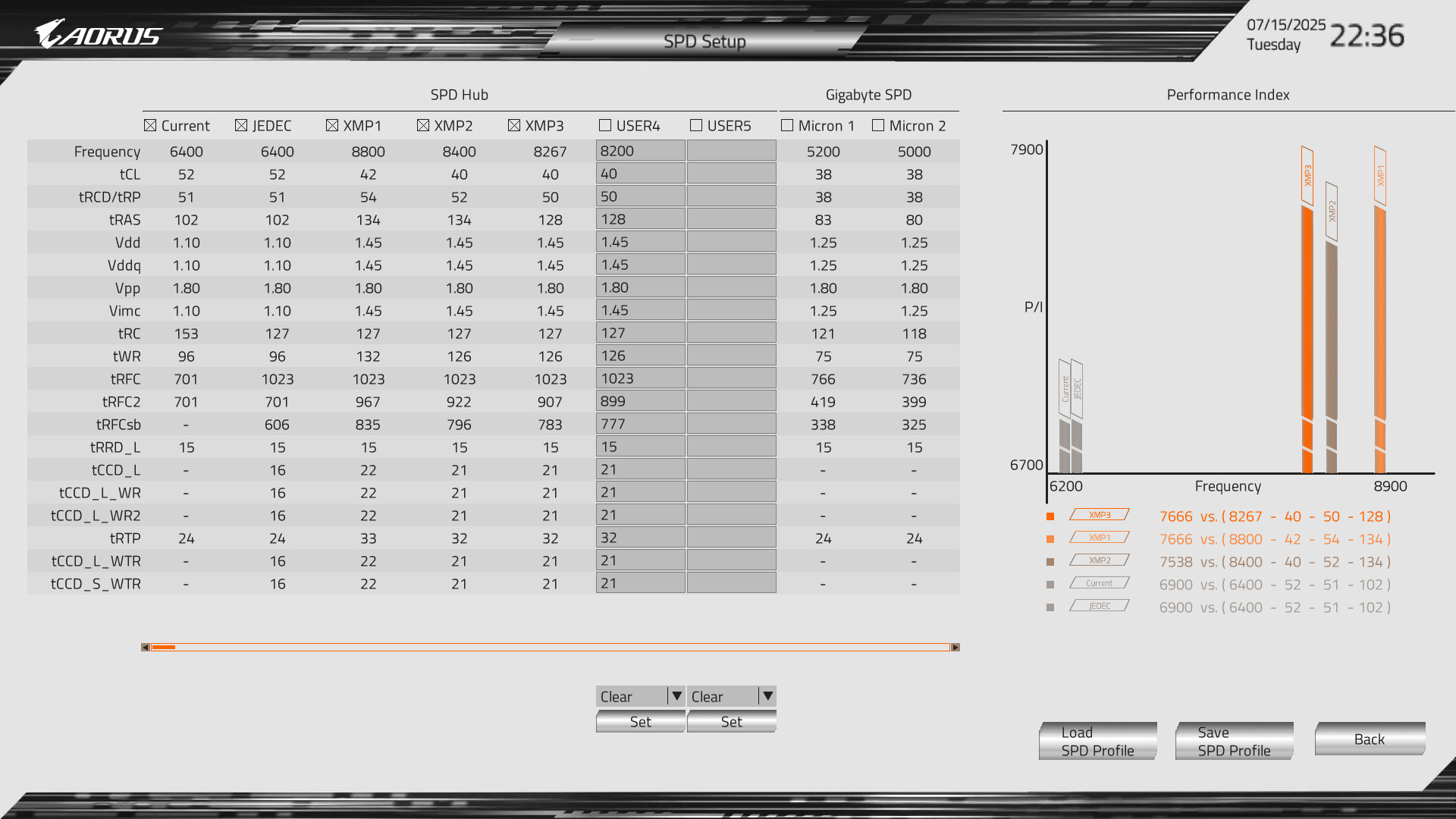
Leverage XMP 3.0 User Profile to fine-tune memory settings for peak system performance.
Create and transfer two custom SPD profiles between systems.
Rapidly assess potential memory performance by entering clock speeds and timing parameters.
Store and retrieve memory configurations for online sharing.
Enhance clock speeds of non-overclockable DDR5 modules.
Revert memory settings with a single click.
Unleash Ultimate Performance with One-Click Activation.
With just a single click, unleash the full potential of CPU & DDR5 memory, instantly boosting your gaming and work efficiency.
Enhance CPU & DDR5 speeds with a single click.
Accelerate AI processing for greater performance
Enable users to easily become overclocking experts through a simple interface.
Protect your motherboard through multiple over-temperature and over-current safeguards.
With faster computations, it also means reduced power consumption, making it more environmentally friendly and energy-efficient, continuously contributing to the well-being of our planet.
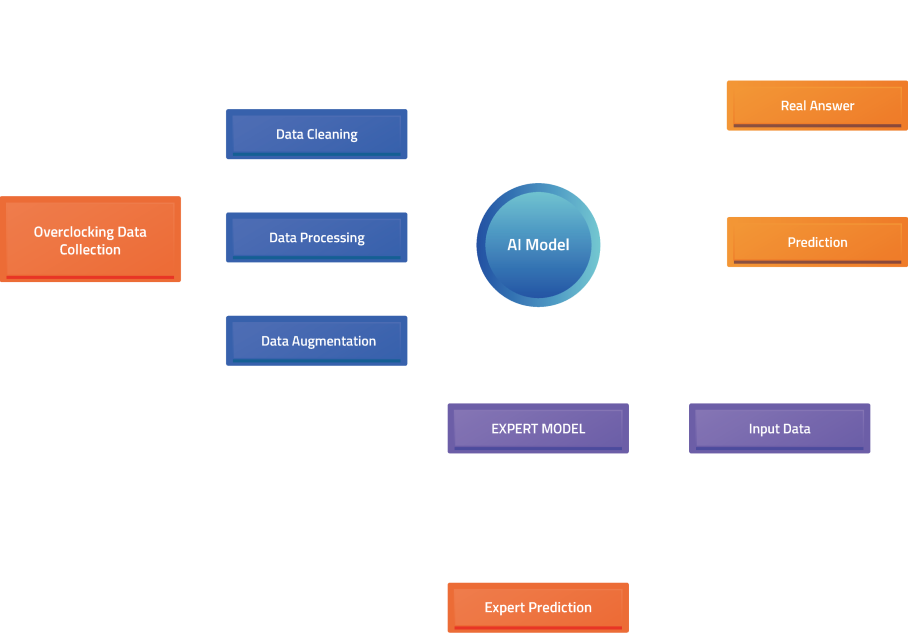
The AI model, trained by AI TOP on diverse overclocking datasets, improves precision and stability while optimizing performance. This model serves as the core of AORUS AI Snatch software.
AI-Driven PCB Technology employs AI algorithms to optimize vias, routing and stackups. It ensures peak performance and signal integrity across single and cross-layer throughout the design process.
Optimized vias & pads for signal integrity
Tailored stackups for enhanced functionality
FEATURES: AI-Generated Design Recipes AI-Driven Simulation AI-Powered Signal Verification Single and cross-layer signal optimization
Reduction in Signal Reflection Up to 28.2% AI-ViaFusion, an AI-assisted via optimization technology, determines optimal via and pad sizes across PCB areas. This technology enhances cross-layer signal integrity and transmission efficiency, outperforming traditional design methods.
AI-ViaFusion is a proprietary AI-generated hybrid via structure design. This PCB technology, validated through AI simulations and testing, aims to enhance high-speed signal transmission.
Varied via sizes for optimized signal and power paths
Custom pad sizes for performance and production balance
Via & pad sizes selected for optimal signal impedance
Precision impedance matching reduces reflections
Wider eye opening improves signal integrity
Vias (Vertical Interconnect Access) are critical for multi-layer PCB connectivity. Via size significantly impacts signal integrity, affecting capacitance, reflections, and crosstalk.
AI-ViaFusion Technology optimizes PCB performance through:
Maximized layout efficiency with signal integrity
AI-Trace Technology transforms PCB design by leveraging AI to optimize trace routing, resulting in enhanced performance and signal integrity.
Optimized signal shielding and precision
Optimized trace layout and layer separation
Innovative design eliminates signal bottlenecks
Experience next-gen PCB routing with GIGABYTE's AI-Trace Technology.
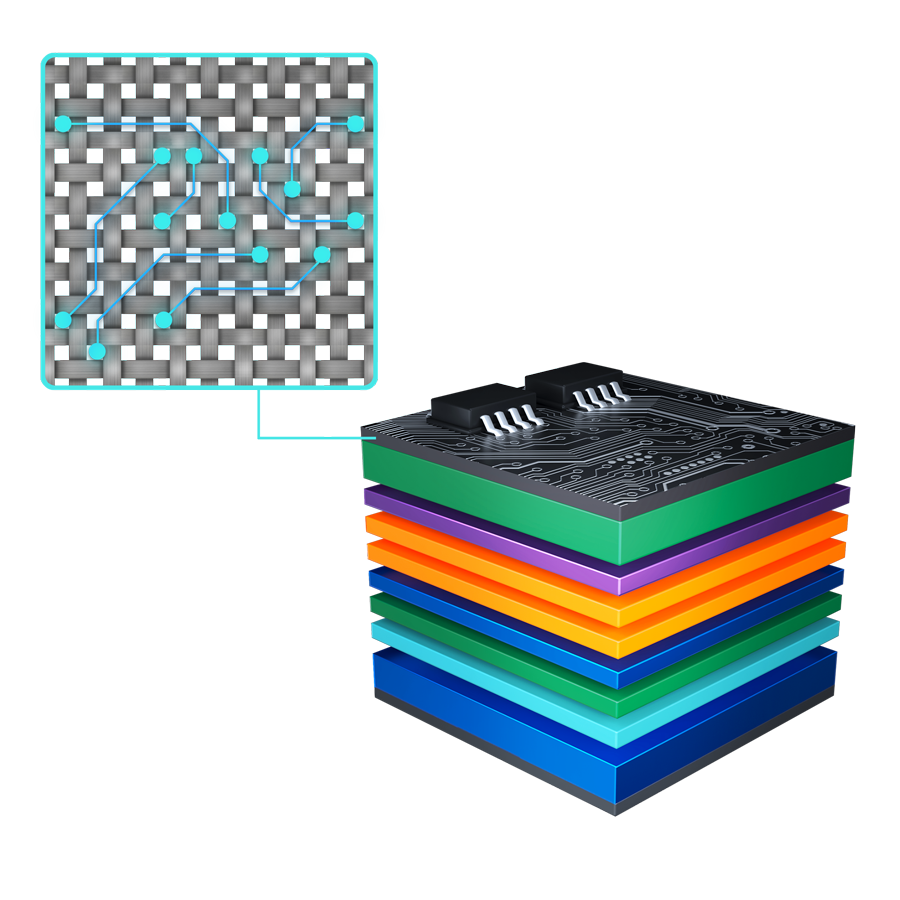
Fiber Weave Effect in high-speed PCBs stems from varying dielectric constants of epoxy resin and glass fibers, this causes varying signal propagation speeds, leading to signal integrity issues such as crosstalk and jitter. AI-Trace Technology implements innovative routing angles to mitigate this effect.
AI-Layer Technology creates innovative layer materials for multi-layer PCBs, delivering unparalleled performance.
Core Innovation: AI-Optimized Layer Customized Design
FEATURES: AI-optimized PCB layer and design material Server-Grade Low Loss PCB* Enhanced 2X Copper Technology
AI-Driven Advanced BIOS Optimization Technology
HyperTune BIOS uses AI to optimize MRC and adapt to signals. Z890 series implements this for peak efficiency, enabling significant memory clock speed boosts and enhanced overall performance.
Experience GIGABYTE's AI-Enhanced HyperTune – Unleashing next-gen BIOS performance.
Memory Reference Code (MRC) is a critical component in BIOS that initializes and configures system memory. HyperTune BIOS leverages AI to optimize MRC, pushing memory performance to new heights while maintaining system stability.
Better Play AORUS Series, steady power keeps your gaming smooth.
Delivers consistent, high-powered performance to elevate your overclocking to the next level.
Unlock the full power of your multi-core CPU for unmatched performance.
Optimized for integrated GPU performance and memory management within the CPU.
Deliver reliable power to your CPU-connected PCIe lanes for uninterrupted performance.
AORUS motherboards come with advanced full-metal thermal design and durable heatsinks to keep your system cool and efficient
High-coverage MOSFETs with integrated molded heatsinks
The RL-ILM (Reduced Load-independent loading mechanisms) significantly improves thermal performance up to 4°C and avoids possible bending of the CPU IHS (integrated heat spreader), allowing overclockers and enthusiasts to push their CPUs beyond the limit without any worries.
Superior cooling performance and whisper-quiet operation for your gaming rig.
Our cutting-edge motherboard is designed for the ultimate DIY experience. Creating your own PC becomes a delightful and smooth process.
User-friendly designs simplifying the assembly process.
Easy ejection with single click for graphics cards
The built-in video port streamlines Sensor Panel setup without management concerns. Official themes are ready for user to download.
Centralized debug LEDs and control buttons provide a handy and organized troubleshooting process when building a new computer.
A flexible control key for reset with BIOS-level reconfiguration options for diverse usage scenarios.
Disable all light displays on the motherboard.
Access the BIOS settings directly without keyboard inputs.
Access BIOS safe mode to modify select settings while preserving other configurations.
The DRAM Indicator LED will turn on when a module is installed into a non-recommended slot.
The new Auto Scan function featues when using USB flashdrive during Q-Flash, the BIOS file will be auto scanned instead of searching manually.
Effortlessly upgrade your BIOS without the need to install CPU, RAM, or GPU.
Connect the 24-pin and 8-pin power cables directly to the motherboard.
Download the motherboard's BIOS file, rename it to 'gigabyte.bin', and store it on a FAT32-formatted USB drive. Insert the drive into the Q-FLASH PLUS USB port.
Press the Q-FLASH PLUS button to trigger automatic BIOS updating.
Experience ultimate connectivity with next-generation network, storage, and Wi-Fi solutions, delivering lightning-fast data transfer speeds.
Boasts 40Gb/s speed, supports DisplayPort 1.4a, and enables connection of up to 5 devices, including 4K/8K displays, all while providing charging capabilities.
Wi-Fi 7 transforms the VR landscape with its exceptional bandwidth and minimal latency, delivering an unparalleled, seamless immersive VR experience.
Wi-Fi 7 introduces support for expansive 160 MHz channels, dramatically increasing bandwidth for unprecedented data transfer speeds.
Leveraging 4K-QAM technology, Wi-Fi 7 elevates data throughput, enabling lightning-fast file transfers and buffer-free streaming.
Wi-Fi 7's MLO (Multi-Link Operation) technology allows strategic bandwidth allocation - dedicating 2.4GHz for streaming and 5/6GHz for gaming, resulting in a superior and interruption-free network experience.
With its deterministic low latency, Wi-Fi 7 minimizes delays, making it the best choice for time-sensitive applications such as video conferencing and competitive online gaming.
Boost your signal strength with GIGABYTE's Ultra-high gain Antenna, featuring smart antenna technology for optimized Wi-Fi signal transmission.
Dive into enveloping surround sound and enjoy DSD audio playback with the Realtek ALC1220 Codec.
WIMA & Premium Grade Audio capacitors ensure consistent power delivery, recreating a professional studio-quality sound experience.
Technology embodies our commitment to excellence, providing gamers with a platform that's not only powerful but also built for longevity and reliability. AORUS series motherboards are engineered to endure and excel.
The latest PCIe UD Slot X offers unparalleled robustness, delivering superior protection for your graphics card.
Our innovative UD Power Connector design enhances power conductivity and thermal dissipation.
Features a metal reinforcement plate for the PCIe x16 slot, enhancing stability and durability to support large graphics cards.
GIGABYTE motherboards showcases our devotion to BIOS improvement. Through synergy with our user community, we democratize next-level computing power.
Restructured with user-centered and intuitive performance adjustment mechanisms.
Now users can choose different BIOS themes with one simple click It not only delivers an immersive user experience but also offers a brand new user-friendly theme: Grayscale.
Enable non-windows users to adjust AIO fan speed in the BIOS before entering the OS.
Featuring " Recommand me profile" function, AI Perfdrive uses the loading tool to make intelligent evaluation and predictions of the optimal usage scenarios for users. Based on the actual temperature performance of the user's system, it can provide users the most optimal and customized "preset profile" recommendations.
GIGABYTE User-Centred (UC) BIOS elevates the interface, delivering an optimized experience through an easy-to-navigate layout and attractive design for optimal usability..
GIGABYTE UC BIOS' Quick Access function selects brings 9 key options from Advanced Mode directly into Easy Mode, enabling swift adjustments without extensive navigation.
A unified software platform encompassing multiple GIGABYTE product.
Liberate your imagination using GCC's versatile illumination options for your motherboard. Tailor your setup with eye-catching displays that mirror your unique personality and preferences.
Programmable RGB LED connectors enable precise control over individual LEDs (for ARGB GEN2 devices), seamlessly managed through the GCC.
The new feature provides real-time monitoring on CPU Vcore power phases.
AORUS and HWiNFO co-branded OSD(On-Screen Display) can display values as text or graphs in an overlay or independent window, also in full-screen applications and games, with no need for additional software installation.
When using HWiNFO on a GIGABYTE motherboard, a custom AORUS-themed interface automatically activates, offering light and dark options. This AORUS Skin can be manually applied to non-GIGABYTE boards as well.
Thanks to the collaborative efforts of GIGABYTE and HWiNFO experts, this sophisticated monitoring tool now provides unprecedented detail in memory timing readouts. This empowers users to closely track memory performance and gather crucial insights.
GIGABYTE motherboard users can now access comprehensive BIOS details in real-time through HWiNFO. This includes toggle and tweaker statuses, as well as BIOS versions. No need for system reboots to check BIOS info. anymore.
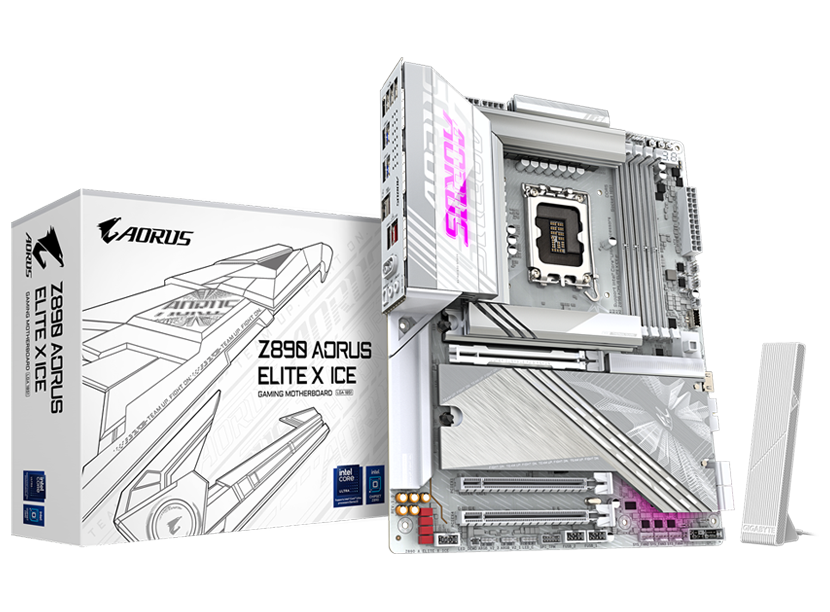












Z890 AORUS Elite X ICE
Based on the price records this catalogue holds — not a guarantee of an all-time high or low.
This retailer's price has not changed since it was first recorded on 2026-10-20, currently 319 JOD.
| Recorded | Price | Change |
|---|---|---|
| 2026-10-20 | 319 JOD | First recorded |
Z890 AORUS ELITE WIFI7 · DDR5
Compared across 6 retailers
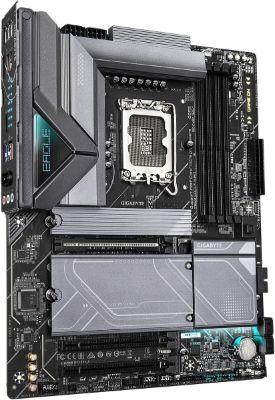
Z890 Eagle WIFI7 · DDR5
Compared across 5 retailers
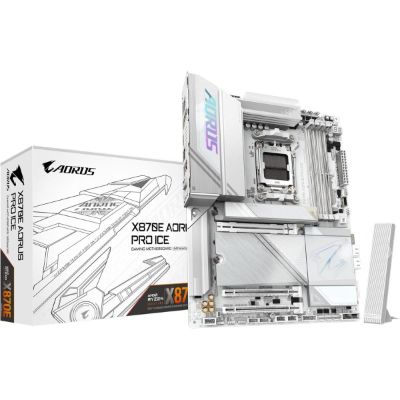
X870E AORUS PRO ICE
Compared across 5 retailers
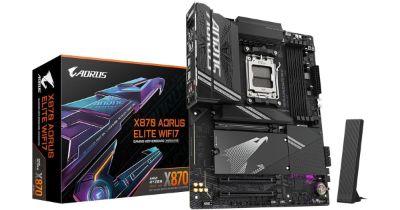
X870 AORUS ELITE WIFI7 · ATX
Compared across 4 retailers