GIGABYTE · Motherboards
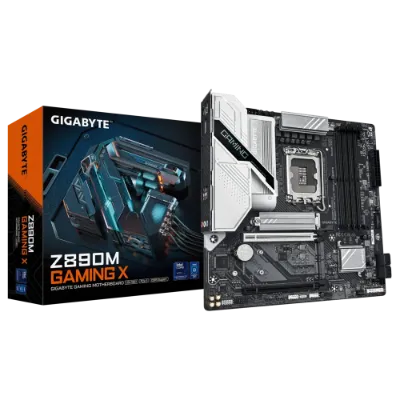
GIGABYTE Z890M GAMING X LGA 1851 DDR5 Gaming MotherboardZ890M GAMING X · DDR5
169 JODIn stock
Compared across 5 retailers
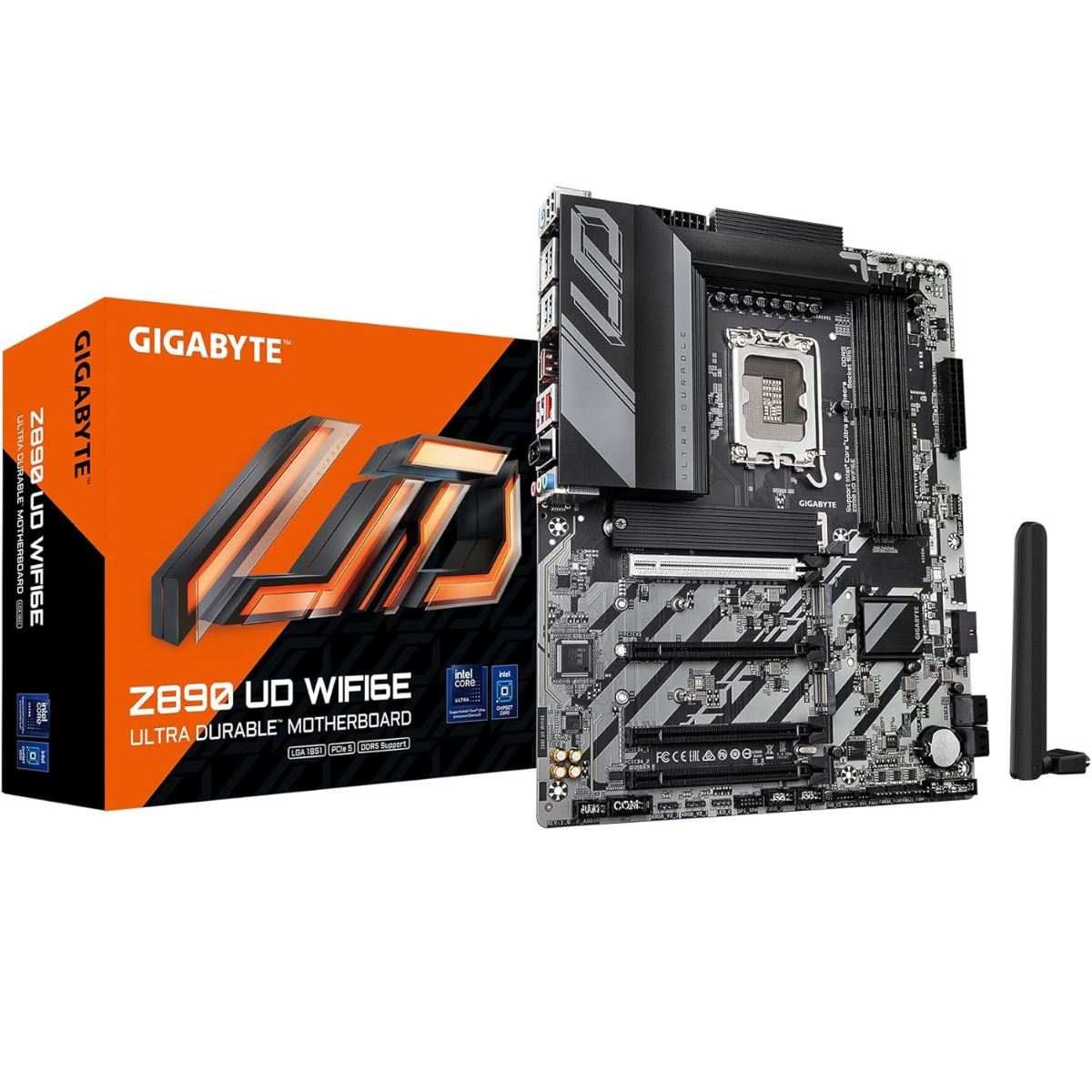
Z890-UD-WIFI6E · DDR5
Likely the same product — matched on brand and model, not on a manufacturer part number.
| Retailer | Price | Availability | Actions |
|---|---|---|---|
 PC CircleLowest | 189 JOD | In stock | Visit retailer |
 Oriental Store | 199 JOD | Out of stock | Visit retailer |
 PCYARD | 199 JOD | Out of stock | Visit retailer |
 Platinum | 204 JOD | Out of stock | Visit retailer |
These listings match on brand and model rather than on a manufacturer part number, so the match is likely but not confirmed. Check the specifications before you buy on price alone.
Lowest offer added 2025-04-19 · Updated 2026-11-25 · Last price change 2026-11-11
UD motherboards boost DDR5 memory performance and offer top-notch compatibility using various advanced methods.
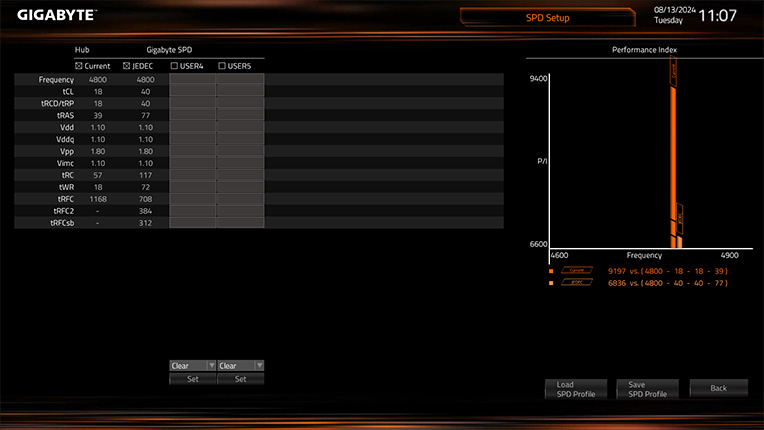
DDR5 XMP Booster feature offers ready-to-use settings derived from analysis of memory IC and PMIC vendor. This allows users to maximize DDR5 memory performance without the hassle of manual tweaking for overclocked DDR5 memory kits.
Eliminate manual entry of complex memory settings such as clock, voltage, and timings.
Seamlessly overclock for both standard and XMP 3.0 DDR5 memory frequencies.
Built-in library of pre-optimized configurations for diverse memory chip suppliers.
Leverage XMP 3.0 User Profile to fine-tune memory settings for peak system performance.
Create and transfer two custom SPD profiles between systems.
Rapidly assess potential memory performance by entering clock speeds and timing parameters.
Store and retrieve memory configurations for online sharing.
Enhance clock speeds of non-overclockable DDR5 modules.
Revert memory settings with a single click.
Unleash Ultimate Performance with One-Click Activation.
With just a single click, unleash the full potential of CPU & DDR5 memory, instantly boosting your gaming and work efficiency.
Enhance CPU & DDR5 speeds with a single click.
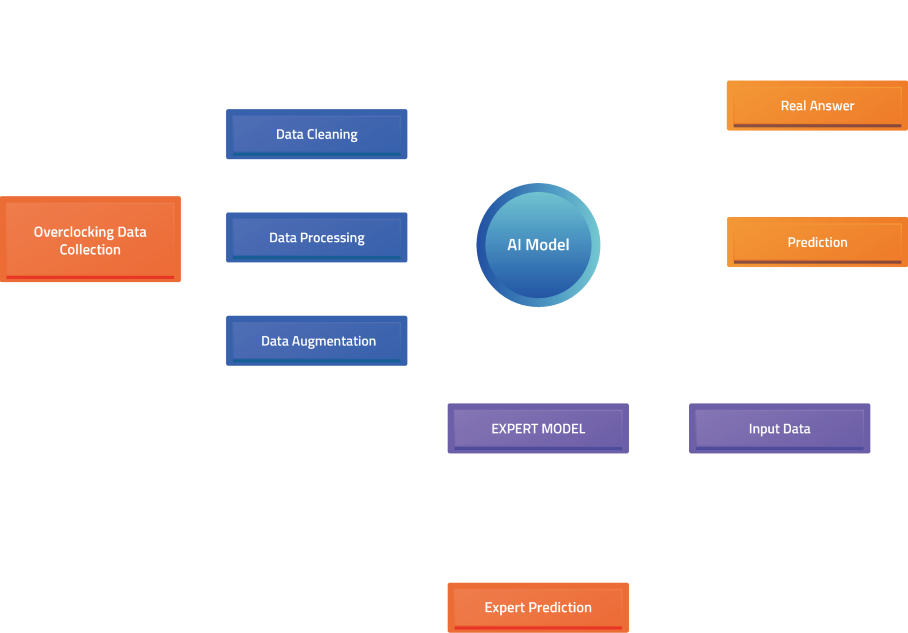
Accelerate AI processing for greater performance
Enable users to easily become overclocking experts through a simple interface.
Protect your motherboard through multiple over-temperature and over-current safeguards.
With faster computations, it also means reduced power consumption, making it more environmentally friendly and energy-efficient, continuously contributing to the well-being of our planet.
The AI model, trained by AI TOP on diverse overclocking datasets, improves precision and stability while optimizing performance. This model serves as the core of AORUS AI Snatch software.
AI-Driven PCB Technology employs AI algorithms to optimize vias, routing and stackups. It ensures peak performance and signal integrity across single and cross-layer throughout the design process.
Optimized vias & pads for signal integrity
Tailored stackups for enhanced functionality
FEATURES: AI-Generated Design Recipes AI-Driven Simulation AI-Powered Signal Verification Single and cross-layer signal optimization
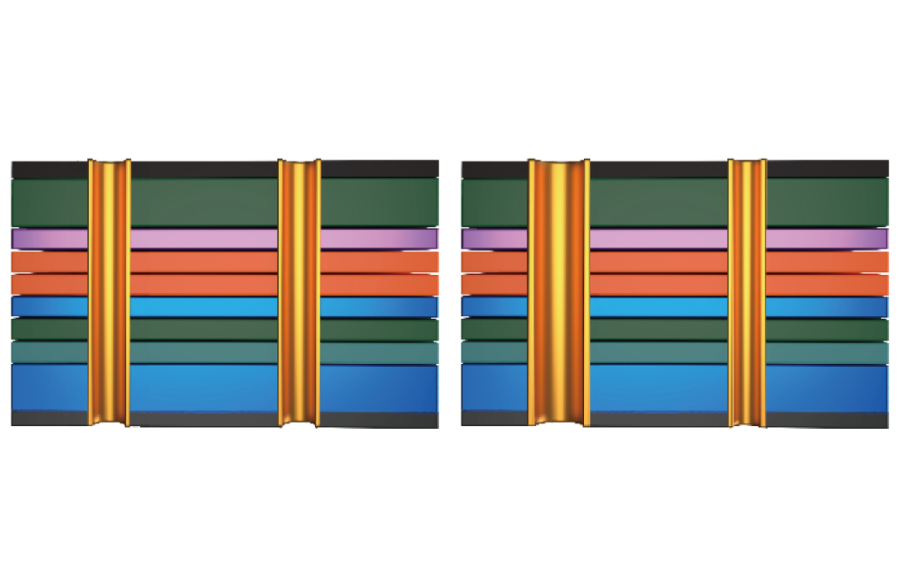
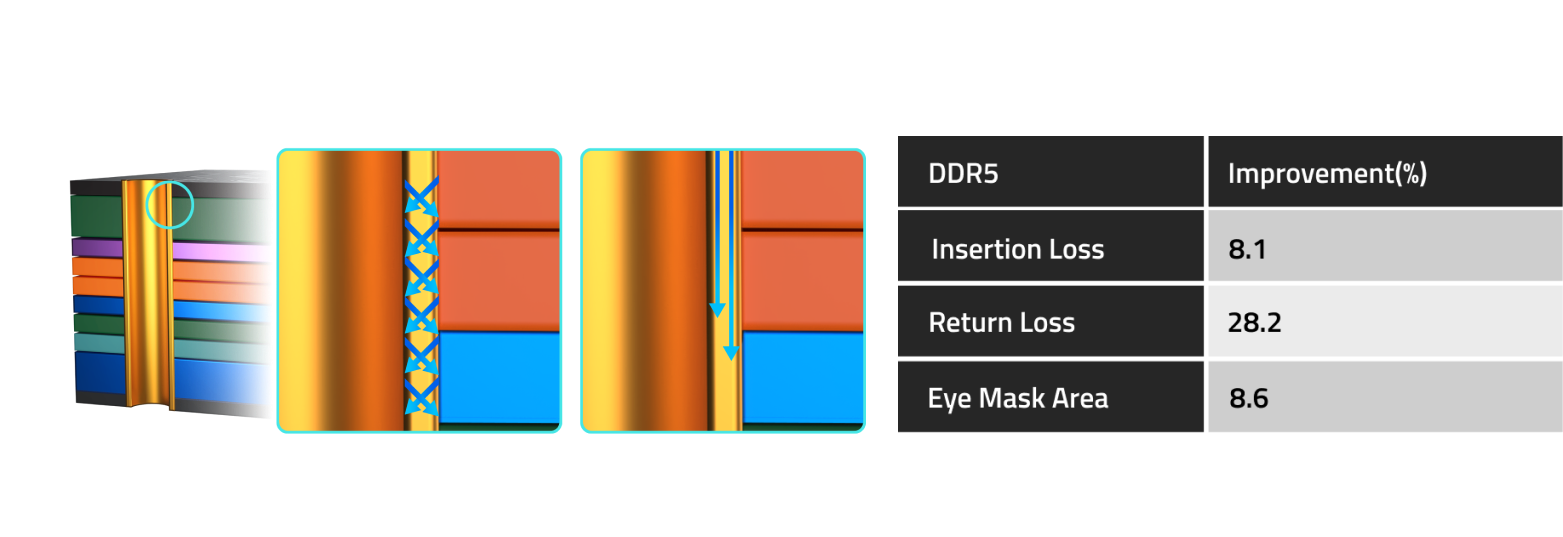
Reduction in Signal Reflection Up to 28.2% AI-ViaFusion, an AI-assisted via optimization technology, determines optimal via and pad sizes across PCB areas. This technology enhances cross-layer signal integrity and transmission efficiency, outperforming traditional design methods.
AI-ViaFusion is a proprietary AI-generated hybrid via structure design. This PCB technology, validated through AI simulations and testing, aims to enhance high-speed signal transmission.
Varied via sizes for optimized signal and power paths
Custom pad sizes for performance and production balance
Via & pad sizes selected for optimal signal impedance
Precision impedance matching reduces reflections
Wider eye opening improves signal integrity
Vias (Vertical Interconnect Access) are critical for multi-layer PCB connectivity. Via size significantly impacts signal integrity, affecting capacitance, reflections, and crosstalk.
AI-ViaFusion Technology optimizes PCB performance through :
Maximized layout efficiency with signal integrity
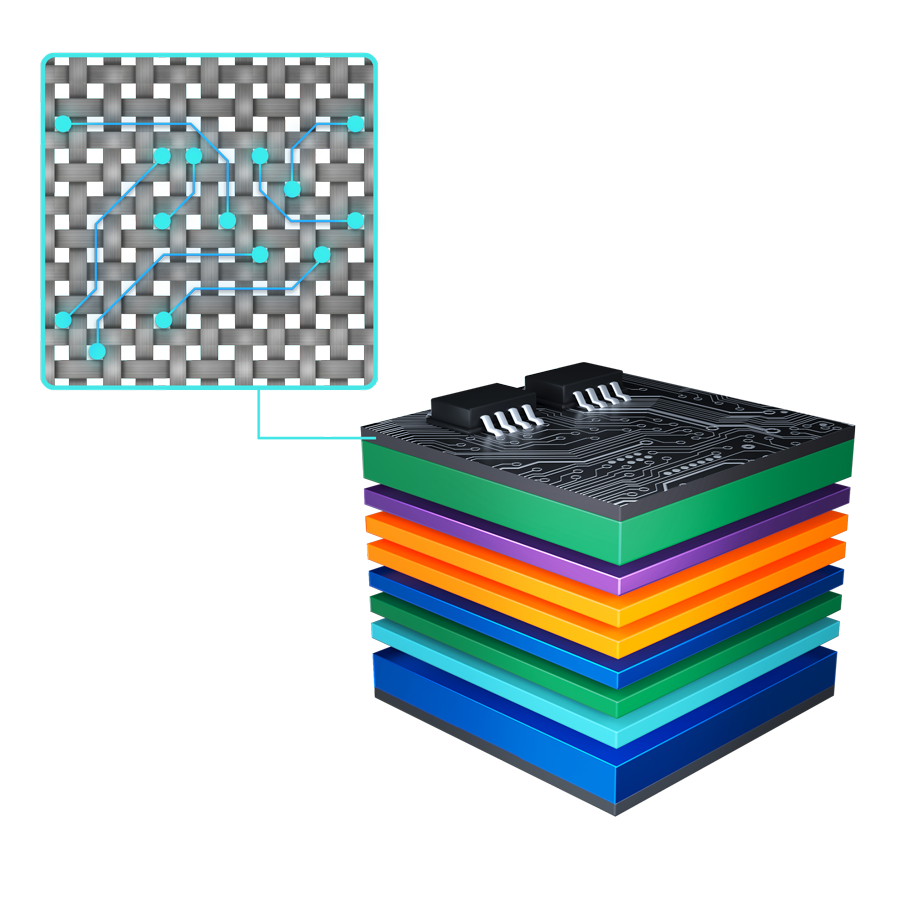
AI-Trace Technology transforms PCB design by leveraging AI to optimize trace routing, resulting in enhanced performance and signal integrity.
Optimized signal shielding and precision
Optimized trace layout and layer separation
Innovative design eliminates signal bottlenecks
Experience next-gen PCB routing with GIGABYTE's AI-Trace Technology.
Fiber Weave Effect in high-speed PCBs stems from varying dielectric constants of epoxy resin and glass fibers, this causes varying signal propagation speeds, leading to signal integrity issues such as crosstalk and jitter. AI-Trace Technology implements innovative routing angles to mitigate this effect.
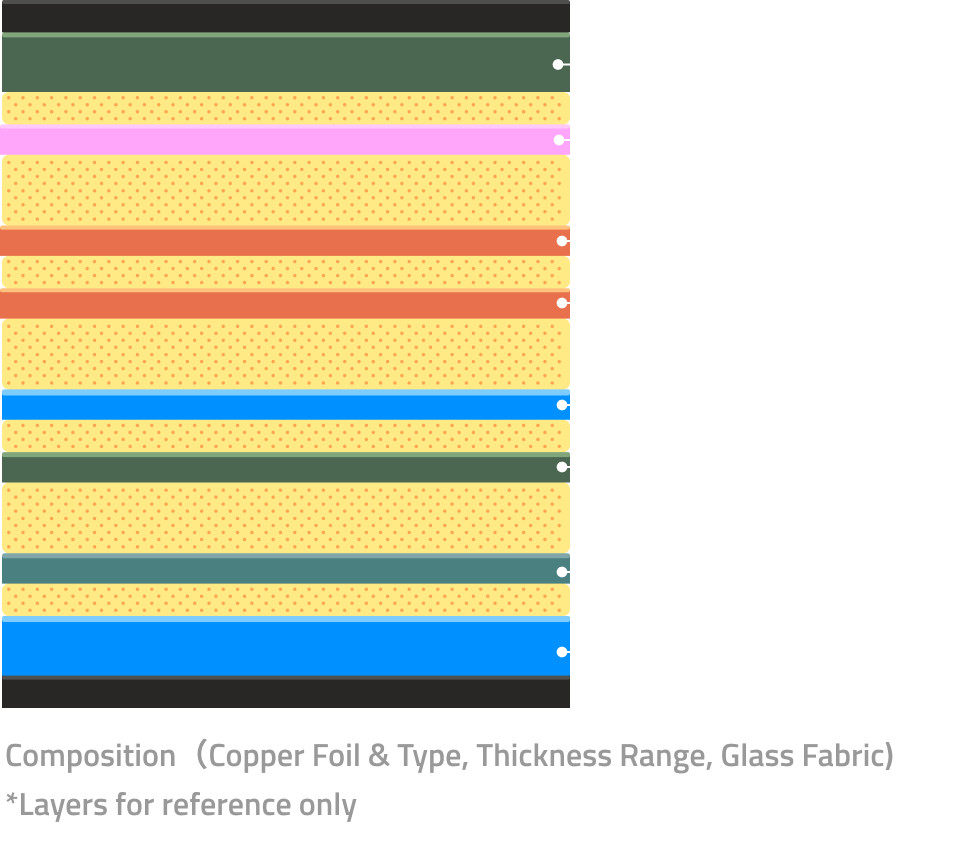
AI-Layer Technology creates innovative layer materials for multi-layer PCBs, delivering unparalleled performance.
Core Innovation: AI-Optimized Layer Customized Design
FEATURES: AI-optimized PCB layer and design material Server-Grade Low Loss PCB* Enhanced 2X Copper Technology
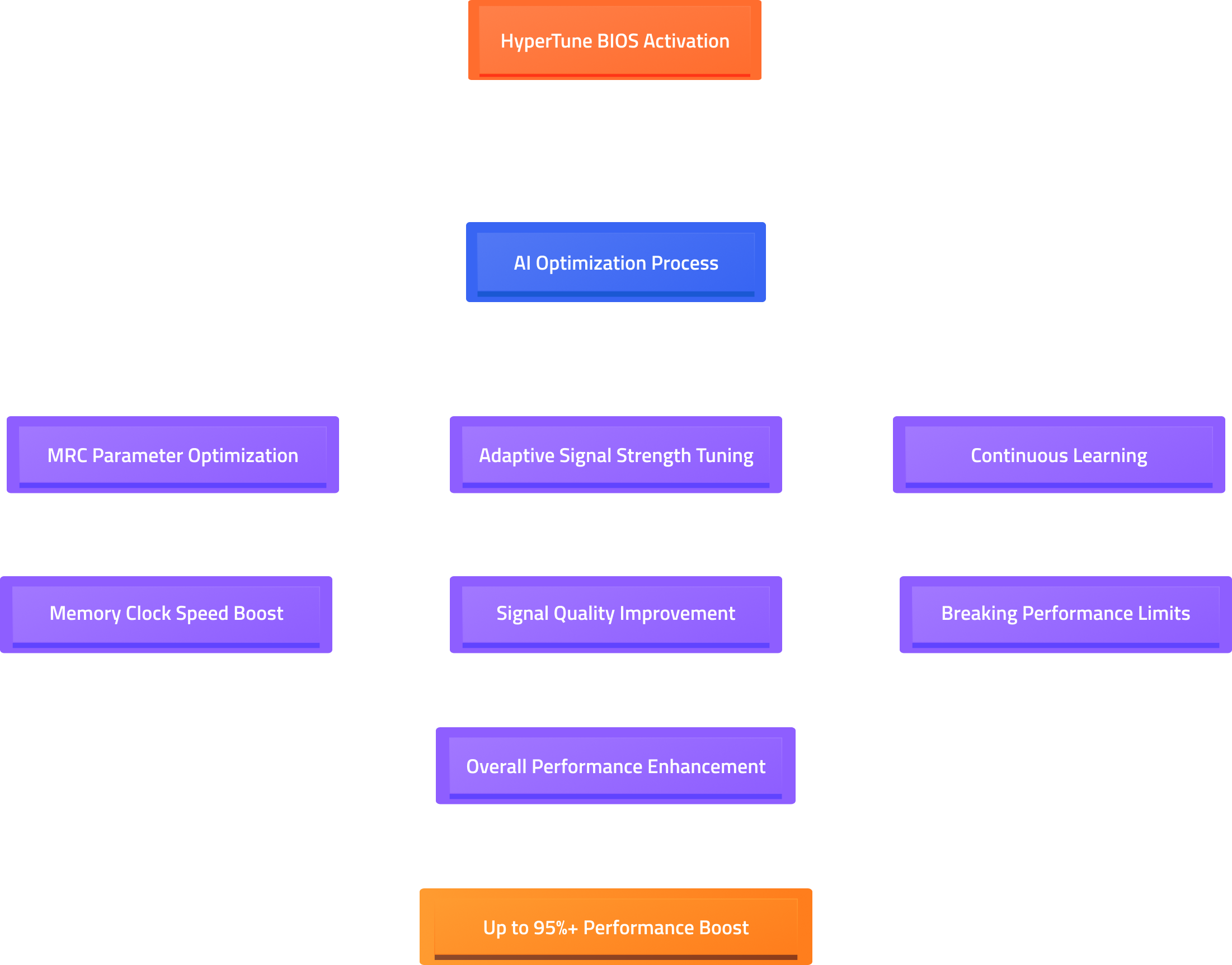
AI-Driven Advanced BIOS Optimization Technology
HyperTune BIOS uses AI to optimize MRC and adapt to signals. Z890 series implements this for peak efficiency, enabling significant memory clock speed boosts and enhanced overall performance.
Experience GIGABYTE's AI-Enhanced HyperTune – Unleashing next-gen BIOS performance.
Memory Reference Code (MRC) is a critical component in BIOS that initializes and configures system memory. HyperTune BIOS leverages AI to optimize MRC, pushing memory performance to new heights while maintaining system stability.
Benefits of HyperTune BIOS MRC Optimization
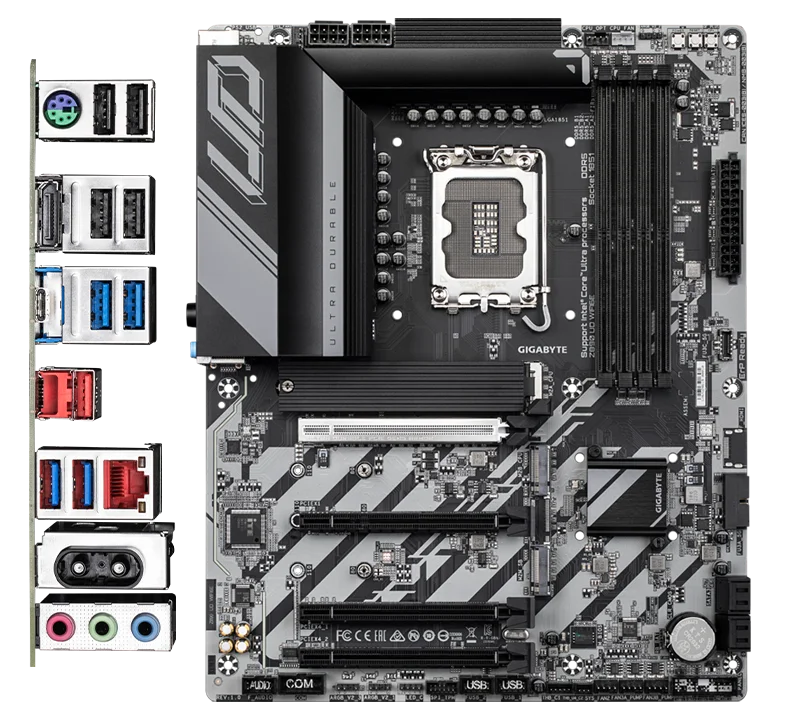
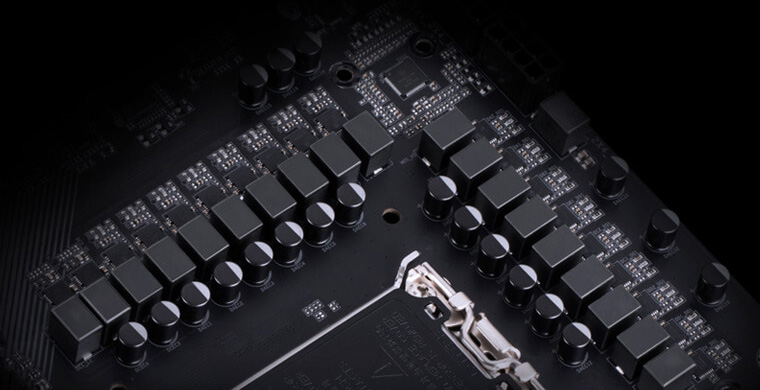
GIGABYTE Ultra Durable™ motherboards built with optimal components inside out provide the prime performance and timeless platform.
The best VRM design ever built with the highest quality components. Delivers enhanced system performance with ultimate hardware scalability.
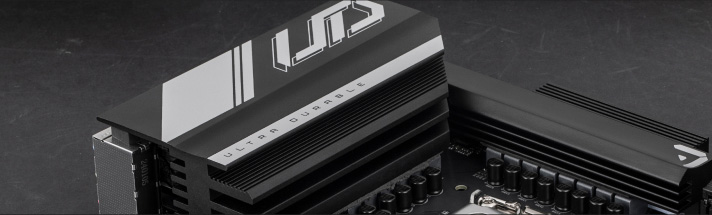
UD motherboards come with advanced full-metal thermal design and durable heatsinks to keep your system cool and efficient.
3X larger surface area for enhanced heat dissipation
With up to 3 times the surface area of traditional coolers, this advanced design significantly boosts MOSFET cooling performance.
Superior cooling performance and whisper-quiet operation for your gaming rig.
The ultimate connectivity with blazing data-transfer speeds through the next generation network and storage.
The latest USB4 Type-C ports provide blistering fast and reliable transfer speed up to 40 Gbps. Featuring extensive comparability, efficient charging, and ultra-HD displayport connectivity, USB4 is beneficial to video editing, large file transfers, and data-intensive tasks.
The latest Wireless solution 802.11ax Wi-Fi 6E with new dedicated 6GHz band, enables gigabit wireless performance, provides smooth video streaming, better gaming experience, few dropped connections and speeds up to 2.4Gbps. Moreover, Bluetooth 5 provides 4X range over BT 4.2 and with faster transmission.
Wi-Fi 6E brings faster Wi-Fi speeds, lower latency, and better battery life for VR devices, which means streaming VR games wirelessly from your PC to your VR device offers a lot smoother and has higher quality video.
Spectrum congestion is huge problem in current Wi-Fi environment nowadays because too many devices all use existing 2.4GHz and 5GHz spectrum, and it cause unreliable connection and slower speed. Wi-Fi 6E is extended standard to Wi-Fi 6, and it use dedicated 6GHz band that it provides not only brand new frequency to transfer data, but also spacious spectrum for future more devices. With Wi-Fi 6E, users can enjoy faster connection and stronger signal than before.
Supercharge your gaming with 2.5GbE LAN Achieve lightning-fast speeds, minimal lag, and unbeatable performance to elevate your gaming setup and dominate the competition.
Featuring PCIe 5.0 x16 slot and PCIe 4.0 M.2 slot support, GIGABYTE Motherboards are ready to work with the PCIe 5.0/ 4.0 devices to provide the superior performance.
High-End Audio Capacitors Audio Noise Guard
GIGABYTE motherboards use high-end audio capacitors. These high quality capacitors help deliver high resolution and high fidelity audio to provide the most realistic sound effects for gamers.
GIGABYTE motherboards feature an audio noise guard that essentially separates the board’s sensitive analog audio components from potential noise pollution at the PCB level.
Innovative and intuitive hardware, software, and BIOS interface design to create your personal style.
Centralized debug LEDs and control buttons provide a handy and organized troubleshooting process when building a new computer.
A flexible control key for reset with BIOS-level reconfiguration options for diverse usage scenarios.
Disable all light displays on the motherboard.
Access the BIOS settings directly without keyboard inputs.
Access BIOS safe mode to modify select settings while preserving other configurations.
The DRAM Indicator LED will turn on when a module is installed into a non-recommended slot.
Unlock the latch of the PCIe slot easily when remove the graphics card in the PCIe slot.
Restructured with user-centered and intuitive performance adjustment mechanisms.
The newly exclusive grayscale mode provides a refreshing interface, ensuring a significantly more friendly and pleasant user experience.
Enable non-windows users to adjust AIO fan speed in the BIOS before entering the OS.
Featuring "Recommand me profile" function, AI Perfdrive uses the loading tool to make intelligent evaluation and predictions of the optimal usage scenarios for users. Based on the actual temperature performance of the user's system, it can provide users the most optimal and customized "preset profile" recommendations.
GIGABYTE User-Centred (UC) BIOS elevates the interface, delivering an optimized experience through an easy-to-navigate layout and attractive design for optimal usability.
GIGABYTE UC BIOS' Quick Access function selects brings 9 key options from Advanced Mode directly into Easy Mode, enabling swift adjustments without extensive navigation.
The new Auto Scan function featues when using USB flashdrive during Q-Flash, the BIOS file will be auto scanned instead of searching manually.
Effortlessly upgrade your BIOS without the need to install CPU, RAM, or GPU.
Connect the 24-pin and 8-pin power cables directly to the motherboard.
Download the motherboard's BIOS file, rename it to 'gigabyte.bin', and store it on a FAT32-formatted USB drive. Insert the drive into the Q-FLASH PLUS USB port.
Press the Q-FLASH PLUS button to trigger automatic BIOS updating.
The new feature provides real-time monitoring on CPU Vcore power phases.
When using HWiNFO on a GIGABYTE motherboard, a custom AORUS-themed interface automatically activates, offering light and dark options. This AORUS Skin can be manually applied to non-GIGABYTE boards as well.
AORUS and HWiNFO co-branded OSD(On-Screen Display) can display values as text or graphs in an overlay or independent window, also in full-screen applications and games, with no need for additional software installation.
Thanks to the collaborative efforts of GIGABYTE and HWiNFO experts, this sophisticated monitoring tool now provides unprecedented detail in memory timing readouts. This empowers users to closely track memory performance and gather crucial insights.
GIGABYTE motherboard users can now access comprehensive BIOS details in real-time through HWiNFO. This includes toggle and tweaker statuses, as well as BIOS versions. No need for system reboots to check BIOS info. anymore.
A unified software platform encompassing multiple GIGABYTE product.
Personalize the RGB illumination on your motherboard and connected peripherals.
Programmable RGB LED connectors enable precise control over individual LEDs (for ARGB GEN2 devices), seamlessly managed through the GCC.
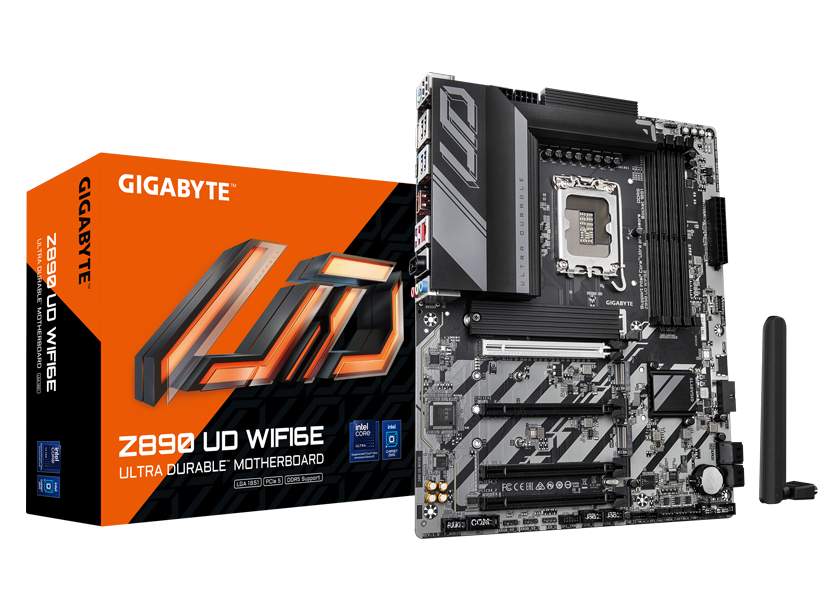
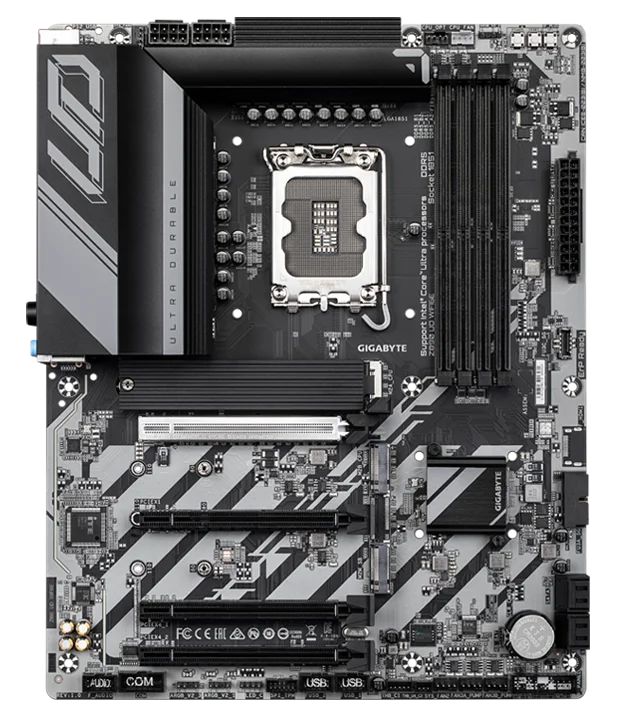










GIGABYTE Z890 UD-WIFI6E Motherboard
UD motherboards boost DDR5 memory performance and offer top-notch compatibility using various advanced methods.
Learn More About BIOS Features
QVL List
* Memory overclocking and XMP support may vary. Please refer to the qualified vendor list (QVL) for details and note that product features may vary by model.
GIGABYTE Ultra Durable™ motherboards built with optimal components inside out provide the prime performance and timeless platform.
The best VRM design ever built with the highest quality components. Delivers enhanced system performance with ultimate hardware scalability.
UD motherboards come with advanced full-metal thermal design and durable heatsinks to keep your system cool and efficient.
The ultimate connectivity with blazing data-transfer speeds through the next generation network and storage.
Based on the price records this catalogue holds — not a guarantee of an all-time high or low.
Lowest price across 4 retailers.
| Recorded | Price | Change | Lowest at |
|---|---|---|---|
| 2026-11-11 | 189 JOD | -10 JOD | PC Circle |
| 2026-11-02 | 199 JOD | First recorded | PC Circle |
Z890M GAMING X · DDR5
Compared across 5 retailers
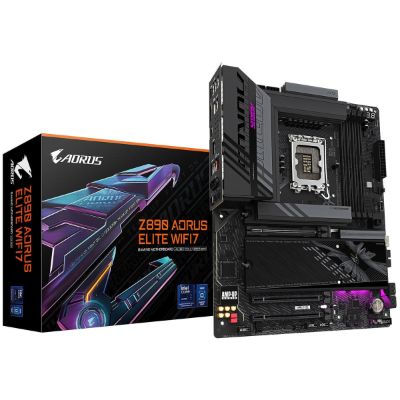
Z890 AORUS ELITE WIFI7 · DDR5
Compared across 6 retailers
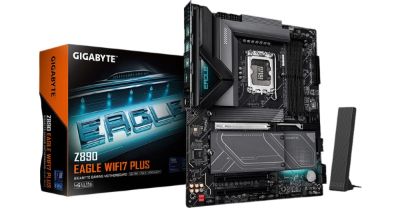
Z890 EAGLE WIFI7 PLUS · ATX, DDR5
Compared across 4 retailers
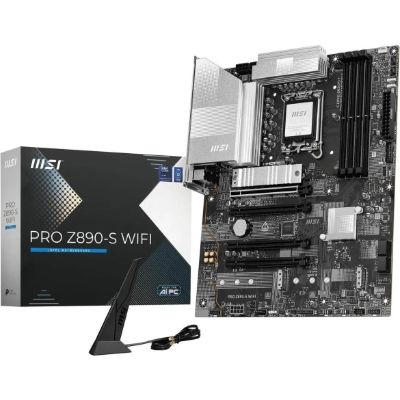
PRO Z890-S WIFI · ATX
Compared across 6 retailers