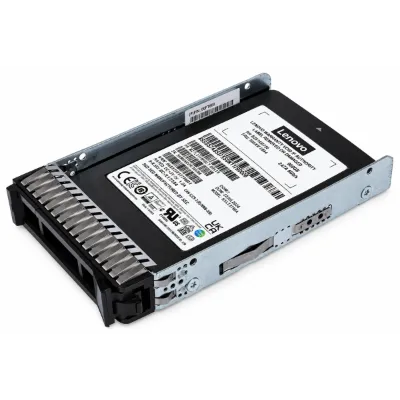
Lenovo · SATA SSDs
Lenovo ThinkSystem 960GB 2.5" VA Read Intensive SATA 6Gb Hot-Swap SSD v2ThinkSystem VA Read Intensive SATA Hot-Swap SSD v2 · 960GB
from 699 JODIn stock
Compared across 2 retailers

7450 PRO · 960GB
• Storage Capacity: 960 GB enterprise-class Read Intensive SSD. · • Interface & Form Factor: NVMe PCIe 4.0 x4, M.2 2280, Non-Hot-Swap. · • Performance: Up to 5000 MB/s sequential read and 1400 MB/s sequential write. · • Enterprise Endurance: 1700 TBW, rated at 1.0 DWPD over five years. · • Data Security: TCG Opal 2.01…
Likely the same product — matched on brand and model, not on a manufacturer part number.
| Retailer | Price | Availability | Actions |
|---|---|---|---|
 City CenterLowest | 899 JOD | In stock | Visit retailer |
 CompuMe | 943.95 JOD | In stock | Visit retailer |
These listings match on brand and model rather than on a manufacturer part number, so the match is likely but not confirmed. Check the specifications before you buy on price alone.
Lowest offer added 2026-11-09 · Updated 2026-11-23 · Last price change 2026-11-25
| Storage Specification | |
|---|---|
| Series | ThinkSystem |
| Capacity | 960 GB |
| Interface | SATA III |
| Form Factor | m.2 |
| Max Sequential Read | Up to 6800 MBps |
| Max Sequential Write | Up to 1400 MBps |
| Warranty | |
| Warranty | 1 Year |
The ThinkSystem 7450 PRO Read Intensive NVMe SSDs are general-purpose yet high-performance family of NVMe solid-state drives. They are engineered for greater performance and endurance in a cost-effective design, and to support a broader set of workloads. Now with SED encryption as standard, these drives help ensure data security, even when the drive is removed from the server.
This product guide provides essential presales information to understand the ThinkSystem 7450 PRO Read Intensive NVMe SSDs offerings and their key features, specifications, and compatibility. This guide is intended for technical specialists, sales specialists, sales engineers, IT architects, and other IT professionals who want to learn more about the 7450 PRO SSDs and consider their use in IT solutions.
ThinkSystem 7mm U.3 7450 PRO 960GB Read Intensive NVMe PCIe 4.0 x4 HS SSD, 4XB7A82853
ThinkSystem 7mm U.3 7450 PRO 3.84TB Read Intensive NVMe PCIe 4.0 x4 HS SSD, 4XB7A82856
ThinkSystem 7mm U.3 7450 PRO 1.92TB Read Intensive NVMe PCIe 4.0 x4 HS SSD, 4XB7A82855
SED support: All drives listed in this product guide include SED drive encryption. Our naming convention for new drives doesn’t include SED in the name.
Lenovo Read Intensive (Entry) SSDs are suitable for read-intensive and general-purpose data center workloads, however their NVMe PCIe interface means the drives also offer high performance. Overall, these SSDs provide outstanding IOPS/watt and cost/IOPS for enterprise solutions.
Self-encrypting drives (SEDs) provide benefits by encrypting data on-the-fly at the drive level with no performance impact, by providing instant secure erasure thereby making the data no longer readable, and by enabling auto-locking to secure active data if a drive is misplaced or stolen from a system while in use. These features are essential for many businesses, especially those storing customer data.
The following table lists the part numbers and feature codes for the 7450 PRO SSDs.
4XB7A13998 BP3L ThinkSystem E1.S 5.9mm 7450 PRO 3.84TB Read Intensive NVMe PCIe 4.0 x4 HS SSD MTFDKBZ3T8TFR-1BC15ABYY
4XB7A80499 BPKW ThinkSystem E1.S 5.9mm 7450 PRO 7.68TB Read Intensive NVMe PCIe 4.0 x4 HS SSD MTFDKBZ7T6TFR-1BC15ABYY
4XB7A82636 BS2P ThinkSystem M.2 7450 PRO 480GB Read Intensive NVMe PCIe 4.0 x4 NHS SSD MTFDKBA480TFR-1BC15ABYY
4XB7A13999 BKSR ThinkSystem M.2 7450 PRO 960GB Read Intensive NVMe PCIe 4.0 x4 NHS SSD MTFDKBA960TFR-1BC15ABYY
4XB7A14000 BKSS ThinkSystem M.2 7450 PRO 1.92TB Read Intensive Entry NVMe PCIe 4.0 x4 NHS SSD MTFDKBG1T9TFR-1BC15ABYY
4XB7A84604 BS2R ThinkSystem M.2 7450 PRO 3.84TB Read Intensive NVMe PCIe 4.0 x4 NHS SSD MTFDKBG3T8TFR-1BC15ABYY
4XB7A83139 BSW6 ThinkSystem M.2 7450 PRO 480GB Read Intensive NVMe PCIe 4.0 x4 NHS SSD (with Heatsink) MTFDKBA480TFR-1BC15ABYY
4XB7A82674 BQUJ ThinkSystem M.2 7450 PRO 960GB Read Intensive NVMe PCIe 4.0 x4 NHS SSD (with Heatsink) MTFDKBA960TFR-1BC15ABYY
Non-Volatile Memory Express (NVMe) is PCIe high performance SSD technology that provides high I/O throughput and low latency. NVMe interfaces remove SAS/SATA bottlenecks and unleash all of the capabilities of contemporary NAND flash memory. Each NVMe PCI SSD has direct PCIe x4 connection, which provides at least 2x more bandwidth and 2x less latency than SATA/SAS-based SSD solutions. NVMe drives are also optimized for heavy multi-threaded workloads by using internal parallelism and many other improvements, such as enlarged I/O queues.
Compliant with Trusted Computing Group Opal 2.01 Security Subsystem Class cryptographic standard (TCG Opal 2.01 SSC)
Direct PCIe 4.0 x4 connection for each NVMe drive, resulting in up to 8 GBps overall throughput.
Protect data integrity from unexpected power loss with advanced power-loss protection architecture
Adaptive Thermal Monitoring to monitor the internal temperature of the drive with power adjustment to ensure operation within thermal limits
Secure Execution Environment - dedicated security processing hardware with physical isolation
Strong Asymmetric Key Support - Uses standard, NIST-approved algorithms with 208-bit/3072-bit RSA keys
RSA Delegation Key Support - Enables customers to maintain ownership of RSA keys
Key-Based Firmware Update - Validates firmware using public key-based authentication prior to firmware update
Key-Based Privileged Access - Protects against unauthorized privileged SSD function execution with public key-based authorization
Read Intensive SSDs and Write Intensive SSDs have similar read IOPS performance, but the key difference between them is their endurance -- how long they can reliably perform write operations. Read Intensive SSDs have a better cost/IOPS ratio but lower endurance compared to Write Intensive SSDs. SSD write endurance is typically measured by the number of program/erase (P/E) write cycles that the drive incurs over its lifetime, listed as the total bytes of written data (TBW) in the device specification.
The TBW value assigned to a solid-state device is the total bytes of written data (based on the number of P/E cycles) that a drive can be guaranteed to complete (% of remaining P/E cycles = % of remaining TBW). Reaching this limit does not cause the drive to immediately fail. It simply denotes the maximum number of writes that can be guaranteed. A solid-state device will not fail upon reaching the specified TBW. At some point based on manufacturing variance margin, after surpassing the TBW value, the drive will reach the end-of-life point, at which the drive will go into a read-only mode.
Because of such behavior by Read Intensive solid-state drives, careful planning must be done to use them only in read-intensive or mixed use (70% read/30% write) environments to ensure that the TBW of the drive will not be exceeded before the required life expectancy.
For example, the 7450 PRO 1.92TB drive has an endurance of 3,500 TB of total bytes written (TBW). This means that for full operation over five years, write workload must be limited to no more than 1,918 GB of writes per day, which is equivalent to 1.0 full drive writes per day (DWPD). For the device to last three years, the drive write workload must be limited to no more than 3,196 GB of writes per day, which is equivalent to 1.7 full drive writes per day.
By providing instant secure erasure (cryptographic erasure, thereby making the data no longer readable)
By enabling auto-locking to secure active data if a drive is misplaced or stolen from a system while in use
It is vital that a company keep its data secure. With the threat of data loss due to physical theft or improper inventory practices, it is important that the data be encrypted. However, challenges with performance, scalability, and complexity have led IT departments to push back against security policies that require the use of encryption. In addition, encryption has been viewed as risky by those unfamiliar with key management, a process for ensuring a company can always decrypt its own data. Self-encrypting drives comprehensively resolve these issues, making encryption both easy and affordable.
When the self-encrypting drive is in normal use, its owner need not maintain authentication keys (otherwise known as credentials or passwords) in order to access the data on the drive. The self-encrypting drive will encrypt data being written to the drive and decrypt data being read from it, all without requiring an authentication key from the owner.
When hard drives are retired and moved outside the physically protected data center into the hands of others, the data on those drives is put at significant risk. IT departments retire drives for a variety of reasons, including:
Nearly all drives eventually leave the data center and their owner's control. Corporate data resides on such drives, and when most leave the data center, the data they contain is still readable. Even data that has been striped across many drives in a RAID array is vulnerable to data theft because just a typical single stripe in today’s high-capacity arrays is large enough to expose for example, hundreds of names and bank account numbers.
Overwriting drive data is expensive, tying up valuable system resources for days. No notification of completion is generated by the drive, and overwriting won’t cover reallocated sectors, leaving that data exposed.
Methods that include degaussing or physically shredding a drive are expensive. It is difficult to ensure the degauss strength is optimized for the drive type, potentially leaving readable data on the drive. Physically shredding the drive is environmentally hazardous, and neither practice allows the drive to be returned for warranty or expired lease.
Some companies have concluded the only way to securely retire drives is to keep them in their control, storing them indefinitely in warehouses. But this is not truly secure because a large volume of drives coupled with human involvement inevitably leads to some drives being lost or stolen.
Professional disposal services is an expensive option and includes the cost of reconciling the services as well as internal reports and auditing. Transporting of the drives also has the potential of putting the data at risk.
Self-encrypting drives eliminate the need to overwrite, destroy, or store retired drives. When the drive is to be retired, it can be cryptographically erased, a process that is nearly instantaneous regardless of the capacity of the drive.
The self-encrypting drive provides instant data encryption key destruction via cryptographic erasure. When it is time to retire or repurpose the drive, the owner sends a command to the drive to perform a cryptographic erasure. Cryptographic erasure simply replaces the encryption key inside the encrypted drive, making it impossible to ever decrypt the data encrypted with the deleted key.
Furthermore, self-encrypting drives simplify decommissioning and preserve hardware value for returns and repurposing by:
Insider theft or misplacement is a growing concern for businesses of all sizes; in addition, managers of branch offices and small businesses without strong physical security face greater vulnerability to external theft. Self-encrypting drives include a feature called auto-lock mode to help secure active data against theft.
Using a self-encrypting drive when auto-lock mode is enabled simply requires securing the drive with an authentication key. When secured in this manner, the drive’s data encryption key is locked whenever the drive is powered down. In other words, the moment the self-encrypting drive is switched off or unplugged, it automatically locks down the drive’s data.
When the self-encrypting drive is then powered back on, it requires authentication before being able to unlock its encryption key and read any data on the drive, thus protecting against misplacement and theft.
While using self-encrypting drives just for the instant secure erase is an extremely efficient and effective means to help securely retire a drive, using self-encrypting drives in auto-lock mode provides even more advantages. From the moment the drive or system is removed from the data center (with or without authorization), the drive is locked. No advance thought or action is required from the data center administrator to protect the data. This helps prevent a breach should the drive be mishandled and helps secure the data against the threat of insider or outside theft.
The following tables present technical specifications for the ThinkSystem 7450 PRO Read Intensive NVMe SSDs.
Table 2. Technical specifications for U.3 drives - 2.5-inch and 7mm drive form factors
Endurance (drive writes per day for 5 years) 1.0 DWPD 1.0 DWPD 1.0 DWPD 1.0 DWPD 1.0 DWPD
Data reliability (UBER) < 1 in 1017 bits read < 1 in 1017 bits read < 1 in 1017 bits read < 1 in 1017 bits read < 1 in 1017 bits read
MTBF 2,000,000 hours 2,000,000 hours 2,000,000 hours 2,000,000 hours 2,000,000 hours
Sequential read rate (128 KB blocks) 6800 MBps 6800 MBps 6800 MBps 6800 MBps 6800 MBps
Sequential write rate (128 KB blocks) 1400 MBps 2700 MBps 5300 MBps 5600 MBps 5600 MBps
Latency (random R/W) 80 µs / 15 µs 80 µs / 15 µs 80 µs / 15 µs 80 µs / 15 µs 80 µs / 15 µs
Typical power (R/W) 10.0 / 7.0 W 10.1 / 9.1 W 10.5 / 14.0 W 12.2 / 15.0 W 12.2 / 15.0 W
Endurance (drive writes per day for 5 years) 0.9 DWPD 1.0 DWPD 1.0 DWPD 1.0 DWPD
Data reliability (UBER) < 1 in 1017 bits read < 1 in 1017 bits read < 1 in 1017 bits read < 1 in 1017 bits read
4XB7A13998 ThinkSystem E1.S 5.9mm 7450 PRO 3.84TB Read Intensive NVMe PCIe 4.0 x4 HS SSD Y N Y N N N Y N N N N N N N N N N N N N
4XB7A80499 ThinkSystem E1.S 5.9mm 7450 PRO 7.68TB Read Intensive NVMe PCIe 4.0 x4 HS SSD Y N Y N N N Y N N N N N N N N N N N N N
4XB7A82636 ThinkSystem M.2 7450 PRO 480GB Read Intensive NVMe PCIe 4.0 x4 NHS SSD N N N N N N N N N N N N N N N N N N N N
4XB7A13999 ThinkSystem M.2 7450 PRO 960GB Read Intensive NVMe PCIe 4.0 x4 NHS SSD N N N N N N N N N N N N N N N N N N N N
4XB7A14000 ThinkSystem M.2 7450 PRO 1.92TB Read Intensive Entry NVMe PCIe 4.0 x4 NHS SSD N N N N N N N N N N N N N N N N N N N N
4XB7A84604 ThinkSystem M.2 7450 PRO 3.84TB Read Intensive NVMe PCIe 4.0 x4 NHS SSD N N N N N N N N N N N N N N N N N N N N
4XB7A83139 ThinkSystem M.2 7450 PRO 480GB Read Intensive NVMe PCIe 4.0 x4 NHS SSD (with Heatsink) N N N N Y N N N N N N Y N N N N N N N N
4XB7A82674 ThinkSystem M.2 7450 PRO 960GB Read Intensive NVMe PCIe 4.0 x4 NHS SSD (with Heatsink) N N N N Y N N N N N N Y N N N N N N N N
4XB7A13998 ThinkSystem E1.S 5.9mm 7450 PRO 3.84TB Read Intensive NVMe PCIe 4.0 x4 HS SSD Y N N N N N N N N N
4XB7A80499 ThinkSystem E1.S 5.9mm 7450 PRO 7.68TB Read Intensive NVMe PCIe 4.0 x4 HS SSD Y N N N N N N N N N
4XB7A82636 ThinkSystem M.2 7450 PRO 480GB Read Intensive NVMe PCIe 4.0 x4 NHS SSD N N N N N Y N N N N
4XB7A13999 ThinkSystem M.2 7450 PRO 960GB Read Intensive NVMe PCIe 4.0 x4 NHS SSD N N N N Y Y N N N N
4XB7A14000 ThinkSystem M.2 7450 PRO 1.92TB Read Intensive Entry NVMe PCIe 4.0 x4 NHS SSD N N N N N Y N N N N
4XB7A84604 ThinkSystem M.2 7450 PRO 3.84TB Read Intensive NVMe PCIe 4.0 x4 NHS SSD N N N N N N N N N N
4XB7A83139 ThinkSystem M.2 7450 PRO 480GB Read Intensive NVMe PCIe 4.0 x4 NHS SSD (with Heatsink) N N N N N N N N N N
4XB7A82674 ThinkSystem M.2 7450 PRO 960GB Read Intensive NVMe PCIe 4.0 x4 NHS SSD (with Heatsink) N N N N N N N N N N
NVMe PCIe SSDs require a NVMe drive backplane and some form of PCIe connection to processors. PCIe connections can take the form of either an adapter (PCIe Interposer or PCIe extender) or simply a cable that connects to an onboard NVMe connector.
Consult the relevant server product guide for details about required components for NVMe drive support.
ThinkSystem 2.5" U.3 7450 PRO 1.92TB Read Intensive NVMe PCIe 4.0 x4 HS SSD, 4XB7A79647
ThinkSystem M.2 7450 PRO 480GB Read Intensive NVMe PCIe 4.0 x4 NHS SSD, 4XB7A82636
Tip: These tables are automatically generated based on data from Lenovo ServerProven.
VMware vSAN certification: The drives listed in this product guide are VMware vSAN certified, however in the VMware Compatibility Guide (VCG), they are listed under the drive vendor company name instead of Lenovo. To check a drive for vSAN certification, search the VCG using the Supplier part number as listed in Table 1 in the Part number information section.
Table 10. Operating system support for ThinkSystem 2.5" U.3 7400 PRO 3.84TB Read Intensive NVMe PCIe 4.0 x4 HS SSD, 4XB7A80378
Table 11. Operating system support for ThinkSystem 2.5" U.3 7450 PRO 1.92TB Read Intensive NVMe PCIe 4.0 x4 HS SSD, 4XB7A79647 (Part 1 of 3)
Ubuntu 18.04.5 LTS or later with HWE kernel N N N N N N N Y Y N N Y Y N N N N N N N
Ubuntu 18.04.6 LTS or later with HWE kernel N N N N N N N N N N N N N Y N N N N N N
Ubuntu 20.04.5 LTS or later with HWE kernel Y N N N N N N N N N N N N Y N N Y Y Y Y
Ubuntu 20.04 LTS or later with HWE kernel N N N N N N N N N N N N N N N Y N N N N
Ubuntu 22.04.2 LTS or later with HWE kernel N N N N N N N N N N N N N N N N N N N N
Ubuntu 22.04.3 LTS or later with HWE kernel N N N N N N N N N N N N N N N N N N N N
Ubuntu 22.04.5 LTS or later with HWE kernel N N N N N N N N N N N N N N N N N N N N
Ubuntu 22.04 LTS or later with HWE kernel Y Y Y Y Y Y Y Y Y Y Y Y Y Y Y Y Y Y Y Y
Ubuntu 24.04 LTS or later with HWE kernel Y N N N N N N Y Y N N Y Y N Y Y Y Y Y Y
Ubuntu 26.04 LTS or later with HWE kernel Y N N N N N N N N N N N N Y N Y Y Y Y Y
VMware vSphere Hypervisor (ESXi) 8.0 U1 Y Y Y Y Y Y Y Y Y Y Y Y Y Y Y Y 2 Y Y Y Y
Table 12. Operating system support for ThinkSystem 2.5" U.3 7450 PRO 1.92TB Read Intensive NVMe PCIe 4.0 x4 HS SSD, 4XB7A79647 (Part 2 of 3)
SUSE Linux Enterprise Server 15 SP1 N N N N N N N N Y Y Y Y Y Y Y Y Y Y 3 Y 3 Y 3
Ubuntu 18.04.5 LTS or later with HWE kernel N N N N N N N N N N N N N N N N N N N N
Ubuntu 18.04.6 LTS or later with HWE kernel N N N N N N N N N N N N N N N N N N N N
Ubuntu 20.04.5 LTS or later with HWE kernel Y Y N N N N Y Y N N N N N N N N N N N N
Ubuntu 20.04 LTS or later with HWE kernel N N Y Y Y N N N N N N N N N N N N N N N
Ubuntu 22.04.2 LTS or later with HWE kernel N Y N N N N N N N N N N N N N N N N N N
Ubuntu 22.04.3 LTS or later with HWE kernel N N Y N Y Y Y N N N N N N N N N N N N N
Ubuntu 22.04.5 LTS or later with HWE kernel N N N N N N N Y N N N N N N N N N N N N
Ubuntu 22.04 LTS or later with HWE kernel Y N N Y N N N Y Y Y Y Y Y Y Y Y Y Y Y Y
Ubuntu 24.04 LTS or later with HWE kernel Y Y Y Y Y Y Y Y N N N N N N N N N Y Y Y
Ubuntu 26.04 LTS or later with HWE kernel Y Y Y Y Y Y Y Y N N N N N N N N N N N Y
VMware vSphere Hypervisor (ESXi) 6.5 U3 N N N N N N N N Y Y Y Y Y Y Y Y Y Y 3 Y 3 N
VMware vSphere Hypervisor (ESXi) 7.0 N N N N N N N N Y Y Y Y Y Y Y Y Y Y 3 Y 3 Y 3
VMware vSphere Hypervisor (ESXi) 7.0 U1 N N N N N N N N Y Y Y Y Y Y Y Y Y Y 3 Y 3 Y
VMware vSphere Hypervisor (ESXi) 8.0 U1 Y Y N Y 2 N N N Y Y Y Y Y Y Y Y Y Y Y Y Y
Table 13. Operating system support for ThinkSystem 2.5" U.3 7450 PRO 1.92TB Read Intensive NVMe PCIe 4.0 x4 HS SSD, 4XB7A79647 (Part 3 of 3)
Table 14. Operating system support for ThinkSystem M.2 7450 PRO 480GB Read Intensive NVMe PCIe 4.0 x4 NHS SSD, 4XB7A82636 (Part 1 of 2)
Ubuntu 20.04.5 LTS or later with HWE kernel N Y 1 N Y Y N N N N Y 1 N Y N N N N N N N N
Ubuntu 20.04 LTS or later with HWE kernel N N N N N N Y Y Y N N N N N N N N N N N
Ubuntu 22.04.2 LTS or later with HWE kernel N N N N Y N N N N N N N N N N N N N N N
Ubuntu 22.04.3 LTS or later with HWE kernel Y N N N N N Y N Y N Y Y Y N N N N N N N
Ubuntu 22.04.5 LTS or later with HWE kernel N N N N N N N N N N N N N Y Y N Y Y N N
Ubuntu 22.04 LTS or later with HWE kernel N Y 1 Y Y N N N Y N Y 1 N N N N N N N N Y Y
Ubuntu 24.04.2 LTS or later with HWE kernel N N N N N N N N N N N N N N N Y N N N N
Ubuntu 24.04 LTS or later with HWE kernel Y Y Y Y Y Y Y Y Y Y Y Y Y Y Y Y Y Y Y Y
Ubuntu 26.04 LTS or later with HWE kernel Y Y Y Y Y Y Y Y Y Y Y Y Y Y Y Y Y Y N Y
Table 15. Operating system support for ThinkSystem M.2 7450 PRO 480GB Read Intensive NVMe PCIe 4.0 x4 NHS SSD, 4XB7A82636 (Part 2 of 2)
To effectively manage a large deployment of SEDs in Lenovo servers, IBM Security Key Lifecycle Manager (SKLM) offers a centralized key management solution.
The IBM Security Key Lifecycle Manager software is available from Lenovo using the ordering information listed in the following table.
7S0A007FWW IBM Security Key Lifecycle Manager Basic Edition Install License + SW Subscription & Support 12 Months
7S0A007HWW IBM Security Key Lifecycle Manager For Raw Decimal Terabyte Storage Resource Value Unit License + SW Subscription & Support 12 Months
7S0A007KWW IBM Security Key Lifecycle Manager For Raw Decimal Petabyte Storage Resource Value Unit License + SW Subscription & Support 12 Months
7S0A007MWW IBM Security Key Lifecycle Manager For Usable Decimal Terabyte Storage Resource Value Unit License + SW Subscription & Support 12 Months
7S0A007PWW IBM Security Key Lifecycle Manager For Usable Decimal Petabyte Storage Resource Value Unit License + SW Subscription & Support 12 Months
The 7450 PRO SSDs carry a one-year, customer-replaceable unit (CRU) limited warranty. When the SSDs are installed in a supported server, these drives assume the system’s base warranty and any warranty upgrades.
Based on Micron 7450 PRO technology, this non-hot-swap SSD combines 3D TLC NAND, enterprise power-loss protection, self-encrypting drive functionality and a rated endurance of 1.0 drive write per day over five years. It is suitable for supported server storage and boot configurations where capacity, reliability and data protection are important.
| Component | Specification |
| Brand | Lenovo |
| Product Family | ThinkSystem |
| Model | 7450 PRO |
| Part Number | 4XB7A13999 |
| Feature Code | BKSR |
| Supplier Model | MTFDKBA960TFR-1BC15ABYY |
| Product Type | Enterprise NVMe SSD |
| Capacity | 960 GB |
| Form Factor | M.2 2280 |
| Interface | NVMe PCIe 4.0 x4 |
| NAND Technology | 176-Layer 3D TLC NAND |
| Workload Classification | Read Intensive |
| Sequential Read | Up to 5000 MB/s |
| Sequential Write | Up to 1400 MB/s |
| Random Read (4 KB) | 520,000 IOPS |
| Random Write (4 KB) | 82,000 IOPS |
| Drive Endurance | 1.0 DWPD (5 Years) |
| Total Bytes Written | 1700 TBW |
| MTBF | 2,000,000 Hours |
| Encryption | Self-Encrypting Drive (TCG Opal 2.01) |
| Data Protection | Power-Loss Protection, End-to-End Data Protection |
| Monitoring | S.M.A.R.T., Adaptive Thermal Monitoring |
| Installation Type | Non-Hot-Swap (NHS) |
Based on the price records this catalogue holds — not a guarantee of an all-time high or low.
Lowest price across 2 retailers.
| Recorded | Price | Change | Lowest at |
|---|---|---|---|
| 2026-11-25 | 899 JOD | -44.95 JOD | City Center |
| 2026-11-24 | 943.95 JOD | +44.95 JOD | CompuMe |
| 2026-11-09 | 899 JOD | First recorded | City Center |
ThinkSystem VA Read Intensive SATA Hot-Swap SSD v2 · 960GB
Compared across 2 retailers
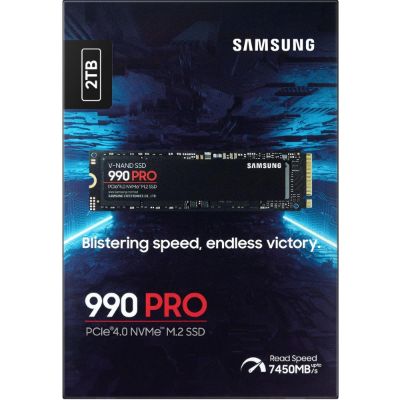
990 PRO · 2TB
Compared across 6 retailers
990 PRO · 1TB
Compared across 9 retailers
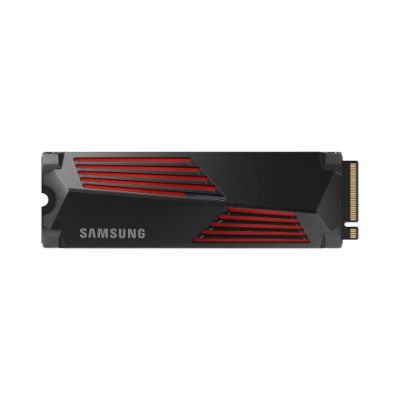
990 PRO · 4TB
Compared across 3 retailers