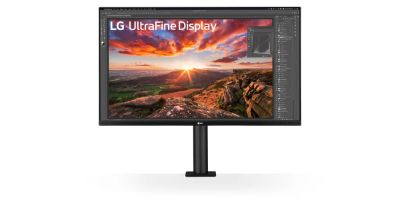
LG · Monitors
LG 32UN880K – 31.5” UHD 4K IPS Monitor with Ergonomic Stand & USB-C - Ergo Monitor32UN880K · 31.5 inch
489 JODIn stock
Compared across 2 retailers

UHD 4K Ergo IPS Monitor · 32 inch
| Retailer | Price | Availability | Actions |
|---|---|---|---|
 IGEEK Mega Stores | 489 JOD | In stock | Visit retailer |
Only one retailer in this catalogue is listing this product. Confirm the final price with the retailer.
Lowest offer added 2026-11-24 · Updated 2026-11-26 · No price change recorded
Search for other retailer offers| Category | Specification | Detail |
|---|---|---|
| INFO | Product Name | UHD |
| Year | Y24 | |
| DISPLAY | Size [Inch / cm] | 31.5" / 80 cm |
| Resolution | 3840 x 2160 | |
| Panel Type | IPS | |
| Aspect Ratio | 16:9 | |
| Pixel Pitch [mm] | 0.18159 x 0.18159 mm | |
| Color Gamut (Min. / Typ.) | DCI-P3 90% / 95% (CIE1976) | |
| Color Depth | 1.07B (10bit: 8bit+FRC) | |
| Contrast Ratio (Min. / Typ.) | 700:1 / 1000:1 | |
| Response Time | 5ms (GtG at Faster) | |
| Refresh Rate (Max.) | 60Hz | |
| Viewing Angle (CR≥10) | 178º(R/L), 178º(U/D) | |
| Brightness (Min. / Typ.) | 280 cd/m² / 350 cd/m² | |
| FEATURES | HDR | HDR 10, HDR Effect |
| Color Calibration | Factory Calibrated, HW Calibration Ready | |
| Eye Care & Accessibility | Flicker Safe, Reader Mode, Color Weakness | |
| Visual & Gaming | Super Resolution+, Black Stabiliser, Dynamic Action Sync | |
| Power Management | Smart Energy Saving | |
| SW APPLICATION | Supported Software | LG Calibration Studio (True Color Pro), Dual Controller |
| CONNECTIVITY | HDMI | Yes (2ea) |
| DisplayPort | Yes (1ea, Version 1.4) | |
| USB-C | Yes (1ea, up to 3840 x 2160 at 60Hz, Data Transmission) | |
| USB Downstream Port | Yes (2ea / ver 3.0) | |
| Headphone Output | 3-pole (Sound Only) | |
| SOUND | Speaker & Audio | 5W x 2, Maxx Audio |
| POWER | Type & AC Input | External Power (Adapter), 100~240V (50/60Hz) |
| DC Output | 210W (19.5V / 10.8A) | |
| Consumption (Sleep / DC Off) | < 0.5W / < 0.3W | |
| MECHANICAL | Position Adjustments | Tilt / Height / Swivel / Pivot / Extend / Retract |
| Wall Mountable | 100 x 100 mm | |
| DIMENSIONS & WEIGHT | With Stand (W x H x D) | 714.3 x 641.1 x 406.8 mm (10.3 kg) |
| Without Stand (W x H x D) | 714.3 x 420.1 x 45.7 mm (6.5 kg) | |
| Shipping (W x H x D) | 821 x 507 x 247 mm (14.6 kg) | |
| ACCESSORIES | Included Cables | HDMI (Black / 1.8m w/ Holder), USB-C, DC Extension (1.2m Black w/ Holder), Power Cord |
| Not Included | DisplayPort Cable | |
| Other In-Box Items | Adapter, Grommet, LG Cover Sheet, Paper Calibration Report |
With DCI-P3 and HDR10, LG UltraFine™ Ergo provides exceptional image quality. 31.5-inch 4K IPS display delivers a comfortable viewing experience by reducing colour shift from different vantage points.
UHD 4K IPS Display: Clear & large display for visual comfort, 31.5-inch IPS display, DCI-P3 95% Typical, HDR
Tilt ± 25˚
*The figures above are the available range of features.
The Ergo is a welcome innovation for anyone who spends a significant amount of time at their desk. LG’s technologically and ergonomically advanced stand helps to promote good posture through its high degree of adjustability, enabling each user to create a perfectly customized workstation.
Supporting Screen, Data and Power Delivery (Up to 60W).
*For detailed installation instructions, see the product manual at LG.com Support page.
LG Switch app
LG Switch app helps to optimize the monitor to your work and life. You can readily divide the whole display up to 6, change the theme design, or even launch a video call platform with a mapped hotkey.
*Images have been simulated to enhance feature understanding, and may differ from actual use experience.
*To download the latest LG Switch app, search for 32UN880K in the LG.com Support Menu.
Step-by-step guide
Follow our simple step-by-step video guide to install your new LG UltraFine monitor quickly and correctly. Start your creative workflow today.
*Images based on a representative 3D model for illustrative purposes. Setup steps, components, or shapes may vary by model. Shared assembly sections can still be used as reference—please refer to your product manual for model-specific instructions.
Based on the price records this catalogue holds — not a guarantee of an all-time high or low.
This retailer's price has not changed since it was first recorded on 2026-11-24, currently 489 JOD.
| Recorded | Price | Change |
|---|---|---|
| 2026-11-24 | 489 JOD | First recorded |
32UN880K · 31.5 inch
Compared across 2 retailers
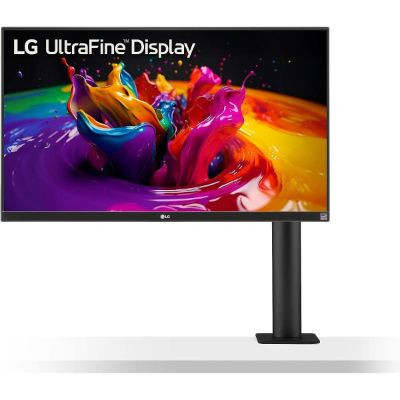
32UN880-B · 32 inch
Compared across 3 retailers
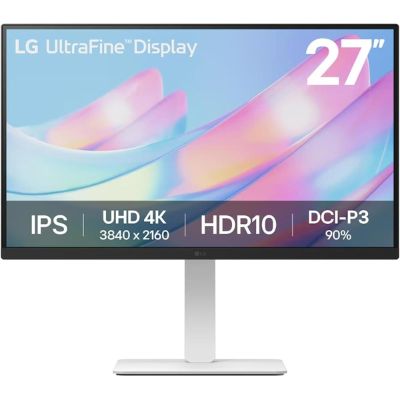
27US550-W · 27 inch
Compared across 4 retailers
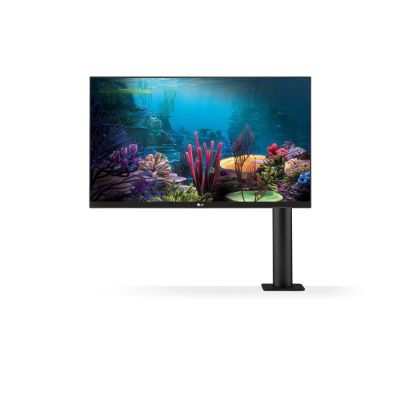
27UN880-B · 27 inch
Only at Compu Jordan