Microsoft · Keyboards
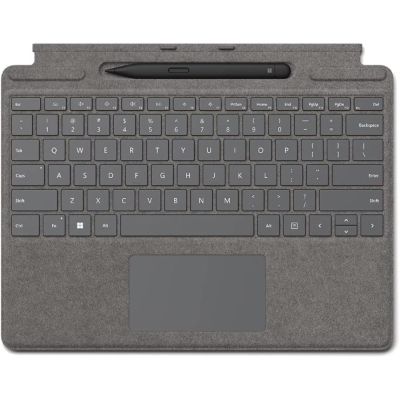
Microsoft Surface Pro Signature Keyboard + Microsoft Surface Slim Pen 2 - PlatinumSignature Keyboard + Slim Pen 2 · Platinum
309 JODOut of stock
Only at Green Dara Stars

Surface Slim Pen 2
| Retailer | Price | Availability | Actions |
|---|---|---|---|
 Green Dara Stars | 129 JOD | In stock | Visit retailer |
Only one retailer in this catalogue is listing this product. Confirm the final price with the retailer.
Lowest offer added 2022-09-12 · Updated 2026-11-25 · No price change recorded
Search for other retailer offers| Product Specifications | |
|---|---|
| Interface | Bluetooth® Wireless 5.0 Technology |
| Buttons | Side button
Top Button with eraser functionality |
| General Features | |
| Color | Matte Black |
| Weight | 0.03 lb (13 g) |
| Compatibility | Surface Laptop Studio
Surface Pro 3 - Surface Pro 8 Surface Pro X Surface Duo Surface Duo 2 Surface Go Go 2 Surface Go 3 Surface Hub 2S Surface Laptop 1 - 4 Surface Studio 1 2 Surface Book 1 - 3 Non-Surface devices that support Microsoft Pen Protocol (MPP) |
| Dimensions | 5.38” x 0.44” x 0.25” (136.8 x 11.3 x 6.3 mm) |
| Power Management | |
| Battery (Capacity) | Battery Capacity Nominal (WH): 0.171
Battery Capacity Min (WH): 0.164 |
| Power | Rechargeable Lithium Ion
Up to 15 hours of typical usage |
| After Sales Service | |
| Warranty | 1-year limited warranty |
The Microsoft Surface Slim Pen 2 combines precise digital inking, Zero Force Inking technology, slim lightweight design, and premium Surface integration, making it an excellent choice for note-taking, drawing, sketching, document editing, remote learning, and professional productivity workflows.
If you are wondering where to buy Microsoft Surface accessories in Jordan, Green Dara offers the Surface Slim Pen 2 with official warranty and one of the best prices available for users looking for a premium digital writing experience.
The Surface Slim Pen 2 features:
✓ Zero Force Inking
✓ Faster Ink Response
✓ More Natural Writing Feel
✓ Improved Pen Accuracy
Perfect for:
✓ Note-Taking
✓ Handwriting
✓ Drawing
✓ Document Annotation
The pen is designed to provide a smoother and more natural writing experience on compatible Surface devices.
The pen supports:
✓ Slim Tip Structure
✓ Lightweight Portable Design
✓ Comfortable Grip
✓ Modern Surface Styling
Perfect for:
✓ University Usage
✓ Office Work
✓ Creative Workflows
✓ Everyday Productivity
The slim body design helps improve comfort during long writing or drawing sessions.
The Surface Slim Pen 2 includes:
✓ High Precision Pen Input
✓ Pressure Sensitivity Support
✓ Better Stroke Control
✓ Improved Writing Accuracy
Perfect for:
✓ Sketching
✓ Digital Art
✓ PDF Annotation
✓ Office Documents
The precision input helps provide smoother pen control for professional and creative workflows.
The pen features:
✓ Built-In Haptic Feedback
✓ More Natural Pen Sensation
✓ Interactive Writing Feel
✓ Improved Surface Integration
Perfect for:
✓ Handwriting
✓ Creative Applications
✓ Note-Taking
✓ Professional Usage
The haptic system helps simulate a more paper-like writing experience on supported Surface devices.
The Surface Slim Pen 2 supports:
✓ Rechargeable Battery
✓ Wireless Charging Support
✓ Long Everyday Usage
✓ Cable-Free Convenience
Perfect for:
✓ Daily Productivity
✓ Portable Usage
✓ Office Workflows
✓ University Study
The rechargeable design helps eliminate the need for disposable batteries.
The pen is compatible with:
✓ Surface Pro Devices
✓ Surface Laptop Studio
✓ Supported Surface Models
✓ Modern Surface Ecosystem
Perfect for:
✓ Surface Productivity
✓ Creative Workflows
✓ Office Usage
✓ Digital Note-Taking
The Surface integration helps improve overall writing responsiveness and productivity workflows.
The Microsoft Surface Slim Pen 2 is suitable for:
✓ Students
✓ Business Professionals
✓ Designers
✓ Artists
✓ Everyday Productivity
A strong option for users searching for premium Surface pens with precise digital writing and natural inking performance.
The Surface Slim Pen 2 offers:
✓ Premium Microsoft Build Quality
✓ Reliable Everyday Performance
✓ Modern Minimal Design
✓ Seamless Surface Experience
The pen is designed to complement Microsoft Surface devices with a clean and modern productivity-focused experience.
✓ Zero Force Inking Technology
✓ Slim Lightweight Design
✓ Precision Writing & Sketching
✓ Haptic Feedback Support
✓ Rechargeable Battery
✓ Premium Surface Integration
✓ Comfortable Everyday Usage
✓ Reliable Microsoft Surface Writing Experience
Slim carpenter-inspired style is perfect for all hands and is easy to hold and control.
Experience natural and inclusive note-taking, sketching, and navigating with the same feeling you get with pen on paper when paired with Surface Pro 82 or Surface Laptop Studio2 with the built-in haptic motor.3
Surface Slim Pen 2 is ready to use right out of the box for you to unleash your creativity. Better yet, you’ll always know where it is with built-in, wireless charging and secure storage in Surface Pro Signature Keyboard2 or Surface Laptop Studio.2
Brainstorm and sketch with others over Microsoft Teams2 or when using Microsoft Whiteboard. Plus, edit presentations on the spot, fill out and sign documents, or take personal handwritten notes in Microsoft Journal.2
Tactile signals can make it easy for you to know when you’ve successfully used natural gestures like circling to select and crossing out to delete in Microsoft Word and Excel.2 The strength of tactile signals when using Surface Slim Pen 2 can be easily adjusted or even turned off through Windows settings.
Create your best work in Adobe Fresco, Photoshop, and more,2 and collaborate and take handwritten notes together in Microsoft Teams.2 Capture unstructured ideas using Microsoft Whiteboard and simultaneously ink with others. Use Ink Editor in Microsoft Word or use the top button as a slideshow clicker to advance Microsoft PowerPoint2 slides.
Based on the price records this catalogue holds — not a guarantee of an all-time high or low.
This retailer's price has not changed since it was first recorded on 2026-09-28, currently 129 JOD.
| Recorded | Price | Change |
|---|---|---|
| 2026-09-28 | 129 JOD | First recorded |
Signature Keyboard + Slim Pen 2 · Platinum
Only at Green Dara Stars
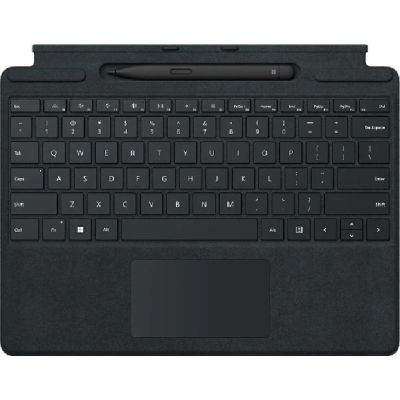
Signature Keyboard with Slim Pen 2 · Black
Only at Green Dara Stars
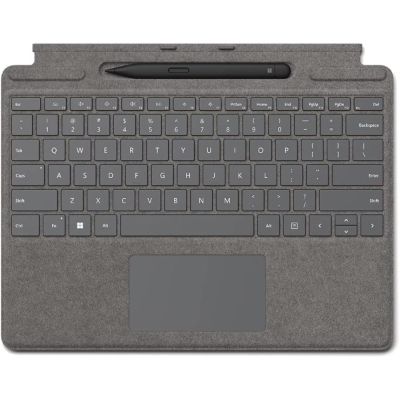
Signature Keyboard with Slim Pen 2 · Platinum
Only at Green Dara Stars
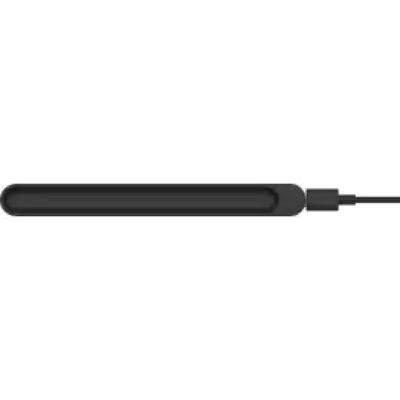
Surface Slim Pen Charger
Only at Green Dara Stars