6% off
TP-Link · Wi-Fi extenders
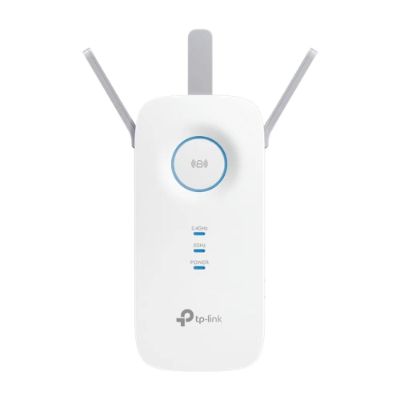
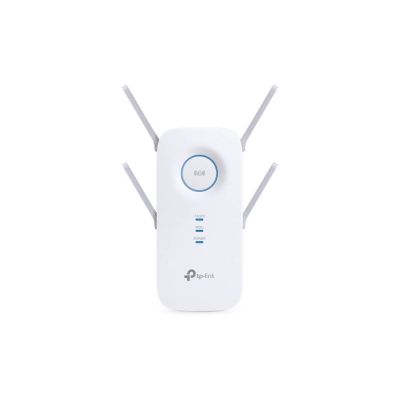
TP-LINK RE450 AC1750 WiFi Range ExtenderAC1750 Wireless Range Extender · AC1750
from 46 JODIn stock
Compared across 9 retailers
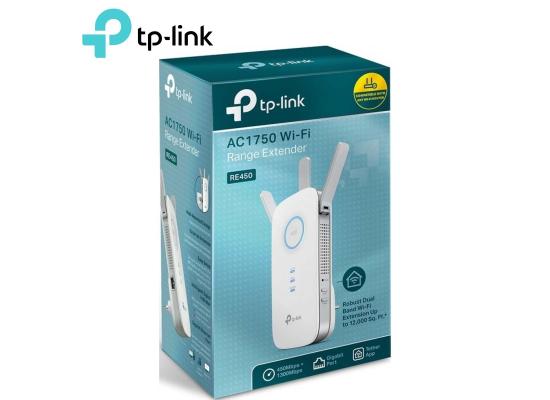
WiFi AC1750 Range Extender
| Retailer | Price | Availability | Actions |
|---|---|---|---|
 MID Teks Inc | 55 JOD | Out of stock | Visit retailer |
Only one retailer in this catalogue is listing this product. Confirm the final price with the retailer.
Lowest offer added 2021-12-25 · Updated 2026-11-25 · Last price change 2026-11-22
Search for other retailer offers| Wireless Range Extender Specification | |
|---|---|
| Antenna type | 3* external |
| Wireless modes | Range Extender |
| WIRELESS Range Extender FEATURES | |
| Frequency | 2.4GHz & 5GHz(11ac) |
| Reception Sensitivity | 5GHz:11a 6Mbps:-93dBm@10% PER11a 54Mbps: -76dBm@10% PER11ac HT20 mcs8: -68dBm@10% PER11ac HT40 mcs9: -64dBm@10% PER11ac HT80 mcs9: -61dBm@10% PER2.4GHz11g 54M: -77dBm@10% PER11n HT20 mcs7: -73dBm@10% PER11n HT40 mcs7: -70dBm@10% PER |
| Transmit Power | <20dBm(2.4GHz)<23dBm(5GHz) |
| Wireless Functions | Wireless StatisticConcurrent Mode boost both 2.4G/5G WiFi bandHigh Speed Mode for great speed for HD Gaming and videoAccess ControlLED ControlDomain Login Function |
| Wireless Security | 64/128-bit WEPWPA-PSK / WPA2-PSK |
| Range Extender OTHERS | |
| Certification | FCC
RoHS |
| Package Contents | AC1750 Wi-Fi Range Extender RE450RJ-45 Ethernet CableQuick Installation Guide |
| System Requirements | Microsoft® Windows® 98SE
NT 2000 XP Vista or Windows 7 8 10 Mac® OS NetWare® UNIX® or Linux. |
| Environment | Operating Temperature: 0°C~30°C (32°F~86°F)Storage Temperature: -40°C~70°C (-40°F~158°F)Operating Humidity: 10%~90% non-condensingStorage Humidity: 5%~90% non-condensing |
| HARDWARE FEATURES | |
| Interface | 1 * 10/100/1000M Ethernet Port (RJ45) |
| Button | RE (Range Extender) Button
Reset Button LED Button Power Button |
| After Sales Support | |
| Warranty | 1 Year |
AC1750 Wi-Fi Range Extender
RE450
Tired of Wi-Fi “dead zones”? The TP-Link AC1750 Wi-Fi Range Extender connects to your router wirelessly,
strengthening and expanding its signal into areas it can’t reach on its own. The device also reduces signal
interference to ensure reliable Wi-Fi coverage throughout your home or office.
TP-Link's RE450 comes with next generation 802.11AC Wi-Fi technology, it's 3 times faster than the standard 802.11n speeds. The RE450 delivers fast speeds of dual band Wi-Fi, providing reliable connections for bandwidth-intensive tasks like HD/4K streaming, lag free gaming, large file downloads.
TP-Link's RE450 comes with next generation 802.11AC Wi-Fi technology, it's 3 times faster than the standard 802.11n speeds. The RE450 delivers fast speeds of dual band Wi-Fi, providing reliable connections for bandwidth-intensive tasks like HD/4K streaming, lag free gaming, large file downloads.
TP-Link's RE450 comes with next generation 802.11AC Wi-Fi technology, it's 3 times faster than the standard 802.11n speeds. The RE450 delivers fast speeds of dual band Wi-Fi, providing reliable connections for bandwidth-intensive tasks like HD/4K streaming, lag free gaming, large file downloads
TP-Link's RE450 comes with next generation 802.11AC Wi-Fi technology, it's 3 times faster than the standard 802.11n speeds. The RE450 delivers fast speeds of dual band Wi-Fi, providing reliable connections for bandwidth-intensive tasks like HD/4K streaming, lag free gaming, large file downloads.
A gigabit Ethernet port turns the extender into a wireless bridge, letting you connect a wired device like a Blu-ray player, gaming console, DVR, or smart TV to your Wi-Fi network.
The extender RE450 works with any standard wireless router. Instantly connect the RE450 to a router by pressing the extender’s RE button followed by the router’s WPS button (if available).
Once connected with an existing router, you can take RE450 anywhere within the wireless range of the existing router, no more further configurations.
High Speed mode maximizes overall performance by combining the bandwidth of both the 5GHz and 2.4GHz channels to create a lightning-fast connection with one band sending data and the other receiving it.
.
Based on the price records this catalogue holds — not a guarantee of an all-time high or low.
| Recorded | Price | Change |
|---|---|---|
| 2026-11-22 | 55 JOD | +6 JOD |
| 2026-09-28 | 49 JOD | First recorded |
AC1750 Wireless Range Extender · AC1750
Compared across 9 retailers
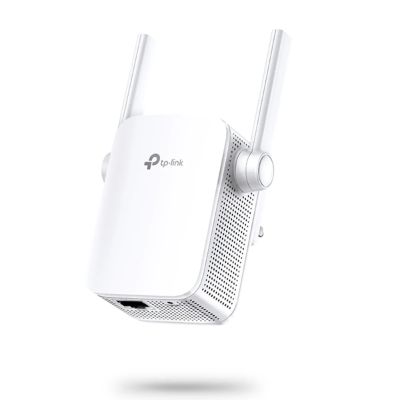
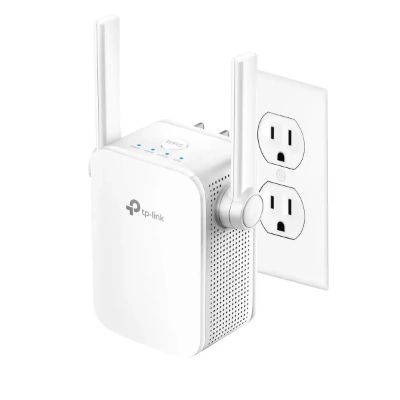
AC2600 Wi-Fi Range Extender · AC2600
Only at GTS