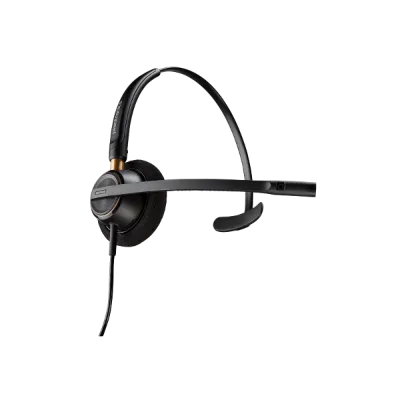
Poly (Formerly Plantronics) EncorePro HW520 Binaural Corded Headset – Poly 89434-01 or HP 783P7AA
With numerous agents talking on the phone at the same time, call centers typically offer users dual-ear headsets such as the HW520 part # Poly 89434-01 or HP 783P6AA#ABA which serve two purposes.
First, by having both ears covered, the user can hear more clearly and focus better on their calls. This improves call efficiency, by eliminating the need to ask for information to be repeated and agents won’t take down incorrect information when taking orders.
Second, when you cover both ears with a Plantronics binaural headset, you will significantly lower the overall volume of the call center, because users no longer have to talk over each other.
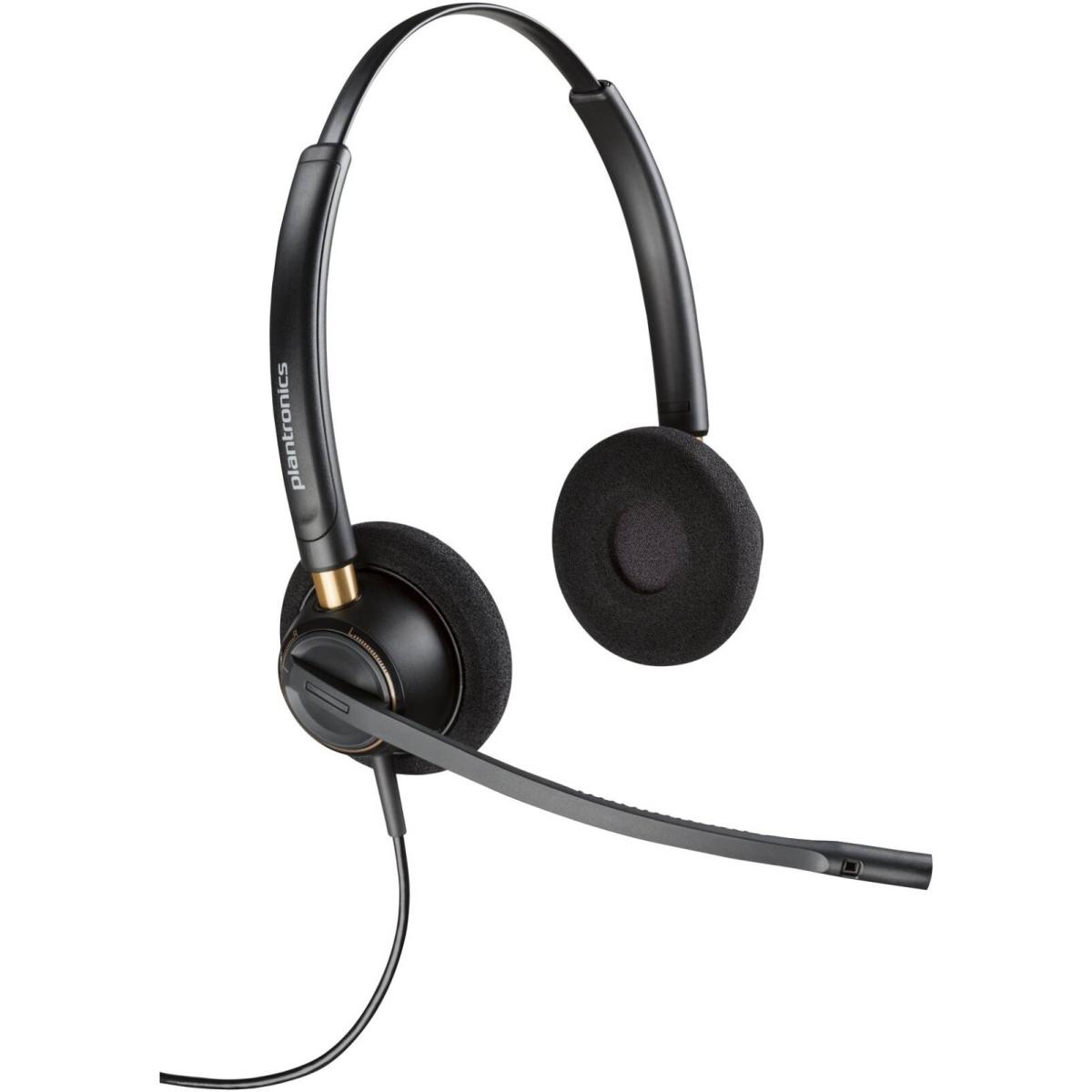
The Poly EncorePro HW520 headset is one of the most popular headsets when it comes to call centers and offices where employees need to focus on callers and not be distracted by background noise. Built with laser-welded construction, the HW520 is made to last and be comfortable for 8+ hour shifts.
The Headset For Call Center Heroes
In the past, Plantronics binaural headsets had cables that split under your chin, feeding a cable to each of the binaural ear pieces. As technology has advanced, you now benefit from single cable design, where the second speaker is cleverly reached using a flat ribbon cable hidden in the headband that goes over your head.
Even though the headset has two speakers, the Poly EncorePro HW520 headset is engineered to provide the same sound in each speaker. This is typical of most business-grade headsets, even though they are mistakenly referred to as stereo headsets.
True stereo, or hi-fi headsets, will have separate channels to each speaker allowing different sounds to be heard while listening to music or movies. If you need a dependable, great sounding, cost effective Plantronics binaural headset solution, the HW520 should be on your short list of headset options.
- Poly binaural headset helps you hear in loud environments
- Freeing your hands for typing and writing, increases productivity
- Designed with quality and comfort being the focal points
- Flexible microphone for optimal voice clarity
- Quick-Disconnect cord allows you to easily walk away from your desk
- Plantronics HW520 uses soft foam ear cushions for all-day comfort
- Laser welded construction for unbeatable toughness
Appreciate unbeatable toughness with the Poly HW520 EncorePro:
+ Laser-welded construction and metal joints
+ Wideband audio for superior audio quality
+ Precise microphone positioning
EXTREMELY COMFORTABLE
Completely re-imagined for the demands of the modern customer service center and office, the Poly HW520 headset has soft ear cushions for all-day wearing comfort, an adjustable headband and clothing clip for cord management to remove any tugging or pulling.
GREAT SOUNDING AUDIO
With many phones raising the standard in audio quality, the binaural HW520 wideband audio delivers a richer, clearer conversation and reduces listening fatigue. The Poly EncorePro HW520 call center headset also includes SoundGuard technology that protects users from noise spikes and meets OSHA/Noise at Work standards.
FLEXIBLE MICROPHONE
The Poly HW520 flexible microphone is noise canceling to cut down on background noise around you, ensuring your caller will hear you comfortably above any other background noise. With visual and tactile positioning guides, you will be confident that your headset microphone is positioned perfectly for each call.
RELIABILITY LIKE NO OTHER
The Poly HW520 corded headset uses laser-welded construction, and its metal joints are engineered to provide reliability where it matters. Investing in the Encore 520 will provide years of hands-free communication and a most productive work environment.
NOT SURE WHERE TO START?
Check out our popular Headsets 101 – Ultimate Guide to Understanding Headsets which is constantly being updated to keep you informed on using the Poly HW520 and any other Poly headset in which you’re interested. With numerous pictures and detailed headset information, you will fully understand what connects where and what’s needed for any application you may have.
Poly Headset Benefits:
- Connects to PC or desk phone with Plantronics audio processors.
- Ideal for Telephone-intensive users, including formal customer care centers, help desks, telesales, and customer service organizations.
- Hearing protection SoundGuard technology: Acoustic limiting for protection against sounds above 118 dBA.
- Audio performance Wideband audio (up to 6,800 Hz), noise-canceling microphone.
- Quick Disconnect™ feature lets you walk away from your phone while still wearing your headset.
- Adjustable clothing clip for cord management which removes weight and pulling from bottom cord.
- Warranty: 2-Years for Unsurpassed Durability
- Operating Frequency: High-Frequency Wideband
- Headset Weight: 74 Grams
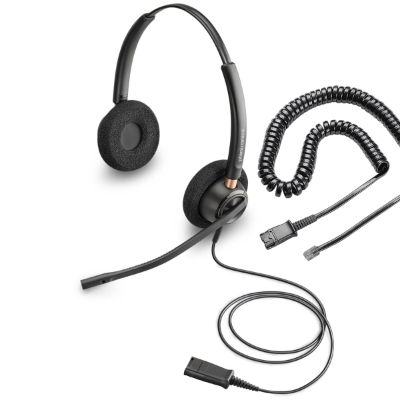
- Compatibility: Plantronics Amplifier, Adapter Audio Processor or Direct Connect Cable
- Wearing Style: Dual Ear
Poly EncorePro HW520 Headset Insider Info:
How to Install
When installing the Poly EncorePro HW520, the first task is to properly fit it to your head. Position the headband over your head, with the ear cushions against your ears. It may require adjusting the headband by sliding it in to make it smaller or out to make it larger so both ears are covered and comfortable.
The microphone needs to be ¼ of an inch (the width of your finger) away from the corner of your mouth. You can rotate the mic boom up and down for perfect positioning.
At the end of the headset cable you will find a connection called the Quick Disconnect. You will have a matching connection in which to plug the cable, located on your amplifier or cable, depending on compatibility and your application. Make a test call to ensure the unit is working properly.
Also, many users disregard using the clothing clip, when in actuality it plays an important role in making the headset appear very light weight. By clipping it on or near your shirt collar, the weight of the lower portion of the cord stops at the clothing clip. You will never feel pulling on the headset or the need to re-position it as you reach and stretch the lower cord.