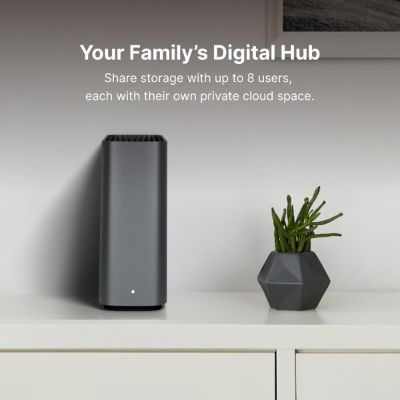
Synology · Network Attached Storage
Synology BeeStation 8TB Personal Cloud NAS – AI Photo Search, Multi-User Storage, USB-C, Easy SetupBeeStation · 8TB
from 629 JODIn stock
Compared across 3 retailers

BST150-4T · 4TB
Scan a QR code to begin—no storage or network expertise required · Store, access, and share files over the web, or from your desktop or mobile devices · Share storage with family and friends so everyone has their own personalized storage space · Edit files on BeeStation from your desktop while keeping your progress…
| Retailer | Price | Availability | Actions |
|---|---|---|---|
 City Center | 219 JOD | Out of stock | Visit retailer |
Only one retailer in this catalogue is listing this product. Confirm the final price with the retailer.
Lowest offer added 2026-10-24 · Updated 2026-11-24 · No price change recorded
Search for other retailer offers| Product Specifications | |
|---|---|
| Manufacturers Link | https://www.synology.com/en-us/support/download/BST150-4T#system |
| Storage Specification | |
| Series | BeeStation |
| Capacity | 4 TB |
| Interface | Lan 1 GbE |
| Form Factor | 3.5" |
| Windows Support | Yes |
| MAC Support | Yes |
| Warranty | |
| Warranty | 1 Year |
With a built-in hard drive and everything preconfigured, BeeStation is ready to replace your current cloud storage services right out of the box. Designed for people who want to store, sync, and share personal files and photos with minimal setup, BeeStation consolidates your files from phones, tablets, computers, external drives, and cloud services, allowing you to access them from anywhere, subscription-free.
BeeStation is like having a private file hub where you can store all your photos and videos without having to take up space on your phone, or carry around an external hard drive.
Free, easy-to-use mobile app for iOS and Android
Got files all over? BeeStation can offload files from Google Drive, OneDrive, Dropbox, as well as back up any connected USB or external hard drive. That way, if you ever lose access to a cloud account or can't find a physical USB drive, you can rest easy knowing you've got a backup on BeeStation.
With the desktop app, you can open files on BeeStation straight from Windows File Explorer or macOS Finder and edit them with any desktop software, such as Microsoft Office or Adobe Creative Cloud.
Low on storage? BeeStation's 4TB capacity has you covered, as long as you have an Internet connection. And since changes are constantly synced to BeeStation in real-time, switching between your work and personal computers is a breeze.
3-2-1 backup rule states that you should always have 3 copies of your data, stored on 2 different mediums, with 1 copy off-site. Here's how BeeStation makes this process easy, while also enabling set-it-and-forget-it convenience.
* Currently BeeStation can back up to most external hard drives, which includes ext3, ext4, FAT32, NTFS, Btrfs, exFAT, and HFS+ formats.
Based on the price records this catalogue holds — not a guarantee of an all-time high or low.
This retailer's price has not changed since it was first recorded on 2026-10-24, currently 219 JOD.
| Recorded | Price | Change |
|---|---|---|
| 2026-10-24 | 219 JOD | First recorded |
BeeStation · 8TB
Compared across 3 retailers
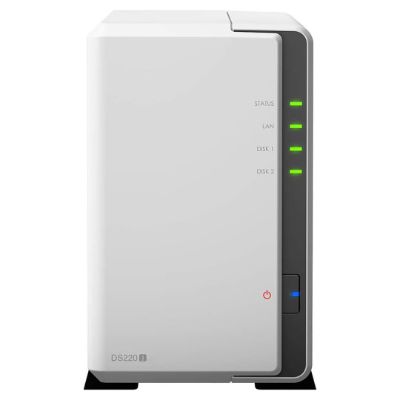
DS220j · 2-bay
Compared across 3 retailers
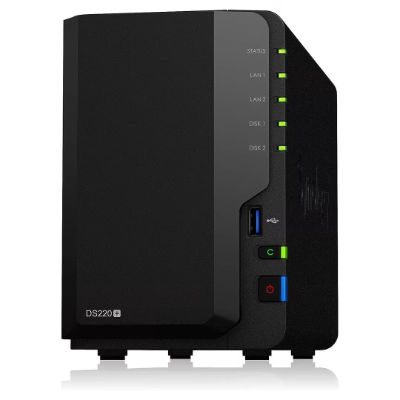
DS220+
Compared across 2 retailers
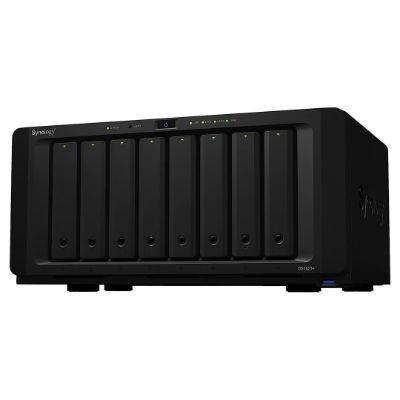
DS1821+ · 8-bay
Only at Ammanzone