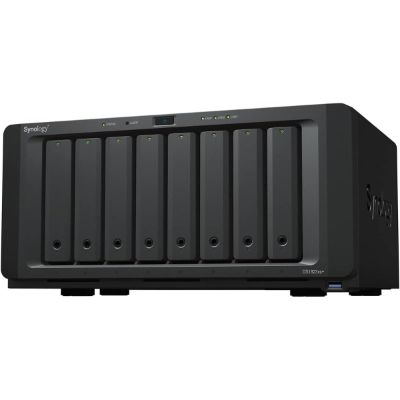
Synology · Network Attached Storage
Synology DiskStation DS1823xs+ 8-Bay Diskless NAS w/ AMD Ryzen V1780B 4-Core CPU & 8GB DDR4 ECC RAMDS1823xs+ · 8-Bay
from 1,649 JODIn stock
Compared across 4 retailers

SA3410 · 12-bay, 16GB RAM
Fast and reliable - Over 6,200/3,000 MB/s seq. read/write, built-in 10GbE, and hardware and software redundancy · · Expand and adjust - Add up to 84 extra drive bays, 40GbE or Fibre Channel, and SSD cache volumes whenever needed *sold separately · · Host core applications - Back up 1,000+ endpoints, manage 128 IP…
| Retailer | Price | Availability | Actions |
|---|---|---|---|
 City Center | 4,599 JOD | Out of stock | Visit retailer |
Only one retailer in this catalogue is listing this product. Confirm the final price with the retailer.
Lowest offer added 2024-01-09 · Updated 2026-11-25 · No price change recorded
Search for other retailer offersScale up your SA3610 and SA3410 flexibly to meet growing data demands whenever needed. Increase your storage capacity by adding up to seven 12-bay RX1222sas expansion units* as your deployment grows.
- 12 bays = 216 TB
- 96 bays = 1.7 PB
*Sold separately.
Built-in dual 10GbE RJ-45 ports allow for high-speed network transmission right out of the box. Users can also boost network redundancy and bandwidth by adding optional 10/25/40GbE* and Fibre Channel adapter cards* into the two available PCIe 3.0 expansion slots.4
*Sold separately.
Protect your data and leverage hardware and software safeguards to ensure data and service availability in the face of disasters or malicious attacks.
Create a Synology High Availability (SHA) cluster on your servers to minimize data loss and enjoy minute-level failover with two SA3610 or SA3410 to act as active and passive servers.
Reduce the possibility of power disruptions with redundant PSUs and reduce single points of hardware failure with redundant system fans.
Take charge of your device, even if your primary networks are down. With out-of-band (OOB) management, you remotely troubleshoot your device.
Set up near-instantaneous snapshot and replication tasks for file and folder level restoration to ensure business continuity and leverage Btrfs for file self-healing.
Consolidate business data, backup data, and more in a highly scalable server.
Utilize SA3610 and SA3410's storage capacity and flexible expansion capabilities to host large amounts of data on a central repository.
Share and sync files with an all-in-one private cloud solution
Empower employees across your organization to access, edit, and share corporate files securely and conveniently from the desktop, mobile, or web browser platforms. Leverage powerful admin tools to track and set file permissions and control access to documents and files.
Enforce company policies with Windows AD and SMB/NFS
Configure and implement group policies for groups of users using access control lists (ACL) through Windows Active Directory/LDAP integration. Enable user access to files or folders via SMB or NFS protocols.
Back up PCs, servers, Synology systems, SaaS data, and VMs, and back up your backup servers with a scalable central storage solution.
Bare-metal PC, server, and VM backup
Securely back up Windows clients and servers, Linux endpoints, Synology systems, and VMware and Hyper-V virtual machines to the SA3610 and SA3410 with Active Backup for Business. Manage all tasks through a centralized management console and choose between bare-metal or file-level restoration. Built-in data deduplication maximizes storage efficiency.
Protect company SaaS accounts.
Protect Microsoft 365 and Google Workspace accounts by maintaining complete offline copies of your crucial information and configurations with Active Backup for Microsoft 365 and Active Backup for Google Workspace.
Boost team efficiency by utilizing Synology productivity solutions to work and communicate across teams or test out new software in company-hosted containers or virtual machines.
Collaborative tools for team productivity
Create, edit, and share documents, slides, and spreadsheets with teams in real-time. Store files in a secure private cloud to take ownership of your data.
Send and receive emails on Synology's private email server using powerful webmail tools and experience full data ownership, the transparent total cost of ownership, and robust security features.
Stay connected with team members using secure one-on-one chats, public channels, encrypted private channels, and group conversations for efficient workplace communication.
Monitor and manage your Synology fleet from a central interface, on-prem or in the Cloud.
Manage Synology servers from a central console using group policies, task delegation, batch updates, and more.
Monitor your global Synology fleet's performance, backup status, login activity and more with the power of the Cloud.
1 - Power Button and Indicator
2 - Status Indicator
3 - Alert Indicator
4 - Mute Button
5 - Drive Status Indicators
6 - Drive Trays
7 - Rail Kit Release Tabs
8 - PSU Fans
9 - Power Ports
10 - PSU Indicators
11 - Console Port
12 - 1GbE RJ-45 Ports
13 - 10GbE RJ-45 Ports
14 - USB 3.2 Gen 1 Ports
15 - Management Port
16 - PCI Express Expansion Slots
17 - Expansion Port
18 - Reset Button
Notes:
SA3610 and SA3410 units support up to 96 drives with seven Synology RX1222sas expansion units, sold separately.
Volumes between 200 TB and 1 PB use the Btrfs (Peta Volume) file system and support a limited selection of applications, services, and configurations. Snapshot Replication, shared folder encryption, file compression, and other functions are not available for volumes over 200 TB. For more information and restrictions, refer to this article.
Synology obtained performance figures through internal testing using a RAID 6 configuration. Actual performance may vary depending on the testing environment, usage, and configuration. See performance charts for more information.
Please check the compatibility list for the most up-to-date list of compatible NICs and HBAs.
SSD cache can be enabled by using Synology SAT5200 Series 2.5" SSDs or without occupying drive bays by installing Synology SNV3500 Series NVMe SSDs with M2D20 or E10M20-T1 adapter cards. All devices are sold separately.
Supports up to 128 IP cameras on a single Synology server with Synology Surveillance Station. Up to 10,000 cameras can be managed per deployment by adding more recording servers with Surveillance Station CMS. Surveillance Station includes two free licenses. Connecting more cameras and devices requires additional licenses.
C2 Storage for Hybrid Share requires purchasing an eligible annual or monthly subscription. A free trial is available for each newly registered device.
Certain advanced features require Virtual Machine Manager Pro. One Virtual DSM license is included. Additional Virtual DSM instances require the purchase of Virtual DSM Licenses.
The warranty period starts from the date of purchase, as stated on your purchase receipt. Visit https://www.synology.com/company/legal/warranty for more information.
Based on the price records this catalogue holds — not a guarantee of an all-time high or low.
This retailer's price has not changed since it was first recorded on 2026-10-26, currently 4,599 JOD.
| Recorded | Price | Change |
|---|---|---|
| 2026-10-26 | 4,599 JOD | First recorded |
DS1823xs+ · 8-Bay
Compared across 4 retailers
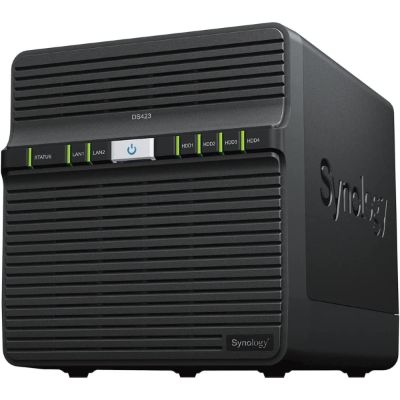
DS423+ · 4-bay
Compared across 5 retailers
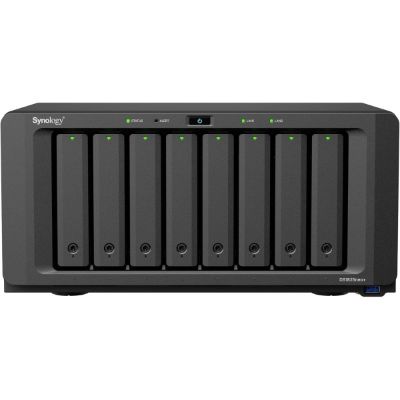
DS1825neo+ · 8-bay, diskless
Compared across 2 retailers
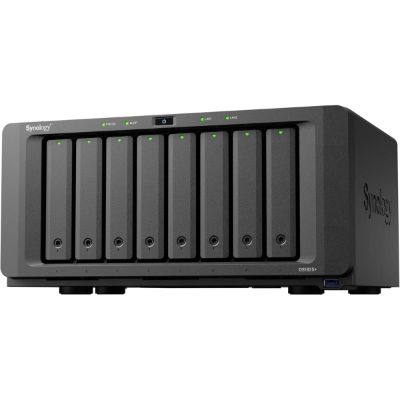
DS1825+ · 8-bay, diskless
Compared across 3 retailers