5% خصم
ASUS · اللوحات الأم
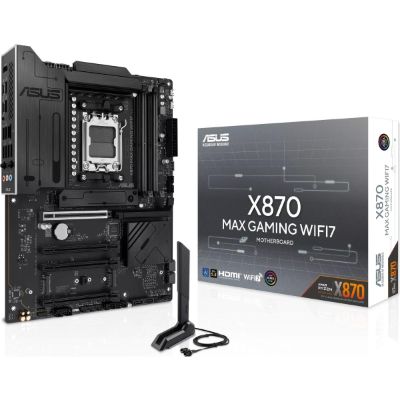
ASUS X870 MAX Gaming WiFi 7 ATX Motherboard – AMD X870, Socket AM5X870 MAX Gaming WiFi 7
من 285 د.أمتوفر
مقارنة عبر 7 متاجر
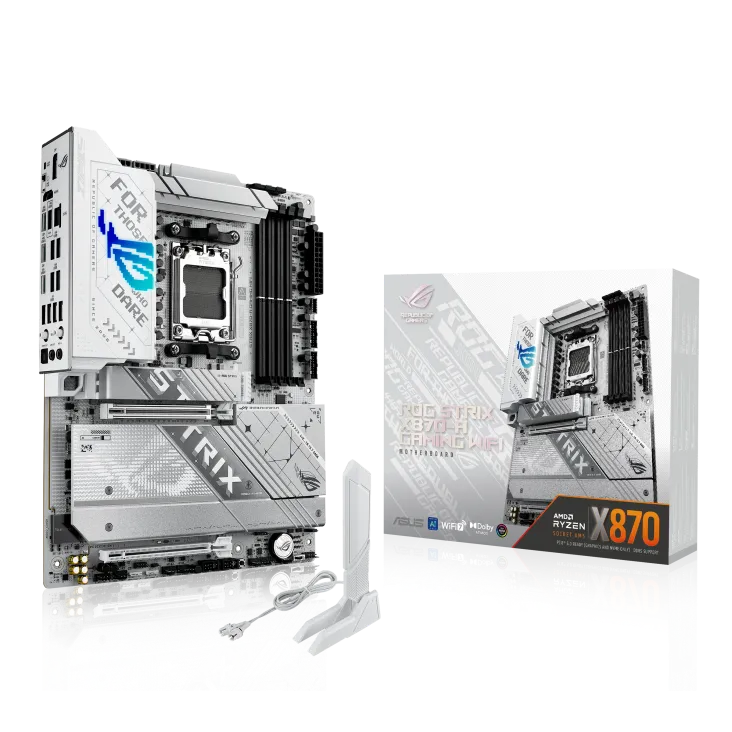
ROG Strix X870-A Gaming WiFi · DDR5
Ready for Advanced AI PCs: Designed for the future of AI computing, with the power and connectivity needed for demanding AI applications AMD AM5 Socket: Ready for AMD Ryzen 7000, 8000 and 9000 series desktop processors Intelligent Control: ASUS-exclusive AI Overclocking, AI Cooling II, AI Networking and AEMP to…
غالباً المنتج نفسه — مطابقة بالعلامة والطراز، لا برقم قطعة من المُصنّع.
| المتجر | السعر | التوفر | الإجراءات |
|---|---|---|---|
 Eagle Computerالأقل | 299 د.أ | متوفر | زيارة المتجر |
 Midas Computer Center | 299 د.أ | متوفر | زيارة المتجر |
 Ammar Mobile & Computer | 299 د.أ | متوفر | زيارة المتجر |
 CompuMe | 328.9 د.أ | متوفر | زيارة المتجر |
 IGEEK Mega Stores | 399 د.أ | متوفر | زيارة المتجر |
 White Angel Computer | 299 د.أ | غير متوفر | زيارة المتجر |
 PCYARD | 319 د.أ | غير متوفر | زيارة المتجر |
 Oriental Store | 319 د.أ | غير متوفر | زيارة المتجر |
 Platinum | 324 د.أ | غير متوفر | زيارة المتجر |
 City Center | 349 د.أ | غير متوفر | زيارة المتجر |
تتطابق هذه العروض في العلامة والطراز دون رقم قطعة من المُصنّع، لذلك التطابق مرجّح وغير مؤكد. راجع المواصفات قبل الشراء بناءً على السعر وحده.
أضيف أقل عرض 2026-11-15 · حُدث 2026-11-26 · آخر تغيير للسعر 2026-10-30
The lowest price from 30 days before the promotion:
AMD X870 ATX motherboard with 16+2+2 power stages, Dynamic OC Switcher, Core Flex, DDR5 support with AEMP, WiFi 7 with ASUS WiFi Q-Antenna, four M.2 slots, PCIe® 5.0 x16 SafeSlots with PCIe Slot Q-Release Slim, two USB4® ports, USB 10Gbps Type-C® with PD 3.0 up to 30W, AI Overclocking, AI Cooling II, AI Networking II, and Aura Sync RGB lighting.
ASUS ROG Strix X870-A Gaming WIFI Motherboard Review
Asus ROG Strix X870-A Gaming WiFi, Futuristic and Sleek
ASUS X870 & X870E Motherboard Roundup & VRM Analysis!
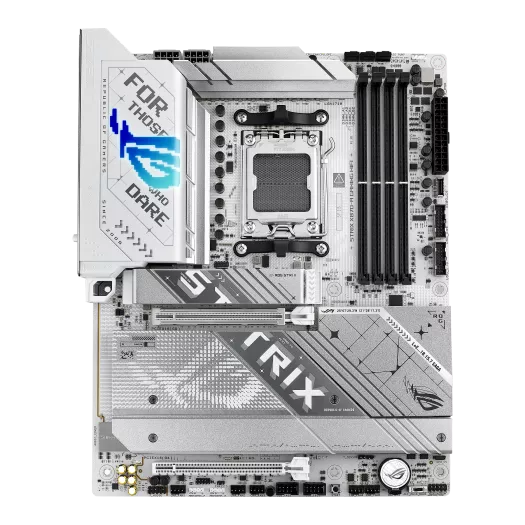
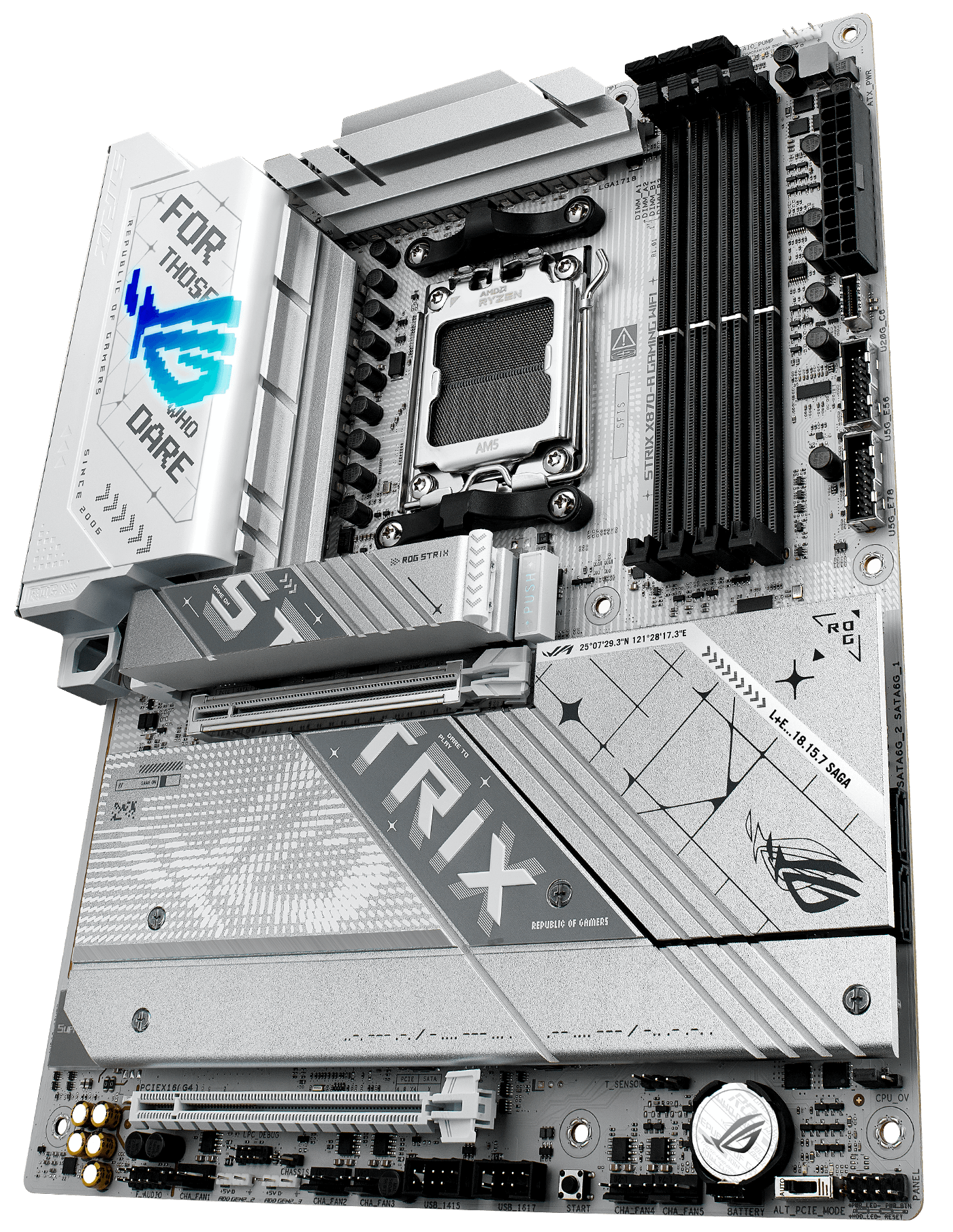
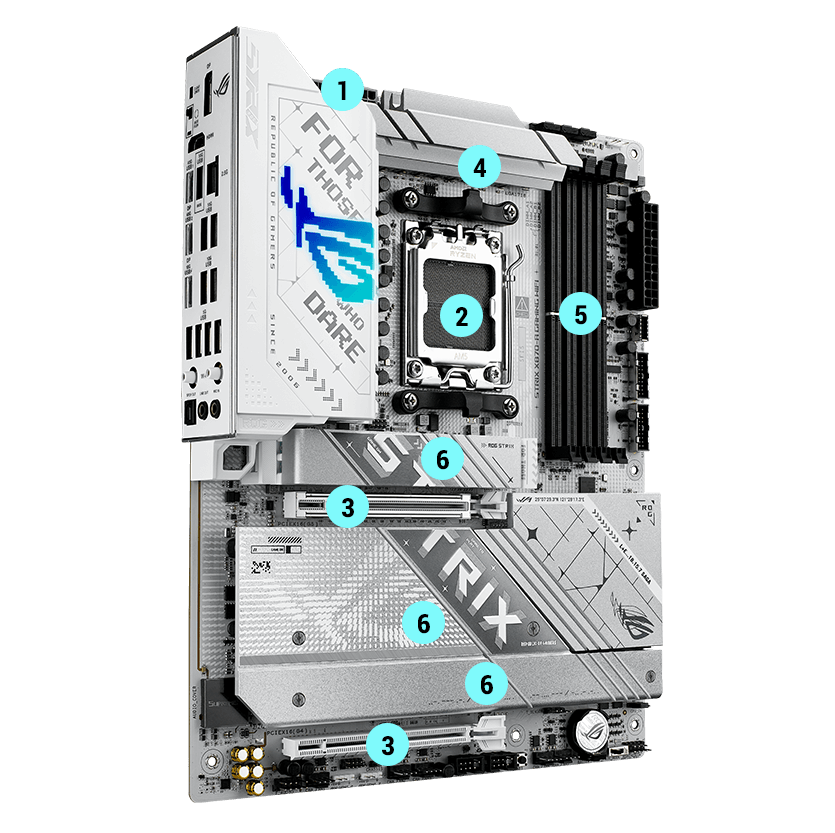
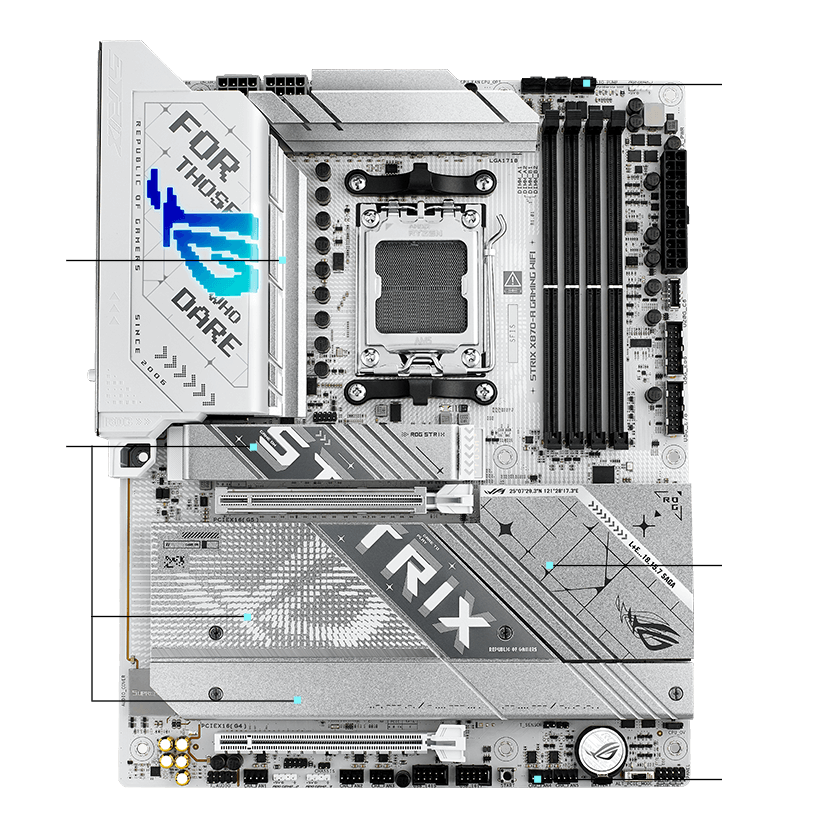
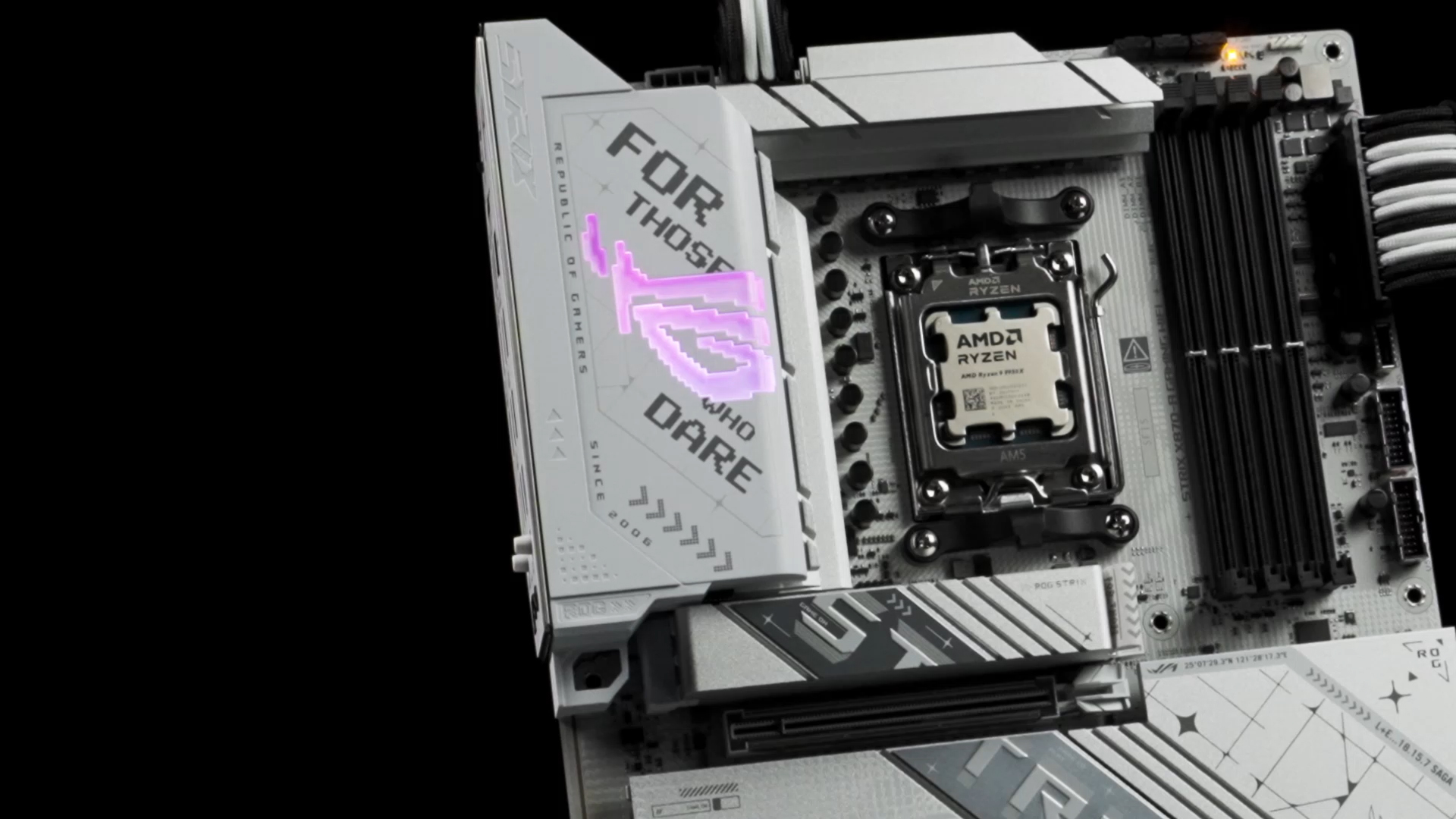
I think that on the whole the board is really good-looking. As can be seen, the board comes with an integrated I/O shield design, and has large silver heatsinks all around.
Motherboard that designed for AMD Ryzen CPUs (AM5 socket), supporting Ryzen 7000, 8000, and 9000 series. It features AI, DDR5, PCIe Gen5, WiFi 7, and a sleek white-silver body. With a 16+2+2 power phase, support for 4 SSD modules, large cooling systems, high-speed ports, 8 fan headers, and RGB lighting customizable via ASUS AURA Sync, it's a gamer-friendly option at an affordable price.
The TUF-RTX5070-O12G-GAMING, is a solid video card that offers good smoothness, support for the most advanced Nvidia technologies, and convincing performance in QHD and 4K. Multi Frame Generation is a useful plus for those who play single-player titles at high framerates, allowing them to take full advantage of high-frequency monitors.
ROG Strix Gaming is a modern combination of technology and reliability. The 16+2 power phases mean unlimited possibilities for both gaming and work. The radiators, as you can see, are massive, because the heat needs to be properly dissipated.
Its design perfectly complements the overall style of the PC build, with its white color, subtle accents, lighting, and thoughtful placement of all elements.
AMD Isn't Backing Down. 🤔 | AMD Ryzen 7 7700X3D
Elevate your build with the ROG Strix X870-A Gaming WiFi. Featuring a sleek white PCB and support for AMD Ryzen™ 9000 Series processors, this motherboard delivers the power and connectivity needed for advanced AI applications. With DDR5 support, full PCIe 5.0 capabilities, dual USB4® ports, and WiFi 7, it's the ultimate blend of style and performance.
Click to check our X870E/X870 Motherboards Guide
16 + 2 + 2 power solution rated for up to 90A per stage
(5 x Type-A + 1 x USB Type-C® with up to 30W PD Fast-charge)
Using AI technology to understand natural-language questions or scenario descriptions, ASUS AI Advisor allows users to explore the functionality and advanced features of ASUS motherboards in a simple and straightforward way.
ASUS AI Overclocking profiles the CPU and cooling to predict the optimal configuration and push the system to its limits.
Balance the thermals and acoustics of any build with a single click.
AI Networking II combines intelligent technologies to continuously optimize network performance, provide trustworthy and seamless connectivity, and unleash the full speed of WiFi 7*. *Features may vary by model.
ASUS AI Advisor is an ASUS technical expert that's always available to answer your questions. Owners of compatible ASUS motherboards can interact with this AI-powered technology using natural language to learn more about their hardware. For DIY beginners, it can provide easy-to-understand explanations of one-click optimization features like AI Overclocking and fan speed tuning, and for seasoned PC-building veterans, it can offer guidance and instructions on the latest features offered by ASUS.
ASUS AI Overclocking profiles the CPU and cooling to predict the optimal configuration and push the system to its limits. Predicted values can be engaged automatically or used as a launching ground for further experimentation.
As the first foray of AI Overclocking on an AMD architecture, the set of parameters has changed substantially, but voltage and clock speeds are still the primary targets for adjustment. Every core has a recommended VID and frequency, with the latter based on a combination of ratio and Asynchronous BCLK tuning.
Predictive settings in the utility are designed to work in tandem with Precision Boost Overdrive (PBO), but they go one step further by enhancing the values for EDC, TDC, and PPT, as well as tuning the curve optimizer.
Finally, by enabling the Dynamic OC Switcher, AI Overclocking ensures that the CPU is using ideal settings whether in single- or multi-threaded workloads.
Balance the thermals and acoustics of any build with a single click. A proprietary ASUS algorithm slashes unnecessary noise while running a quick stress test, and then monitors CPU temperatures to dynamically adjust fans to optimal speeds.
Armoury Crate's Traffic Monitor tracks your current WiFi channel usage. Move to a less congested channel by clicking the “Channel Switch” button* for improved network performance.
Armoury Crate’s Fast Check empowers users to rapidly detect WiFi signal strength.
Armoury Crate’s Direction Finder* helps users detect the optimal antenna orientation for achieving the best WiFi signal strength.
GameFirst is now integrated into Armoury Crate for an even better user experience. GameFirst optimizes networking performance by allocating bandwidth in real time, based on intelligent algorithms designed for various application customizable usage scenarios and corresponding learning algorithms. The latest update includes dedicated support for NVIDIA® GeForce NOW to ensure the lowest latency possible during intense game streamingcloud gaming sessions. To provide a better user’s experience, GameFirst is now integrated into Armoury Crate.
Dynamic OC Switcher maximizes CPU performance by letting you set current and temperature thresholds to automatically switch between a manual overlock for heavy multithreaded workloads and Precision Boost Overdrive for single-threaded tasks. The latest Overclocking Load Guard has an enhanced instantaneous current protection mechanism to prevent users from experiencing system crashes during overclocking.
Core Flex empowers you to smash limits farther than ever before by letting you control clock, power, and thermals in creative new ways. In its simplest form, you can maximize base clock during lighter loads and set breakpoints to gradually reduce CPU core frequency as temperature or current increases. But the system is extremely adaptable, supporting multiple user-controlled functions that can manipulate power, current, and temperature limits independently so that you can bend CPU performance to your will.
AMD Precision Boost Overdrive (PBO) pushes the CPU current and voltage budget to opportunistically increase performance. By aggressively tuning the PBO parameters, AMD's algorithm can leverage the motherboard's robust power solution to ramp up performance even higher.
Example: If a user sets thresholds for current and temperature as shown, once CPU current exceeds 35A, the manual overclock engages until the temperature reaches 80°. At all other times, Precision Boost Overdrive will be used.
The Dynamic OC Switcher lets users automatically switch between manual OC and PBO.
Core Flex lets you fine-tune overclocks.
For this CPU, the base clock (BCLK) can be stably increased to give an extra boost during lightly threaded workloads. At Level 1, the BCLK is set to 104, and it remains at that frequency until the current reaches 35A. Then the BCLK drops down to 102, and stays in that Level 2 range up until 55A. From that point on, the CPU is using most or all of its threads, so the BCLK scales back to the default 100.
By managing the Electrical Design Current (EDC) in tandem with the total current, this CPU can gain extra performance for short, demanding bursts. During lightly threaded workloads, below 35A, the Level 1 EDC is set to a low value, in this case 60. As more cores are needed, the EDC is set to 120, which was found by this user to be a sweet spot for performance. Once the CPU passes 70A, it is in multi-threaded territory, where it was found that a high EDC of 250 gave optimal performance.
In order to let the CPU cool off if its temperatures go too high, this user constrains the Package Power Target (PPT) when thermals increase. Specifically the short-term value (“Fast”) is used. Until the CPU reaches 70°, it can run at full performance, so 350W is set to give plenty of overhead. At that point, the power limit reduces to 220W, to let the CPU start reducing heat. If it is still under sustained load and keeps getting hotter, then a more stringent 165W PPT is set at 85°.
For next-level frequency flexibility, the ROG Strix X870-A features a built-in clock generator that isolates CPU base clock from memory, PCIe, and the Infinity Fabric speed. Drive CPU performance to its absolute brink while maintaining the stability of related clock domains. Separate CPU BCLK from other domains for unfettered overclocking
Separate CPU BCLK from other components for a stable overclocking edge
Separate CPU BCLK from other domains for unfettered overclocking
The Strix X870-A is primed and ready for enthusiast-grade kits courtesy of vast AMD EXtended Profiles for Overclocking (EXPO) support.
ASUS Enhanced Memory Profile (AEMP) is an exclusive firmware feature for PMIC-restricted memory modules.
For those who want to fly past stock DDR5 speeds, the Strix X870-A is primed and ready for enthusiast-grade kits, courtesy of vast AMD Extended Profiles for Overclocking (EXPO) support. Seasoned veterans can further tweak performance via the extensive array of settings in the UEFI.
NitroPath DRAM Technology provides enhanced DDR5 memory performance and durability. Shorter gold finger pins and optimized signal pathways ensure faster data transfers between your DRAM and CPU, allowing for greater memory overclocking headroom and stability. These reinformed DRAM slots are also better prepared to withstand the wear and tear of the RAM installation process than traditional slot designs, perfect for enthusiasts who keep their system upgraded with the fastest kits available.
ASUS Enhanced Memory Profile (AEMP) is an exclusive firmware feature for PMIC-restricted memory modules. AEMP automatically detects the memory chips on your kit and then presents optimized frequency, timing and voltage profiles that you can effortlessly apply to unleash performance.
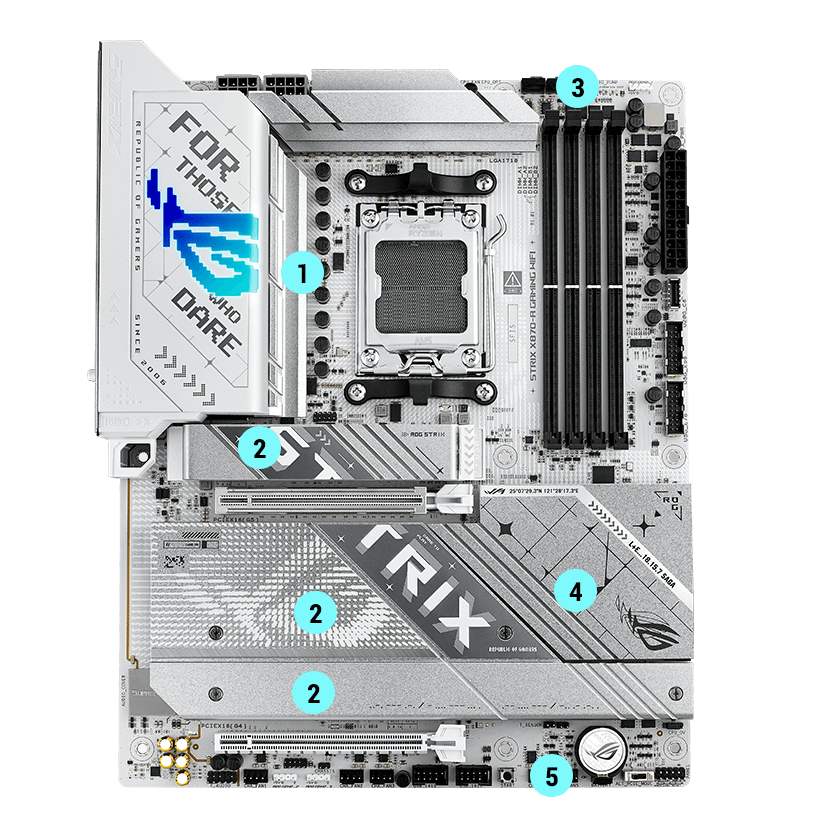
The VRM features 16+2+2 power stages, each rated to handle up to 90 amps
ProCool II connectors are precision-built to ensure flush contact with PSU power lines. A metal sheath improves heat dissipation and lowers electrical impedance.
A multi-layered printed circuit board design quickly dissipates heat around the voltage regulators to improve overall system stability and provide the CPU with more overclocking headroom.
Hi-end chokes and durable capacitors are engineered to resist extreme temperatures, enabling performance that exceeds industry standards.
An integrated backplate helps ensure that high-performance drives can deliver peak performance, even when airflow is restricted.
Heatsinks cover every slot to help keep onboard NVME SSDs at optimal temperatures for consistent performance and reliability.
Two VRM heatsinks, one expanding underneath the I/O shroud, provide ample surface area and mass to handle the power needs of high-performance AMD Ryzen™ 9000 Series processors.
High-quality thermal pads are utilized between power stages and heatsinks, helping to improve heat transfer and reduce VRM operating temperatures.
A dedicated pair of PWM/DC fan headers provides easy access to CPU coolers.
A dedicated PWM/DC header connects self-contained water-cooling setups.
The Strix X870-A features five chassis fan headers, each supporting auto-detection of PWM or DC fans.
Fully embracing the new standard, the Strix X870-A offers end-to-end PCIe 5.0 support.
USB 10Gbps with up to 30W PD Fast-charge
The revolutionary WiFi 7 is faster than standard WiFi 6*, thanks to tech like 160 MHz channels** on the 6GHz band and 4K QAM*. Multi-Link Operation (MLO) provides a more stable WiFi connection and lower latency, unlocking the realms of the unknown in gaming, streaming and industrial IoT.
Dual transceivers support the 2.4, 5 and 6 GHz bands to enable faster throughput, with directional sensitivity to improve signal quality and cover greater distances. Disclaimer: The availability of WiFi 7 varies according to regional regulations.
Onboard Intel® 2.5Gb Ethernet gives your wired connection a boost, with speeds that are 2.5 times faster than standard Ethernet connections for speedy file transfers, low-latency gaming, and high-res video streaming.
Fully embracing the new standard, the Strix X870-A offers end-to-end PCIe 5.0 support. The topmost x16 expansion slot is Gen 5-ready, and is protected with a SafeSlot retention bracket to bear the weight of the latest graphics cards. Two of the onboard M.2 slots are geared for blistering 16 GB/s read and write speeds thanks to its PCIe 5.0 interface, while all the rest can deliver still-impressive 8 GB/s transfers. Every M.2 slot is covered with substantial heatsinks to dispatch the heat of next-gen drives.
Each USB4® port delivers up to 40 Gbps of bidirectional bandwidth for the latest super-speed devices and drives. External display support reaches up to 8K output if one of the ports is in use, or both can be employed for dual 4K displays.* *VGA resolution support depends on CPU or graphic card capabilities.
USB Wattage Watcher allows users to monitor the current wattage delivered to a device connected to the USB 10Gbps Type-C® rear I/O port. With USB Wattage Watcher, users can glance at their device's charging wattage in real-time and check on their device’s Fast-Charging status.
ROG and Dolby® have partnered to bring superior gaming audio quality to users. Dolby Atmos expands on traditional surround sound systems by adding height channels, which enables immersive three-dimensional audio to be perceived from above, below and around the listener.
ROG SupremeFX is a unique blend of hardware and software technologies that provide superior audio. The Strix X870-A implementation features the ALC4080 codec for high-resolution playback up to 32-bit/384 kHz across all channels. Front-panel output is streamed through the integrated Savitech amplifier that can drive high-fidelity acoustics to a wide variety of speakers and headsets. ››› Learn more about ROG audio technology
A specially designed circuit separation reduces electromagnetic interference from the motherboard and attached devices for cleaner audio.
The integrated Hi-Fi Savitech amplifier holds up its end of the signal path with imperceptible levels of distortion at -90dB THD+N and a signal-to-noise ratio of 110dB for extremely clean output.
Instead of the conventional high definition audio (HDA) interface, the ALC4080 codec uses a USB interface to deliver studio-level sound reaching up to 32-bit 384 kHz audio resolution.
A metal cover protects against electromagnetic interference, preserving the integrity of audio signals to ensure the best sound quality.
High-quality components produce a warmer, more natural sound with exceptional clarity and fidelity.
With PCIe® Slot Q-Release Slim, simply tilt the card toward the latching mechanism to automatically unlock it from the PCIe slot. This makes upgrades and maintenance easier than ever before. Users will no longer need to fiddle with a tricky latch or even press a button to release their graphics card from the slot.
The M.2 heatsink features a convenient switch* to quickly remove it, eliminating the need for tiny screws during SSD installation. Its strong locking mechanism also provides a snug contact surface, helping to ensure reliable heat dissipation for your SSD. *Switch may be a lever or button, depending on motherboard model.
This new sliding M.2 latch design supports sizes 2242, 2260 and 2280 for easy device installation.
The new Q-Latch design allows for tool-free installation or removal of M.2 SSDs with just one press.
With Q-Antenna, attaching a WiFi antenna to your PC is now easy and fast. Instead of slowly rotating two fasteners until they finally lock in, they just snap into place. Less hassle, and more consistent performance.
The on-board Q-LED troubleshooting lights give PC builders a quick indicator to confirm that key components ― CPU, RAM, graphics card, storage devices ― are functioning normally during startup. Builders can use the Q-LED feature to correct power delivery issues affecting their motherboard, and it can also alert them when memory modules have not been properly installed--even before attempting to boot a newly built PC.
The Clear CMOS button quickly resets BIOS settings to factory default. It can also be used to reboot the PC if incorrect BIOS settings have been selected. BIOS FlashBack™ is a safe and simple way to update BIOS. Just drop the (UEFI) BIOS file onto a FAT32-formatted USB stick, plug it into the USB BIOS FlashBack port, and press the button. Updates can even be performed without having memory or a CPU installed.
Simplify your motherboard configuration with BIOS Q-Dashboard. Its intuitive visual representation of hardware connections and corresponding BIOS settings takes the complexity out of setting up your system. Upgrade now, and discover the power of BIOS Q-Dashboard to easily and efficiently enhance your computing setup.
The renowned ROG UEFI (BIOS) provides everything you need to configure, tweak, and tune your rig. It offers intelligently simplified options for newcomers to PC DIY, as well as more comprehensive features for seasoned veterans.
ASUS GlideX is a cross-device, cross-platform screen-sharing, screen-control and operation solution for enhanced productivity across PCs, tablets, and smartphones via USB or WiFi. Features include screen mirroring, screen extension, unified control with one keyboard and mouse, easy file transfers, and using mobile cameras as PC webcams. It's compatible with Windows, macOS, Android, and iOS.
HWiNFO and ROG have collaborated on this comprehensive system information and diagnostic tool that provides detailed information about hardware components and real-time monitoring of system performance in ROG style. It supports a wide range of hardware devices, and it is regularly updated to include the latest technologies.















استناداً إلى سجلات الأسعار المتاحة، وليس ضماناً لأعلى أو أدنى سعر على الإطلاق.
أقل سعر لدى 10 متاجر.
| التاريخ | السعر | التغيير | الأقل لدى |
|---|---|---|---|
| 2026-10-30 | 299 د.أ | -50 د.أ | Midas Computer Center |
| 2026-10-24 | 349 د.أ | -50 د.أ | City Center |
| 2026-10-20 | 399 د.أ | أول تسجيل | IGEEK Mega Stores |
X870 MAX Gaming WiFi 7
مقارنة عبر 7 متاجر
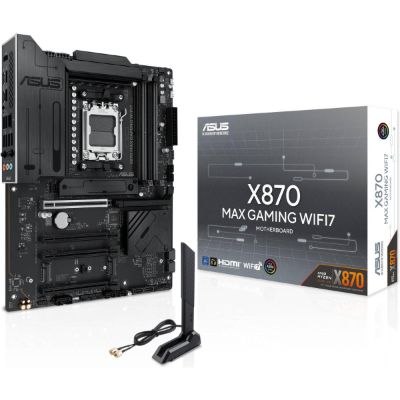
X870 MAX GAMING WIFI7 W
مقارنة عبر 3 متاجر
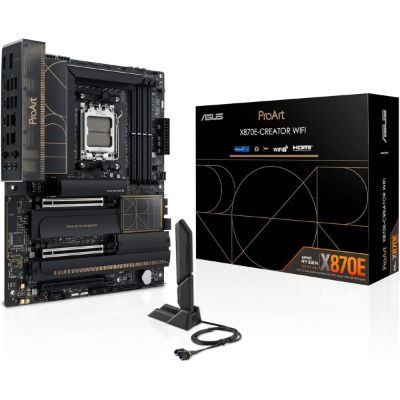
X870E-Creator WiFi
مقارنة عبر متجرين
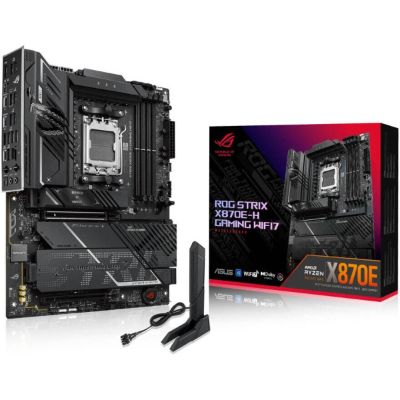
ROG Strix X870E-H Gaming WiFi 7 · ATX
مقارنة عبر متجرين