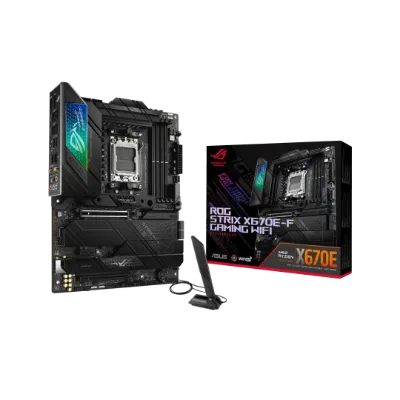
14% off
ASUS · Motherboards
ASUS ROG Strix X670E‑F Gaming WIFIROG Strix X670E-F Gaming WiFi · ATX
from 319 JODIn stock
Compared across 3 retailers

B550-F Gaming
ASUS ROG STRIX B550-F GAMING AMD AM4 B550 ATX gaming motherboard: AMD AM4 Socket 3rd Gen AMD Ryzen™ Processors, AMD B550, AMD AM4, DDR4, 4, 128GB, 3rd Gen AMD Ryzen™ Processors4 x DIMM, Max. 128GB, DDR4 4600(O.C)/4400(O.C)/4133(O.C.)/4000(O.C.)/3866(O.C.)/3600(O.C.)/3466(O.C.)/3200/3000/2800/2666/2400/2133 MHz…
Likely the same product — matched on brand and model, not on a manufacturer part number.
| Retailer | Price | Availability | Actions |
|---|---|---|---|
 CompuMeLowest | 148.26 JOD | In stock | Visit retailer |
 Oriental Store | 149 JOD | Out of stock | Visit retailer |
 Compu Jordan | 179 JOD | Out of stock | Visit retailer |
These listings match on brand and model rather than on a manufacturer part number, so the match is likely but not confirmed. Check the specifications before you buy on price alone.
Lowest offer added 2026-11-15 · Updated 2026-11-25 · Last price change 2026-11-15
The lowest price from 30 days before the promotion:
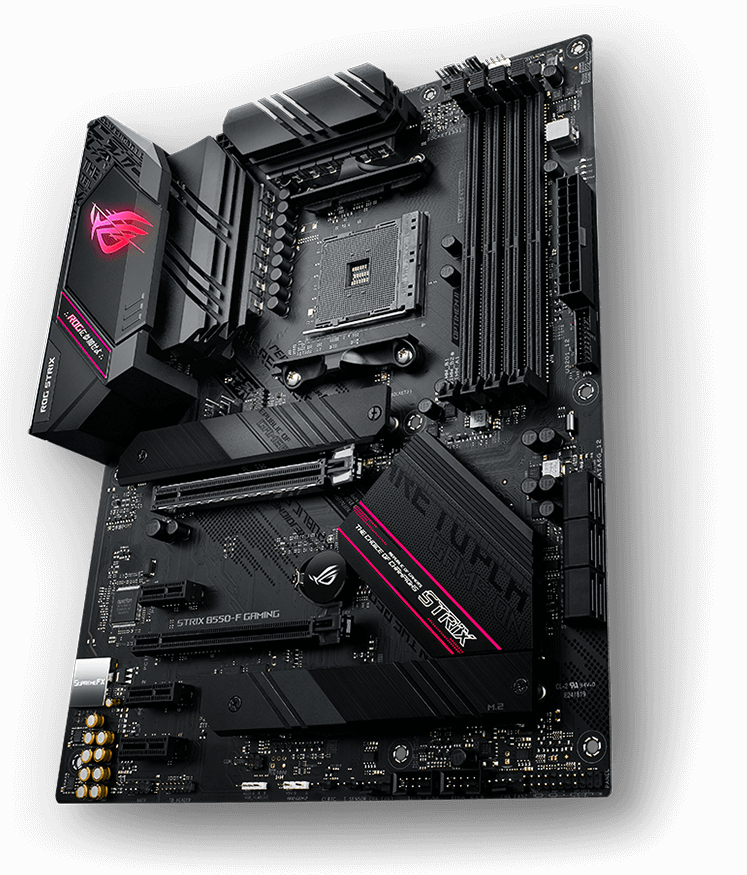
ROG Strix B550 Gaming series motherboards offer a feature-set usually found in the higher-end ROG Strix X570 Gaming series, including the latest PCIe® 4.0. With robust power delivery and effective cooling, ROG Strix B550 Gaming is well-equipped to handle 3rd Gen AMD Ryzen™ CPUs. Boasting futuristic aesthetics and intuitive ROG software, ROG Strix B550-F Gaming gives you a head start on your dream build.
ROG Strix B550-F Gaming is PCIe® 4.0-ready and provides the latest connectivity options for supersmooth networking and blisteringly fast file transfers. Audio enhancements give you a massive advantage, allowing you to pick up on the subtlest of cues for a completely immersive gaming experience.
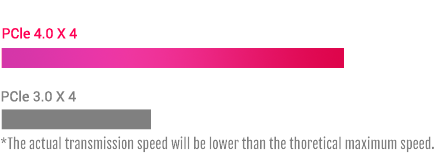
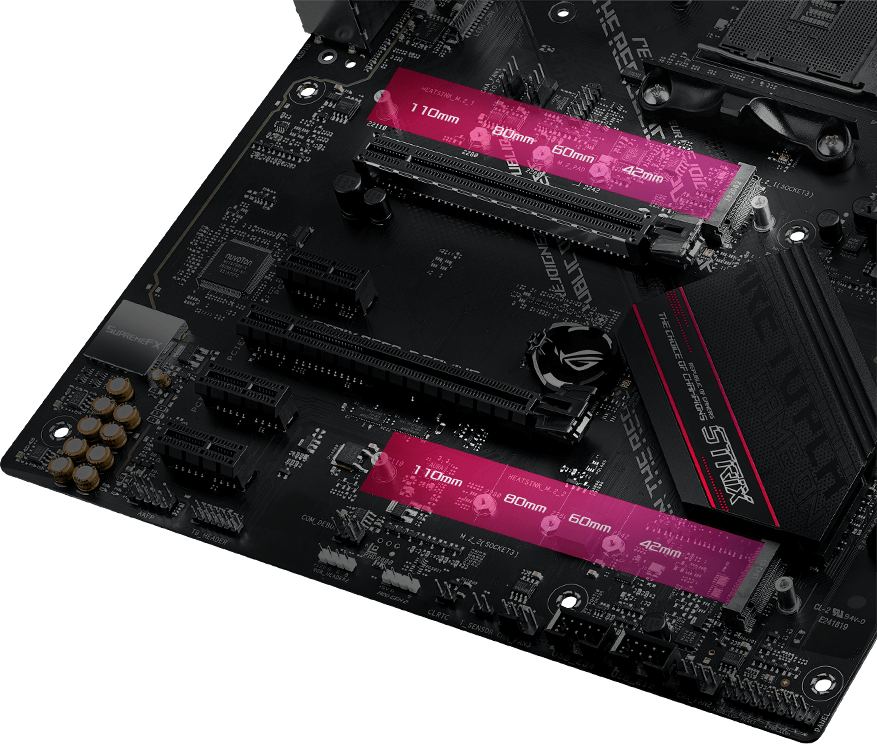
ROG Strix B550-F Gaming features two M.2 slots, one of which supports the latest PCIe 4.0 standard to provide maximum storage flexibility and the fastest data speeds available via the 3rd Gen AMD Ryzen platform. Both M.2 slots support up to the type 22110 socket and NVM Express® RAID for a performance boost.
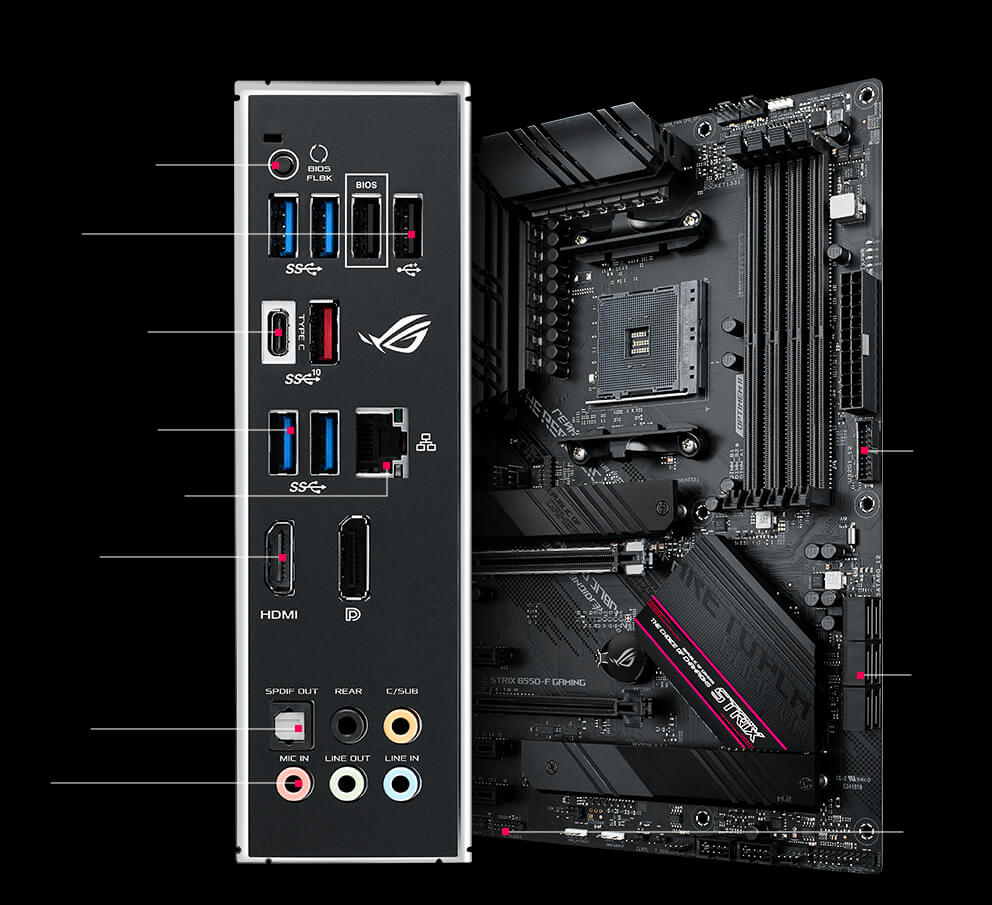
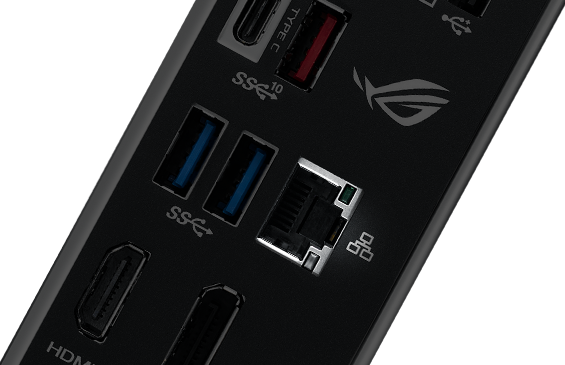
Onboard 2.5 Gb Ethernet gives your wired connection a boost, with speeds that are 2.5 times faster than standard Ethernet connections for speedy file transfers, lag-free gaming, and high-res video streaming.
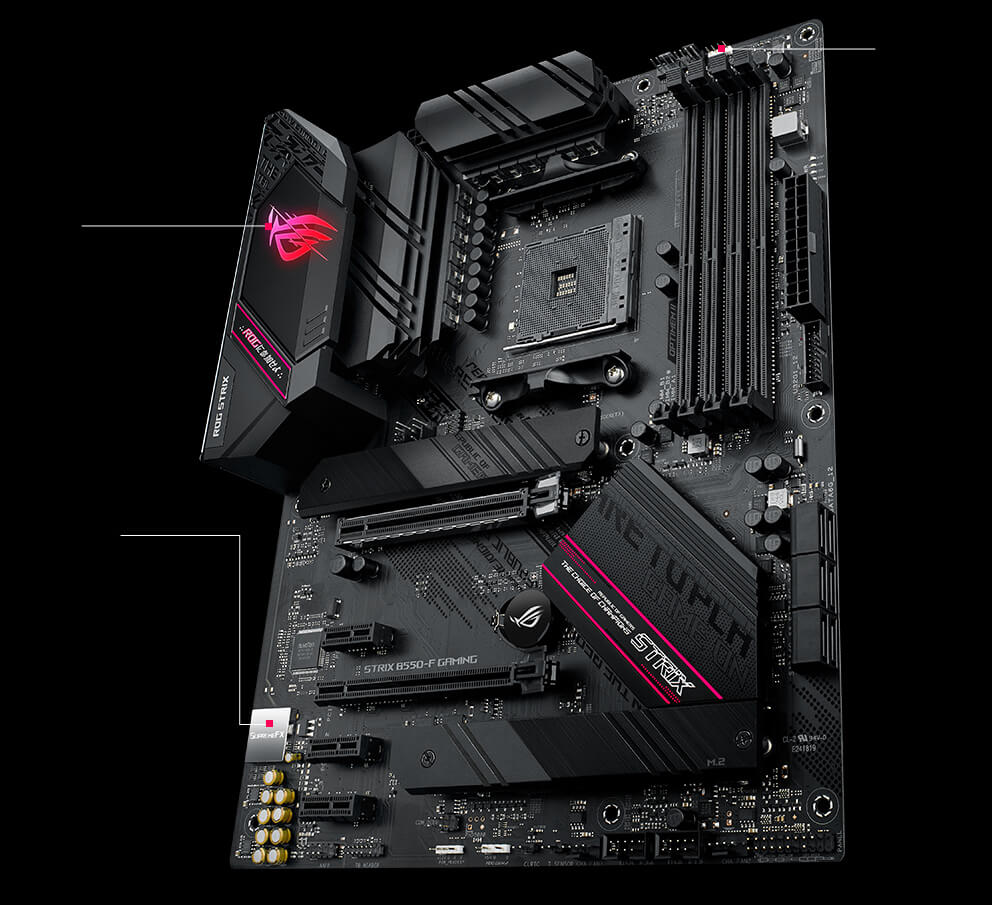
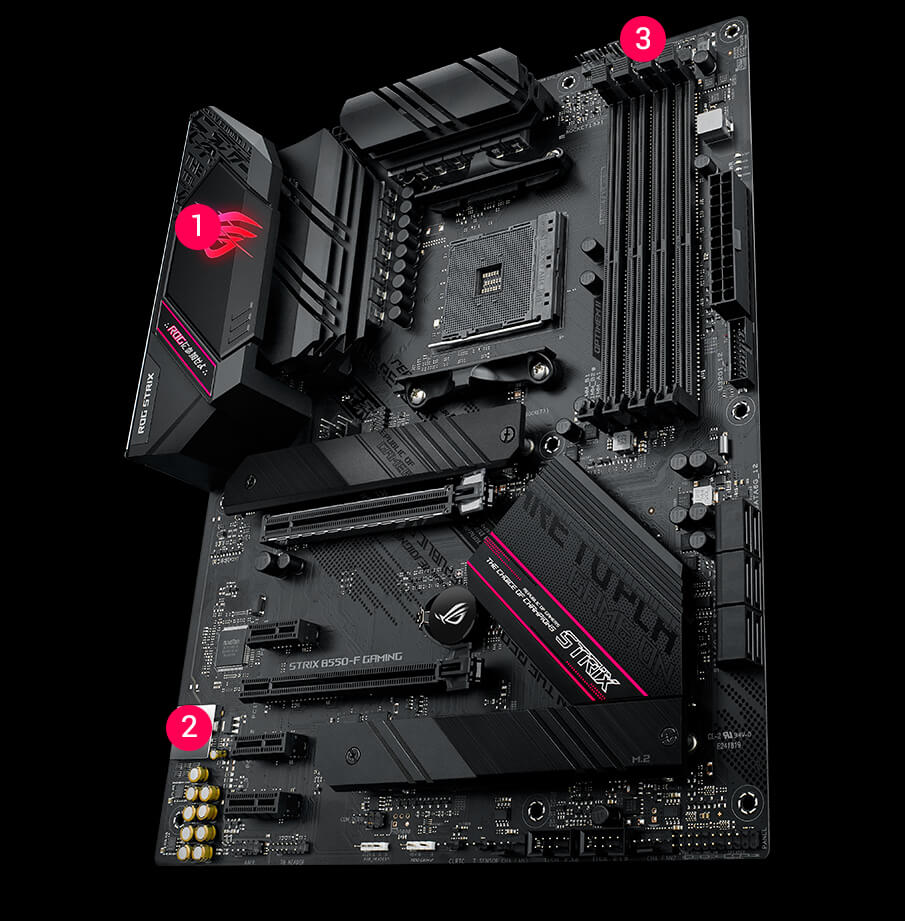
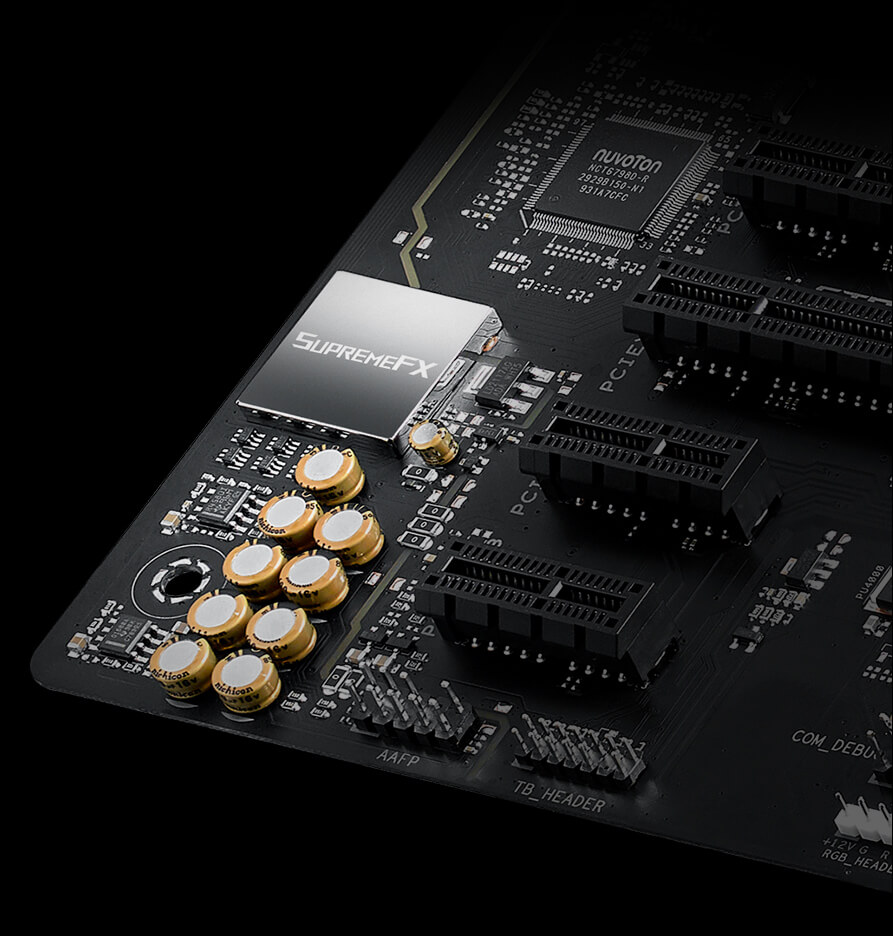
Built-in ROG SupremeFX audio technology ensures pristine audio for ROG Strix B550-F Gaming. Along with ensuring a flat frequency response for a neutral, detailed sound signature, it offers two front-panel outputs driven by op amps that deliver high-quality audio to gaming headsets.
Effective shielding against electromagnetic interference preserves the integrity of audio signals for the best sound quality.
Blocks electromagnetic interference from the motherboard or add-ons to provide cleaner audio.
With two op-amps onboard you're able to pump exceptional audio to your favorite cans, with 32-600Ω-headphone impedance for great flexibility.
Fine-quality Japanese-made components that produce a warmer, natural sound with exceptional clarity and fidelity.
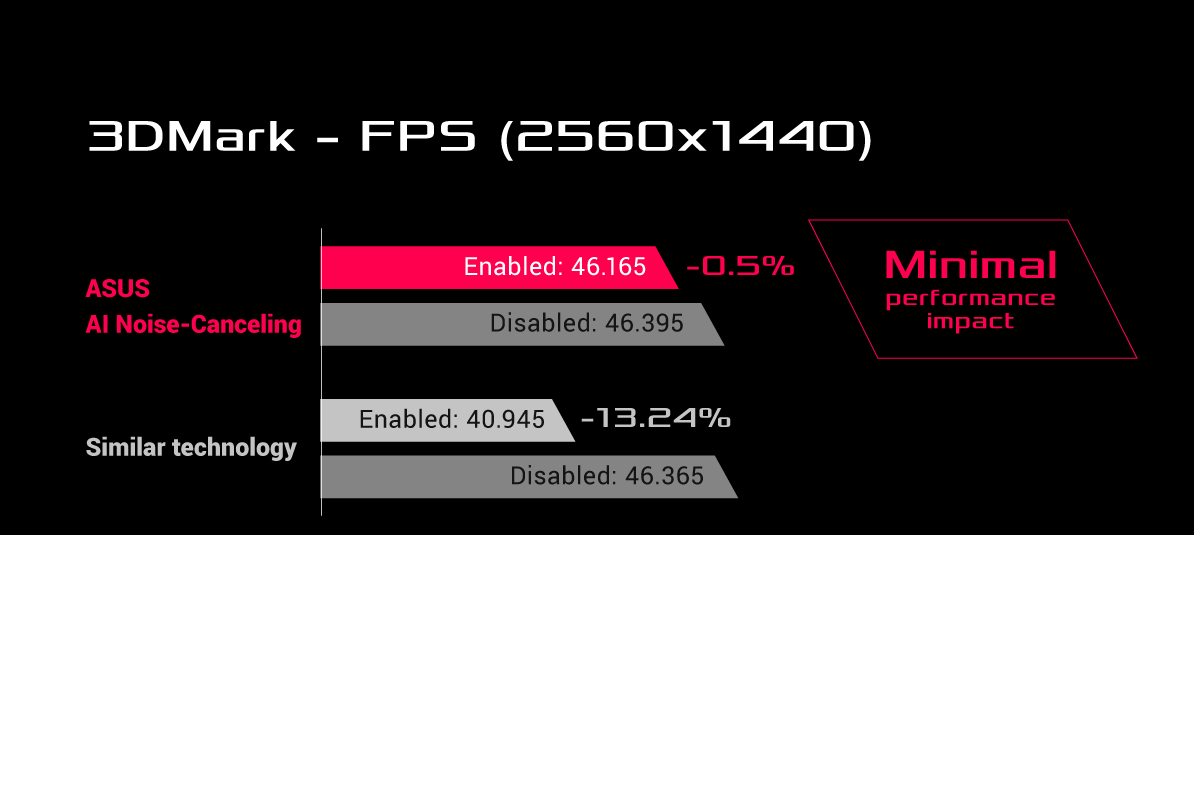
AI noise-canceling microphone software is exclusively featured on ROG Strix motherboards and supports 3.5 mm, USB, or Bluetooth headsets. The utility leverages a massive deep-learning database to preserve the sound of your voice while eliminating distracting keyboard clatter, mouse clicks, and other forms of environmental noise. And it only places a slight load on the CPU, ensuring minimal impact on gaming performance.
Click on the slider when the audio is playing to hear the difference when AI is turned off and on.
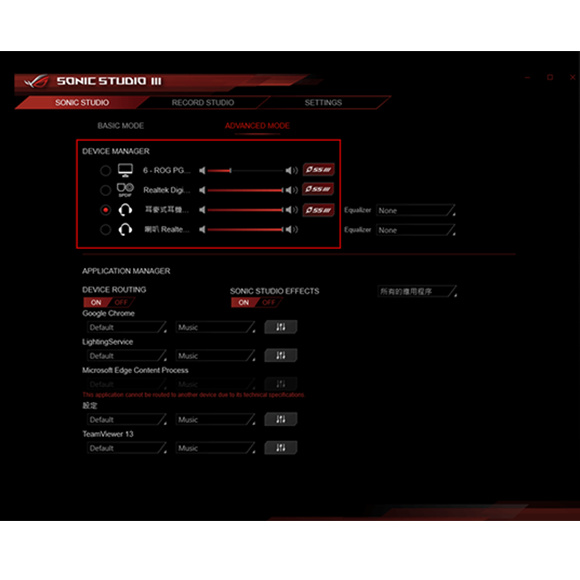
Sonic Studio supports HRTF-based (head-related transfer function*) virtual surround for VR headsets, casting an immersive aural landscape that draws you deeper into the action. The intuitive Sonic Studio interface also offers a range of EQ options and one-click presets, allowing you to tailor acoustics to suit personal preferences or the characteristics of your headset.
The new Sonic Studio Link allows you to apply Sonic Studio effects on all playback devices. Simply press the Sonic Studio Link button to enjoy the effect on any connected device.
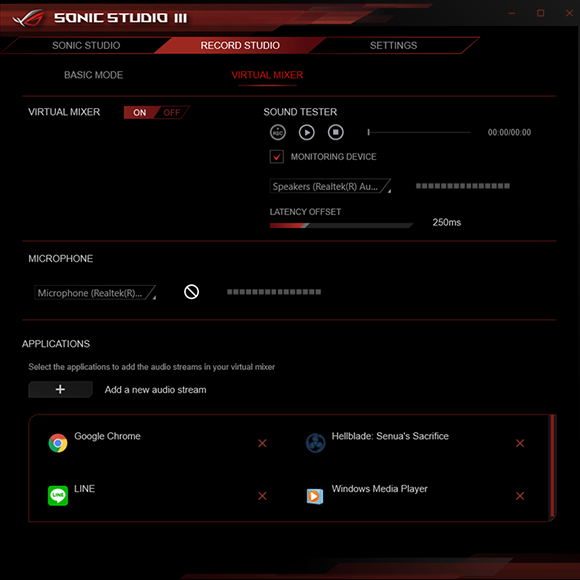
Mix your voice and video game audio together using this software specifically designed for streaming applications. A variety of settings and monitoring.
Apply customized audio settings to various applications, so that each is perfectly tuned to the way you want to listen.
ROG Strix B550 series motherboards are pre-loaded with the DTS® Sound Unbound™ app that envelops you in audio as never before, conjuring whole new levels of immersion for extraordinary gaming and entertainment experiences. By leveraging Windows Sonic spatial technology, DTS Sound Unbound delivers audio in a virtual 3D space — putting you right in the middle of the soundscape, where you can sense the location and direction of every gunshot, footstep or other sound in your virtual environment. * DTS Sound Unbound requires in-game support. Check with developers for supported titles.
Discrete left and right audio channels enable headphone or two-speaker setup.
Audio is split and served over multiple speaker channels – e.g., 5.1 or 7.1 – to create an enveloping experience on a single, logical plane.
A virtual audio ‘sphere' effect creates astonishing 360° immersion — with you at the center, where sounds seem to travel in all directions.
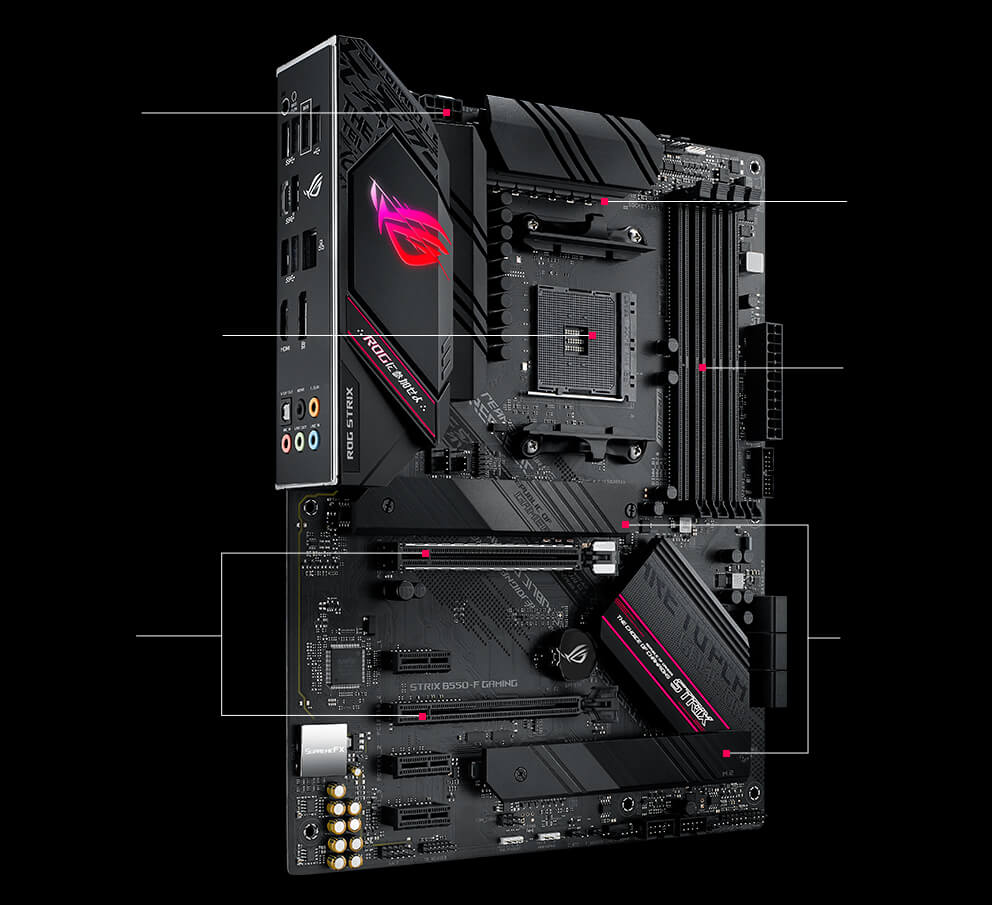
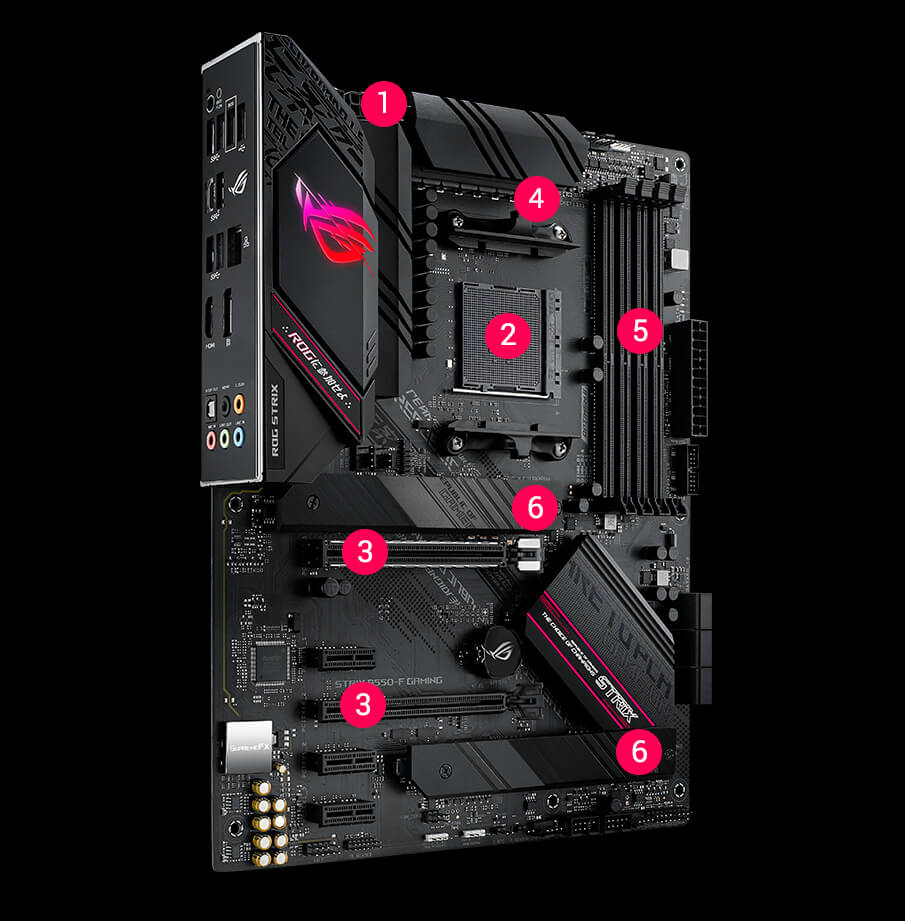
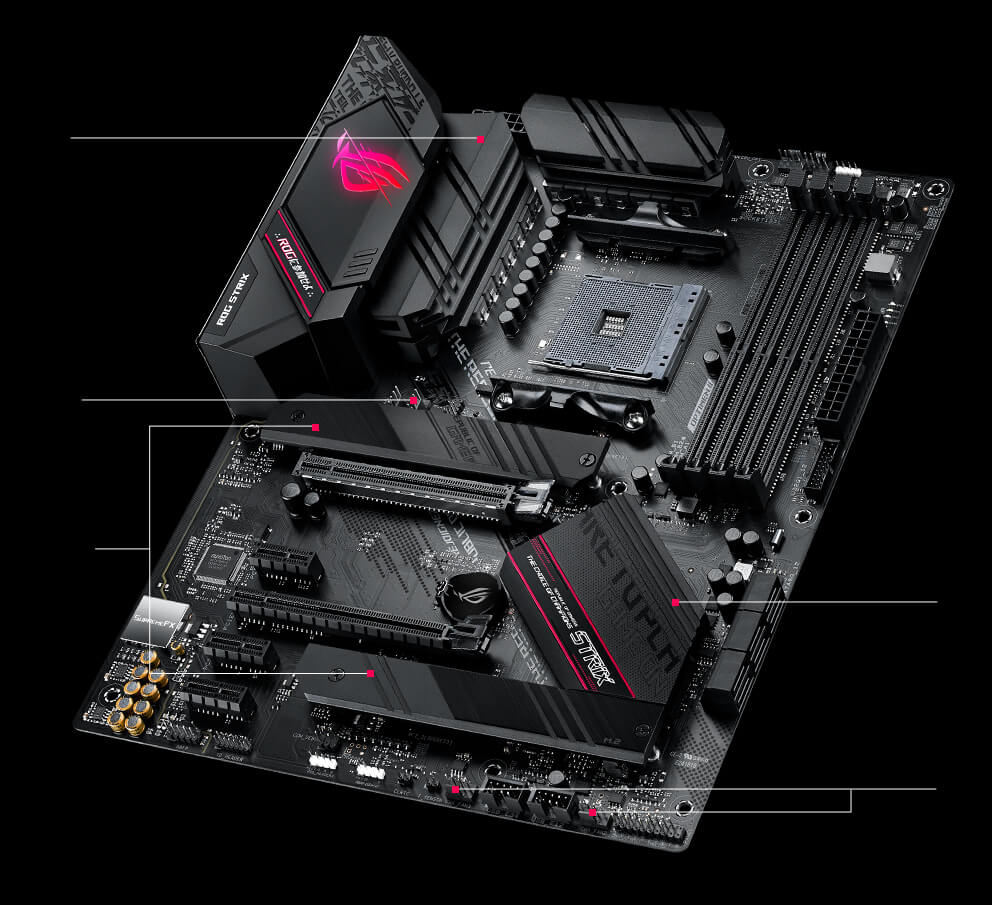
ROG Strix B550-F Gaming provides robust power delivery to fuel Ryzen's cores, comprehensive cooling, and support for faster memory — so it has everything you need to load up your build with high-performance components for playing in the big leagues.
Digital power control and an array of power stages ensure ROG Strix B550-F Gaming has the muscle to control the latest AMD CPUs.
The ProCool socket is built to exacting specifications to ensure flush contact with the PSU power lines, enabling lower impedance and better heat dissipation.
ASUS DIGI+ Power Control is an innovative set of controllers for digital VRM and DRAM Voltage. These controllers offer ultra precise memory and voltage tuning for optimal system efficiency, stability and performance.
12+2 power stages combine high-side and low-side MOSFETs and drivers into a single package, delivering the power and efficiency that the AMD CPUs demand.
Superior chokes and durable capacitors are engineered to resist extreme temperatures and provide up to 110% better performance than the industry standard.
The 6-layer PCB quickly dissipates heat around the VRM to improve overall system stability and give the CPU more overclocking headroom.
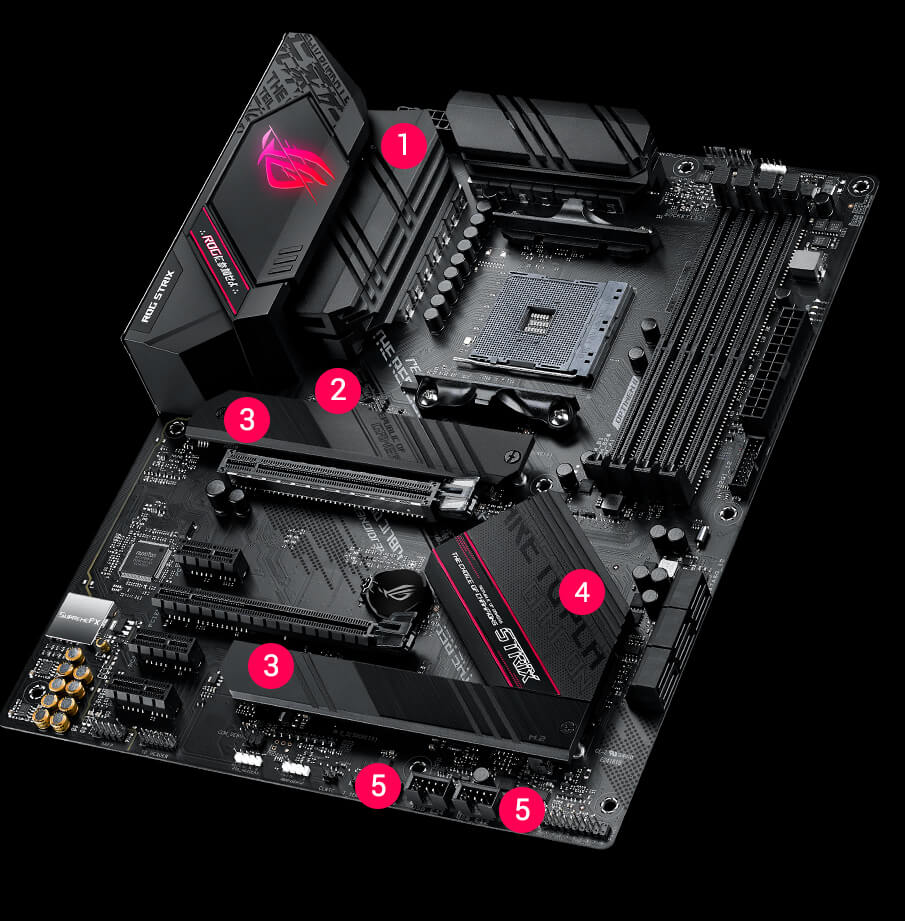
ROG Strix B550 series features the most comprehensive cooling options ever, configurable via Fan Xpert 4 or the UEFI BIOS.
A dedicated pair of PWM/DC fan headers for CPU coolers
A dedicated PWM/DC header for self-contained water-cooling setups
Keeps the M.2 SSD at the optimum operating temperature for consistent performance and reliability
All onboard headers support auto-detection of PWM or DC fans
MOS heatsink provides large contact area for MOSFETs and chokes
High-quality thermal pad helps transfer heat from inductor and phase array to heatsink
To provide AMD's latest CPUs unfettered access to memory bandwidth, motherboard trace routing has been reimagined with the ROG Strix B550-F Gaming. Integrated OptiMem II technology carefully maps memory signal pathways across PCB layers to reduce vias, and it also adds shielding zones that significantly reduce crosstalk. To further enhance overclocking headroom for fully stacked memory configurations, a highly customized Daisy Chain layout delivers time-aligned signaling.
The cyberpunk-inspired aesthetics of ROG Strix B550-F Gaming are accentuated by the bold slashes and cybertext. By pairing your rig with other products from the diverse ROG ecosystem, you can create a fully customized gaming setup that reflects your personal style.
ROG Strix B550-F Gaming embodies the ROG spirit with eye-catching aesthetics, including the next-generation distorted ROG eye logo and recessed cybertext patterning etched on the I/O shroud. These new designs move ROG Strix boldly into the future, while clearly reflecting the series' gaming roots.
ROG Strix motherboards deliver sterling performance and superior aesthetics to outshine the competition. They also feature built-in ASUS Aura technology that enables full RGB lighting control and a variety of presets for embedded RGB LEDs as well as lighting strips connected to onboard RGB headers. In addition, all lighting can be easily synced with an ever-growing portfolio of Aura-capable ASUS hardware.
ROG Strix B550-F Gaming's Addressable Gen 2 RGB header is now capable of detecting the number of LEDs on second-gen addressable RGB devices, allowing the software to automatically tailor lighting effects to specific devices. The new header also offers backward-compatibility with existing Aura RGB gear.
Patented I/O shield is finished in sleek matte black and comes pre-mounted to make it easy to install on the motherboard.
Four onboard LEDs indicate power status, and any problem with the CPU, memory, graphics card or boot device for quick diagnosis.
The reinforced ASUS SafeSlot provides stronger PCIe device retention and greater shearing resistance.
Users can place a BIOS file onto a FAT32-formatted USB drive and simply plug it into the USB BIOS FlashBack™ port and press a button to update the (UEFI) BIOS. Updates can be made even if memory or CPU aren't present
ROG Strix motherboards undergo an extensive certification program to ensure the very best compatibility with the widest range of components and devices. For a smooth build process, refer to our list of guaranteed-compatible components. To help with memory upgrades, the list also includes a dedicated Qualified Vendor list (QVL).
Up your game with ROG Strix. Enjoy complementary aesthetics, control and compatibility across AIO coolers, cases, peripherals, and much more! ROG offers more choices than any other brand.
ROG-exclusive software utilities deliver intuitive audio tuning and gaming enhancements that allow you to configure your gaming build the way you want.
The renowned ROG UEFI (BIOS) provides everything you need to configure, tweak, and tune your rig. It offers intelligently simplified options for newcomers to PC DIY, as well as comprehensive features for seasoned veterans.
When you're ready for a deeper dive into the configuration of your system, delve into the UEFI's Advanced mode and take complete control. Each section is intuitively organized, and a built-in search feature makes it easy to find the options you need. Advanced functions are coded with the intelligence to adapt to your settings, and when you're ready to take charge, parameters have the granularity to dial in performance just the way you want.
Quickly find tuning options and add preferred tools to the list.
Flash the latest BIOS via the internet from within the BIOS.
Check your storages devices' Self-Monitoring, Analysis, and Reporting Technology logs to gauge reliability and to identify potential failures.
Automatically detect selected ASUS graphics cards to view detailed information.
Restore your SSDs to factory-fresh condition.
Track the latest changes and save preferred profiles onto a USB drive.
Rename SATA ports for easy identification.
Quickly and easily find the option or setting you're looking for.
Port configuration settings between different BIOS versions or share them with friends.
Configure the fan's operating speed manually or use pre-configured fan profiles to quickly select Standard, Silent, Turbo or Full Speed modes. By default, system fans will automatically switch to full speed if the temperature reaches 75°C.
Designed to simplify setup, EZ mode presents all the vital settings and stats on a single page. With guided wizards, drag-and-drop functionality, and one-click application of important settings, your rig will be up and running in no time.
Fine-tune individual fans simply by dragging a curve with the mouse.
Easily display SATA port details for device identification.
Use the mouse to quickly change time and date settings.
The proprietary ROG GameFirst VI utility is designed to help all users — beginners, experts, and everyone in between — optimize network settings to ensure smooth online gameplay. New to this generation, GameFirst VI features AI-enhanced identification and boost technology to ensure faster and smarter network optimization.
GameFirst VI analyzes your usage patterns and the digital signatures of your applications and compares them to a database of over 200,000 apps. The database is regularly updated to ensure that apps are recognized.
GameFirst VI intelligently switches application priority and adjusts bandwidth accordingly, depending on the situation. When gaming, it accelerates and prioritizes game packets to give you supersmooth online gameplay — even when you're streaming high-quality video to your audience or transferring large files.
An intuitive graph gives you an overview of the network in real time. Simply click on the tab to view current bandwidth usage of each application, geolocation status of each network connection, and an analysis of each WiFi channel.
WiFi Quick Assist analyzes network information — including real-time bandwidth use — to generate a graph that provides a clear overview of current network status. When paired with a ROG router, WiFi Quick Assist lets you quickly scan your WiFi network to find the best channel; then you can use Game Boost to prioritize gaming devices and packets.
GameFirst VI analyzes current app usage and adjusts bandwidth accordingly to ensure smoother online experiences, even when multitasking.
Gaming First mode leverages a massive application database and an analysis of your frequently used apps to prioritize gaming network traffic. This reduces jitter and decreases ping to give you lag-free online gaming.
Armoury Crate is a new software utility designed to give you centralized control of supported gaming products, making it easy to tune the look and feel of your system. From a single intuitive interface, Armoury Crate lets you easily customize RGB lighting and effects for compatible devices and synchronize them with Aura Sync to create a unified lighting scheme across your system. You can also use Armoury Crate to download the user manual, drivers and software. In addition, Armoury Crate features a dedicated product registration page as well as a news feed to help you stay in touch with the gaming community.
RAMCache lll software turns milliseconds into microseconds to boost game-load times. Fully compatible with the latest NVM Express® storage options, its uniquely intelligent technology effectively caches an entire storage device so that favorite games and apps launch at breakneck speeds.
The intuitive interface displays real-time drive information, such as current read/write speeds.
A memory check provides a quick overview of the health status of assigned memory.
A Smart mode automatically caches all storage devices to maximize system resources.
The ROG Strix B550-F Gaming [WiFi] looks like a typical Strix motherboard
A very well balanced product. [...] The ROG Strix B550-F Gaming is a really good deal.
To conclude, we award this ASUS ROG STRIX B550-F GAMING the Gold medal. Indeed, we have good temperatures, a proper automatic overclocking feature, PCIe 4.0 slot and the exclusive ASUS AI Mic which is very efficient.
"With this motherboard, along with a processor of just over 100 euros like a Ryzen 3 3300X, we can play games like Deus EX, Total War, Tom Clancy's and Shadow of The Tomb Raider at 2K resolutions with an average rate higher than 60 fps."
Gold Award - kakaku.com ProductAward2020 (PC Parts/Motherboard)
The Asus ROG StrixB550-F Gaming, equipped with the brand new AMD B550 chip set, the first mid-range compatible with the current generation Ryzen 3000.
With a sleek design and intuitive ROG software, ROG Strix B550-F Gaming gives you the advantage to make your dreams come true
This is a evolution of B450 near to the X570
Flagship ROG Tumben Murah? Ada apa nih? | ASUS ROG STRIX B550-F Gaming WiFi
Merakit PC Studio North Boys dengan ROG STRIX B550-F Gaming WiFi
This motherboard offers all the quality and performance of Asus' ROG Strix brand at an affordable price, ideal for the Ryzen 7 5800X3D.







Based on the price records this catalogue holds — not a guarantee of an all-time high or low.
Lowest price across 3 retailers.
| Recorded | Price | Change | Lowest at |
|---|---|---|---|
| 2026-11-15 | 148.26 JOD | -0.74 JOD | CompuMe |
| 2026-10-30 | 149 JOD | -30 JOD | Oriental Store |
| 2026-09-25 | 179 JOD | +30 JOD | Compu Jordan |
| 2026-09-23 | 149 JOD | First recorded | Oriental Store |
ROG Strix X670E-F Gaming WiFi · ATX
Compared across 3 retailers
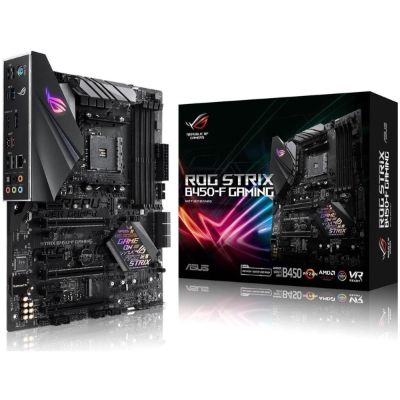
ROG STRIX B450-F GAMING
Only at Oriental Store
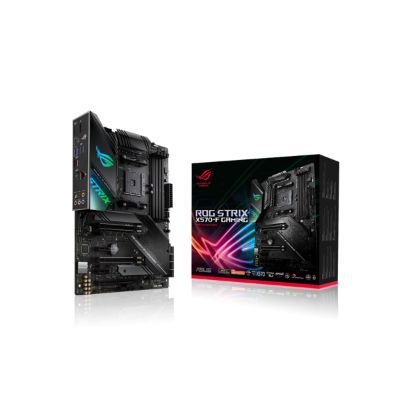
ROG Strix X570-F Gaming
Compared across 2 retailers
B550-F
Only at Oriental Store