ASUS · Motherboards
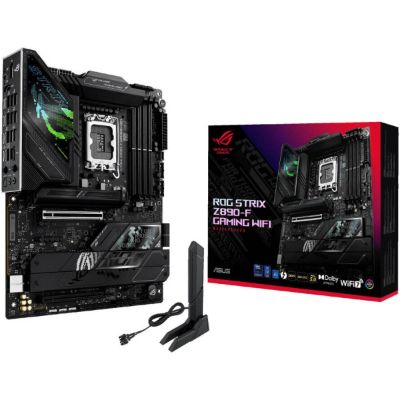
ASUS ROG STRIX Z890-F GAMING WIFI DDR5 LGA 1851 ATX MotherboardROG Strix Z890-F Gaming WiFi · DDR5
from 389 JODIn stock
Compared across 3 retailers

ROG STRIX Z590-F GAMING WIFI · DDR4
Ready for 11th Gen Intel® Core™ processors & 10th Gen Intel® Core™, Pentium® Gold and Celeron® Processors · Optimal Power Solution: 14+2 power stages with ProCool II power connector, high-quality alloy chokes and durable capacitors to support multi-core processors · Optimized Thermal Design: VRM and aluminum I/O…
Likely the same product — matched on brand and model, not on a manufacturer part number.
| Retailer | Price | Availability | Actions |
|---|---|---|---|
 Compu JordanLowest | 219 JOD | In stock | Visit retailer |
 CompuMe | 219 JOD | In stock | Visit retailer |
 GameOnJO | 229 JOD | In stock | Visit retailer |
 Oriental Store | 189 JOD | Out of stock | Visit retailer |
 City Center | 219 JOD | Out of stock | Visit retailer |
These listings match on brand and model rather than on a manufacturer part number, so the match is likely but not confirmed. Check the specifications before you buy on price alone.
Lowest offer added 2021-12-29 · Updated 2026-11-26 · No price change recorded
| Motherboard Specifications | |
|---|---|
| CPU Support | Intel® Socket 1200 for 11th + 10th Gen Intel |
| CPU Socket Type | LGA 1200 |
| Chipset | Z590 |
| Form Factor | 30.5cm x 24.4cm |
| Memory Type | DDR4 |
| Memory Speed | 5333(OC)/5133(OC)/5000(OC)/4800(OC)/4700(OC)/4600(OC)/4500(OC)/4400(OC)/4266(OC)/4133(OC)/4000(OC)/3866(OC)/3733(OC)/3600(OC)/3466(OC)/3400(OC)/3333(OC)/3200/3000/2933/2800/2666/2400/2133 MHz |
| Maximum Memory | 128 GB |
| Memory Slots | 4 Slots |
| AMD Cross Fire | No |
| NVIDIA SLI | No |
| Wireless LAN | Yes |
| Internal Connectors | 1 x TB Header (for add-on TB card)Fan and Cooling related 1 x 4-pin CPU Fan header 1 x 4-pin CPU OPT Fan header 1 x 4-pin AIO Pump header3 x 4-pin Chassis Fan headers 1 x VRM heatsink Fan header1 x W_PUMP+ header Power related 1 x 24-pin Main Power connector1 x 8-pin +12V Power connector 1 x 4-pin +12V Power connector Storage related 4 x M.2 slots (Key M) 6 x SATA 6Gb/s ports USB 1 x USB 3.2 Gen 2 connector (supports USB Type-C®) 1 x USB 3.2 Gen 1 header supports additional 2 USB 3.2 Gen 1 ports 2 x USB 2.0 headers support additional 4 USB 2.0 ports Miscellaneous 3 x AURA Addressable Gen 2 headers 1 x AURA RGB header 1 x CPU Over Voltage jumper 1 x Front Panel Audio header (AAFP) 1 x SPI TPM header (14-1pin)1 x 20-3 pin System Panel header with Chassis intrude function 1 x Thermal Sensor header 1 x Thunderbolt header |
| Warranty | |
| Warranty | 1 year |
The lowest price from 30 days before the promotion:
This board will be a better or more coherent option if you are a user who does not plan to use two LAN ports, MultiGPU or is not going to take full advantage of a higher power VRM with K processors.
I think we can easily conclude that we love this motherboard.
The first candidate for a new standard with solidly controlled trend functions
Robust power supply and expandability comparable to high-end, ASUS' latest middle "ROG STRIX Z590-F GAMING WIFI".
ROG STRIX Z590-F GAMING WIFI, a mid-range iron plate mother that can also handle Core i9, PCIe 4.0 SSD and wireless LAN
A high-end motherboard, priced high but in line with what it offers. Asus has gone all out to push this ROG Strix Z590-F Gaming to the max. Leaving aside the great aesthetics and LED lights with AuraSync, this motherboard is super easy to install, has everything in the right place and is optimised in many ways. Built-in cooling systems, AI Overclocking, PCIe 4.0 M.2 and much more.
ROG Strix Z590-F Gaming WiFi motherboard is designed with boosted power delivery and optimized cooling to cope with the demands of powerful 11th Generation Intel® Core™ Rocket Lake processors. Along with the latest Intel® Wi-Fi 6E and PCI Express® 4.0 M.2 for superfast transfer speeds and storage, Strix Z590-F Gaming WiFi features Two-Way AI Noise Cancelation to ensure clear communication in any scenario. Strix Z590-F Gaming WiFi is unmistakably ROG with its futuristic design elements, iridescent ROG logo, monochrome finish and Aura lighting that will give your build a subtle but vibrant look.
Intel® Socket LGA1200 for 11th & 10th Gen Intel® Core™ processors
Sonic Studio III + Sonic Studio virtual mixer
ROG Strix Z590-F Gaming WiFi is armed with up-rated power delivery and optimized cooling to enable top-tier performance for gaming. Fully equipped with intelligent controls for easy management of overclocking, cooling and networking settings, Strix Z590-F Gaming WiFi also features Two-Way AI Noise Cancelation for crystal-clear in-game communication.
Digital power control and an array of power stages provide the muscle needed to control the latest Intel CPUs.
14+2 power stages combine high-side and low-side MOSFETS and drivers into a single package, delivering the power and efficiency that the latest Intel processors demand.
Superior chokes and durable capacitors are engineered to resist extreme temperatures, enabling performance that exceeds industry standards.
The ASUS ProCool II socket is built to tight specifications to ensure flush contact with the PSU power lines. Metal armor improves heat dissipation, and lower impedance helps prevent hotspots and improves reliability.
The built-in Digi+ voltage-regulator module (VRM) is one of the finest in the industry, ensuring ultra-smooth and clean power delivery to the CPU.
The PCB design quickly dissipates heat around the VRM to improve overall system stability and provide the CPU with more overclocking headroom.
An aluminum I/O cover and two VRM heatsinks connected by an L-shaped heat pipe provide ample surface area and mass to deal with the heat generated by the latest Intel processors.
High-quality thermal pads efficiently transfer heat from the inductor and phase array to the heatsink.
The M.2 heatsinks keep the M.2 SSD at optimum operating temperature for consistent performance and reliability.
An integrated M.2 backplate helps ensure that high-performance drives deliver peak performance, even when airflow is restricted.
ROG Strix Z590 motherboards feature comprehensive cooling options that are configurable via Fan Xpert 4 or the UEFI BIOS.
A dedicated pair of PWM/DC fan headers for CPU coolers
A dedicated PWM/DC header for self-contained water-cooling setups
A dedicated header that can supply over 3 amps to high-performance PWM or DC water pumps
Keeps the M.2 SSD at the optimum operating temperature for consistent performance and reliability
Provides additional mass to deal with the thermal load of high-performance M.2 drives
Each header supports auto-detection of PWM or DC fans * Supports ASUS HYDRANODE
This powerful ASUS-exclusive utility leverages a massive deep-learning database to reduce background noise from the microphone* and incoming audio while preserving voices. Distracting keyboard clatter, mouse clicks and other ambient noises are removed so you can hear and be heard with perfect clarity while gaming or during calls. *A splitter cable is necessary when using a 3.5 mm headset.
ROG AI Overclocking is an intelligent utility that helps you get the most out of your build by automatically profiling your CPU and cooling system to predict optimal voltage and frequency settings. Accessible via the AI Suite software in Windows or directly through the UEFI, the intuitive AI Overclocking user interface enables users of all levels. A range of customizable settings are available for seasoned overclockers, and an auto-tuning option is available for beginners.
At the heart of AI Overclocking is a proprietary algorithm developed by ROG R&D engineers who worked with world-renowned overclockers to create a tool for users of all levels.
The algorithm analyzes your CPU and cooling system and, based on what it finds, predicts optimal settings. The software then automatically applies these settings to guide the clocking process, balancing frequency and voltage.
Workload, system temperature, fan speed and power draw are automatically monitored by the software, and the information is used to make real-time adjustments to ensure ongoing optimal performance.
Turn on your PC and put on a load on the processor to get a baseline reading of your CPU, cooling system capabilities.
The AI Overclocking Guide provides detailed information and instructions about how to tune your system manually. It can be accessed by hitting the F11 hotkey.
For the high-core-count processors in the Z590 series, AI Overclocking software lists data according to core group. This gives you adaptive control based on the status of core groups, and it provides target frequency and voltage estimations needed for manual tuning.
Onboard intelligence lets you automate overclocking with full, flexible control via 5-Way Optimization within AI Suite (in Windows).
ASUS AI Cooling technology automatically manages and controls motherboard-connected fans to ensure optimal settings based on current system load and temperature.
AI Cooling detects CPU temperatures and uses a proprietary algorithm to calculate the lowest fan speed required to effectively cool the system and keep fan noise down.
Under stable system loads, the software automatically lowers fan* speed to the optimal setting, decreasing fan noise without compromising performance.*Fans need to be connected to the following headers for AI Cooling control: CPU_FAN / CPU_OPT / CHA_FAN / M.2_FAN / H_AMP / RAD_FAN
AI Cooling continues to monitor the system and adjust fan speed based on current load.
AI Cooling can easily be activated via the Fan Xpert 4 dashboard in ASUS AI Suite 3. Once activated, it will override all manual controls.
For those who prefer manual control, AI Cooling provides reference points on a graph, detailing fan speed in relation to temperature to provide a guide for fan settings.
The proprietary ROG GameFirst VI utility is designed to help all users — beginners, experts, and everyone in between — optimize network settings to ensure smooth online gameplay. New to this generation, GameFirst VI features AI-enhanced identification and boost technologies to ensure faster and smarter network optimization.
GameFirst VI analyzes usage patterns and the digital signatures of your applications and compares them to a database of over 200,000 apps.
GameFirst VI intelligently switches application priority and adjusts bandwidth, depending on the situation. When gaming, it accelerates and prioritizes game packets to give you supersmooth online gameplay ― even when you're streaming high-quality video or transferring large files.
An intuitive graph provides an overview of real-time network status. Simply click on the tab to view the current bandwidth usage of each application, geolocation status of each network connection, or an analysis of the WiFi channels.
GameFirst VI notes what you're currently doing and adjusts bandwidth accordingly to ensure smooth online experiences, even when multitasking.
Gaming First mode leverages a massive application database and an analysis of your frequently used apps to prioritize gaming network traffic. This reduces jitter and decreases ping to give you lag-free online gaming.
WIFI Quick Assist analyzes network information and generates a graph to give you a clear picture of current network status. In addition, when paired with an ROG router, you can scan your WiFi network to find the best channel and use Game Boost to prioritize gaming devices and packets.
ROG Strix Z590-F Gaming WiFi includes the latest connectivity for supersmooth online experiences and blisteringly fast large file transfers. Superior audio performance gives you a massive advantage, allowing you to pick up on the smallest audio cues for a completely immersive gaming experience.
ROG Strix Z590-F Gaming WiFi supports up to 128 GB DDR4 memory across four slots. OptiMem II technology improves trace layout to significantly reduce vias and crosstalk, enhancing memory stability and compatibility while giving memory kits higher frequency margins.
With four strategically placed M.2 slots, ROG Strix Z590-F takes full advantage of CPU and chipset bandwidth to usher in support for the latest PCIe® Gen 4.0 SSDs, lightning-fast Intel NVM Express® RAID, and high-capacity drives that blaze past traditional SATA-based storage.
Onboard WiFi 6E technology takes advantage of the newly available radio spectrum in the 6 GHz band. It provides up to three times the bandwidth of the 5 GHz band and up to seven 160 MHz bands to deliver ultrafast wireless networking speeds and improved capacity as well as better performance in dense wireless environments. *WiFi 6E availability and features are dependent on regulatory limitations and co-existence with 5 GHz WiFi. Learn more about the ASUS WiFi 6 ecosystem.
Onboard 2.5 Gb Ethernet gives your wired connection a boost, with up to a 2.5X improvement over standard Ethernet connections for faster file transfers, smoother lag-free gaming and high-res video streaming.
The antenna has two built-in transmitters and receivers to enable faster transmission speeds, and it supports the 2.4, 5 and 6 GHz bands.
Four-way positioning enables better signal reception.
A powerful magnetic base secures the antenna on the top or side of the PC case.
ROG SupremeFX is a unique blend of hardware and software that provides superior audio. In ROG Strix Z590-F Gaming WiFi, SupremeFX features the ALC4080 codec to increase playback resolution from 192 kHz to 384 kHz across all channels. The front-panel output is streamed through a highly integrated Savitech amplifier that’s capable of driving of a wide variety of gaming headsets and high-fidelity headphones.
Effective shielding against electromagnetic interference preserves the integrity of audio signals to ensure the best sound quality.
Specially designed shielding blocks electromagnetic interference from the motherboard or add-ons.
The integrated Savitech amplifier greatly improves THD+N performance from 72 to 83 dB, resulting in cleaner, more pristine sound.
High-quality Japanese-made components produce a warmer, more natural sound with exceptional clarity and fidelity.
Pair ROG Strix Z590-F Gaming WiFi with other products from the diverse ROG ecosystem to create a fully customized gaming setup that reflects your personal style.
ROG Strix Z590-F Gaming WiFi embodies the ROG spirit with its futuristic cyberpunk-inspired design elements and monochromatic color palette. The ROG logo on the I/O heatsink is illuminated by Aura RGB LEDs and can be synced with other Aura-compatible hardware to create an eye-catching, unified look.
ROG Strix motherboards deliver sterling performance and superior aesthetics to outshine the competition. They also feature built-in ASUS Aura technology that enables full RGB lighting control and a variety of presets for embedded RGB LEDs as well as lighting strips connected to onboard RGB headers. In addition, all lighting can be easily synced with an ever-growing portfolio of Aura-capable ASUS hardware.
ROG Strix Z590-F Gaming WiFi's Addressable Gen 2 RGB headers are now capable of detecting the number of LEDs on second-gen addressable RGB devices, allowing the software to automatically tailor lighting effects to specific devices. The new headers also offer backward-compatibility with existing Aura RGB gear.
The innovative Q-Latch makes it easy to install or remove an M.2 SSD without the need for specific tools. The design employs a simple locking mechanism to secure the drive and neatly eliminate traditional screws.
A quick press of the Clr CMOS button helps reset BIOS settings. It can also be used to reboot the PC if incorrect BIOS settings have been selected.
BIOS FlashBack™ is the simplest and safest way to update BIOS. Simply drop the (UEFI) BIOS file onto a FAT32-formatted USB stick, and plug it into the USB BIOS FlashBack port and press the button. Updates can even be performed without having memory or a CPU installed.
FlexyKey makes it possible to redefine the role of the chassis reset button. Assignable options include quick Aura lighting control, booting directly into UEFI, or performing a safe boot to recover settings.
The patented ROG I/O shield is finished in sleek matte black and comes pre-mounted, which further simplifies the process of installing the motherboard.
ROG Strix motherboards undergo an extensive certification program to ensure compatibility with the widest range of components an”d devices. Our Qualified Vendor List (QVL) provides a reference for identifying guaranteed-compatible components and memory.
Level up your game with ROG Strix. Enjoy complementary aesthetics, control and compatibility across AIO coolers, cases, peripherals, and much more. ROG offers more choices than any other brand.
ROG-exclusive software utilities deliver intuitive audio tuning and gaming enhancements so you can configure your gaming build the way you want. To further aid system setup and performance tuning, the highly acclaimed AIDA64 and MemTest86 utilities have also been added to the mix.
The renowned ROG UEFI (BIOS) provides everything you need to configure, tweak, and tune your rig. It offers intelligently simplified options for newcomers to PC DIY, as well as more comprehensive features for seasoned veterans.
For added convenience, MemTest86 has been pre-installed into ROG UEFI (BIOS) Run the test to pinpoint memory issues with just one click, without the need for any USB stick or going into the OS. The memory report will also be stored in the BIOS archives for reference.
When you're ready for a deeper dive into the configuration of your system, delve into the UEFI's Advanced mode and take complete control. Each section is intuitively organized, and a built-in search feature makes it easy to find the options you need. Advanced functions are coded with the intelligence to adapt to your settings, and when you're ready to take charge, parameters have the granularity to dial in performance just the way you want.
Diagnose faulty RAM and memory problems that cause corrupted data and crashes.
AI OC monitors system vitals like temperatures, fan speeds, and power draw to estimate overclocking performance.
Quickly find tuning options and add preferred tools to the list.
Flash the latest BIOS via the internet from within the BIOS.
The AI OC Guide allows you to enable the AI Optimization or view a quick guide.
Check your storages devices' Self-Monitoring, Analysis, and Reporting Technology logs to gauge reliability and to identify potential failures.
Automatically detect selected ASUS graphics cards to view detailed information.
Restore your SSDs to factory-fresh condition.
Track the latest changes and save preferred profiles onto a USB drive.
Rename SATA ports for easy identification.
Quickly and easily find the option or setting you're looking for.
Port configuration settings between different BIOS versions or share them with friends.
Designed to simplify setup, EZ mode presents vital settings and stats on a single page. With guided wizards, drag-and-drop functionality, and one-click application of important settings, your rig will be up and running in no time.
Flash the latest BIOS from within the BIOS.
Check your storage device Self-Monitoring, Analysis, and Reporting Technology logs to gauge reliability and identify potential failures.
Restore your SSDs and NVMe storage to factory settings.
Track the last change and save preferred profiles to a USB drive.
Configure the fan's operating speed manually or use pre-configured fan profiles to quickly select Standard, Silent, Turbo or Full Speed modes. By default, system fans will automatically switch to full speed if the temperature reaches 75°C.
Take care of complex tuning with just one click. ASUS 5-Way Optimization is a system-wide tuning utility that overclocks the processor and tunes fan speeds to ensure the best balance between cooling and acoustics.
The TurboV Processing Unit (TPU) provides AI Suite 3 with the intelligence needed to automatically fine-tune voltages, monitor system stats, and adjust overclocking settings.
With the Energy Processing Unit (EPU), you’ll enjoy system-wide power savings. The EPU automatically optimizes power consumption and maximizes savings with Away mode.
Fan Expert 4 provides comprehensive control over fans, water pumps and all-in-one (AIO) coolers. Control is also possible via the award-winning ROG UEFI. Whether you're cooling with air or water, Auto-Tuning mode intelligently configures all parameters with a single click. There's also an Extreme Quiet mode, which reduces all fan speeds to below the default minimum to keep your system whisper-quiet when performing light tasks.
The Digi+ voltage-regulator module (VRM) delivers real-time control over voltage droop, allowing you to switch frequency and power-efficiency settings so you can fine-tune CPU voltage regulation for ultimate stability and performance.
Define CPU overclocking, apply fan profiles, prioritize network data, optimize audio settings at app level, and more ― all with this intuitive tool.
ROG Sonic Studio supports HRTF-based (head-related transfer function*) virtual surround for VR headsets, casting an immersive aural landscape that draws you deeper into the action. The intuitive Sonic Studio interface also offers a range of EQ options and one-click presets, allowing you to tailor acoustics to suit personal preferences or the characteristics of your headset.










-
Based on the price records this catalogue holds — not a guarantee of an all-time high or low.
Lowest price across 5 retailers.
The lowest price has not changed since it was first recorded on 2026-09-13, currently 219 JOD.
| Recorded | Price | Change | Lowest at |
|---|---|---|---|
| 2026-09-13 | 219 JOD | First recorded | Compu Jordan |
ROG Strix Z890-F Gaming WiFi · DDR5
Compared across 3 retailers
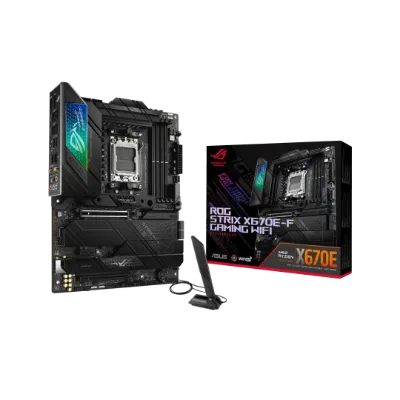
ROG Strix X670E-F Gaming WiFi · ATX
Compared across 3 retailers
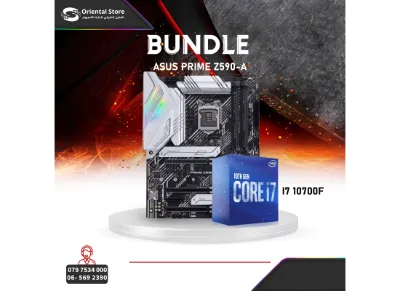
Only at Oriental Store
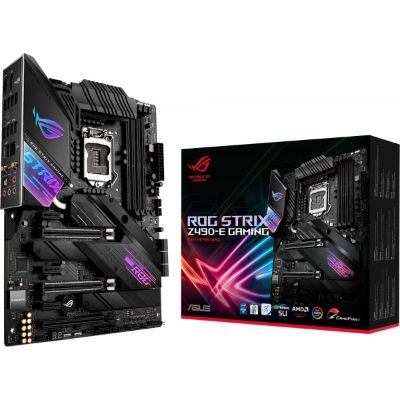
Z490-E
Only at Oriental Store