14% off
Logitech · Mice
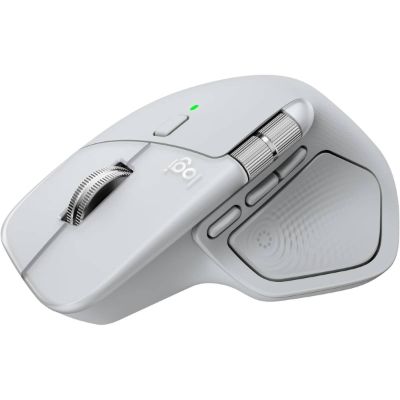
Logitech MX Master 4 Wireless Mouse for MacMX Master 4 · for Mac
from 89.99 JODIn stock
Compared across 9 retailers

MX MASTER 3 FOR MAC · Space
Easy-Switch EnabledReady For Video CallsResponsible PackagingWorks With Ipad
| Retailer | Price | Availability | Actions |
|---|---|---|---|
 Compu Jordan | 89 JOD | Out of stock | Visit retailer |
Only one retailer in this catalogue is listing this product. Confirm the final price with the retailer.
Lowest offer added 2021-12-29 · Updated 2026-11-25 · No price change recorded
Search for other retailer offers| Mouse Specification | |
|---|---|
| DPI | 200 - 4000 |
| Connectivity | Bluetooth |
| Sensor Type | Darkfield high precision |
| Scrolling | Scroll Wheel with auto-shiftThumbwheel |
| Number of Buttons | 7 |
| Battery Life | up to 70 days on a single full charge |
| Range | 10 m |
| Physical Specifications | |
| Weight | 141.00g |
| Width X Depth X Height | 84.00mm x 51.00mm x 125.00mm |
Get more out of your Mac with MX Master 3 for Mac – designed to work seamlessly on your Mac and iPad. Finished in Space Gray, MX Master 3 for Mac is our fastest, most precise, and most comfortable tool for digital creators.
We reinvented the wheel. All-new MagSpeed™ Electromagnetic scrolling is precise enough to stop on the right detail every time and quick enough to scroll 1,000 lines in a second. Oh, and it’s nearly silent.
The wheel’s machined steel gives it a premium tactility and enough weight to offer a dynamic inertia you feel – but don’t hear.
Work comfortably with a form crafted for the shape of your hand. Create, make, and do more intuitively with ideally-placed back/forward and gesture buttons – and a new thumb wheel.
Customize MX Master 3 for Mac for your specific creative workflow.
MX Master 3 is fully customizable in macOS and virtually every app you use – and you’ll work faster with predefined customizations optimized for your favorite apps4Requires Logitech Options software, available for macOS and Windows. - Adobe Photoshop®, Adobe Premiere Pro, Final Cut Pro, Google Chrome™, Safari, Zoom®, Microsoft Teams®, Word®, Excel®, PowerPoint®, and Edge.
Based on the price records this catalogue holds — not a guarantee of an all-time high or low.
This retailer's price has not changed since it was first recorded on 2026-09-13, currently 89 JOD.
| Recorded | Price | Change |
|---|---|---|
| 2026-09-13 | 89 JOD | First recorded |
MX Master 4 · for Mac
Compared across 9 retailers
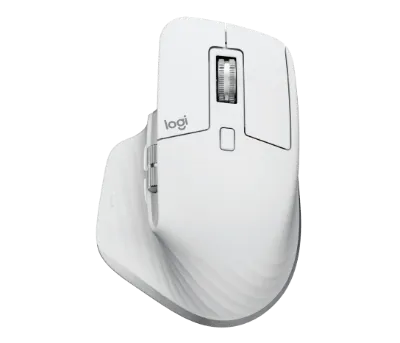
MX Master 3S · For Mac
Compared across 5 retailers
Space Grey
Only at Compu Jordan
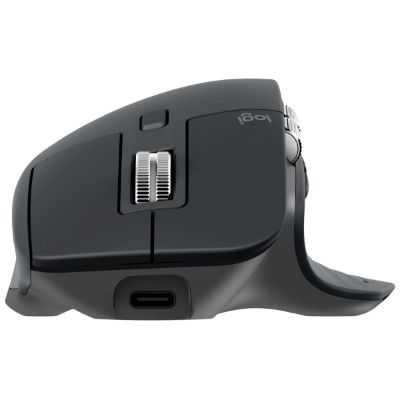
MX Master 3
Compared across 4 retailers